Kinematic 0.5.0 is out. Modeling and sculpting in the viewport, a timeline on every graph, photo and sound editing. What's new
Kinematic / Who it's for / Events and conferences

Keynotes, launches and conferences, from one file.

Build the room in 3D, render the product for the reveal, blend the big screen, put titles and live captions up and stream the program to the people at home. One operator runs it from a laptop, a tablet or a Stream Deck.

  • Production companies
  • AV crews
  • Show callers
  • Event designers
  • Content producers
Edge blends and corner pinsCaptions on your own machineNDI and RTMP outStream Deck and OSC
a keynote hall in 3D: the product turns on the big screen, the title and a QR code on the side screens
the graph behind it
InputVideoFile+ImageQrCode+3DGeoSceneRenderToImage+ImageBloom
The work

The jobs on an event.

From the first poster to the session videos, every job opens in the same app, and the show day jobs share one show file.

Part 1

Before the event

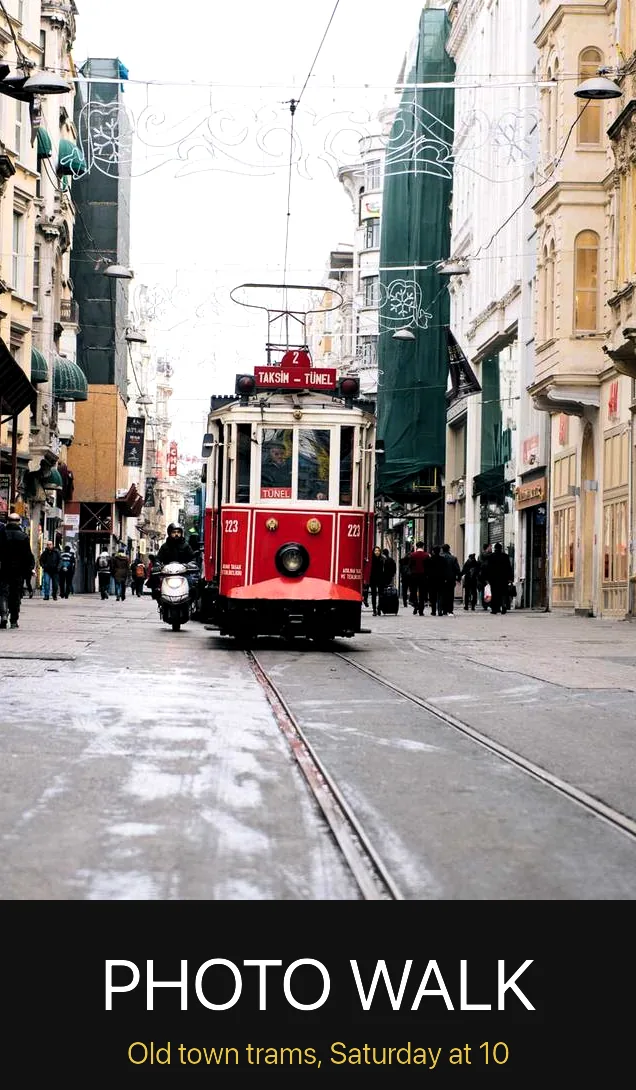
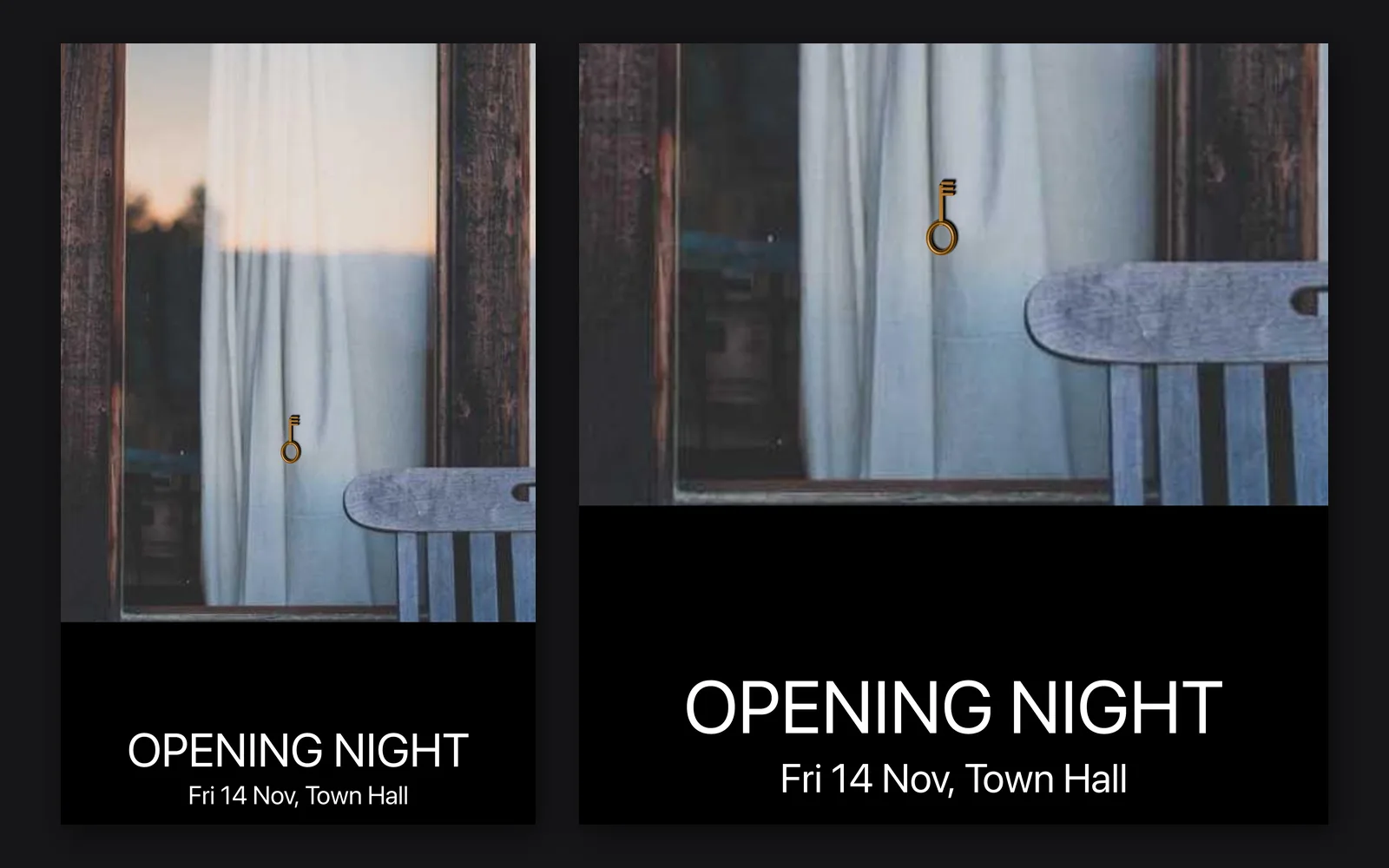
An A3 event poster: a window photo, a black band and two lines of text, beside a close look at the band
the A3 event poster, with a close look at its text band
01

Design the poster and the posts

Lay a dark band and two lines of type over a photo and save it at A3 print size. Then crop the same look square, 4:5 and 9:16, each with its own line, for the posts in the weeks before.

InputImageFile+TextRenderOverImage+ImageCrop+OutputImageFile
a cabin model turning, one full circle
02

Render the product for the reveal

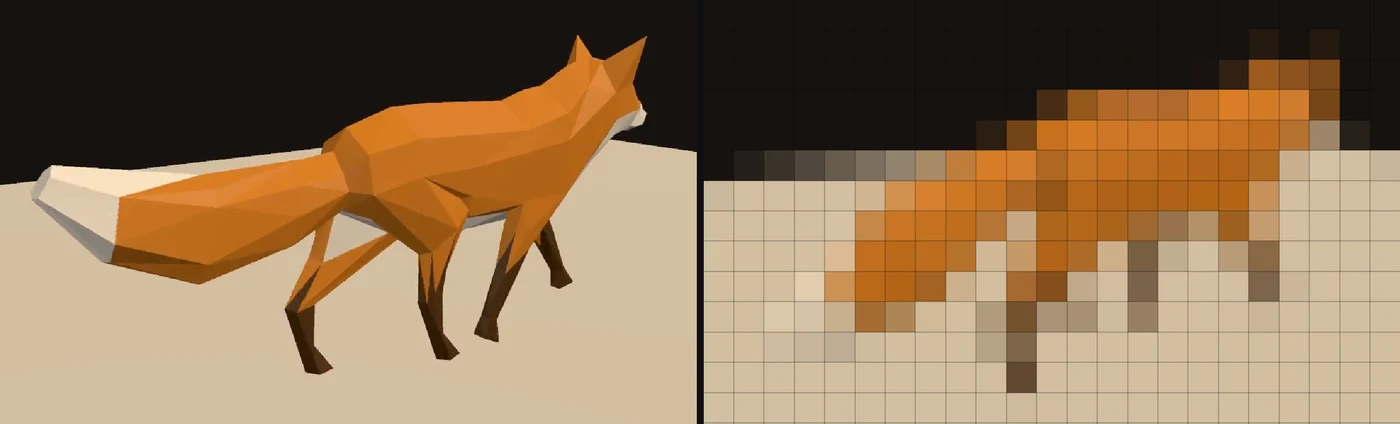
Bring the model in from glTF, FBX, USD or OBJ, light it and circle a camera around it. Record the turn as a video at the size of the screen, or render it live on the night.

3DGeoImportGLTF+3DGeoCameraOrbit+3DGeoSceneRenderToImage+OutputVideoFile
Part 2

Load-in

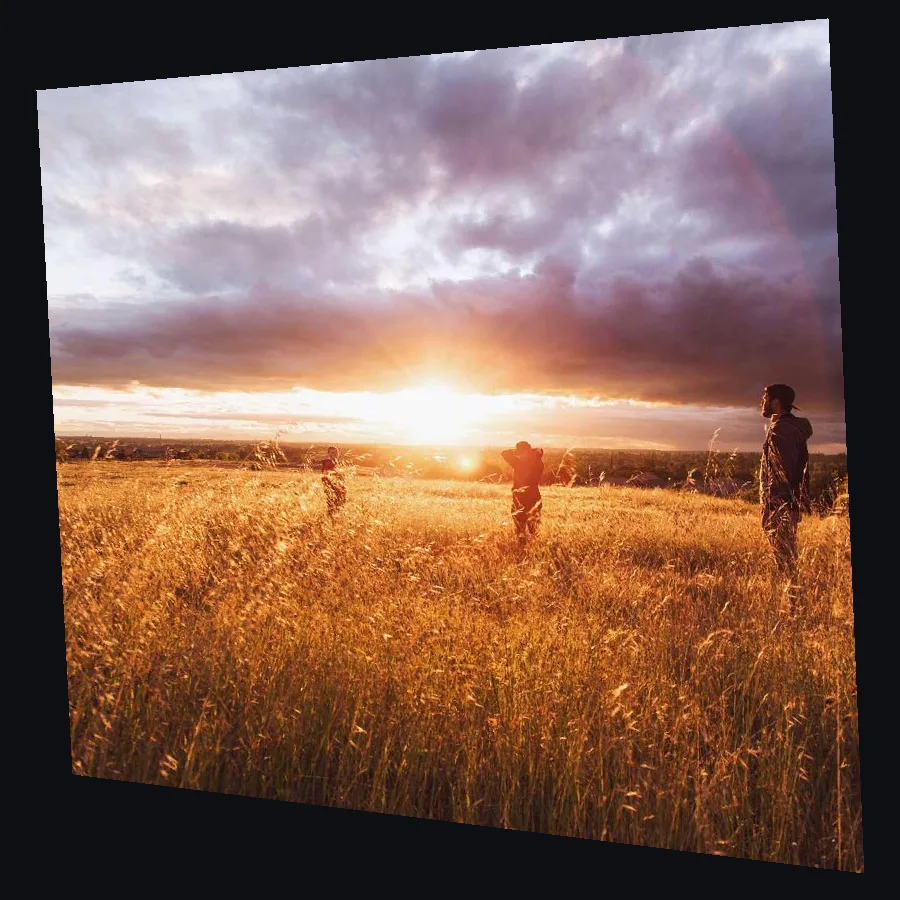
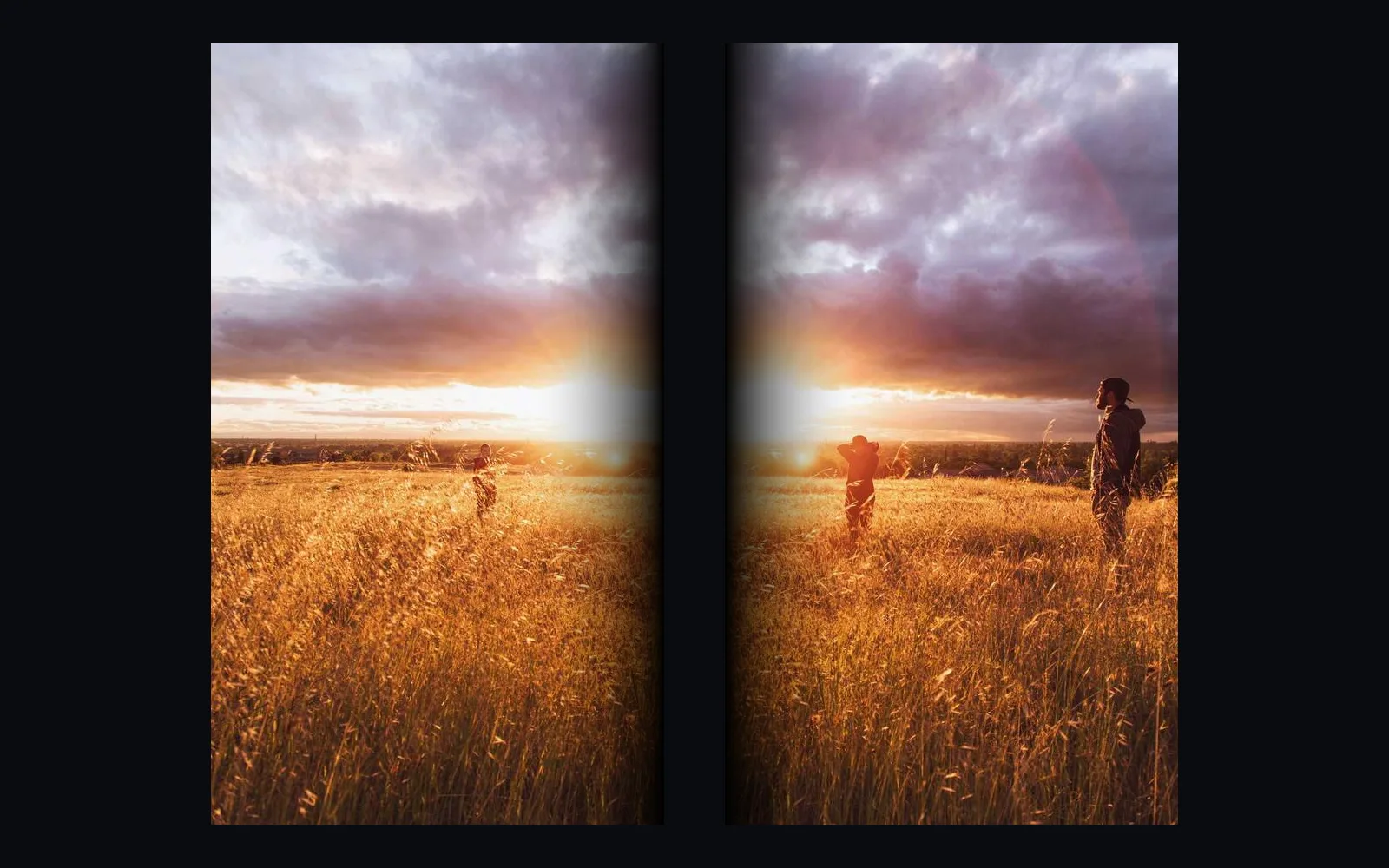
One sunset photo split across two projector halves, each feathered where they overlap
one picture across two projectors, the seam feathered on both sides
03

Blend one wide screen from two projectors

Slice the picture across two projectors with an overlap and feather the seam until the join is gone. Each half gets a window on its own output, and a camera can line the projectors up for you.

ProjectorLayout+ImageEdgeBlend+ImageDisplay
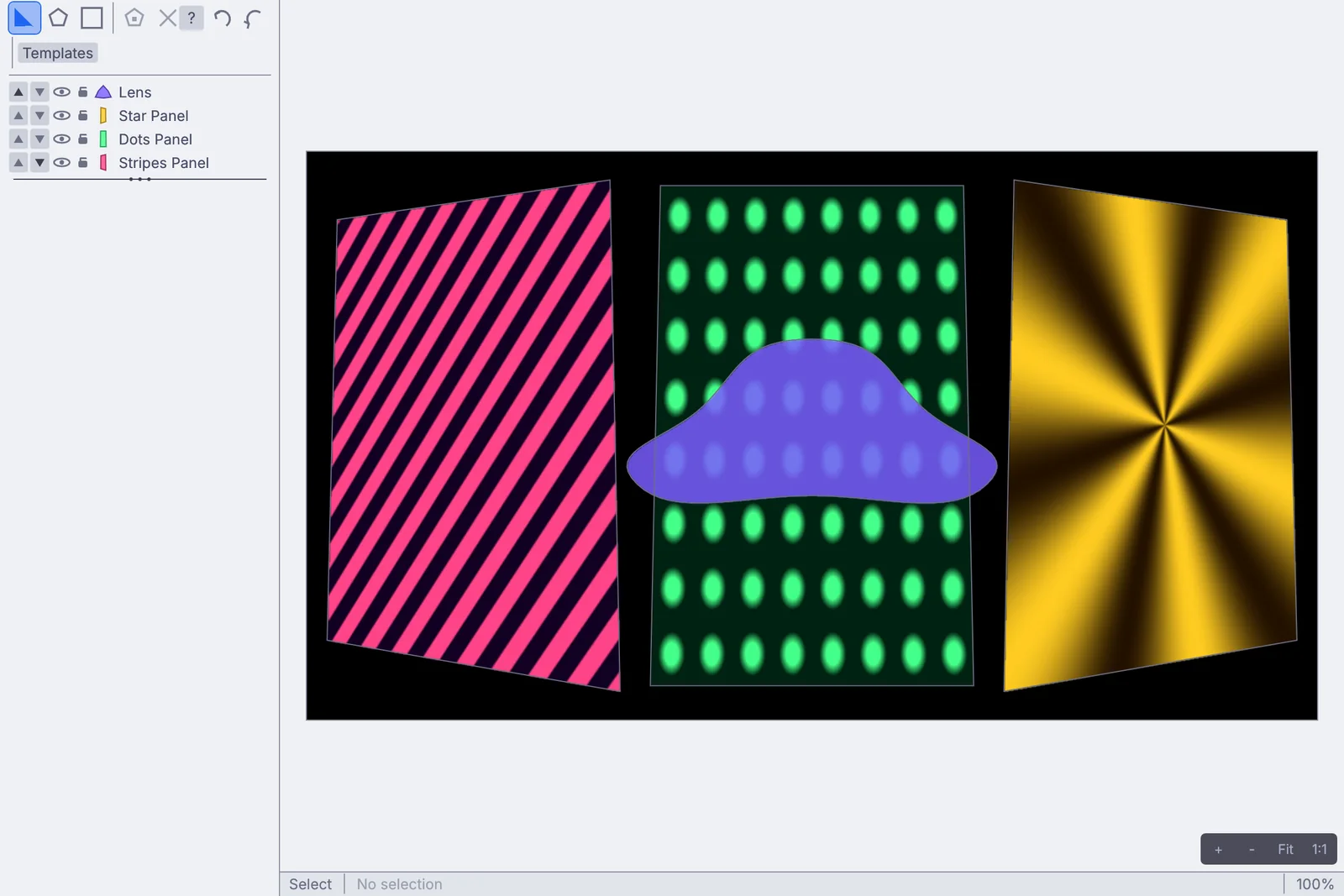
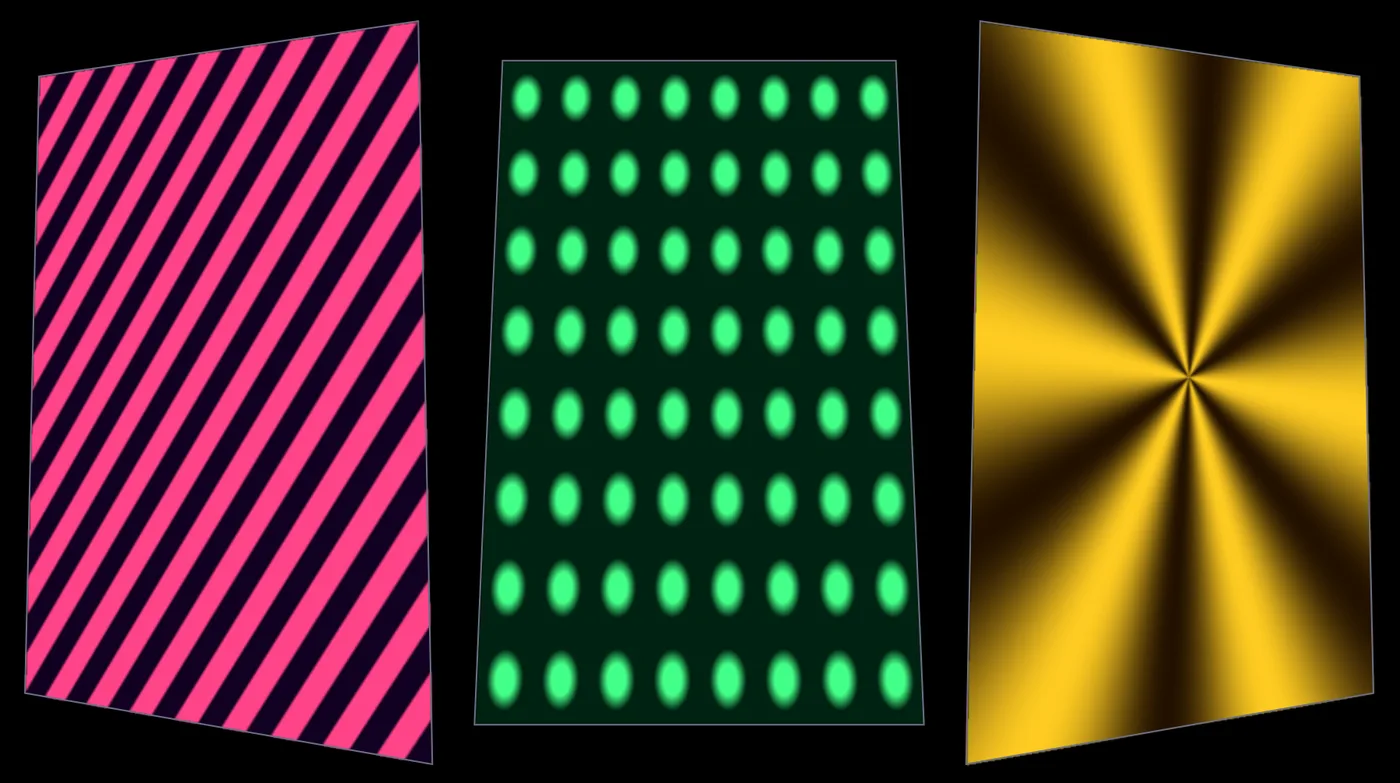
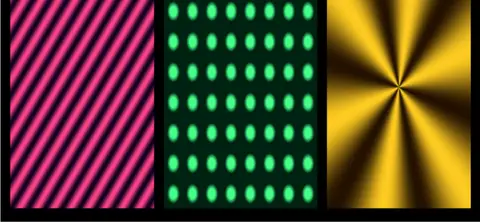
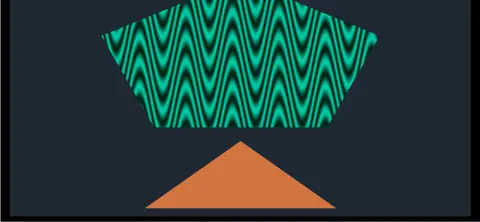
The Projection Mapper editor with three tilted panels, each showing its own pattern
the Projection Mapper: three panels, each with its own picture
04

Map the set pieces

Fit a picture to each panel of the set in the Projection Mapper, pin the corners of a tilted screen, and wrap a curved surface with a grid warp.

ProjectionMapper+ImageHomography+ImageGridWarp
Part 3

Show day

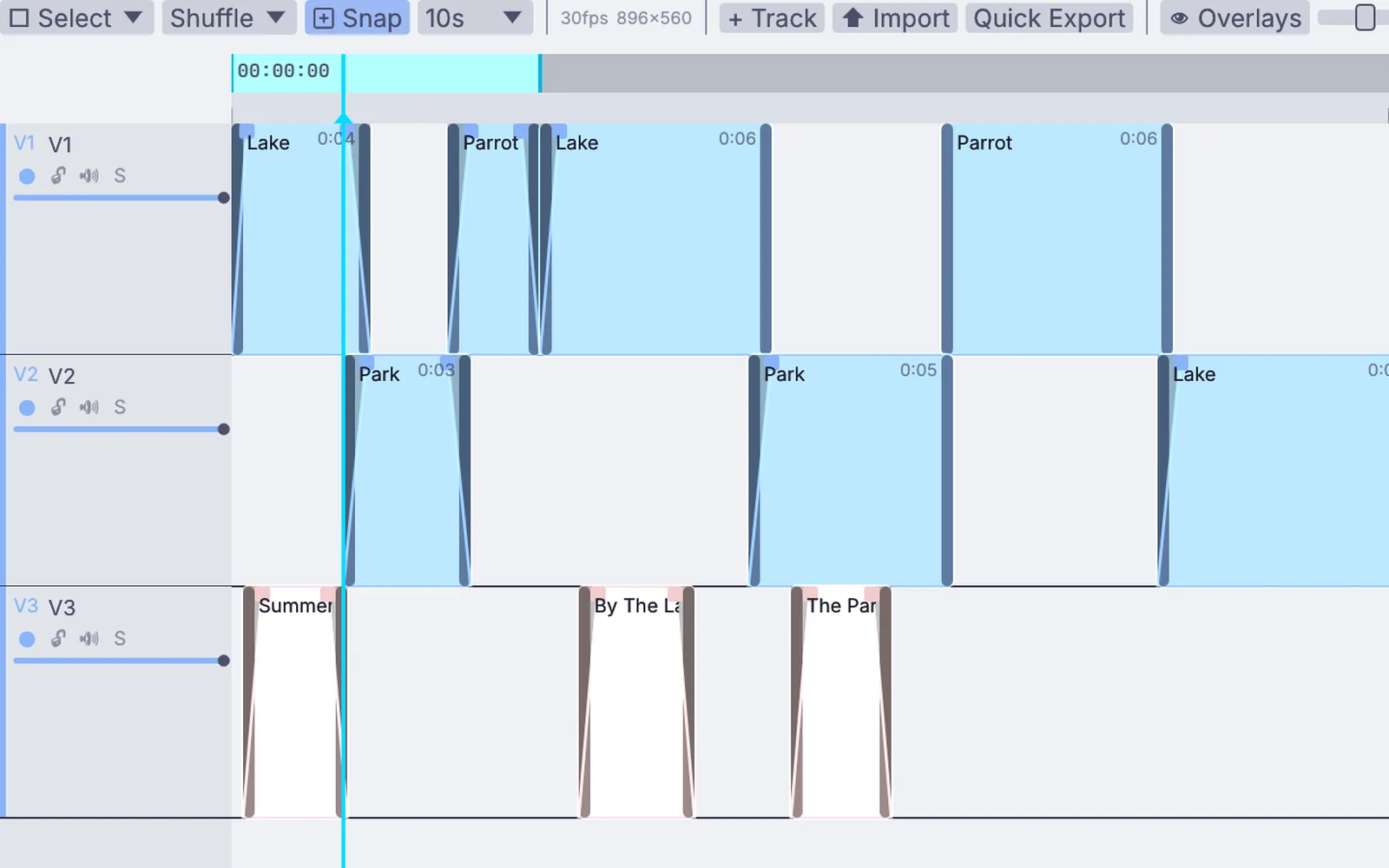
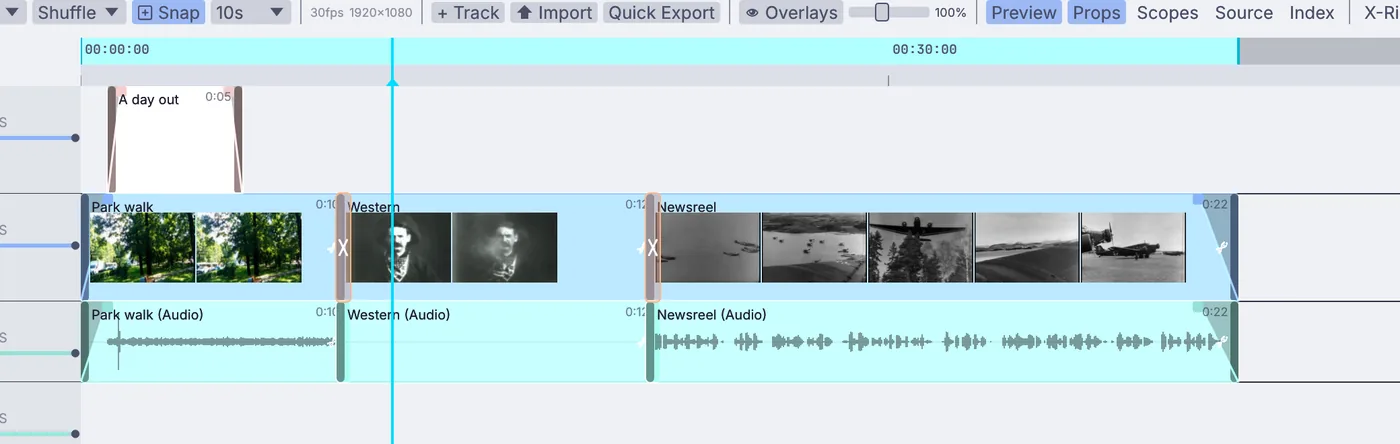
The clip timeline: clips on three video tracks with fades and title clips
clips on three tracks, with fades and titles
05

Play the walk-in loop, the videos and the stings

Lay clips out on tracks with fades and titles and play them as a timeline, or start each one from a marker when its part of the show comes up. Pictures, image sequences and video files all play.

VideoArrangementPlayer+InputImageSequence+InputVideoFile
a multiview built in the graph: program, preview and eight sources
06

Bring in the cameras

Cameras arrive over NDI from across the room or from a capture card. Build a multiview with program and preview marked, follow the tally from an ATEM or vMix, and steer PTZ cameras from a panel.

StreamingNDIReceiveInterface+ImageConcat+StreamingAtemClient+StreamingPtzControl
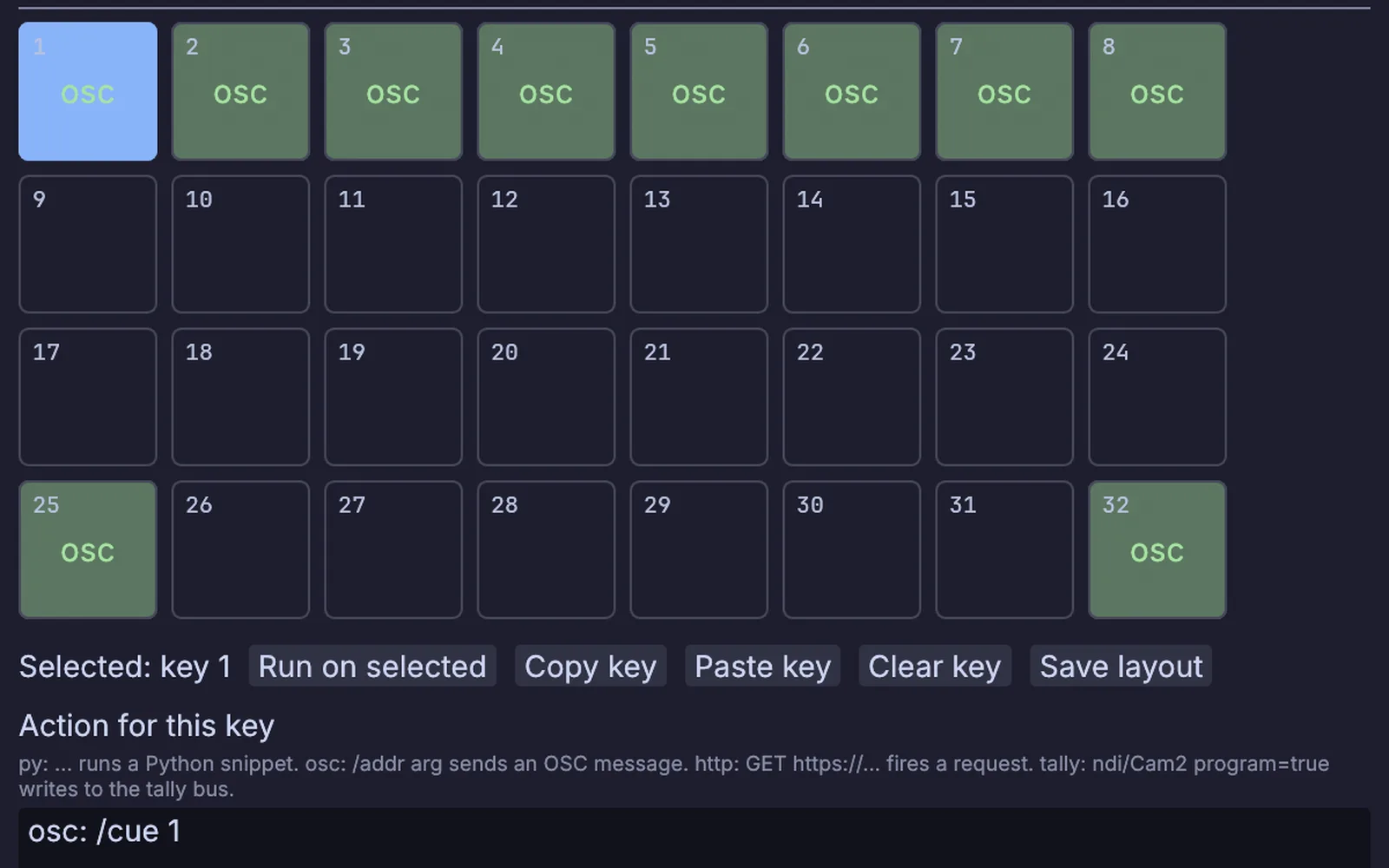
The Stream Deck Layout window: keys 1 to 8 each send a cue, with Back and Go below
the Stream Deck Layout window, a cue on each key
07

Run it from a tablet or a Stream Deck

Put one cue on each Stream Deck key. A touch page served from the show opens on any phone, TouchOSC faders map in one move, and a button on a web page can fire the next cue.

StreamingStreamDeckSurface+DmxRemoteEndpoint+OSCReceive+WebhooksServerInterface
Part 4

On the floor and after

a body tracked from a video file, the background dropped
08

Build an interactive stand

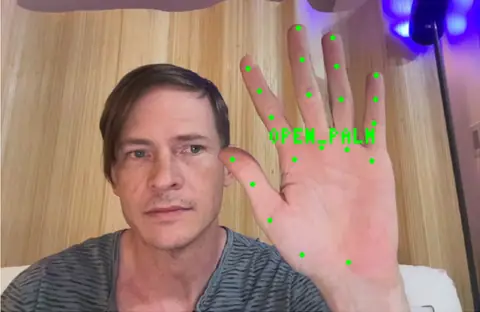
A camera at the stand tracks bodies, hands and faces on the machine itself. Fire a cue with an open palm, key visitors onto a virtual set, or let the wall follow whoever walks past.

VideoCaptureInterface+LocalAIImageToBodyPose+LocalAIImageToHandGestures+ImageChromaKey
a short cut on the timeline: a title, crossfades and three clips
09

Cut the session videos

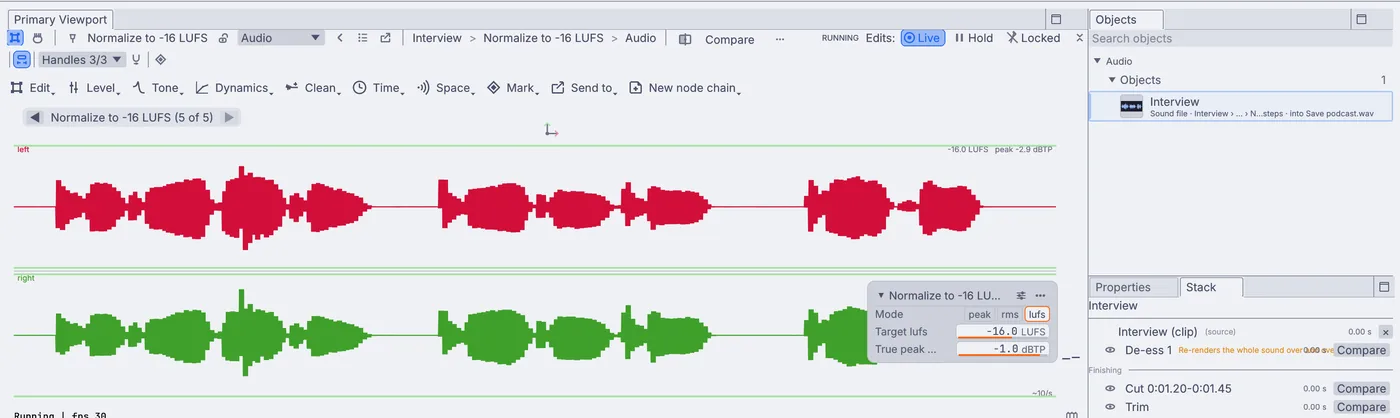
Record the program to a file while the show runs, split into parts if you like. Then cut each talk on the timeline with fades and a title, tidy the voice and save it ready to post.

OutputVideoFile+VideoArrangementPlayer+AudioEditRange+AudioNormalize

The program out, with a LIVE badge, a name bar and a caption for each sentence. Here the speech comes from a sound file. On the night, the stage mic goes in instead.

What Kinematic adds

Live captions.

Feed the stage mic into the transcriber and each sentence lands on screen a moment after it is said. The speech model runs on the show machine, so the words never leave the room and there is no captioning service to book.

Every line also arrives as a table with its start and end time, ready to save as a CSV or JSON transcript. Add a translate node and a second language can sit under the first.

the caption chain
AudioCaptureInterface   the stage mic
LocalAIAudioTranscribe  one line per sentence
TextRenderToImage       over the program
StreamingRtmpSend       out to the stream
Show day

Screens, lights and the stream.

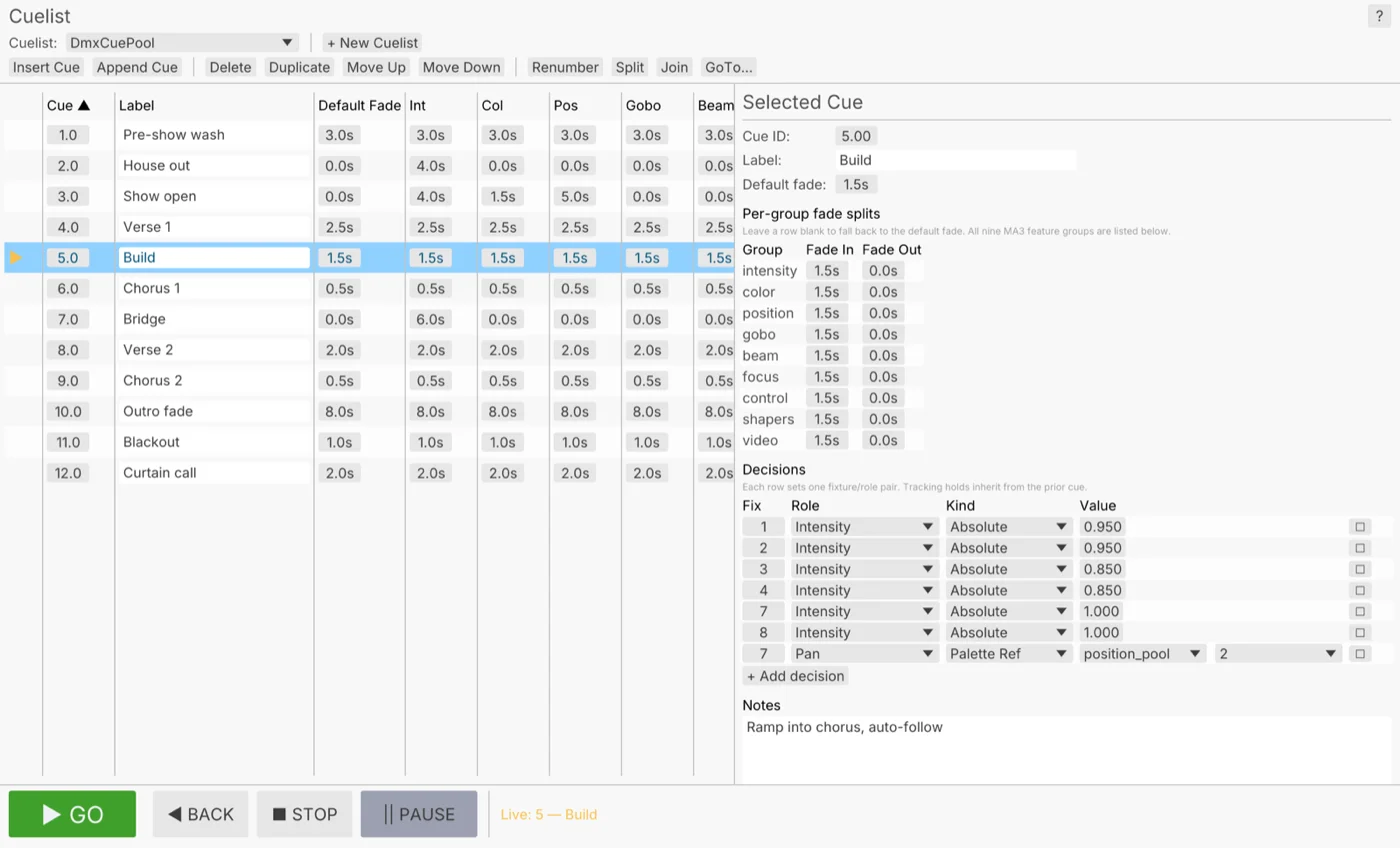
Each output is a window on its own display: the blended wide screen, the side screens, a monitor at the front of the stage. The same file runs the stage lights from a cue list, sends the program to the vision mixer over NDI and streams it over RTMP with the sound mixed in. Press F1 and the editor steps aside, and Show lock keeps a stray click from moving the timeline.

ImageDisplay+DmxActiveCuelist+StreamingNDISendInterface+StreamingRtmpSend
F1: the panels step aside and the loop fills the window
A cue list: pre-show wash, house out, show open and the cues after them, with Go, Back and Stop below
pre-show wash, house out, show open: the cue list with Go

Open straight onto the screens

Launch in Perform Mode on the display you name. The editor stays out of sight.

terminal
$ kinematic event.kin --perform --display 1

Move outputs from the booth

Start the show machine with a control port and a token, then move a window to another display from your own laptop.

terminal
$ kinematic event.kin --perform --control tcp:0.0.0.0:9797 --control-token-file token.txt
$ kinematic ctl --token-file token.txt tcp:192.168.1.20:9797 outputs move main 1

Back on its feet after a crash

If the show stops or stalls, it restarts on its own.

terminal
$ kinematic event.kin --perform --restart-on-panic 3 --watchdog 10s

Let the venue check on it

Answer a health check on a port, for the monitoring the venue already runs.

terminal
$ kinematic event.kin --perform --health-port 8080
What Kinematic adds

Effects for the reveal.

Sparks that burst and trail light when the winner is named. A flame simulated on the graphics card that also lights the LED fixtures, frame by frame. Strobes that hit on the kick of the walk-up music.

Simulations, sound and lighting run in the same file as the screens, so they stay in step with no render to wait for and no file to hand across.

3DGeoParticleChainEmitter+3DGeoParticleRibbon+3DGeoFluidSimpleSolver+ImageToDmx+AudioOnsetDetect+ChannelDataToDmx
sparks bursting, each trailing a ribbon of light
a fire on a wall of lights
strobes on every beat
How it fits

Gear, files and protocols.

Keep the projectors, the vision mixer and the control surfaces the venue already has. Kinematic sits beside them on the network.

Screens and video

  • Projectors and screensOut
    A window per display, with edge blends, corner pins and grid warps.
  • NDIIn and out
    Cameras in from across the room, the program out to the vision mixer. Swap a source while receivers stay connected.
  • Capture cardsIn
    Cards that show up as a webcam work like one.
  • SyphonIn and out, macOS
    Share frames with other apps on the same Mac.
  • Video filesIn and out
    MP4, MOV, MKV and WebM play in. Record H.264, H.265 or ProRes.
  • PicturesIn and out
    PNG, JPEG, WebP, TIFF and EXR, one at a time or as numbered sequences.

Stream and record

  • RTMPOut
    Go live on YouTube, Twitch or Facebook Live, as H.264 with AAC sound.
  • HLSIn and out
    Write a rolling playlist players can open.
  • RTSPIn and out
    Pull in an IP camera, or serve the program to a player.
  • RecordingOut
    Record the program while the show runs, split into parts.
  • Vision mixersIn
    Follow program and preview on an ATEM or in vMix, and light the tally to match.
  • PTZ camerasOut
    Pan, tilt and zoom over NDI, VISCA over IP or ONVIF.

Control

  • Stream DeckIn and out
    The original, Mini, XL, Plus and MK.2 over USB, with tally on the keys, or through Bitfocus Companion.
  • Phones and tabletsIn
    A touch page served from the show itself, or TouchOSC.
  • OSCIn and out
    UDP, or TCP so QLab cues can fire scenes, looks and lights.
  • WebhooksIn and out
    A button on any web page can fire the next cue.
  • MIDI controllersIn and out
    Move a knob to map it. Ready-made profiles for nine controllers, most with LED feedback.
  • KeyboardIn
    Give any key its own trigger.

Lights, sound and 3D

  • DMX, Art-Net and sACNIn and out
    Drive the stage rig from a USB adapter or the network, from more than 1,500 fixture profiles.
  • Lighting consolesOut
    Fire cues on an ETC Eos, a grandMA3 or a Hog 4 over OSC.
  • Microphones and sound cardsIn and out
    The stage mic in for captions, the program sound out.
  • Sound filesIn and out
    WAV, FLAC, MP3 and OGG play in and save out.
  • 3D modelsIn and out
    glTF, FBX, USD, OBJ and Alembic, with materials and cameras.
  • FontsIn
    Your own TTF and OTF fonts, flat on a picture or extruded in 3D.
Where to start

Tutorials and demos.

Each tutorial takes about ten minutes and starts from an empty file. The demos come with the app: open one, press Play, then take it apart on the canvas.
Tutorials

Demos

Not yet

What it does not yet do.

Better to know now. Missing something your events need? Reach out.

  • Slide decksPowerPoint, Keynote and PDF files do not open. Save the slides as pictures or a video and they play like any other media.
  • Subtitle filesTranscripts save as CSV or JSON tables with start and end times. There is no SRT or WebVTT export.
  • SDI output cardsPictures leave through a screen output, NDI or Syphon. There is no direct output to an SDI card.
  • Adaptive streamingHLS out writes one quality level today, not a full ladder.
  • Sound from IP camerasRTSP cameras bring their picture in. Their sound is not decoded yet.
  • SpoutSharing video with other apps on Windows is on the roadmap. NDI works on every platform today.

Download Kinematic.

Free. No account and no license key, even for commercial use, so it goes on every show machine you own: macOS, Windows and Linux.