Kinematic 0.5.0 is out. Modeling and sculpting in the viewport, a timeline on every graph, photo and sound editing. What's new
Kinematic / Coming from Reaktor

Build instruments in Kinematic.

You build in two views: the structure and the panel. So does Kinematic. Wire oscillators, filters, envelopes and sequencers on a canvas, draw the panel you play, and fold a voice into a macro you can open. Then send the same wires to 3D, video and lights. Free to use.

More than 300 sound and MIDI nodesPanels you draw and playHosts CLAP and VST3, LV2 on LinuxmacOS, Windows and Linux
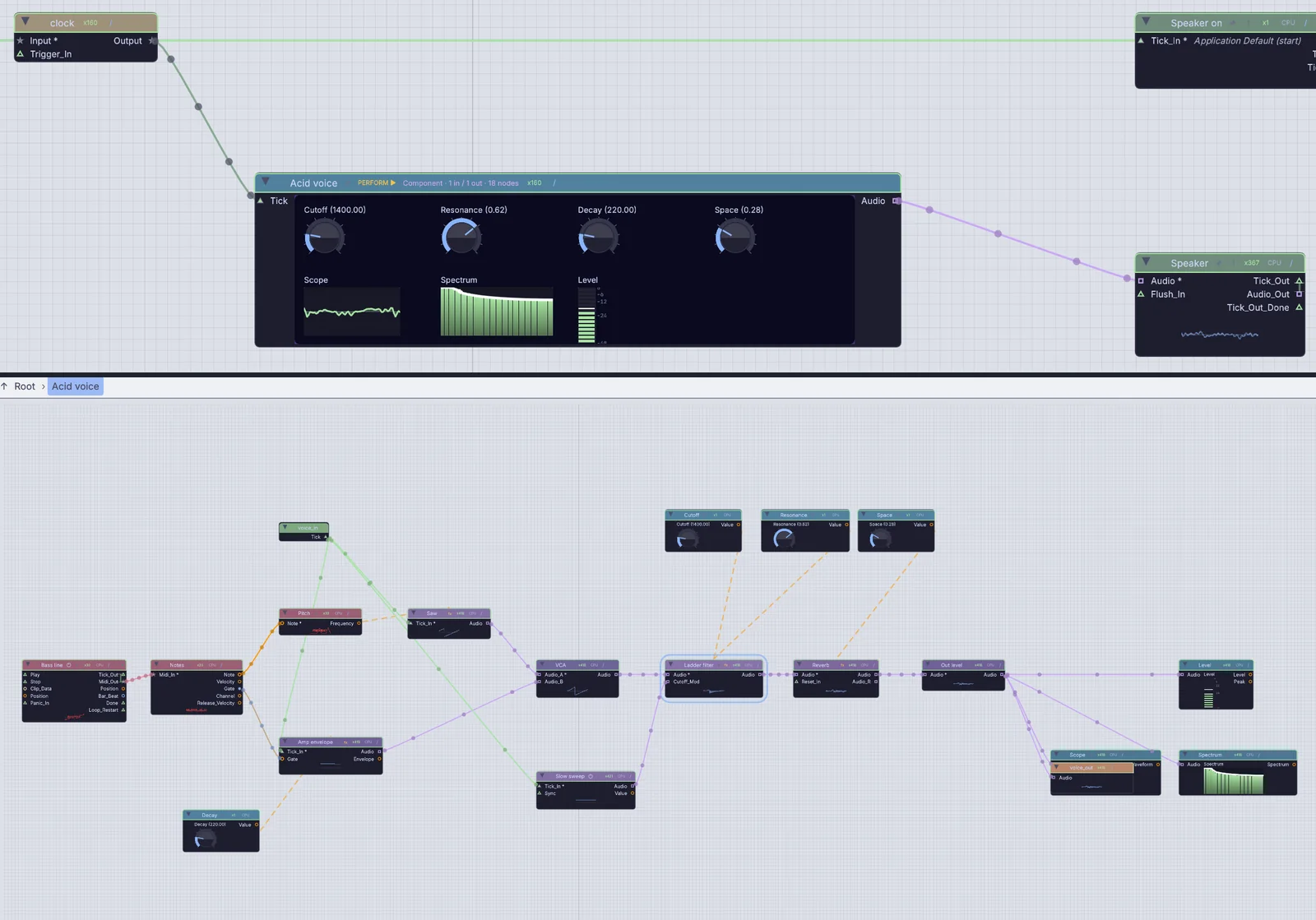
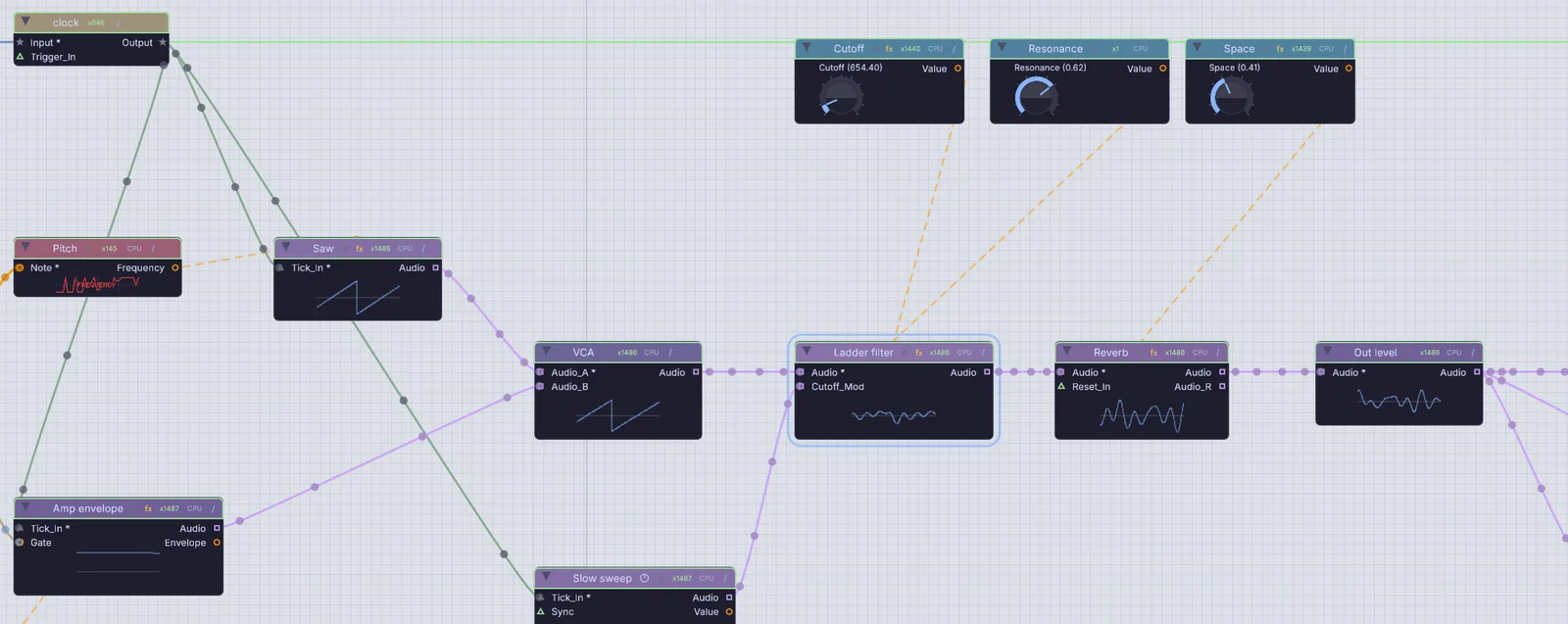
Structure the canvasa bass patch on the canvas: a saw through a VCA, a ladder filter and a reverb, with three knobs driving them
Panel playing live
  1. MidiClipPlayer
  2. AudioOscillator
  3. AudioLadderFilter
  4. AudioReverb

One bass line through a ladder filter, as wires and as a panel. The Cutoff and Space knobs sweep themselves while it plays.

You already know this

Reaktor terms in Kinematic.

Structure, panel, macro, modulation, sampler and sequencer all have a home. Every picture here comes from the app. The bass patch in the hero, the Component and the knobs below were made for this page.

In ReaktorStructure viewIn KinematicThe canvas
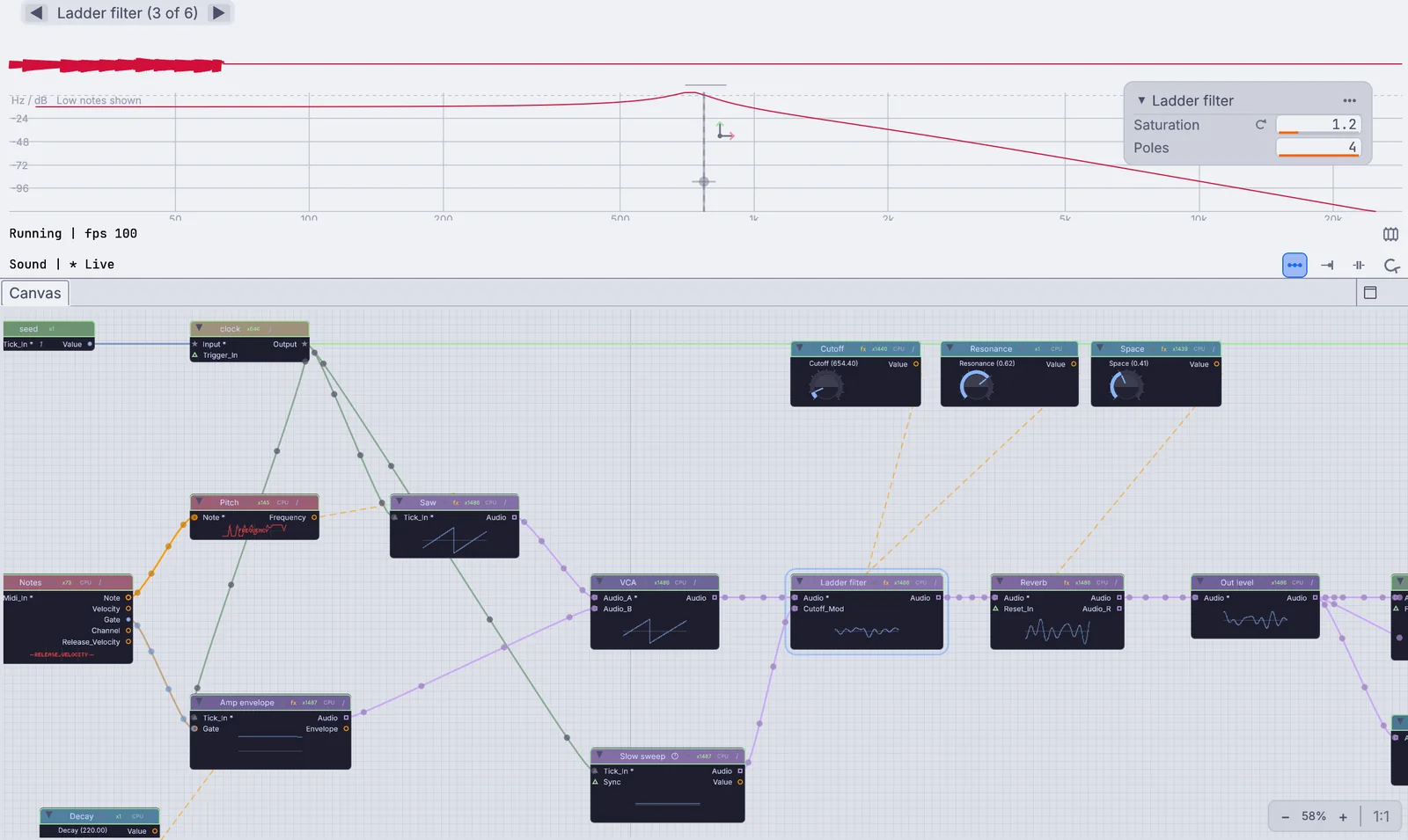
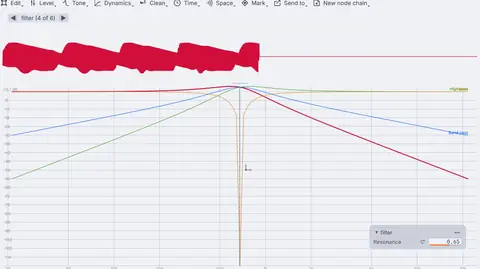
the ladder filter picked: its curve in the viewport, above the patch on the canvas
the filter picked: its curve above, the patch below

The canvas

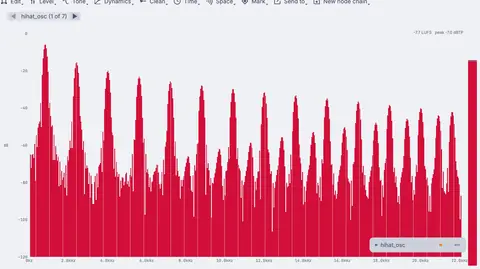
Wire nodes while the sound runs. Pick one and the viewport above draws it: a filter shows its curve, a voice its waveform and spectrum. Sound, control and trigger wires each have their own color, and sound nodes show their waveform right on the canvas.

AudioOscillatorAudioLadderFilterAudioReverb
In ReaktorPanel viewIn KinematicPanels
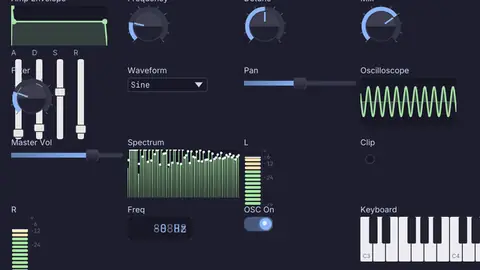
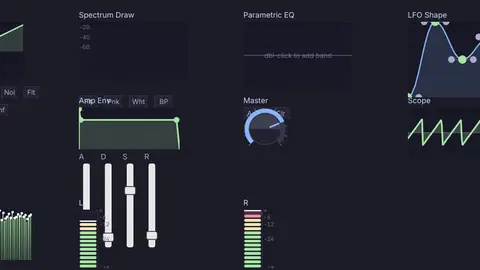
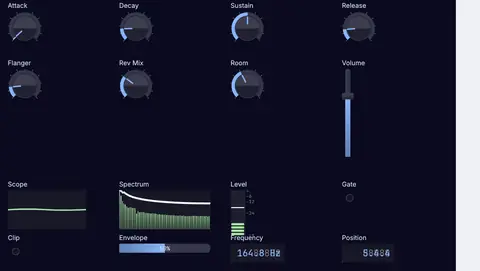
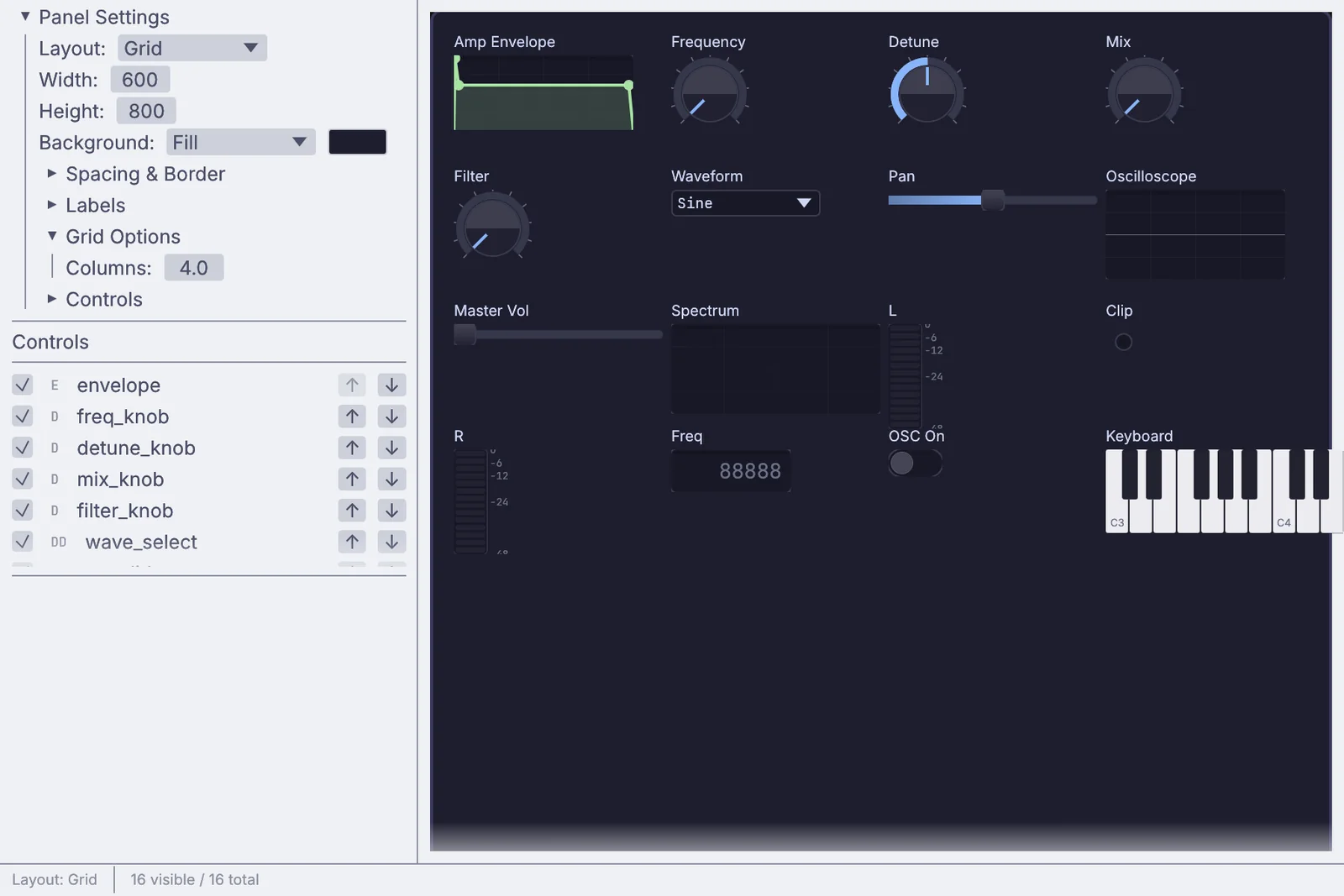
the Panel Editor: a synth panel with an envelope, dials, a waveform menu, a scope, a spectrum, meters and a keyboard
the Panel Editor laying out a synth panel

Panels and the Panel Editor

Knobs, faders, XY pads, keys, step grids and scopes are nodes in the patch, the way panel elements live in a structure. Press E on a panel to lay them out on a grid, in a line or freely, give it pages, and pop it into its own window.

UIDialUIXYPadUIKeyboardUIPanel
In ReaktorMacrosIn KinematicComponents
a Component called Acid voice carrying its panel on its face, and the patch inside it
a Component with its panel on its face, and the patch inside

Components

Fold a voice into a Component, and it can carry its panel on its face. Ctrl and the down arrow steps inside, Ctrl and up comes back out. Save it to the library and drop it into any patch.

Component
In ReaktorModulationIn KinematicDrivers
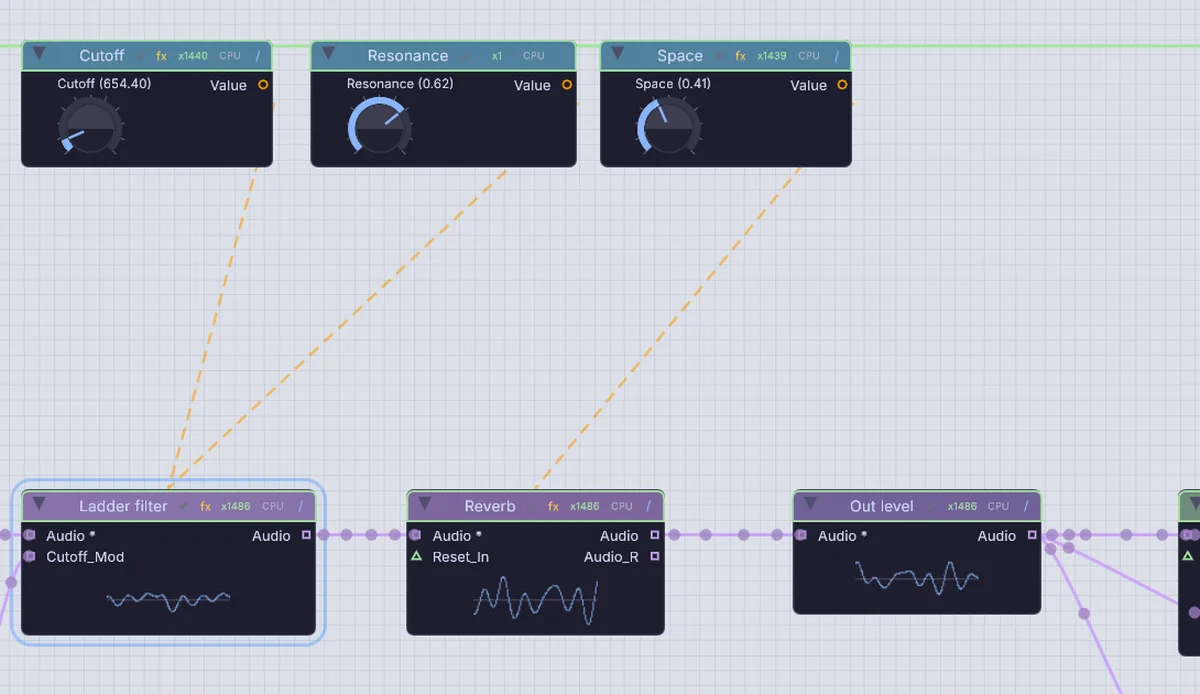
three knob nodes with dashed lines down to the ladder filter and the reverb they drive
knobs driving the filter and reverb: the dashed lines

Drivers

Drag any value onto any number and it drives it: a knob, an envelope, the level of the mic. A dashed line shows who drives what. Or right-click a number and give it a formula.

UIDialAudioEnvelopeFollower
In ReaktorSamplerIn KinematicSampling
a voice, then the same voice in grains

Sampling

Play files, record takes, loop and overdub, stretch and shift pitch, and spray grains from anything coming in.

AudioGranularAudioLooperAudioTimeStretch
In ReaktorSequencersIn KinematicSequencers
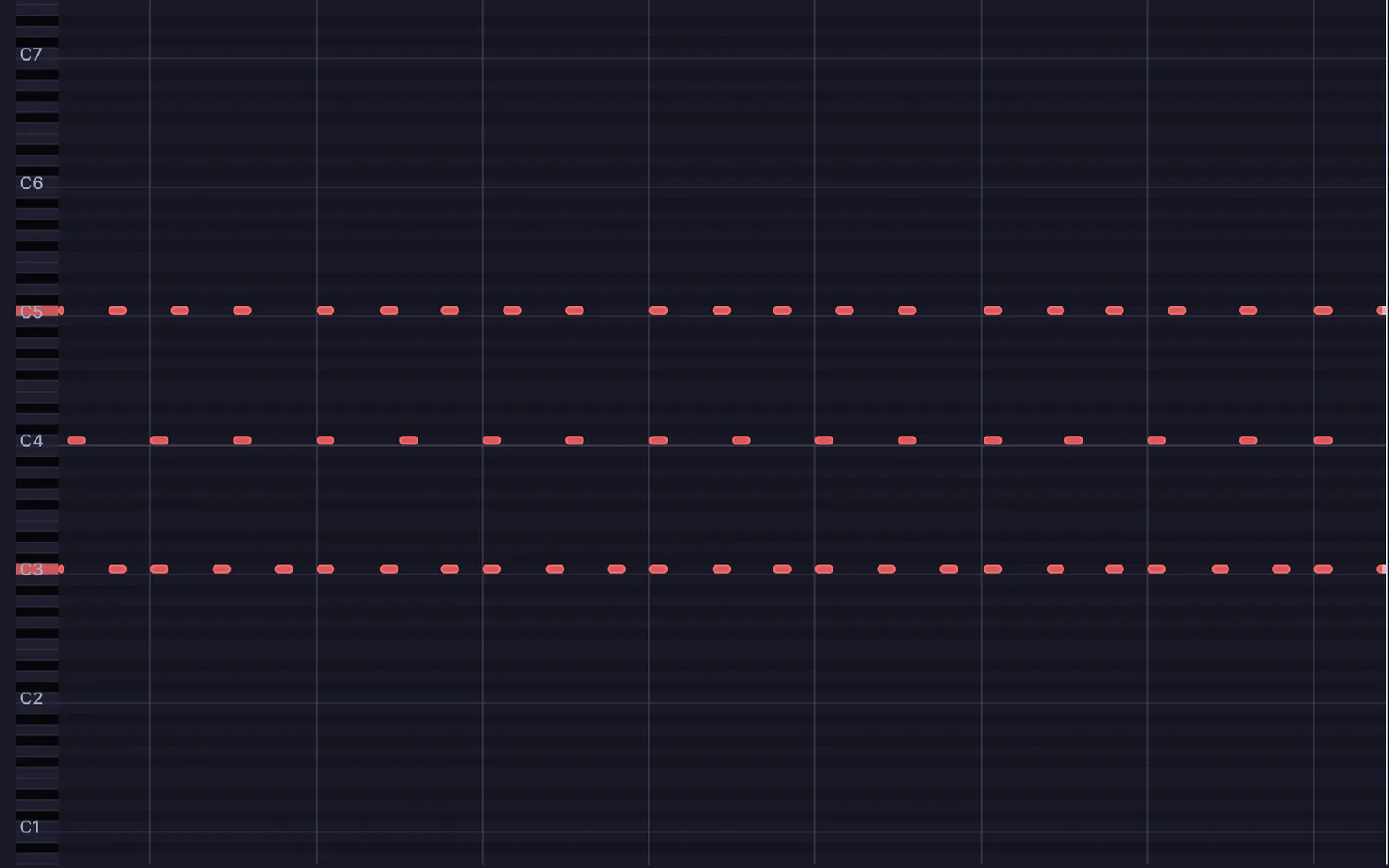
three Euclidean rhythms on three pitches in the piano roll
three Euclidean rhythms on three pitches

Steps, rhythms and the piano roll

Step grids, Euclidean rhythms, an arpeggiator, a chord generator and a piano roll with drawn control lanes, all sending ordinary MIDI.

UIStepSequencerMidiEuclideanSequencerArpeggiatorOperMidiChordGen
More names you will look for

The modules you reach for most, and the node that does the job here. Press Space on the canvas and type the name to add one.

Play tutorials →
Ensemblea .kin file
Instrument with its panelComponent
Knob, fader, XYUIDial · UISlider · UIXYPad
Wavetable oscillatorAudioWavetable · Audio2DWavetable
Sine bankAudioOscBank
Ladder and multimode filtersAudioLadderFilter · AudioSVF
ADSR and LFOAudioADSR · AudioLFO
Note pitchMidiToFreq
Voice allocationMidiVoiceAlloc
Audio math and unit delayAudioMath · AudioUnitDelay
Sample playerInputAudioFile · AudioClipPlayer
Scope and meterUIWaveform · UILevelMeter
Audio outAudioPlaybackInterface
Familiar work, done here

Build a synth and the panel you play it from.

Patch voices by hand, sequence them and lay the knobs out on a panel. The patch keeps playing while you work: add a node or turn a knob and you hear it.

  • Oscillators: wavetable and 2D wavetable, FM operators, formant, additive and supersaw
    Audio2DWavetableAudioFMOperatorAudioFormantOscAudioSupersaw
  • Physical voices: plucked strings, struck bells and bars, waveguides
    AudioKarplusStrongAudioModalSynthAudioWaveguide
  • Filters: ladder, diode ladder, state variable, Sallen-Key, formant and comb
    AudioLadderFilterAudioDiodeLadderAudioSVF
  • Audio rate math, logic and compare, a raw biquad and a one-sample delay
    AudioMathAudioBiquadRawAudioUnitDelay
  • Panels that remember where you left every knob, saved in the file
    UIPanel
an acid bass panel playing: a step grid with slides and accents
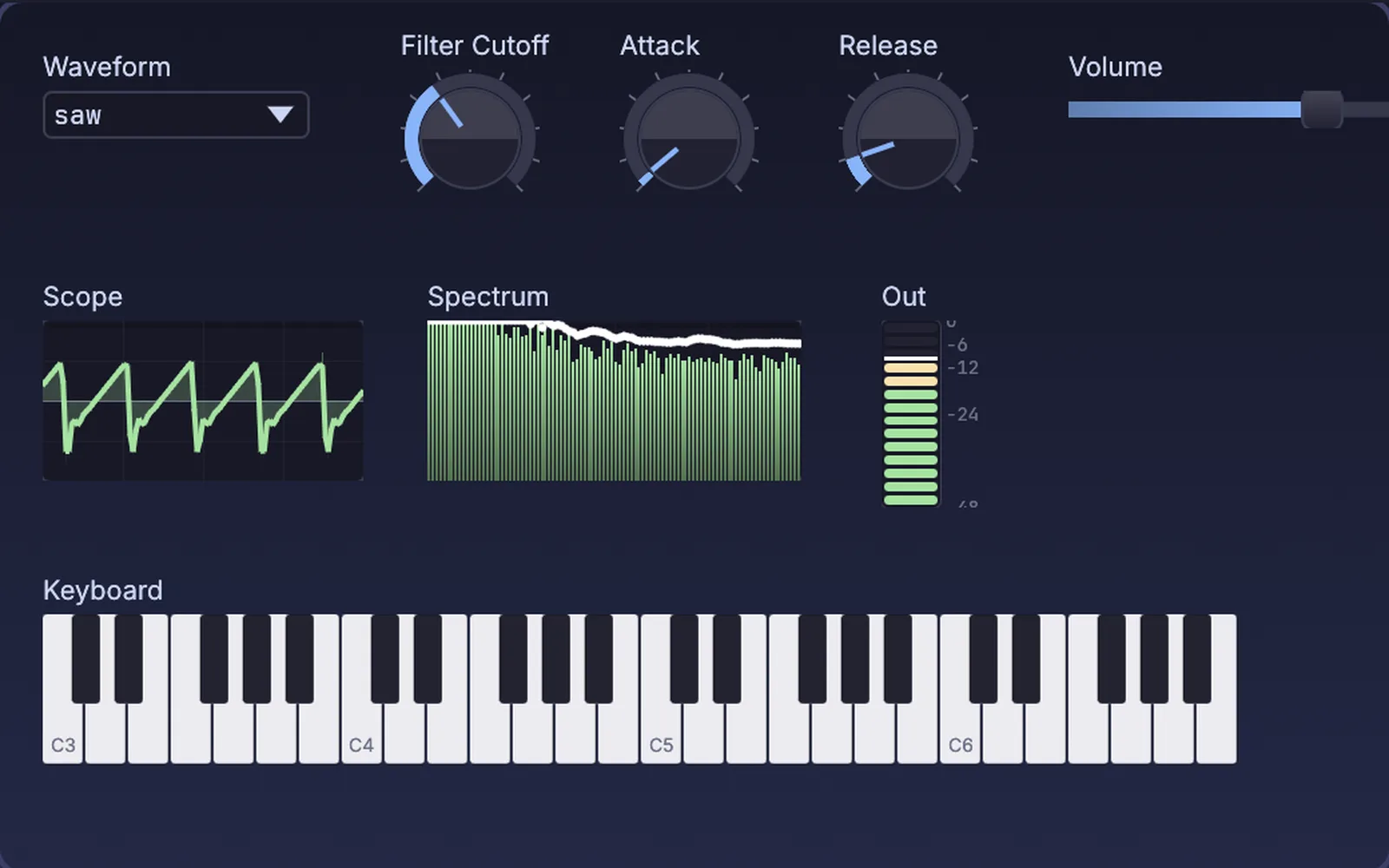
a keyboard synth on a panel: waveform, cutoff, attack and release, with a live scope, spectrum and level meter
a keyboard synth on a panel
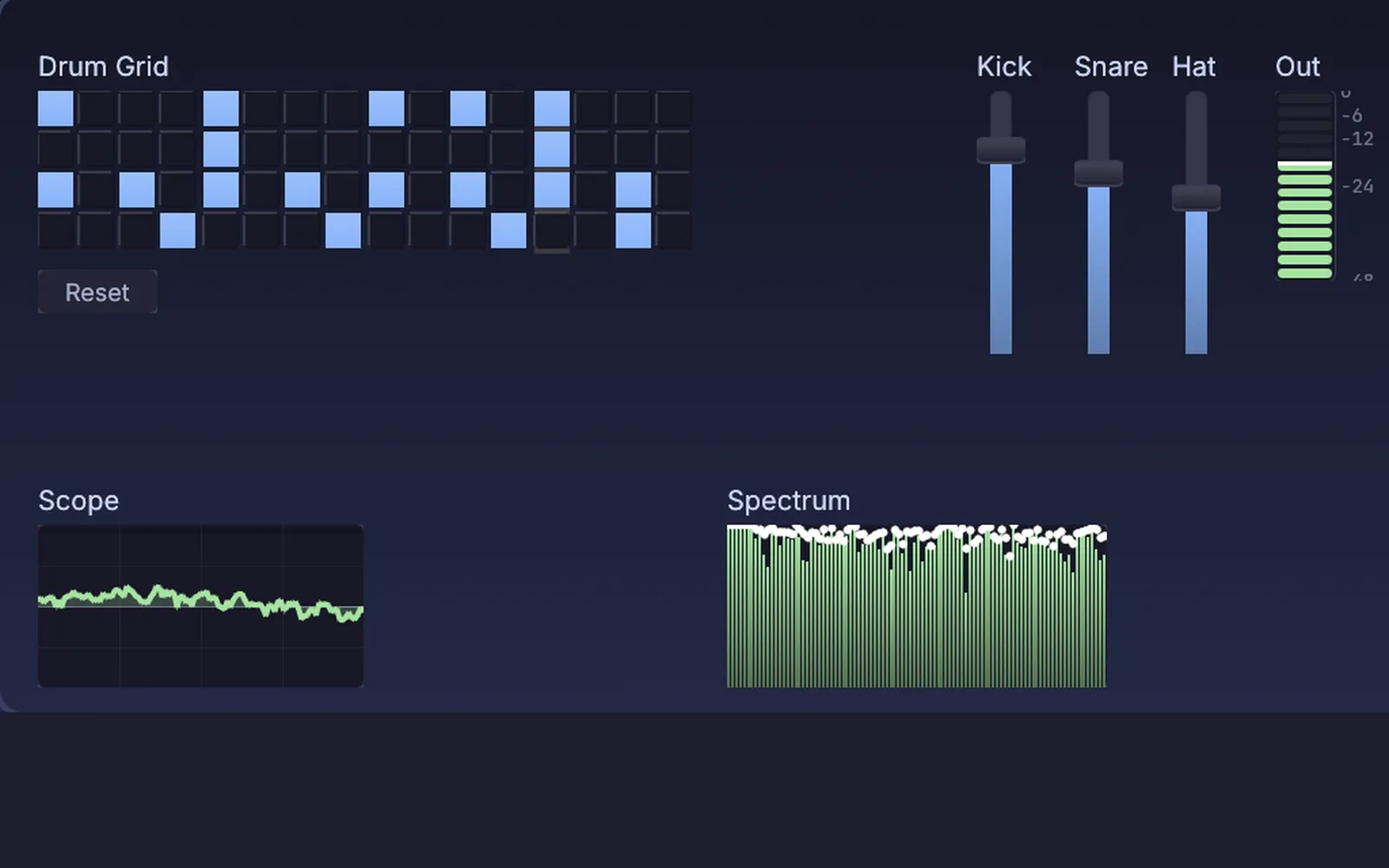
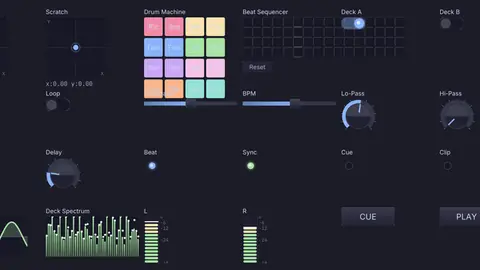
a drum machine panel: kick, snare and hats on a sixteen step grid, with faders, a scope and a spectrum
a drum machine on a step grid
What you gain: sound to picture

Drive visuals with your patch.

Any sound, envelope or beat can drive any number in the scene. A kick raises the ground, a voice twists a shape, the hits of a song flash a rig of lights. It is one patch, so there is nothing to route between apps.

  • Hear the room: drum hits, tempo, pitch and chords from a live input
    AudioOnsetDetectAudioBPMDetectAudioToPitchAudioChordAnalyze
  • Turn a level or a spectrum into numbers, then drag them onto any setting
    AudioEnvelopeFollowerAudioRMSLevelAudioFFT
  • Bend meshes, push particles and grade video with what you hear
    3DGeoDisplaceByChannelData
  • Fire DMX lights on the beat, with more than 1,500 fixture profiles built in
    DmxBeatGate
ground raised by a song's bass, mids and treble
a shape swelling and twisting with a voice
strobes on every beat, in the 3D preview
What you gain: new ways to play

Play it with your hands, your gear and your DAW.

A webcam reads your fingertips. Your controller maps in one press. Your plugins sit beside your own voices, and Ableton Live can set the tempo.

  • Hands, faces and bodies from a plain webcam, worked out on your machine
    LocalAIImageToHandKeypointsLocalAIImageToBlendshapes
  • MIDI Learn on any knob, MPE keyboards, and profiles for controllers such as Push 2, Maschine MK3 and Launchpad
    MidiLearnMidiPolyExpressionIn
  • Host CLAP and VST3 plugins, LV2 on Linux, in their own process if you like
    PluginHost
  • Follow Ableton Live's tempo, beat and bar, fire its clips and ride its device knobs
    AbletonLiveLinkAbletonClipFireAbletonDeviceParameter
  • MIDI clock in and out, MIDI timecode, OSC, and virtual MIDI ports on macOS and Linux
    MidiClockInMidiClockOutOSCReceiveMidiVirtualPort
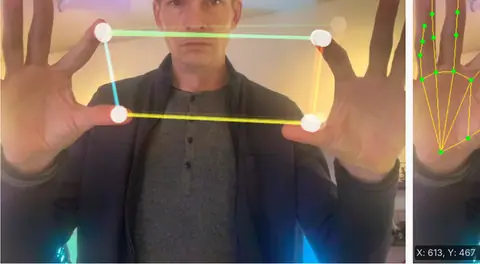
fingertips playing a synth: pitch one way, filter the other
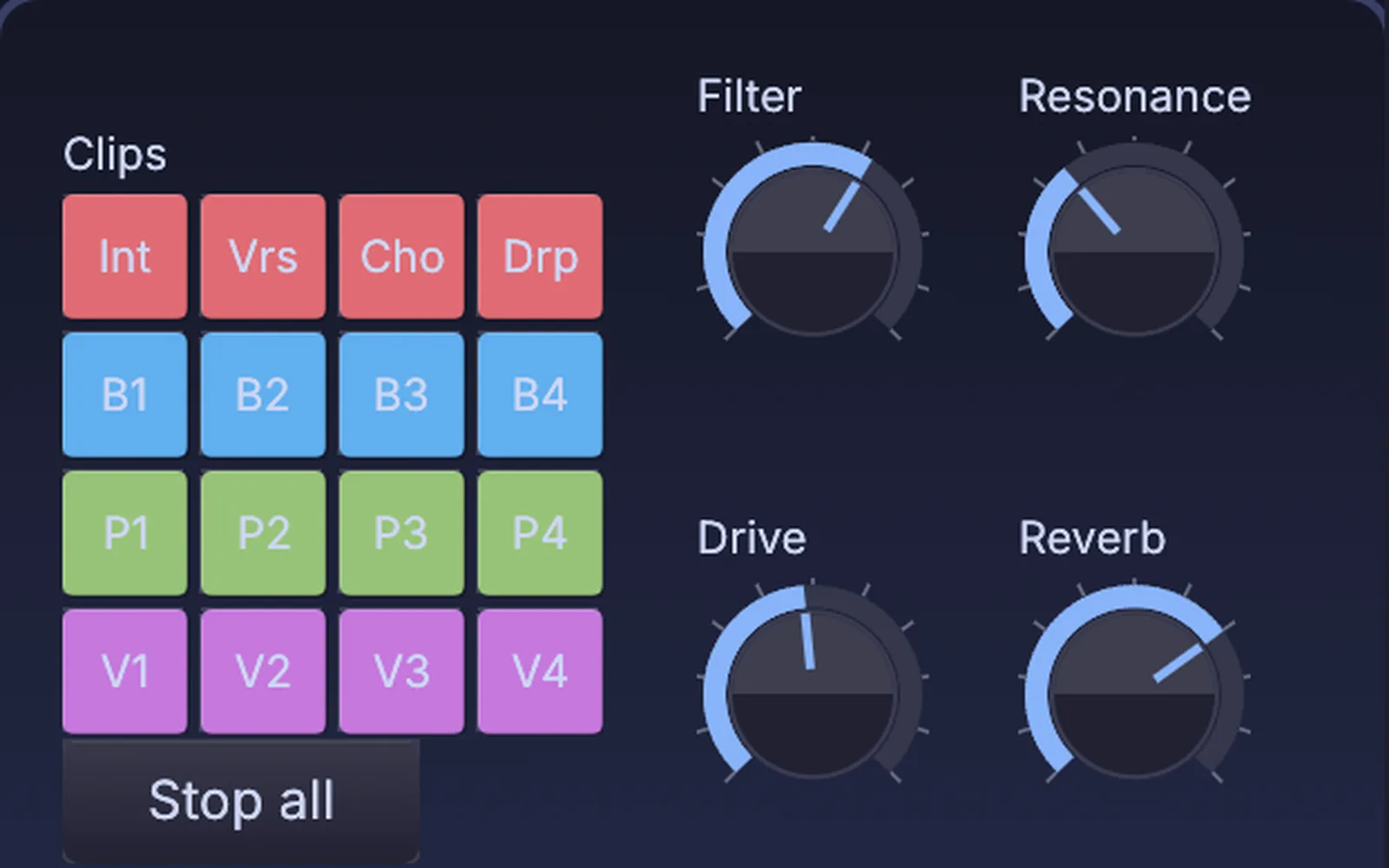
clip pads and dials on a panel; Filter and Resonance are wired to a device knob in Live
dials on a panel riding a device knob in Live
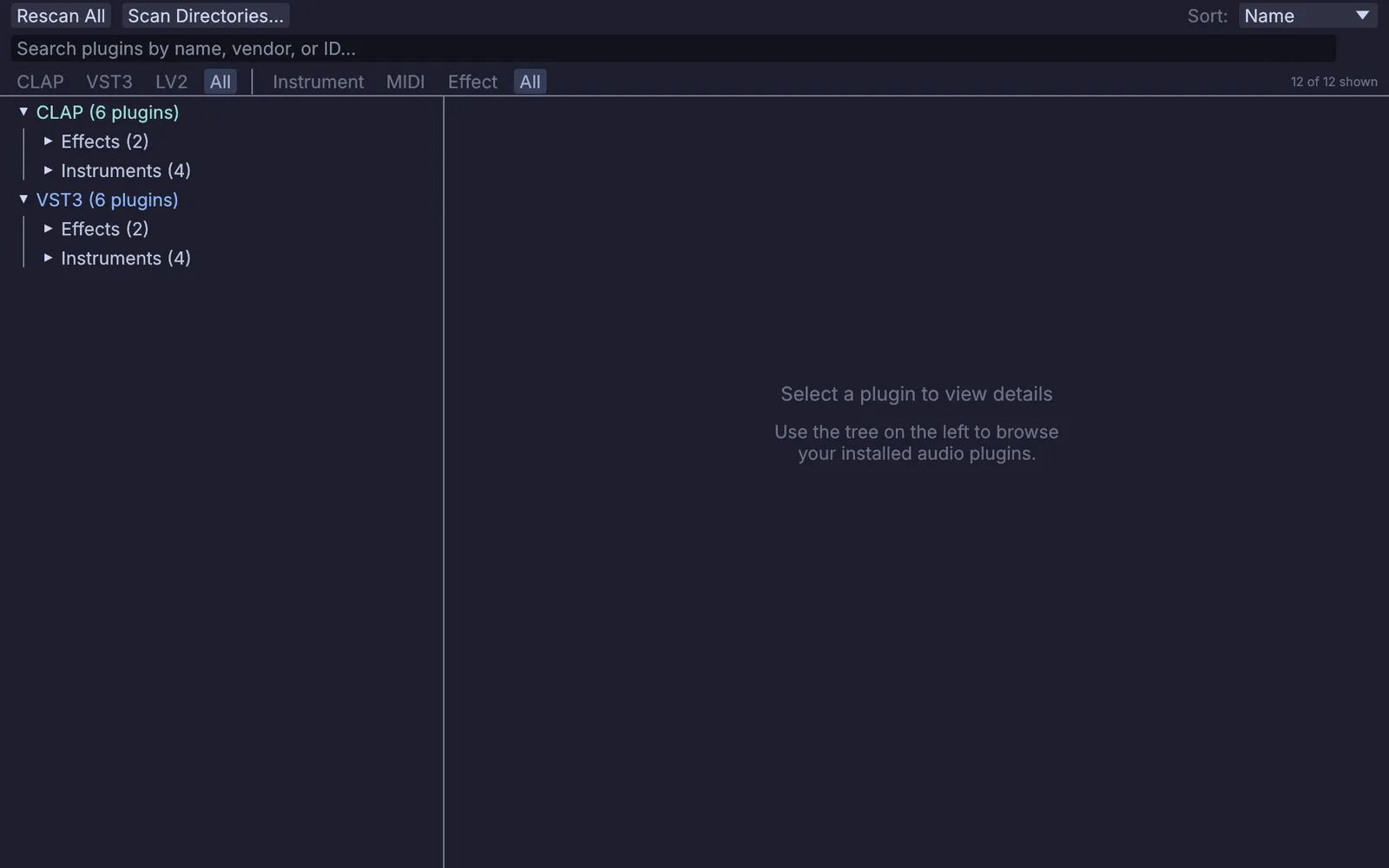
the plugin manager, listing the CLAP and VST3 plugins found on this machine
the plugin manager: CLAP, VST3 and LV2
What you gain: the whole studio

Make the rest of the show in the same app.

Kinematic is a full creative app. Sculpt the creature your patch sings for, pour a liquid, light the stage. Then press F1, and the panel or the picture takes the whole screen.

  • Model, sculpt and animate in the viewport. Every move adds a node, so your patch can drive it
    3DGeoSculpt
  • Liquids, fire and smoke, cloth and particles, simulated on the GPU
  • Lights over Art-Net and sACN, projection mapping and video walls, from the same file
    ImageToDmxProjectionMapper
  • Perform Mode: F1 hands the screen to your panel or your picture, Esc brings the editor back
a creature sculpted from a ball, then painted
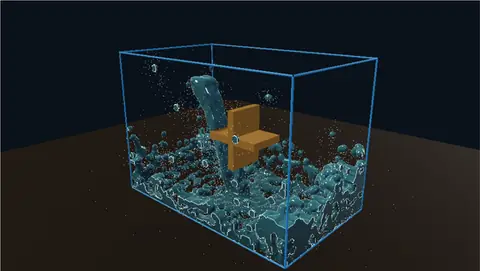
a falling stream turning a waterwheel
a dancer on 2,560 pixels of a DMX grid
Moving over

Moving over from Reaktor.

Your sounds, your plugins and your other apps all come along. Here is what to expect in the first hour.

01

Your sounds come with you.

Reaktor .ens ensembles do not open (these are proprietary), so you rebuild the patch here. Your samples, your MIDI files and your plugins open as they are.

Opens
WAV, FLAC, MP3, OGG, AACMIDI filesMIDI 2.0 streamsCLAP and VST3 pluginsLV2 plugins on LinuxMP4, MOV, MKV, WebMPNG, JPEG, EXRglTF, FBX, USD, OBJCSV tables
Saves
WAV, FLAC, AIFF, MP3, OGGMIDI filesPlugin presetsH.264, H.265, ProRes videoPNG and EXRglTF, FBX, USD
Live, in and out
MIDI and MPEMIDI clockOSCNetwork MIDIAbleton LiveNDIArt-Net and sACN
Everything it works with →
02

Keep Reaktor in the session.

Nobody has to move a whole studio in a day. Leave Reaktor in your DAW and let Kinematic play alongside it.

Reaktor in your DAWKinematic
  • Notes both ways, into Reaktor or out of it
    MidiVirtualPort
  • Tempo from your DAW's MIDI clock, or out to it
    MidiClockInMidiClockOut
  • Values and cues, both ways
    OSCSendOSCReceive

Want its sound in the patch? Bring it in through an audio input like any other source.

03

Find your way around.

The keys you will use in the first hour. Ctrl on Windows and Linux is Cmd on a Mac, except play and stop, which use the Control key there too.

Take the app tour →
SpaceAdd a node at the pointer. Type a name to filter.
EOpen the selected node's own editor: the Panel Editor, a plugin's window, the piano roll.
Ctrl↓Step inside a Component. Ctrl and the up arrow steps back out.
CtrlShiftDClone a Component. The clone follows the original.
AltMMIDI Learn on the selected node. Alt and O is OSC Learn.
HFold a node. A knob or fader can show only its control.
MTurn the selected nodes off, or back on.
CtrlGPut a labeled group around the selection.
.Frame the selected nodes, or the whole patch.
CtrlRPlay. Ctrl and period stops.
F1Perform Mode: the panel or the picture fills the screen. Esc comes back.
04

Your first hour.

  1. Download itNo account and no key. The demo browser opens on first launch.
  2. Open the synth control panelTurn the dials and watch the scope and spectrum answer.
  3. Take it apartPick a node to see it in the viewport. Press E on the panel and move a knob.
  4. Build a voiceSpace, type oscillator, then add a filter and an envelope. Select them and collapse them into a Component.
  5. Wire it to a pictureDrag the envelope's output onto a setting of a mesh or a light, then press F1.
Fair is fair

Where Reaktor is still ahead.

Plenty of builders will keep Reaktor, and that is fine. Here is where it still leads, and what Kinematic does not do yet.

  • Building down to the sampleCore is its deepest level, compiled to machine code. Kinematic has audio rate math, a raw biquad and a one-sample delay, but its wires carry blocks of sound, so a feedback loop through wires waits one buffer.1
  • Living inside your DAWReaktor loads as a VST, AU or AAX plugin. Kinematic runs as its own app beside the DAW and follows it.1
  • A library to play tonightOver 70 instruments and effects come with Reaktor 6, and its User Library holds more than 4,000.1
Not in Kinematic yet
  • .ens ensembles do not open (these are proprietary)
  • No polyphonic synth node yet. A voice allocator spreads notes across voices and you build a chain for each, or play a polyphonic plugin
  • No preset banks for your own panels yet. A panel saves the values you leave it at, in the file
  • No plugin version to load inside a DAW
  • Ableton Link is left out on purpose because of its license. Tempo travels over MIDI clock or OSC

Use both. Keep Reaktor in the DAW for the voices you love, and let Kinematic turn the same session into pictures, light and new instruments.

The numbers

What it costs.

Kinematic costs nothing, even for commercial use, with no account and no license key. Install it on every machine you own. The Reaktor side comes from its maker's own page.

KinematicReaktor 6
Price
$0even for commercial use
$199Reaktor 6 1
Runs on
macOS, Windows, Linuxand Raspberry Pi
macOS, Windows1
How it runs
Its own appbeside your DAW
Its own app, or a pluginVST, AU, AAX 1
Comes with
300+ sound and MIDI nodesplus 3D, video and lights
70+ instruments and effectsplus a User Library of 4,000+ 1
  1. Native Instruments, Reaktor 6: price, systems, plugin formats, Core, the bundled instruments and the User Library.

Checked October 2026. Prices in US dollars.

Open these first

Demos to open first.

They all come with the app. Open one, take it apart, and keep the voices you like.

Browse every demo →
Questions

Questions from Reaktor users.

Something else on your mind? Reach out.

Can I open my Reaktor ensembles?

No, they do not open here (these are proprietary). You rebuild the patch instead. Your samples, MIDI files and plugins open as they are, and the modules you know have nodes with plain names.

Can I keep Reaktor in my DAW?

Yes. Kinematic runs beside the DAW and follows it over MIDI clock or OSC, or Ableton Live directly. A virtual MIDI port on macOS and Linux lets its sequencers play into Reaktor.

Can it play chords?

Through your plugins, yes. There is no polyphonic synth node yet, so for chords you spread notes with the voice allocator and build a voice for each, or load a polyphonic plugin.

Can my panel go on its own screen?

Yes. A panel opens in its own window on any monitor, full screen if you like, with bigger touch targets for a touchscreen. In Perform Mode it takes the whole screen.

Is it really free?

Yes, even for commercial use, with no account and no license key.

Coming from somewhere else
Your next instrument

Download Kinematic.

Free. No account, no license key, no seat count. macOS, Windows, Linux and Raspberry Pi. Bring the voice you are building next, and give it a picture.

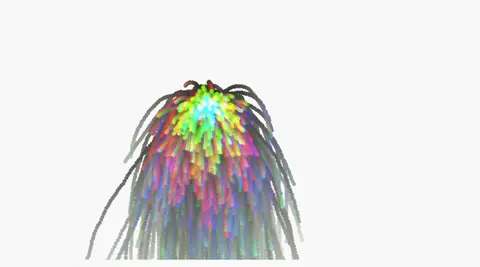
a song's loudness and hits driving a particle burst