Kinematic 0.5.0 is out. Modeling and sculpting in the viewport, a timeline on every graph, photo and sound editing. What's new
01

Map a building front

Every window with its own picture.

  1. Open the Projection Mapper editor.
  2. Draw quads, grids or curved shapes and drag them onto the wall.
  3. Send the output to the projector.
ImagePattern→ProjectionMapper→ImageDisplay
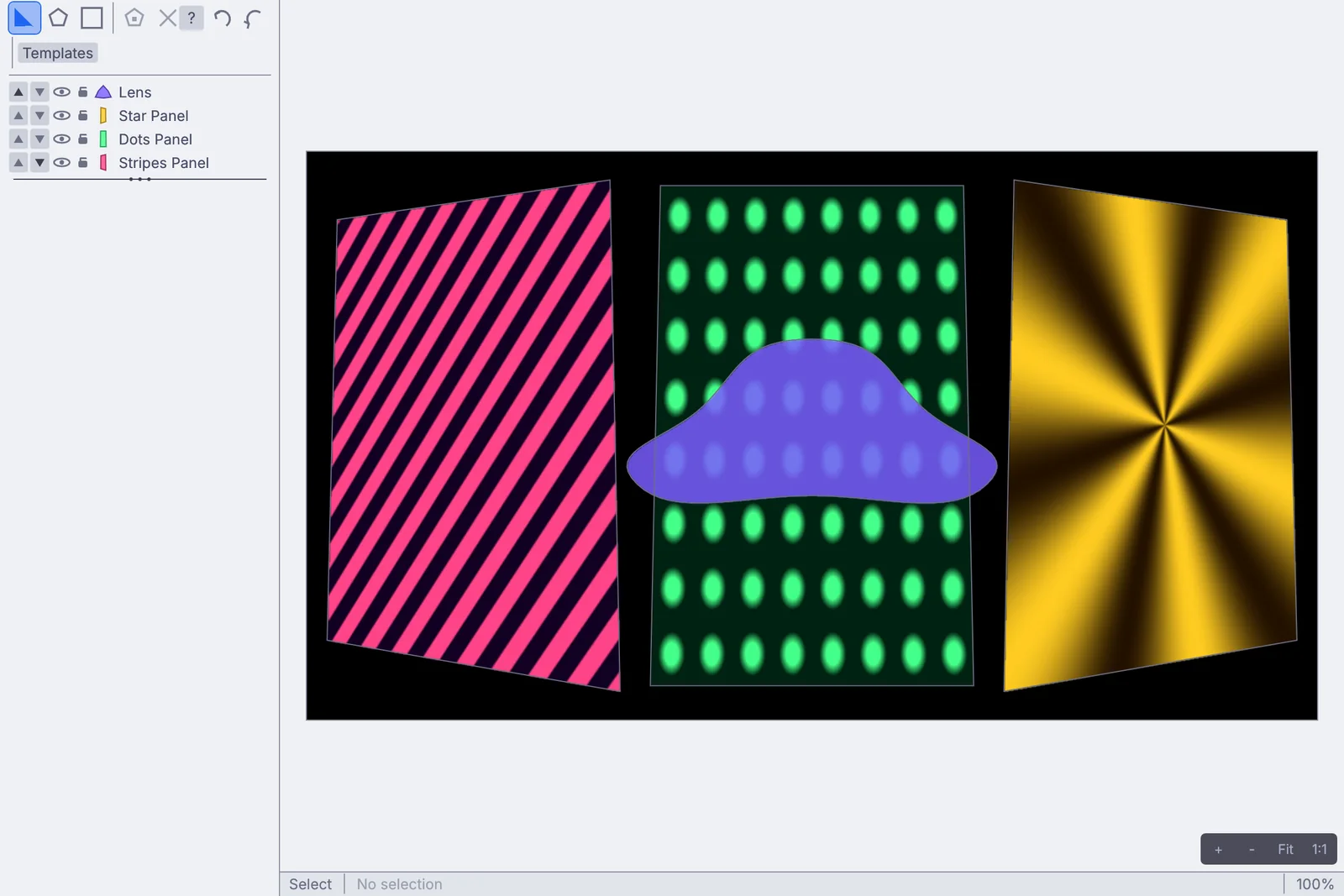
the Projection Mapper editor: three tilted panels and a curved shape
02

Pin a picture to a tilted screen

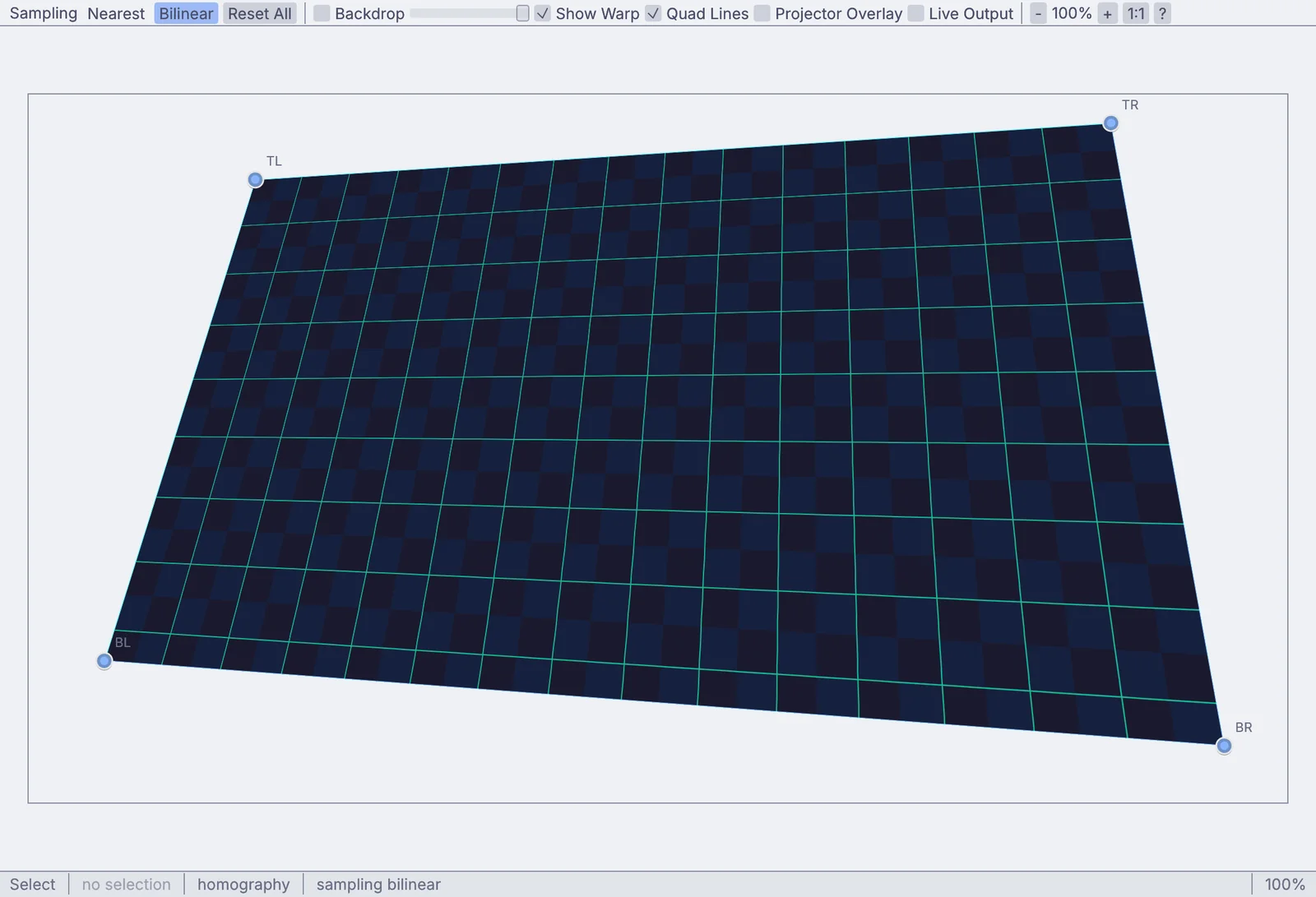
Drag four corners. Straight lines stay straight.

  1. Select the Homography node and press E to open the Corner editor.
  2. Turn on the projector overlay and drag each corner onto the screen.
  3. Type an exact position for any corner that needs one.
ImagePattern→ImageHomography→ImageDisplay
the Corner editor, four corners dragged into perspective
03

Mask a window out of a wall

Light lands on the wall and nothing spills through the glass.

  1. Outline the wall.
  2. Cut the window panes out of it.
  3. Fill everything else black.
ImagePolygonMask→ImageMask→ImageGridWarp→ImageDisplay
a spiral projected on the wall, with the window cut out so no light hits the glass
04

Wrap a column

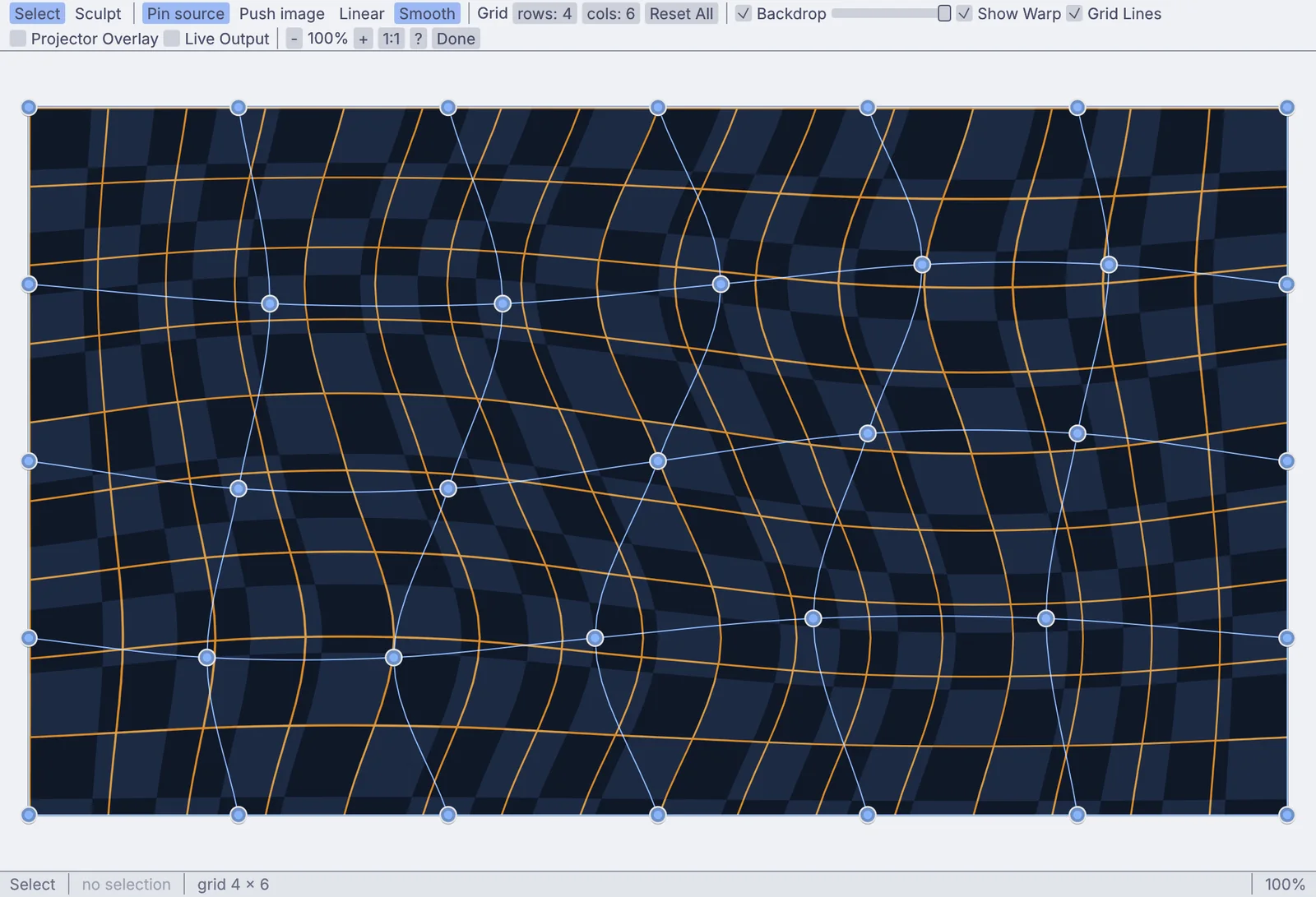
Sculpt a grid so the picture hugs a curve.

  1. Press E on the warp to open its editor.
  2. Sculpt the grid onto the curve.
  3. Pin the edges that must not move.
ImagePattern→ImageGridWarp→ImageDisplay
the Grid Warp editor, its grid sculpted into waves
05

Make one wide picture from two projectors

Two overlapping images, no visible join.

  1. Lay out both projectors.
  2. Set the overlap.
  3. Feather the seam until it is gone.
ProjectorLayout→ImageEdgeBlend→ImageDisplay
two halves softened down a seam
06

Line up projectors with a camera

Patterns go out, a camera watches, and the projectors line up on their own.

  1. Point a camera at the stage.
  2. Project the patterns and capture them.
  3. The projectors line up.
VideoCaptureInterface→StructuredLightCalibration→ProjectorLayout→ProjectionMapper
calibration patterns
07

Light only the dancer

A depth camera cuts them out of the room. The projector lights only them.

  1. Point a depth camera at the stage.
  2. Capture the empty room first.
  3. Anything in front gets the picture.
DepthCameraCaptureInterface→Latch→ImageMath→ImageDisplay
a moving pattern lands on the dancer and nowhere else
Take it further

It all connects.

Every part of Kinematic works with the others. Wire one into the next.

Keep going

Free and open. Yours, forever.

No account, no license key. macOS, Windows, Linux and Raspberry Pi.

Download Kinematic 0.5.0