Kinematic 0.5.0 is out. Modeling and sculpting in the viewport, a timeline on every graph, photo and sound editing. What's new
Kinematic / Edit / Video

Edit video.

Cut a short, steady a walk, paint out a passing bus and rotoscope a hat.

a short cut together on the timeline: a title, crossfades and three clips
01

Cut a short

Clips on tracks, trimmed, faded and titled, then rendered to one file.

  1. Select the player and press E for the timeline.
  2. Drop clips on the tracks, drag their edges to trim and press Ctrl+B to cut at the playhead.
  3. Drag the fade triangles, add a Text clip for the title and render to MP4.
VideoArrangementPlayer→ImageDisplay
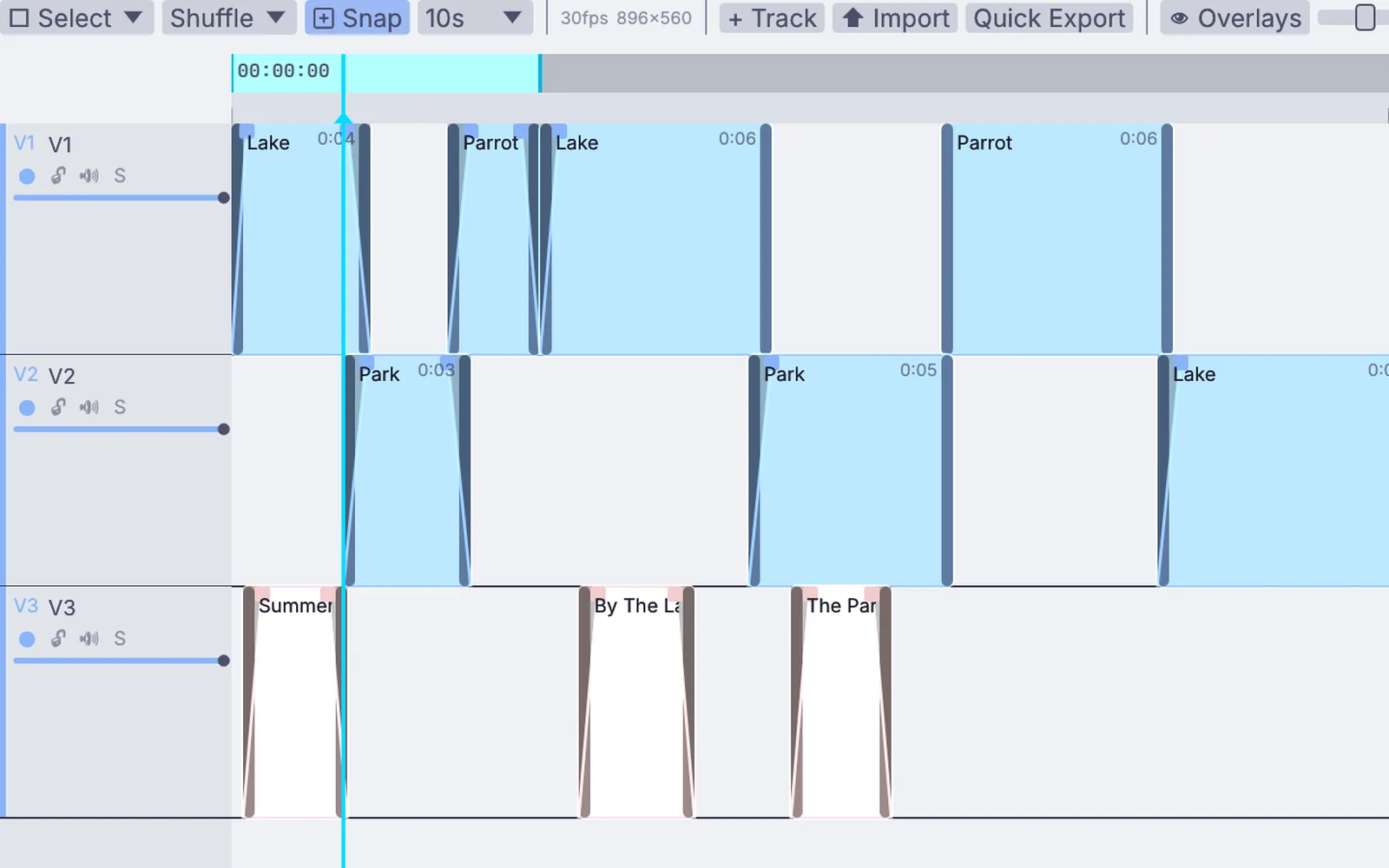
clips on three video tracks with fades and title clips, in the timeline
02

Steady a walking shot

The bounce of the walk taken out, the slow drift forward kept.

  1. Track the flat front of the bin by the bench and keep the track.
  2. Right-click the track and pick Stabilize with this track.
  3. Smooth over 25 frames. It zooms in only as far as it needs to hide the edges.
InputVideoFile→ImagePlanarTrack→ImageStabilize
the bouncing walk on the left, steadied on the right
03

Paint a passing bus out of a shot

The bus followed through the clip and filled from the frames around it.

  1. Pick Remove object and click the bus.
  2. It is followed through the clip and filled from the frames around it.
  3. Box the tree with Select > Object and warm it with Develop.
the graph it makes
EDITInputVideoFile PERFORMLocalAIImageToTrackedMask EDITImageMaskRefine EDITImageDevelop PERFORMLocalAIImageInfill
04

Pick a rider out of a dark shot

A smooth outline around his head and hat that glides with him, brightened so he stands out.

  1. Draw around his head and hat with Select > Pen. Drag to curve the sides.
  2. Step to frame 120 and move the points to add a key. Do it again at 240.
  3. Brighten what is inside with Develop. Then right-click the selection, pick Invert copy and darken the rest with a second Develop.
InputVideoFile→ImageSelectShape→ImageMaskRefine→ImageDevelop
the outlaw as shot on the left; on the right the pen outline follows him, lifted inside and darkened outside
05

Take a plane out of the sky

A clean plate built from the shot itself, painted back over the sky.

  1. Right-click the video and pick Make a clean plate, from frame 0 to 60, every 2.
  2. Play the shot once, then press Keep this plate.
  3. Box the sky and pick Fill from the clean plate. The plane drops out.
InputVideoFile→ImageFrameStack→ImageMaskMix+ImageSelectShape
the plane crossing the sky on the left, gone on the right where the clean plate fills it
06

Fix the flicker in an old newsreel

Brightness that pumps from frame to frame, evened out.

  1. Add Deflicker.
  2. Play the clip through once so every frame is measured.
  3. Press Keep the flicker analysis. It is exact on any frame from then on, even when you scrub.
InputVideoFile→ImageDeflicker
a flickering newsreel shot on the left, evened out on the right
Take it further

It all connects.

Every part of Kinematic works with the others. Wire one into the next.

Keep going

Free and open. Yours, forever.

No account, no license key. macOS, Windows, Linux and Raspberry Pi.

Download Kinematic 0.5.0