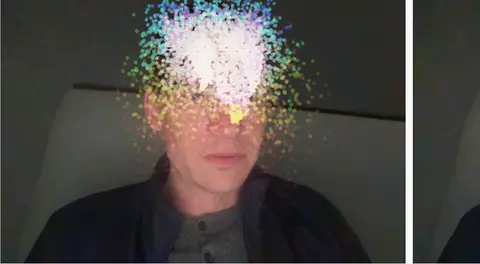
Kinematic 0.5.0 is out. Modeling and sculpting in the viewport, a timeline on every graph, photo and sound editing. What's new
Kinematic / Who it's for / Streamers and creators

Go live as a scanned avatar.

A 3D scan of a person copies your body from a plain webcam, live, and you are painted out of your own room so it stands where you stand. Add face tracking, hand signs and captions, then send it all to OBS, or straight to Twitch and YouTube Live.

  • Streamers
  • VTubers
  • Video creators
  • Podcasters
One webcam, no suitOBS over NDI or SyphonTwitch and YouTube over RTMPModels run on your machine
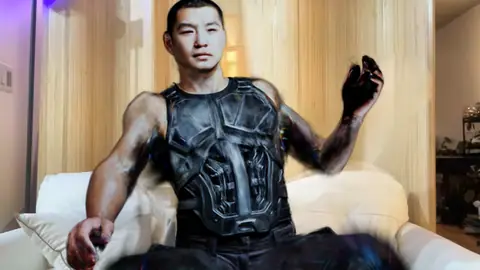
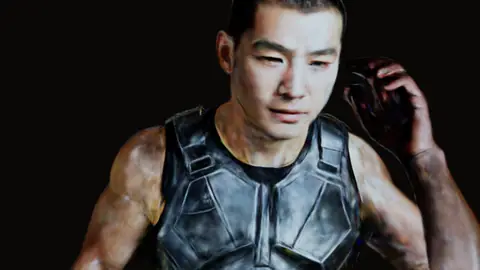
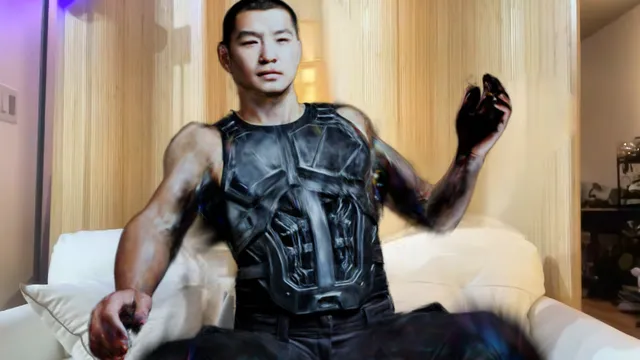
A scanned man in body armor standing in a living room in front of a couch, where the person on the webcam was painted out
you, painted out, with the scan in your place
the same rig, live on a wall
the graph behind it
VideoCaptureInterface→LocalAIImageToBodyMesh→3DGeoSplatSkin→LocalAIImageInfill

Scan by Erant (superspl.at), CC BY 4.0.

the scan, then the skeleton and controls fitted inside it

Scan by Erant (superspl.at), CC BY 4.0.

The avatar

Turn a scan into a live avatar.

No motion capture suit and no rigging by hand. Four steps, all in one graph, and the two demos that do it come with the app.

  1. 01

    Bring in a scan

    Open a Gaussian splat scan of a person, saved as .ply, .spz, .splat or .sog. Crop off the floor and any stray splats around the feet.

    3DGeoImportSOG+3DGeoSplatAlign+3DGeoSplatCrop
  2. 02

    Fit a skeleton inside it

    Splat rig fit stands a skeleton inside the scan from its shape alone, with fingers, toes and face joints if you want them. Drag any joint into place with the Skeleton tool in the viewport.

    3DGeoSplatRigFit+3DGeoSplatSkin
  3. 03

    Move it from your webcam

    Body mesh reads your whole body from the webcam every frame. The motion goes onto the scan's skeleton, so it copies your arms, legs, spine and head with its own proportions. Stand in frame and press Calibrate once.

    LocalAIImageToBodyMesh+3DGeoRigRetarget+3DGeoSceneRenderToImage
  4. 04

    Paint yourself out

    Person segmentation finds you in the webcam picture and AI inpaint fills the gap from the room around you. The avatar lands where you stand, and when the camera moves the fill holds still.

    LocalAIImageToHumanParsing+LocalAIImageInfill+ImageAlphaOver

Already have a VTuber model?

Import a VRM, glTF or FBX character and move it from the webcam the same way. Or send your body and face to VSeeFace, Warudo or VNyan over VMC and keep the app you use now.

3DGeoRigCharacterImport+LocalAIImageToBlendshapes+3DGeoRigStreamSend
The work

Before, during and after the stream.

The jobs a week of streaming asks for, in one app. Each one links to a short how-to.

Before you go live

Set the scene once.
a green screen keyed onto a room
01

Key yourself onto a set

Take the green out, clean the spill off your edges and put any room behind you. No green screen? Background removal cuts you out of a plain room.

ImageChromaKey+ImageDespill+LocalAIImageRemoveBackground
Key yourself onto a set →
a name bar and a badge fading in
02

Build your overlays

A name bar, a title or a badge, laid over the camera and faded in when you want them.

ImageTextOverlay+ImageAlphaOver
Put a lower third over the feed →
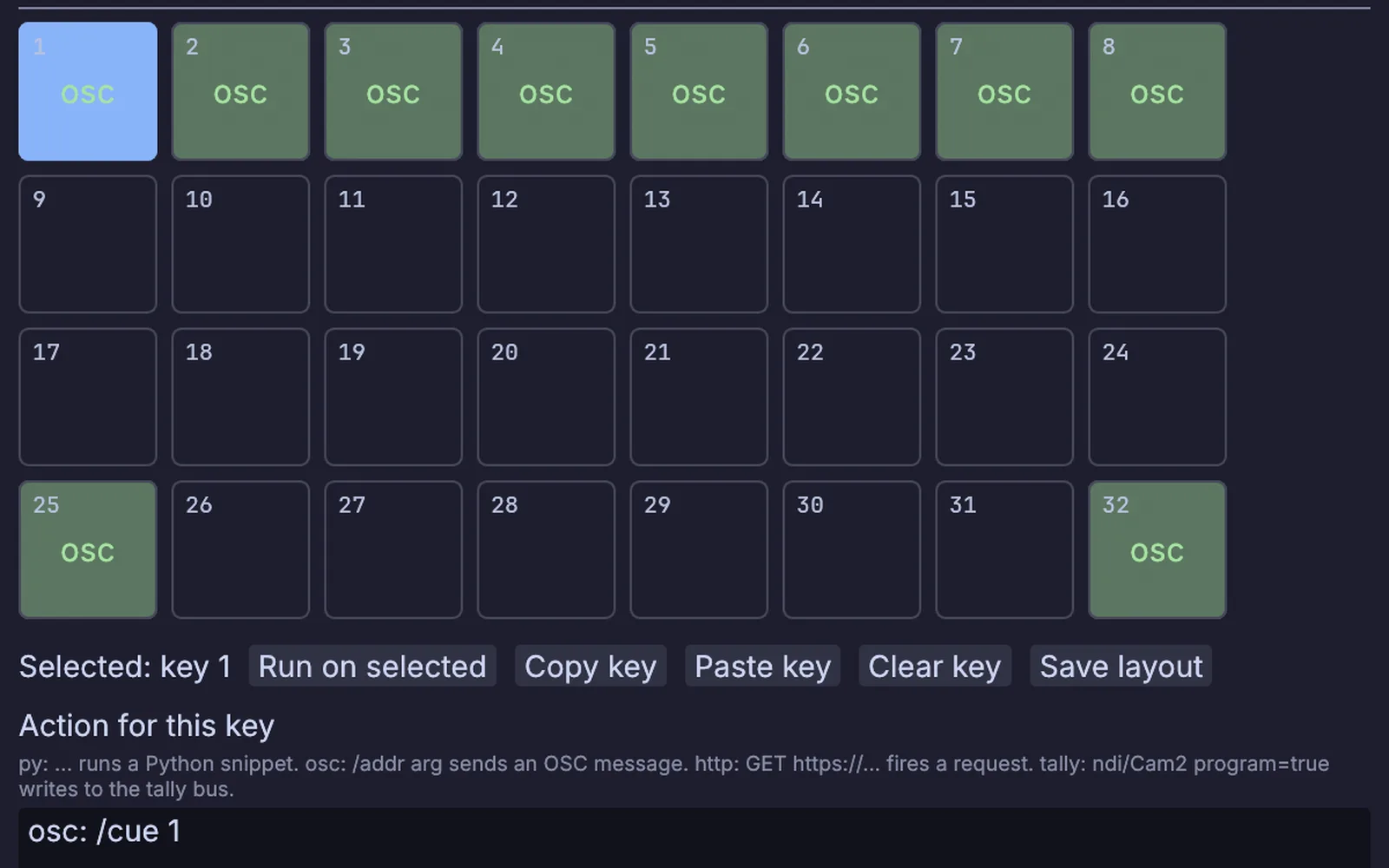
The Stream Deck Layout window: a grid of keys, each with its own action
the Stream Deck layout: one action per key
03

Put your scenes on a Stream Deck

Give each key an action, an OSC message, a Python snippet or a web request, so one press switches a scene, a look or a sound. Tally lights the keys.

StreamingStreamDeckSurface
Put cues on a Stream Deck →

On stream

Run it live.
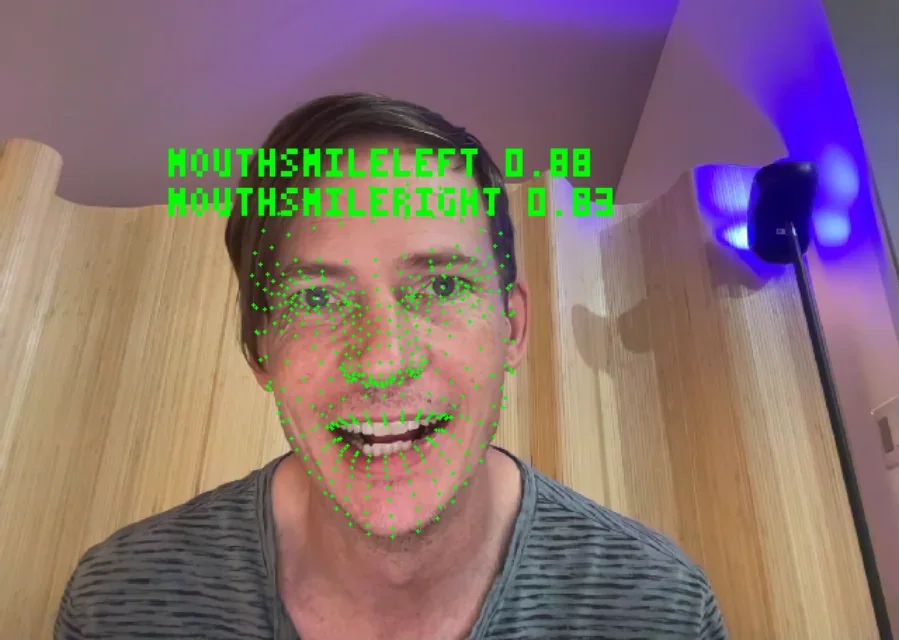
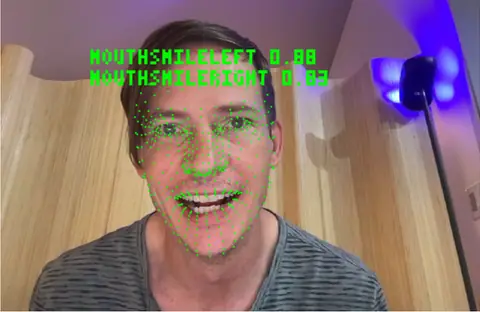
A face on the webcam with tracking points and the smile values read off it
smile values read off a webcam
04

Move a face with yours

Blendshapes reads 52 face values off the webcam, smile, blink, jaw and brows, and moves a character's face shapes with them.

LocalAIImageToBlendshapes+3DGeoRigBlendShapes
Drive a face with yours →
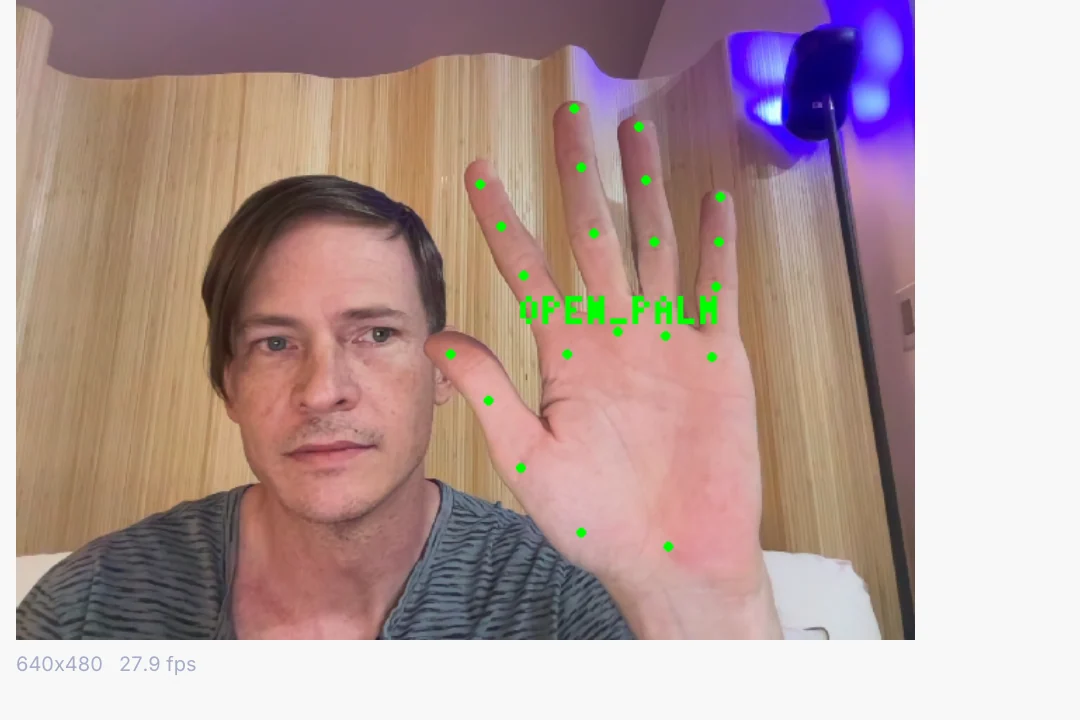
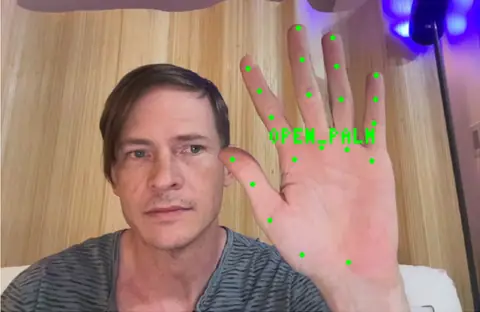
An open palm held up to the webcam, read as OPEN_PALM
an open palm, read off the webcam
05

Fire a scene with a hand sign

Thumbs up, open palm, a fist or a peace sign each arrive as a named trigger. Wire one to a scene change, a sound or a look.

LocalAIImageToHandGestures
Fire a cue with your hand →
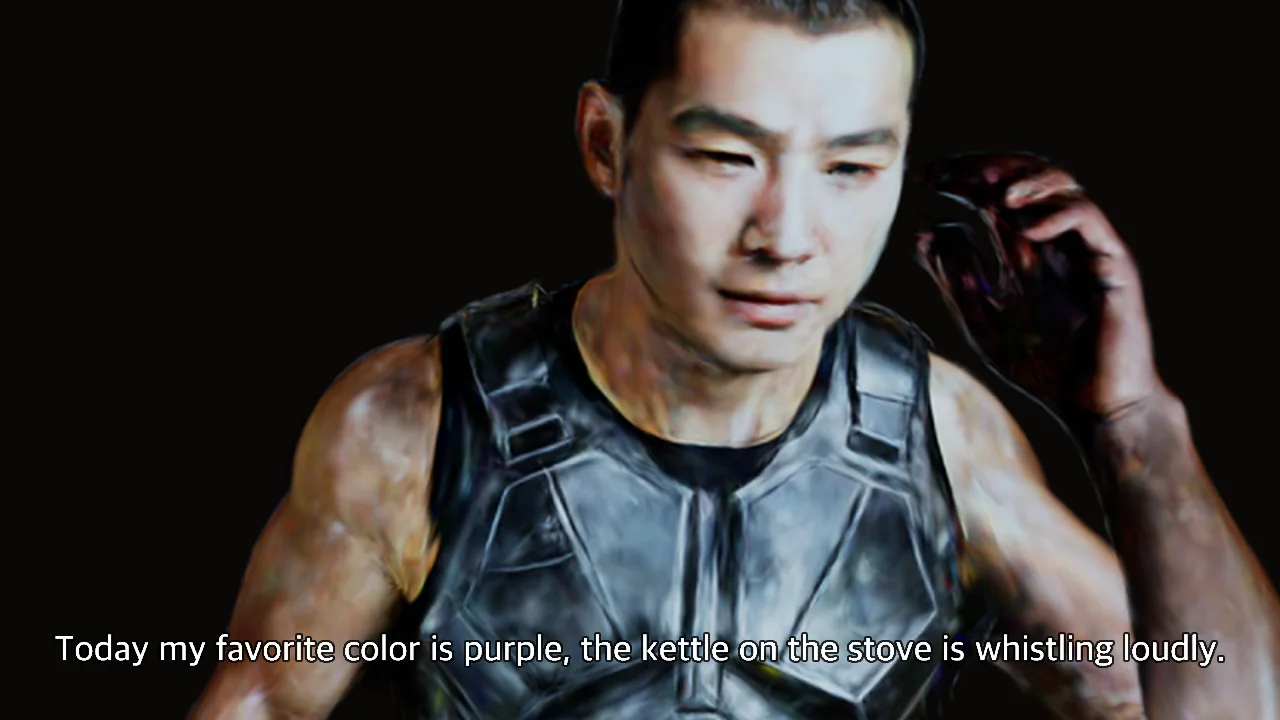
The scanned man on a dark background with a line of caption text across the bottom
a speech clip captioned as it plays
06

Caption yourself live

Your voice turns into words on screen as you speak, transcribed on your own machine.

AudioCaptureInterface+LocalAIAudioTranscribe+TextRenderOverImage
Caption a talk live →

After the stream

Cut it down and post it.
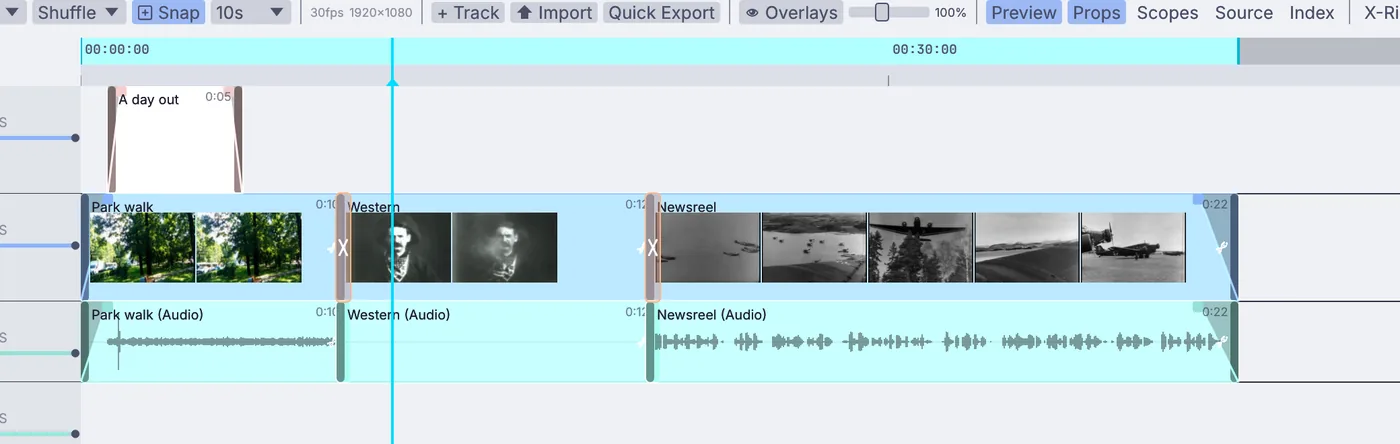
a short with a title, cut on the timeline
07

Cut the highlights

Put clips in order on the timeline, trim them, add fades and a title, and export a short.

VideoArrangementPlayer
Cut a short →
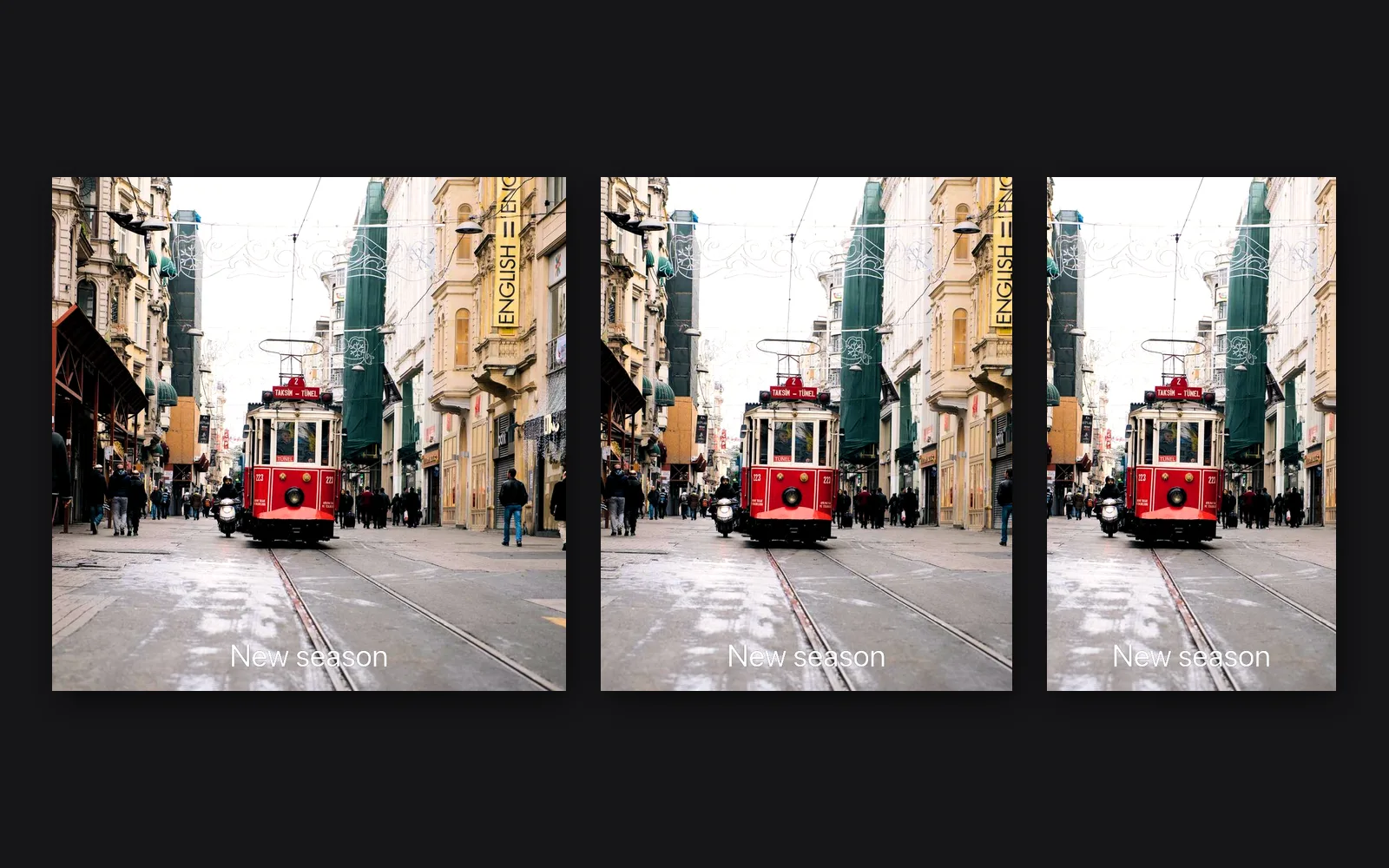
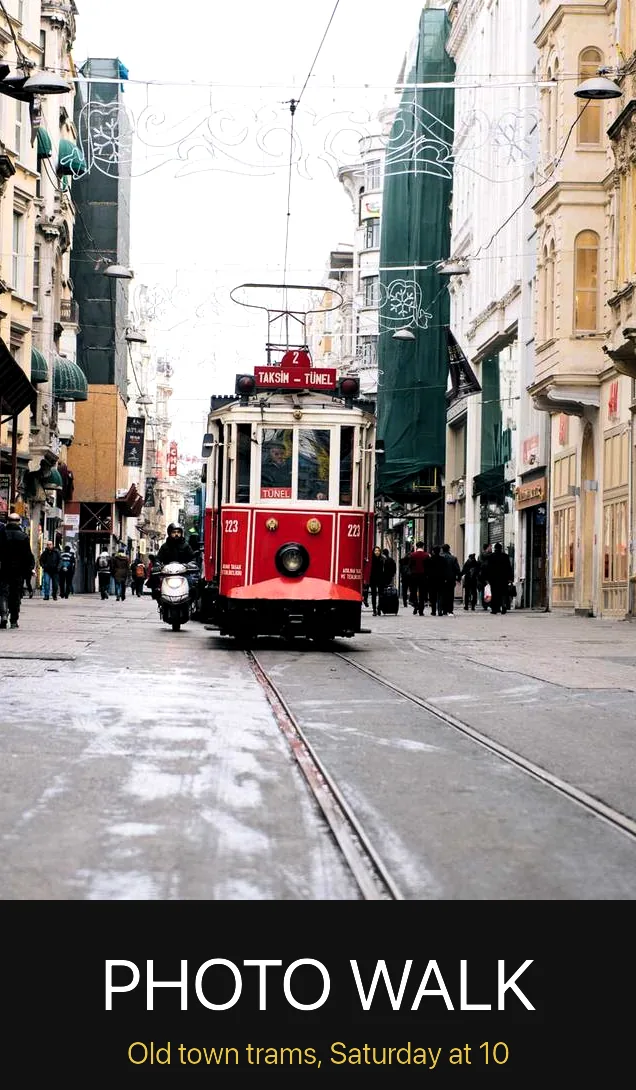
One street photo cropped three ways, each with a line of text
one picture, three crops
08

Post it three ways

Crop one picture square, 4:5 and 9:16, give each its own line of text and save all three.

ImageCrop+TextRenderOverImage+OutputImageFile
Post one photo three ways →
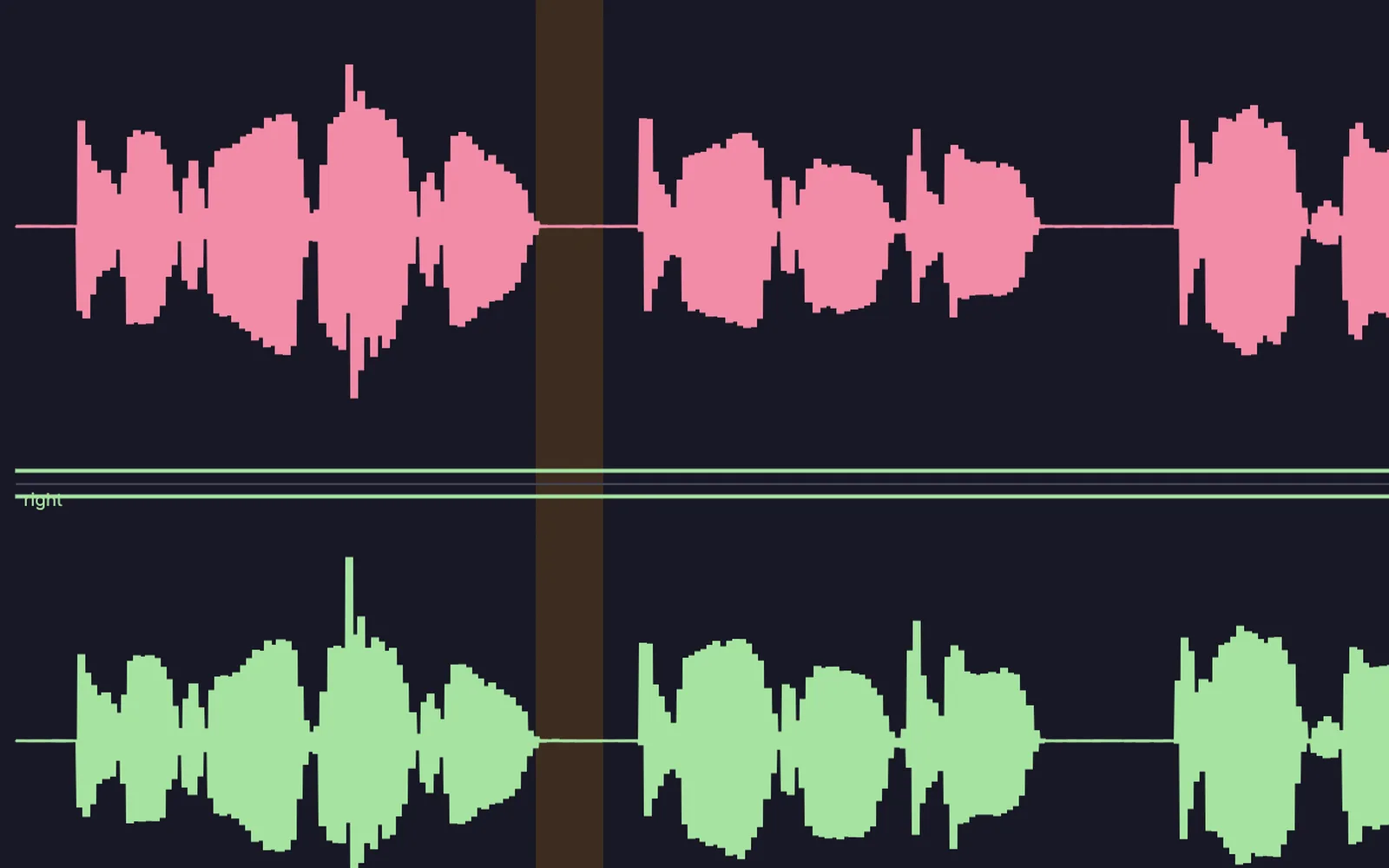
A spoken clip with a pause selected, ready to cut
a pause selected, ready to cut
09

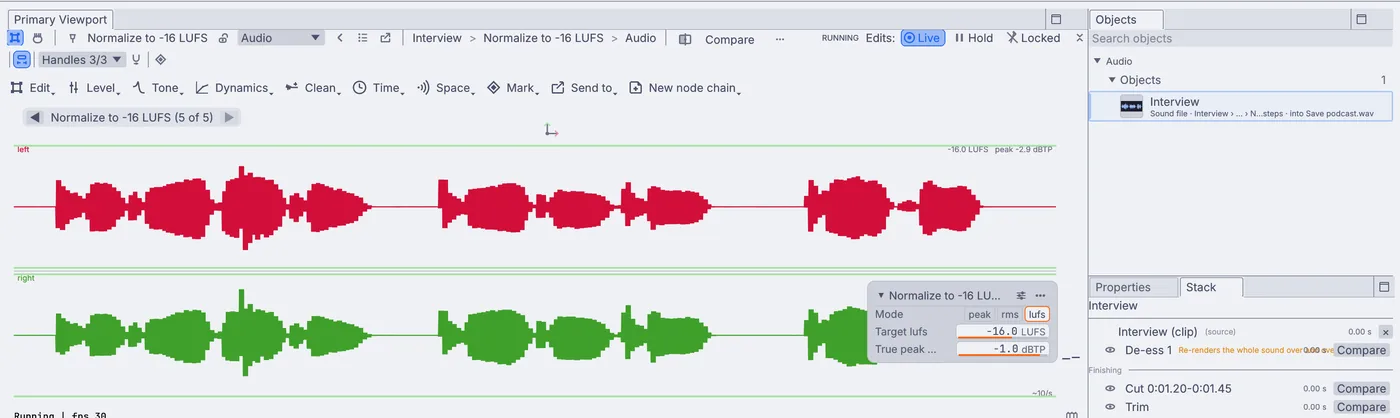
Tidy the podcast

Cut the long pauses and stumbles, even out the level and save the episode.

AudioEditRange+AudioNormalize+OutputAudioFile
Tidy a podcast →
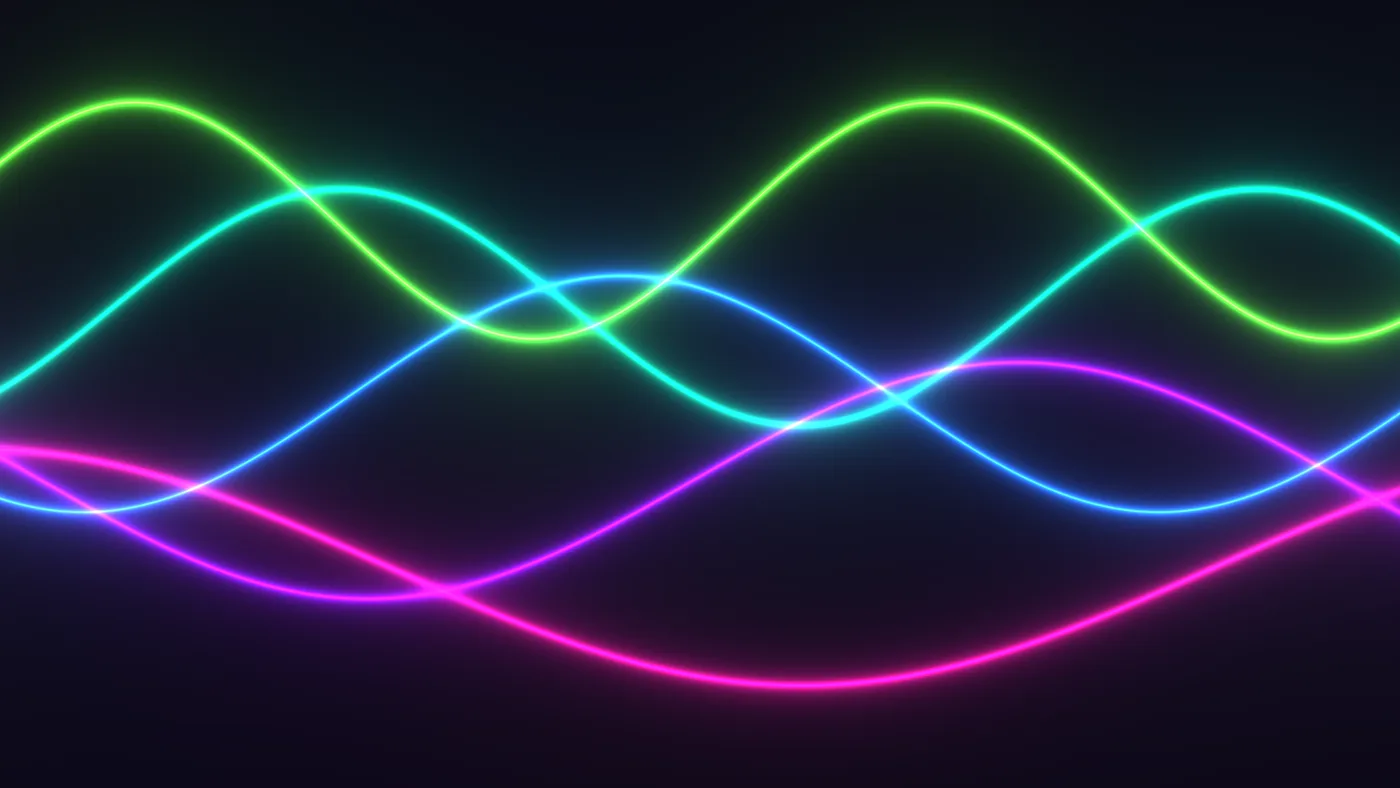
a shape that swells with your voice
the camera glitched on the beat
particles pushed by a song
What Kinematic adds

Sound drives the picture.

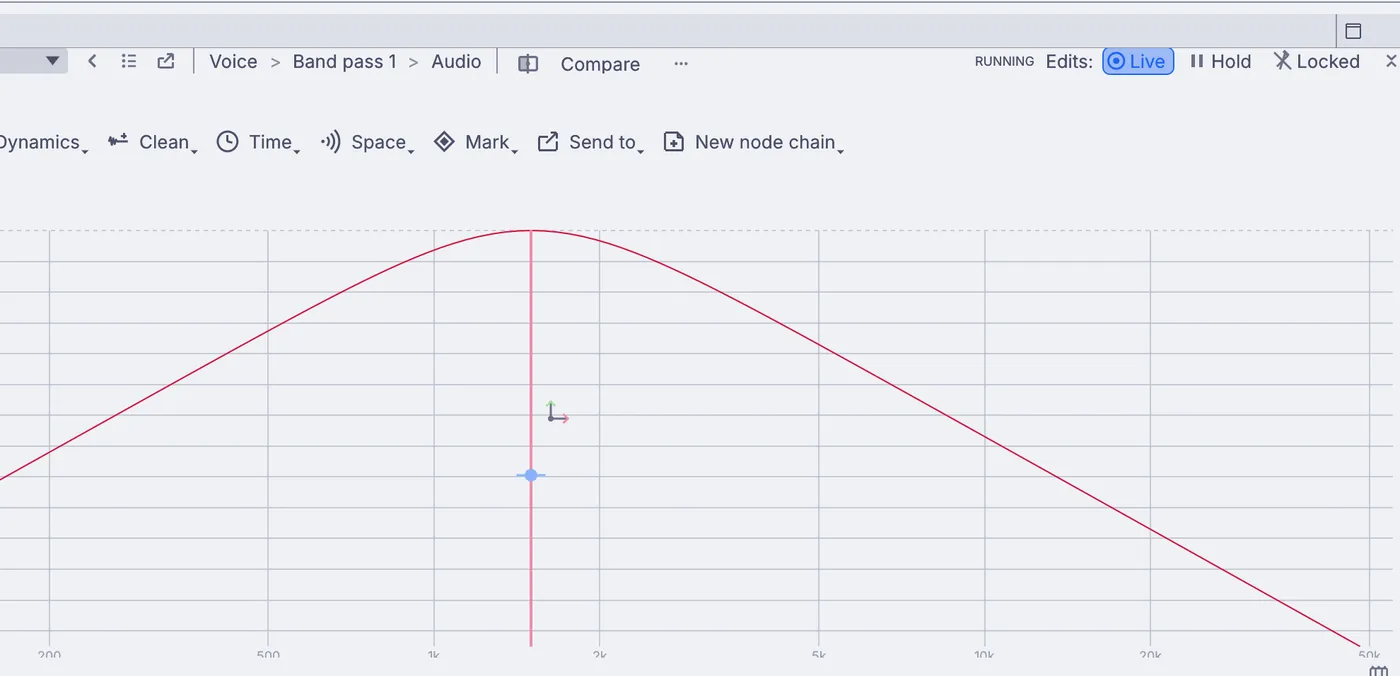
Your mic and your music come in as live values. Your voice can swell a shape, each beat can glitch the camera, and the loudness of a song can push particles across the frame. Any setting in the graph can follow the sound.

The same mic can run through your own plugin effects on the way out, or into a vocoder that turns your voice into a synth.

AudioCaptureInterface+AudioEnvelopeFollower+AudioOnsetDetect+PluginHost
Taking it live

Send it to OBS, Twitch or YouTube.

Keep OBS for your scenes and alerts and hand it the avatar, or go live from Kinematic itself. Either way, everything runs on your own machine.

Go live →
the program picture going out live, with a LIVE badge

Run the graph with no window and send its picture out over NDI:

terminal
$ kinematic run avatar.kin --out ndi://Avatar

Into OBS

Name an NDI sender and pick it up in OBS as an NDI source. On a Mac, Syphon hands the picture to OBS on the same machine.

StreamingNDISendInterface+StreamingSyphonSendInterface

Straight to Twitch or YouTube

RTMP out encodes H.264 video and AAC sound and streams to Twitch, YouTube or Facebook Live with your stream key, no other app in between.

StreamingRtmpSend

Record while you stream

Write the same picture and sound to an MP4, MOV, MKV or WebM file as it goes out, and split a long stream into parts.

OutputVideoFile

Bring your game in

Screen capture grabs a whole monitor, one window or a region of the screen, so a game or a browser can sit under your avatar.

DisplayCaptureInterface
How it fits

The gear and apps it works with.

Keep your webcam, your mic, your Stream Deck and OBS. Kinematic sits beside them on the same machine or across the network.

Streaming

  • OBSIn and out
    Trade video with it over NDI, or over Syphon on a Mac.
  • Twitch, YouTube, Facebook LiveOut
    Go live over RTMP, as H.264 video with AAC sound.
  • NDIIn and out
    Video and sound over the network. Install NDI Tools first.
  • SyphonIn and out, macOS
    Share frames with other apps on the same Mac.

Avatars and tracking

  • VTuber appsIn and out
    Take a performer from VSeeFace, Warudo, VNyan or SlimeVR over VMC, or send your character to them.
  • Face capture on a phoneIn
    Live Link Face, iFacialMocap, Facemotion3D, VTube Studio and MeowFace drive a character's face.
  • VRM avatarsIn and out
    Bring in the model with its expressions and hair springs, and save it back out.
  • Splat scansIn and out
    .ply, .spz, .splat and .sog. Compressed .ksplat opens at level 0.

On your desk

  • Webcams and capture cardsIn
    Built-in and USB webcams, and capture cards that show up as a webcam.
  • Microphones and sound cardsIn and out
    Record from a mic or an interface, and play out to your speakers.
  • Stream DeckIn and out
    The original, Mini, XL, Plus and MK.2 over USB, or through Bitfocus Companion.
  • Screens and windowsIn
    Grab a whole monitor, one window or a region of the screen.

Files

  • VideoIn and out
    MP4, MOV, MKV and WebM, with picture and sound together.
  • SoundIn and out
    WAV, FLAC, MP3 and OGG.
  • PicturesIn and out
    PNG, JPEG and WebP, for thumbnails and posts.
  • Audio pluginsCLAP and VST3
    Load your effects and synths and run your mic through them.
Where to start

Tutorials and demos.

Each tutorial starts from an empty file and takes under fifteen minutes. The demos come with the app: open one in the Demos browser, press Play, then take it apart on the canvas.

Tutorials

Demos

The first two demos use a scan by Erant (superspl.at), CC BY 4.0.

Not yet

What it does not yet do.

Better to know now. Missing something your stream needs? Reach out.

  • Chat and alertsThere is no ready-made node for Twitch or YouTube chat, follows or alerts. Keep those in OBS, or reach a service yourself with the HTTP and WebSocket nodes.
  • A virtual webcamKinematic does not show up as a camera in video call apps. Send it to OBS and use its virtual camera.
  • Making the scanKinematic opens, cleans and rigs a splat scan, but turning a video of you into a scan happens in a scanning app first.
  • 2D avatarsLive2D models do not load. Avatars here are 3D: splat scans, rigged characters and VRM models.
  • SpoutSharing video with other apps on Windows is on the roadmap. NDI works on every platform today.

Download Kinematic.

Free. No account, no license key and no watermark on your stream. macOS, Windows, Linux and Raspberry Pi.