Kinematic 0.5.3 is out. Crowds and traffic that find their own way, and a Clip Launcher that plays on the beat. What's new
Kinematic / Simulate / Particles

Simulate particles.

Fountains, flocks, galaxies, fireworks and light trails, by the hundred thousand. Emit particles from any shape and push them around with forces. Change a setting while it plays and the sim follows.

On the GPU, liveAbout 100,000 particles at 60 fps on a modest graphics cardDriven by music or MIDIFree
Orbits
comets of light orbiting a glowing core, white hot where they whip past it
Sparks
a spark fountain, white hot at the nozzle and cooling to red
Flocking
ten thousand birds wheeling over the dunes at dusk
What you can make

Building a particle sim.

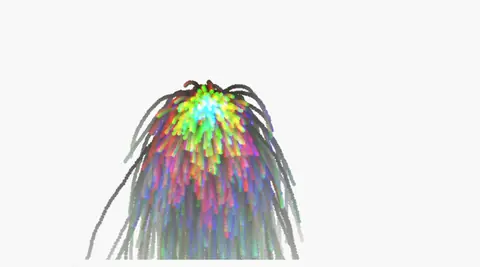
a spark fountain on a dark floor, white hot at the nozzle, the sparks cooling to orange and red as they fall and bounce
01 · Gravity and a floor

Build a spark fountain

Sparks shoot up white hot and come down cooling to red, skipping across the floor where they land.

  • Emit from the nozzle in a narrow cone pointing up.
  • Turn on gravity and put a floor in the way. The sparks bounce off it and lose speed.
  • Color them by age through a heat ramp, from white at birth to deep red.
3DGeoParticleChainEmitter→3DGeoParticleCollision→3DGeoParticleChainSolver→3DGeoParticleColorRamp
In the Demos browser: Particle Fountain
ten thousand birds wheeling over the dunes at dusk as the flock folds and turns as one
02 · Flocking and steering

Fly a flock of birds

Ten thousand birds keep apart, line up and stay together. The flock folds over itself and turns as one.

  • Release ten thousand birds in a loose cloud.
  • Turn on flocking, then steer the flock toward a target that drifts across the sky.
  • Copy a small dark bird onto the particles, pointed the way they fly.
3DGeoParticleChainEmitter→3DGeoParticleChainFlock→3DGeoParticleChainSteer→3DGeoParticleChainSolver→3DGeoParticleInstance→3DGeoCopy
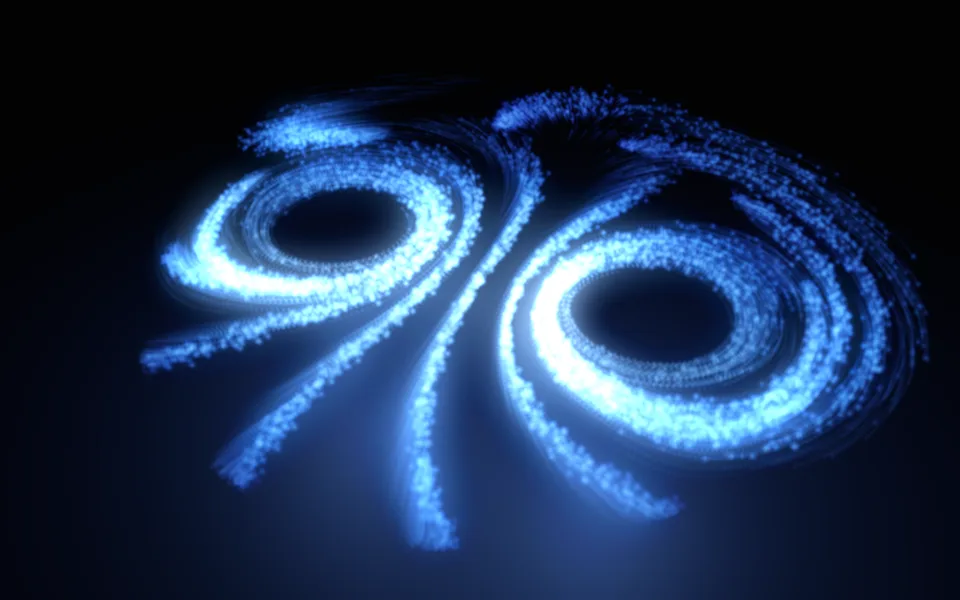
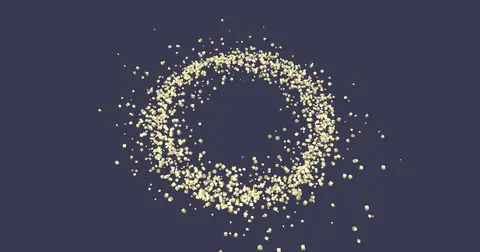
two whirlpools spinning opposite ways pull a ring of particles into glowing spiral arms
03 · Whirlpools that follow the music

Twist a ring into spirals

Two whirlpools pull eight thousand particles into glowing spiral arms. Let the music decide how hard they pull.

  • Emit from a ring around the middle.
  • Add two whirlpools side by side, spinning in opposite directions.
  • Keep a short trail of light behind the particles.
  • Right-click the swirl strength, choose Drive from a port, and pick a song's loudness.
3DGeoParticleChainEmitter→3DGeoParticleChainVortex→3DGeoParticleChainSolver→3DGeoParticleTrail+AudioRMSLevel
In the Demos browser: Twin Vortex Particles needs a microphone
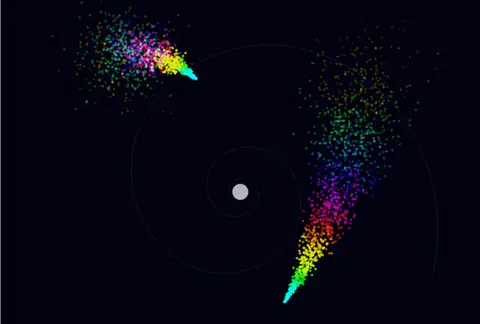
sparks flung in arcs, bouncing across a wet floor, dragging ribbons of light
04 · Ribbons of light

Paint with light trails

Sparks fly in arcs from two swaying points and drag ribbons of light that taper and fade as they skip over a wet floor.

  • Fling sparks in arcs from two points that sway back and forth.
  • Bounce them off the floor, keeping most of their speed.
  • Turn the paths into ribbons that thin toward the tail, colored by speed.
3DGeoParticleChainEmitter→3DGeoParticleCollision→3DGeoParticleChainSolver→3DGeoParticleColorRamp→3DGeoParticleRibbon
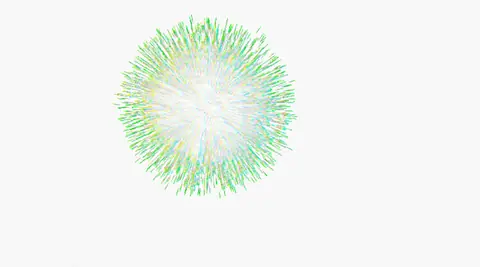
gold fireworks over a lake and a city skyline, the dying stars crackling into white sparks
05 · Bursts inside bursts

Set off fireworks

A shell bursts into stars over the water, and the stars crackle into white sparks as they die.

  • Fire a shell, and when it dies, burst it into a few hundred stars.
  • Split the dying stars again into a handful of sparks.
  • Leave a fading trail behind the stars, colored by age from pale gold to deep red.
3DGeoParticleChainEmitter→3DGeoParticleChainSolver→3DGeoParticleSplit→3DGeoParticleTrail→3DGeoParticleColorRamp
In the Demos browser: Particle Firework
polished gold boxes tumbling in orbit around a glowing core
06 · A force you write

Swarm metal boxes around a point

Polished boxes orbit a glowing core and catch the light as they tumble. They grow in at birth and shrink away at the end.

  • Launch particles sideways from a ring, so they start out in orbit.
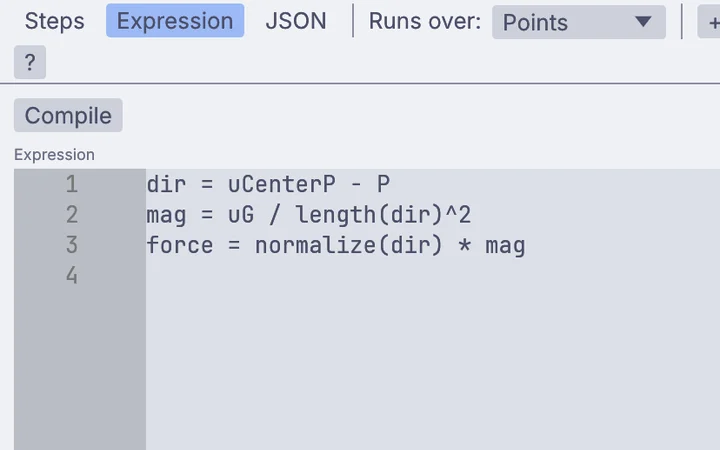
  • Pull them toward the center with a gravity you write in the Math editor, in three lines.
  • Give them a spin, and copy a polished gold box onto the particles.
3DGeoParticleChainEmitter→3DGeoAttribMath→3DGeoParticleChainSpin→3DGeoParticleChainSolver→3DGeoParticleInstance→3DGeoCopy+3DGeoBox
In the Demos browser: Orbital gravity
Art-direct it

Shape it in the viewport.

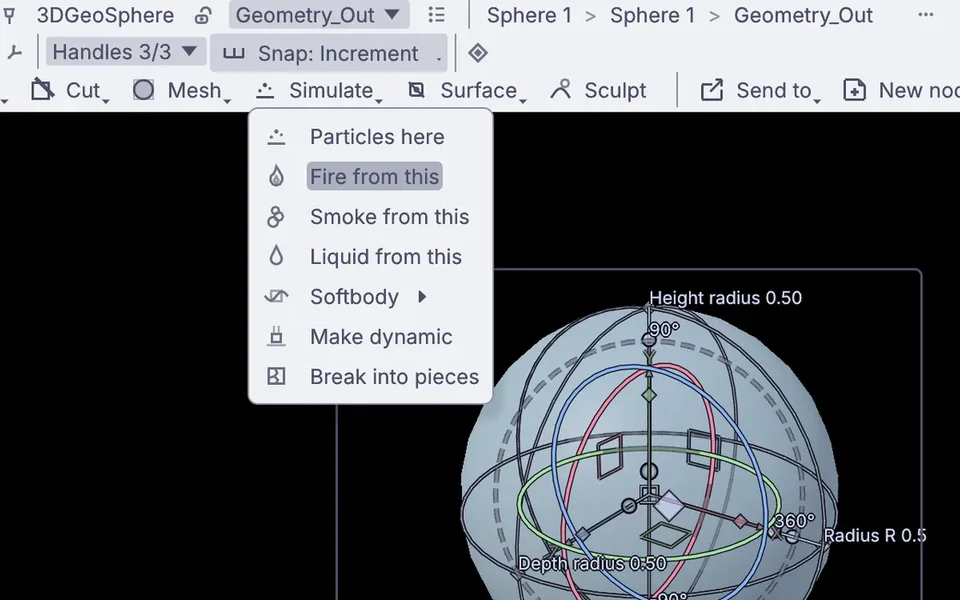
Pick a shape and choose Simulate > Particles here. The emitter and the solver land on the canvas already wired, and Add force lists thirteen forces to drop on top, from wind to a push from a picture. The settings that matter sit on a card beside the view.

  • Drag the emitter's arrow in the view to aim the spray, and pull its tip out to make it faster.
    3DGeoParticleChainEmitter
  • Whirlpools and orbits show their reach and their axis as handles you drag in the scene.
    3DGeoParticleChainVortex→3DGeoParticleChainOrbit
  • Write a force of your own in the Math editor. Three lines pull the gold boxes on this page into orbit.
    3DGeoAttribMath
  • Scrub back on the timeline. The sim keeps checkpoints as it runs, so it can seek to an earlier frame.
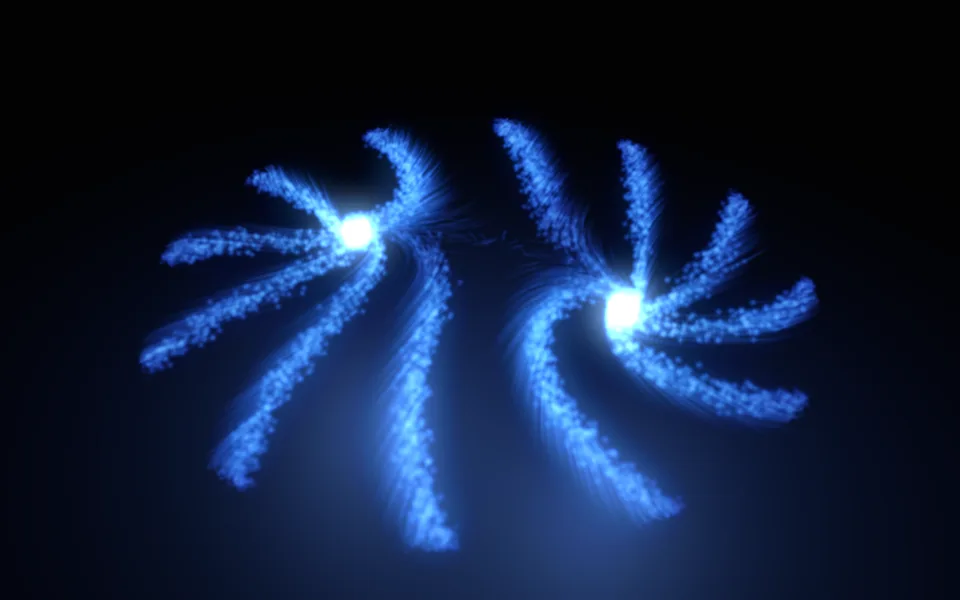
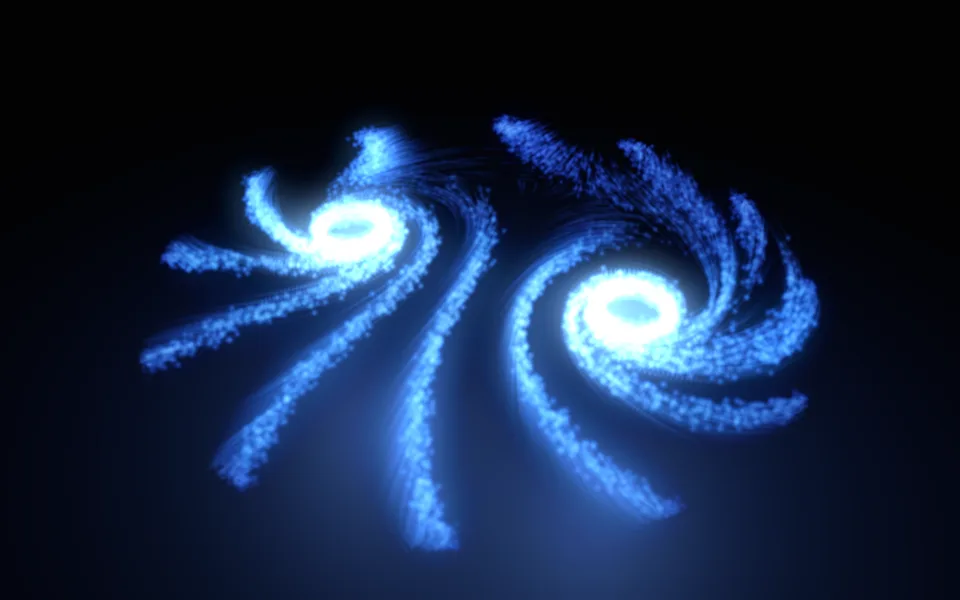
the twin whirlpools with swirl strength 2: the arms run almost straight into the cores
Swirl 2the arms run almost straight into the cores
the twin whirlpools with swirl strength 8: the setting in the clip above
Swirl 8the setting in the clip above
the twin whirlpools with swirl strength 20: they circle in wide rings and leave the cores open
Swirl 20they circle in wide rings and leave the cores open

The twin vortex sim, rendered three times with one setting changed: swirl strength on both whirlpools. Pull stays at 6.

the Simulate menu over a picked sphere: Particles here, Fire from this, Smoke from this, Liquid from this, Softbody, Make dynamic, Break into pieces
Simulate > Particles here
the Math editor running over points: dir, mag and force written as three lines
the orbit force, in the Math editor
Make it react

Let a song or a controller move it.

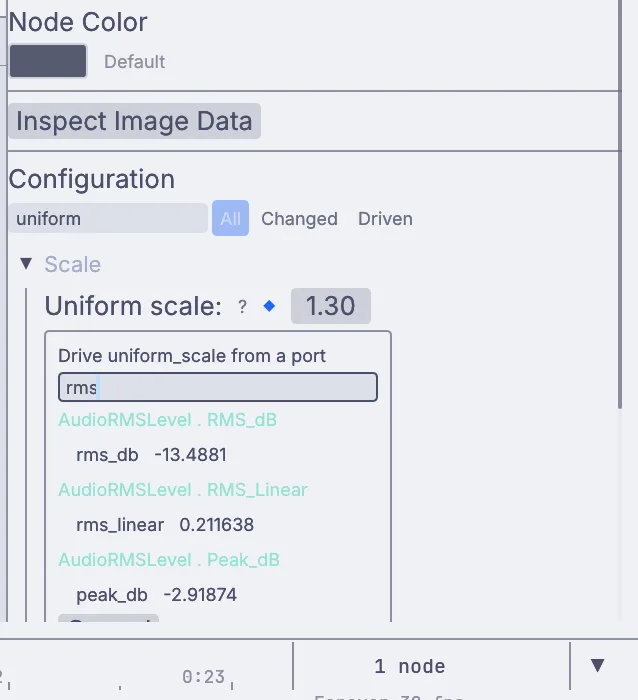
Right-click a setting and choose Drive from a port. Pick a song's loudness or a MIDI fader from the list, and the setting follows it while the graph runs.

  • In this clip a song's loudness sets how many particles fly, and its hits shake them.
    AudioToVolume→AudioOnsetDetect→ImageParticleSystem
  • A drum hit can fire a burst. The Particle audio burst demo throws 300 particles on a beat.
    AudioOnsetDetect
  • Turn a knob on a MIDI controller and its 0 to 1 value drives the emission rate, smoothed if you want.
    MidiCCIn
  • A body tracker reads a webcam on your machine and gives you the wrists as values to drive with.
    LocalAIImageToBodyPose
  • Or type a driver into the setting: sin(time*1.6) sways it with no input at all.
particles driven by a song: loudness sets how many fly
Drive from a port, open over a setting, with the loudness values of a song listed under AudioRMSLevel
Drive from a port, with a song's loudness
Take it live

Put it on a projector or an LED wall.

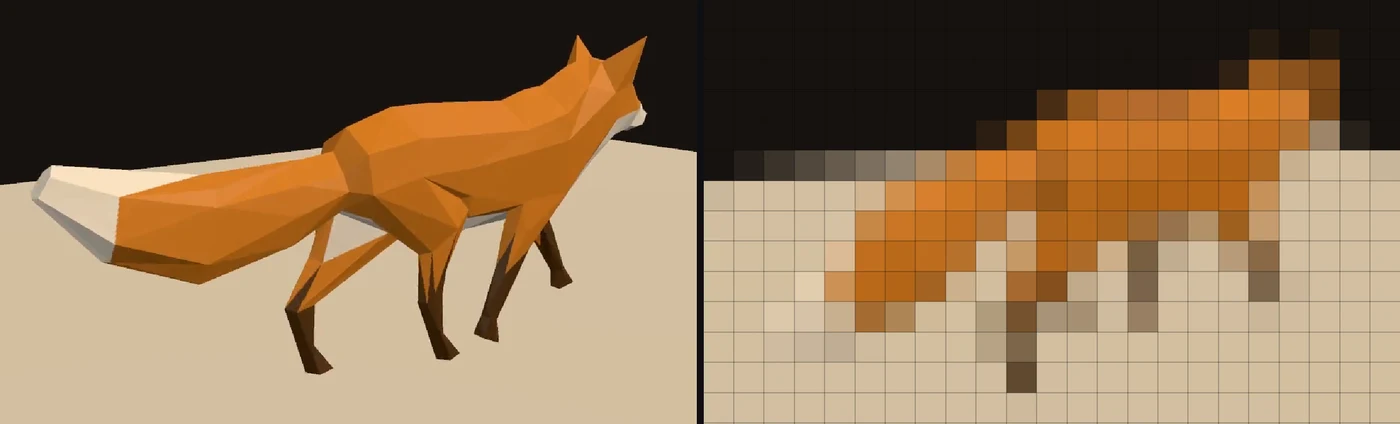
The file that runs the sim can run the show too. Here the fireworks render is pixel-mapped onto a wall of 640 RGB lights over four DMX universes, then drawn back from the DMX values, the way the wall would glow.

the renderthe same frames on 640 lights
  • Pixel-map the render onto LED fixtures and send it over Art-Net or sACN.
    ImageToDmx→ArtNetSendInterface
  • Press F1 for Perform Mode, and pick the projector or second screen in Window > Outputs.
    ImageDisplay
  • Share the picture with other apps over NDI, or Syphon on a Mac.
    StreamingNDISendInterface→StreamingSyphonSendInterface
  • Start a burst on a cue. An emitter can launch at a marker or on a trigger, and land on the next beat or bar.
    3DGeoParticleChainEmitter
How it works

A short chain of nodes.

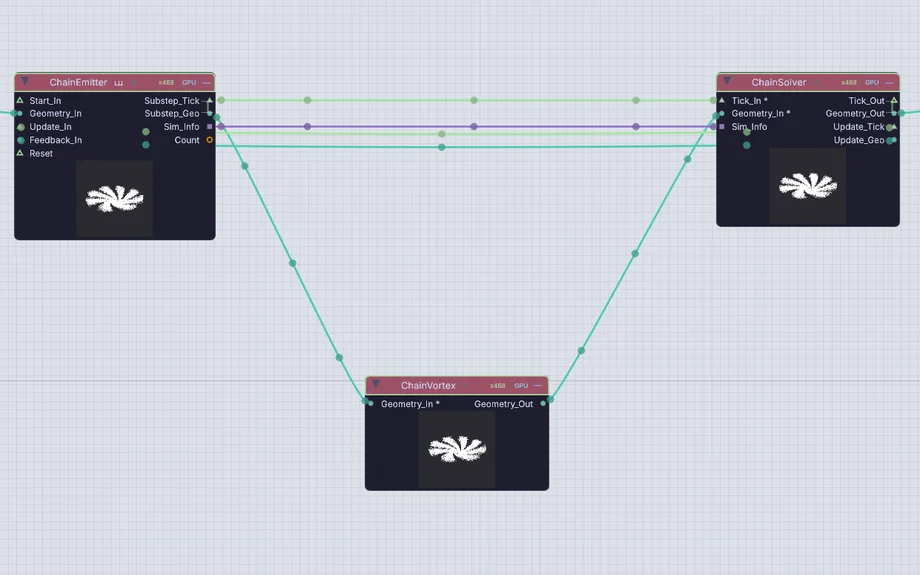
Particles here builds the emitter and the solver for you, and Add force drops forces between them. The emitter gives birth to particles and ages them. Between it and the solver sit the forces, which only push; the solver does the moving, then hands its result back to the emitter after a substep.

the graph behind the twin vortex clip, shortened
CREATE3DGeoCircle SIMULATE3DGeoParticleChainEmitter SIMULATE3DGeoParticleChainVortex SIMULATE3DGeoParticleChainSolver SIMULATE3DGeoParticleTrail CREATE3DGeoSceneRenderToImage BACK TO THE EMITTER, ONCE A SUBSTEP

The settings you will touch.

  • Emission rateEmitter

    Particles born per frame, up to a million.

  • LifespanEmitter

    Seconds a particle lives. Variance spreads it, so they do not all die at once.

  • Speed and spreadEmitter

    How fast they leave, and the cone they leave in: 0 degrees is a beam, 180 is the whole sphere.

  • Emit sourceEmitter

    Born on the surface, inside the volume, at the points or along the edges of the source.

  • SubstepsEmitter

    Up to 10 passes a frame. Raise it for fast swirls and stiff forces; the cost rises with it.

  • GravitySolver

    -9.8 on Y for Earth. Zero for swarms and galaxies that float.

  • DampingSolver

    How much speed survives a second: 1 keeps it all, 0.5 halves it.

  • Max speedSolver

    A hard cap that stops a sim from blowing up when a force spikes.

  • Color byColor ramp

    Age, speed, id or your own attribute, through a built-in gradient such as heat or one of your own.

  • Compute deviceAny particle node

    Application Default, GPU or CPU, one setting per node.

Forces only push.

A force node writes into the particles' force, and the solver turns the sum into motion. Stack as many as you like and their pushes add up. Wire one with no solver after it and nothing moves, and the linter flags it on the canvas.

3DGeoParticleChainWind→3DGeoParticleChainVortex→3DGeoParticleChainAttract→3DGeoParticleChainDrag

One node when you want it simple.

The simple emitter runs the sim inside one node. Gravity and drag are settings on it. Reach for the chain when you want forces you can see and stack.

3DGeoParticleSimpleEmitter
a particle chain on the canvas: an emitter and a vortex force feeding the solver, wired back for substeps
the chain on the canvas
How it fits

What goes in and what comes out.

Particles are points with attributes, so anything that makes points can feed them. What comes out can be frames on disk or a live picture.

Comes in

Meshes: glTF, FBX, USD, Alembic, OBJ, PLYGaussian splats: PLY, SPZ, SOG, .splatText, as pointsCurves to followPictures that push or colorSmoke and fire velocityAudioMIDIOSCWebcams

Goes out

Frames: EXR and PNG sequencesVideo: ProRes, H.264, H.265, AV1Points: a PLY file per frame, with colorAnimated Alembic: ribbons, trails, copiesMeshes per frame: PLY, OBJ or glb

Live

Projectors and second screensNDISyphon on a MacArt-Net and sACNOSC out
Everything it works with →

Start from something other than a shape.

  • 3DGeoSplatToParticlesA splat cloud filled with points, more where it is solid.
  • TextToParticlesA word turned into a flat cloud of points.
  • 3DGeoParticleChainCurveForcePush along, toward or around a curve.
  • 3DGeoParticleChainImageForceA picture pinned in the scene that shoves particles the way it points.
  • 3DGeoParticleFluidAdvectEmbers carried along by a fire or smoke sim.
  • 3DGeoParticleChainFluidSolverSwap the solver and the particles behave as water or goo.
Coming from Houdini? POP networks, in Kinematic.

The chain sits where a POP network would, with forces feeding a solver. Attributes keep the names you know, and the Math editor finds a VEX function by its name.

Read the Houdini guide →
Where to start

Tutorials and demos.

There is no particles tutorial on the site yet. These four teach the moves this page leans on, and the Particles guide under Help in the app walks the chain itself.

Particles guide, under Help in the app →

Demos

They open from Help > Browse Demos in the app. Take one apart and keep what you need.

Also in the Demos browser
  • Particle Fountainsparks that bounce on a floor and fade from yellow to red
  • Particle Fireworkbursts that split again as they die
  • Twin Vortex Particlestwo whirlpools that follow the sound in the room · needs a microphone
  • Billboard Particle Vortex: 50K Gaussian Splat Particles50,000 particles in two vortices and a curl of noise
  • Fluid Fishtankparticles that slosh in a tank like water
  • Particle Text Explosiona word sampled into a dense, glowing cloud
Browse the particle demos →
Honest gaps

What it does not yet do.

Better to know now. Need one of these for a project? Reach out.

  • No path tracerRenders are drawn on the GPU with PBR materials and shadows. For final frames in another renderer, send the ribbons out as an Alembic cache.
  • No points in AlembicThe Alembic writer carries meshes. Raw particles go out as a PLY file per frame instead.
  • No Houdini caches.bgeo files do not open, and VDB is save-only. Bring points across as PLY.
  • Renders up to 4096 pixelsA render tops out at 4096 on a side.
Take it further

It all connects.

Every part of Kinematic works with the others. Wire one into the next.

Keep going

Free and open. Yours, forever.

No account, no license key. macOS, Windows, Linux and Raspberry Pi.

Download Kinematic 0.5.3