Kinematic 0.5.0 is out. Modeling and sculpting in the viewport, a timeline on every graph, photo and sound editing. What's new
Kinematic / Edit

Edit.

Develop, grade, retouch and composite photos. Cut video. Shape MIDI.

Starts in the viewportEvery edit stays open to change
photo · a look
effects · pixelate
video · a cut
Explore Edit11 pages
The image editor

Everything happens
on the frame.

Pick a picture in the viewport and work the way you would in a photo editor. You can go back and change any edit, on a photo, a video, a camera or an NDI feed.
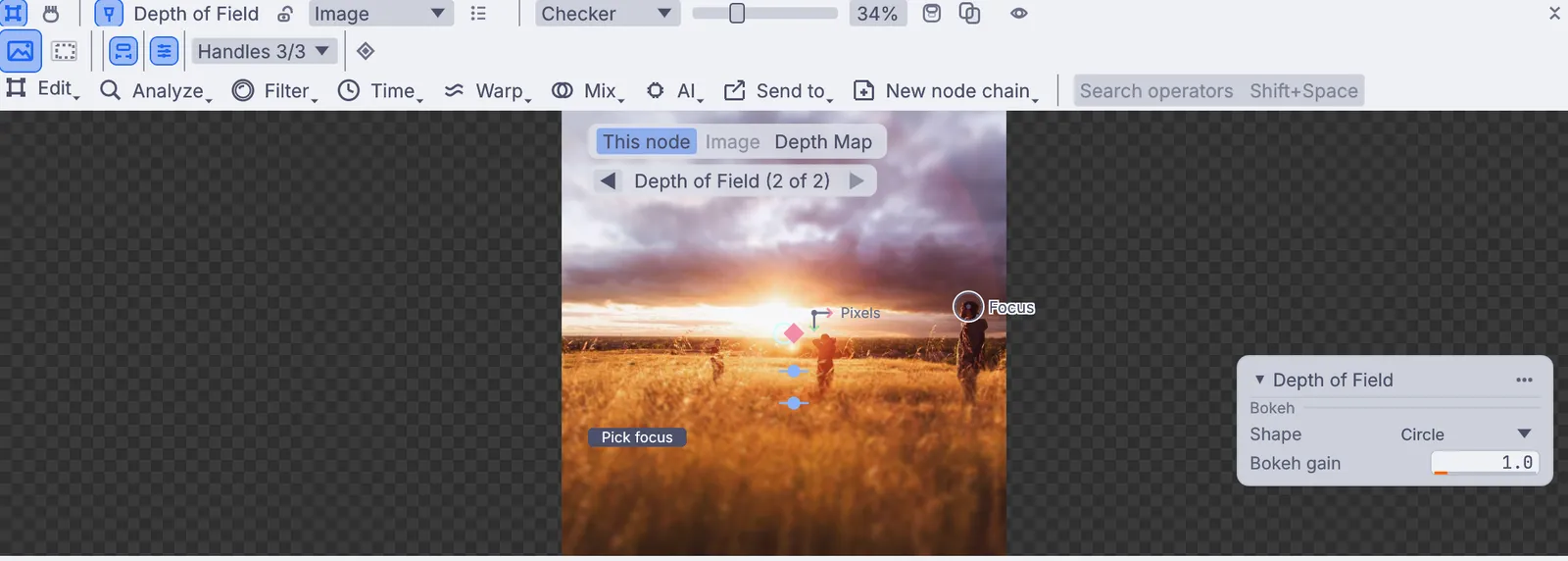
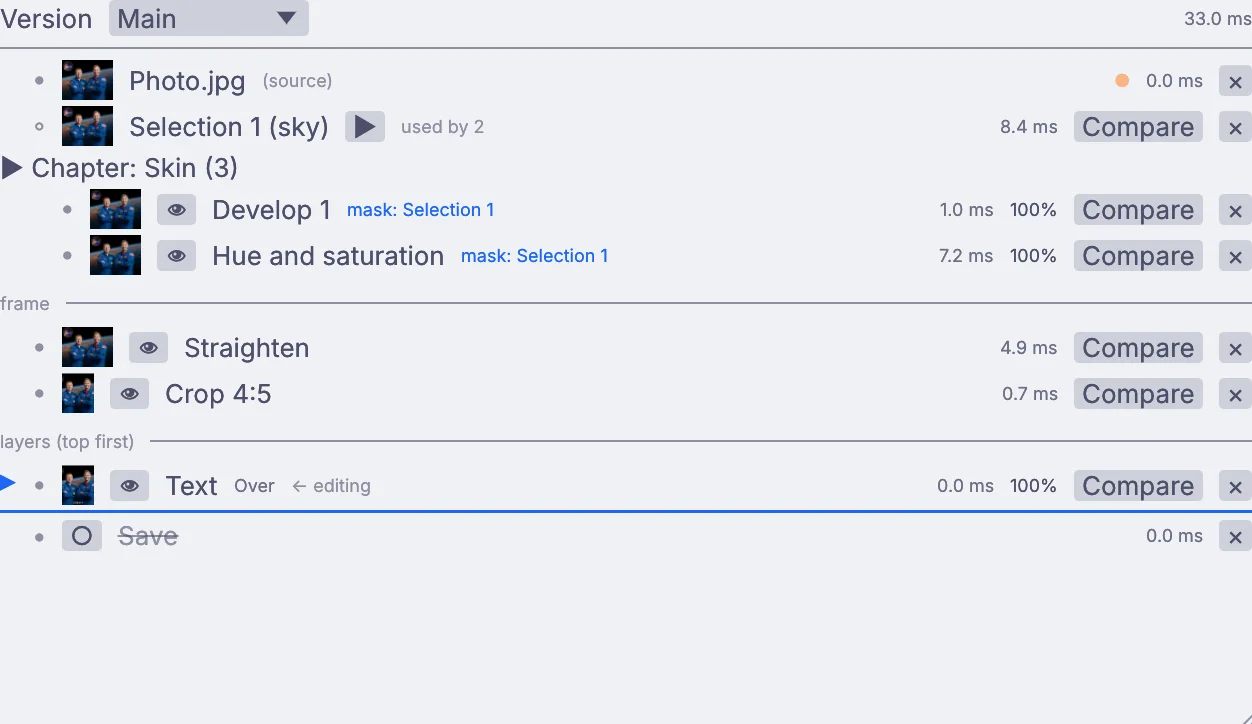
one toolbar: Edit, then Analyze, Filter, Time, Warp, Mix, AI and Send to. Here, depth of field: click to set the focus
118tools in six groups: Framing, Adjust, Filter, Select, Retouch and Layer
8more menus for motion, time, patterns, warps, math, mixing and AI. Search finds any tool.
6ways to bring a picture in: an image file, a video file, a camera, NDI, Syphon on a Mac or a generator

Framing18

StraightenCropRotate leftRotate rightFlip horizontalFlip verticalReformatUpscaleCanvas sizeLetterboxBorderKeystoneAuto cropEdge blendFlatten a surfaceGrid warpTransformOffset half

Adjust24

DevelopLevelsBrightness and contrastCurvesHue and saturationColor mixerColor balanceWhite balanceSplit toningGradient mapLUTTone mapBlack and whiteSepiaHeat mapInvertPosterizeFillAuto levelsLow lightMatch colors to a frameRelightDeflickerExport LUT

Filter31

BlurSharpenBilateral filterPhoto restoreBackground removalGrainVignetteGlowTilt-shiftRadial blurDirectional blurPixelateHalftoneDitherColor quantizeChromatic aberrationOil paintToon shadeLine artEmbossNeon edgesLens distortBloomLight raysLens flareDepth fogGrain matchDepth of fieldDespeckleMedian filterKuwahara

Select21

RectangleEllipseLassoPolygonBrushGradientSubjectObjectSkyPeopleSkinFace partBy kindColorBrightnessPenColor rangeBy distanceBy render IDSelect inverseDeselect

Retouch10

PaintNew paint layerRemoveRemove objectNew removeSmooth overCut outDodge and burnSpot healFill from the clean plate

Layer14

TextPlace framePlace frame behindPlace in perspectiveChroma keyDespillSave frameText on a pathPlace frame at a distanceLight wrapEdge decontaminateAlign and distributeAnchorFreeze frame

Adda new layer

ShapeFillPatternTextureText

Recipesaved sets of edits

Put a recipe on the frameSave the edits you pickedStock: Smooth skin, Film print, Halation

Saveone press writes them all

Save frameExport presets: Web 2048, Print 300 dpi, At 1x, At 2xFile menu: Merge brackets, Data merge

every edit you made, listed in order, each one ready to change

Change your mind anytime.

  • Click any earlier edit to see the picture at that point, and change it.
  • Drag a divider across the picture to compare before and after.
  • Group edits together, or copy them onto your next photo.
  • Make versions from one design: a square post, a tall story and a wide banner.
  • On video, see which edit is slowing things down.
  • Press Escape to cancel an edit before it's applied. Undo works on every edit.
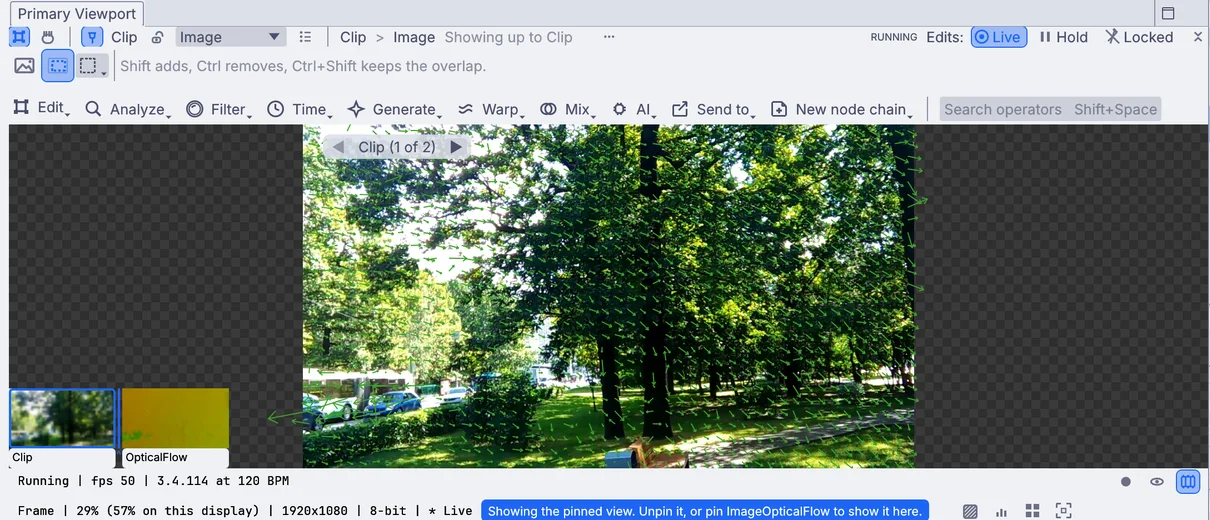
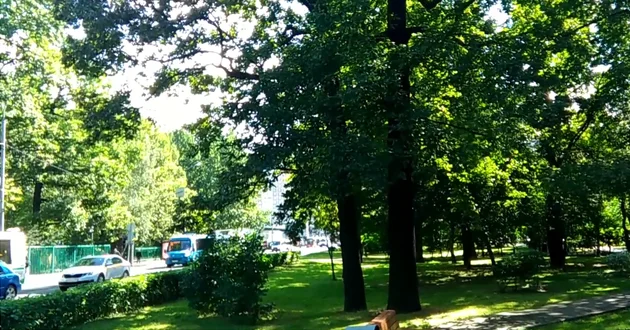
Optical flow on a park clip, with the motion it finds drawn on the frame

Go further than a photo editor.

  • Analyzeedges, motion, features and blobs, drawn on the frame
  • Timetrails, echoes, delays and frame blends
  • Generatecolor, shapes, noise, patterns, growth, light and text
  • Warpdisplace, bend, mirror, repeat and remap
  • Mathexpressions, channels, ranges and kernels
  • Mixblend, cut, key and transition two frames
  • AIfind people, cut out, measure depth, make 3D
  • Send toshapes, lights, data, or out of the app
Start from
Image fileVideo fileCameraNDISyphonGenerator

Press Space over the frame for every tool at the pointer. Shift+Space searches them all.

Edit · Photo

Photo

Develop, crop and straighten, then save for the web and for print in one press.

DevelopQuick adjustTone dragWhite balance eyedropperCropStraightenKeystoneMerge bracketsCopy and paste editsVersionsExport presets

adds ImageDevelop · ImageCrop · ImageRotate · ImageExposureMerge · OutputImageFile

Learn more about photo editing →
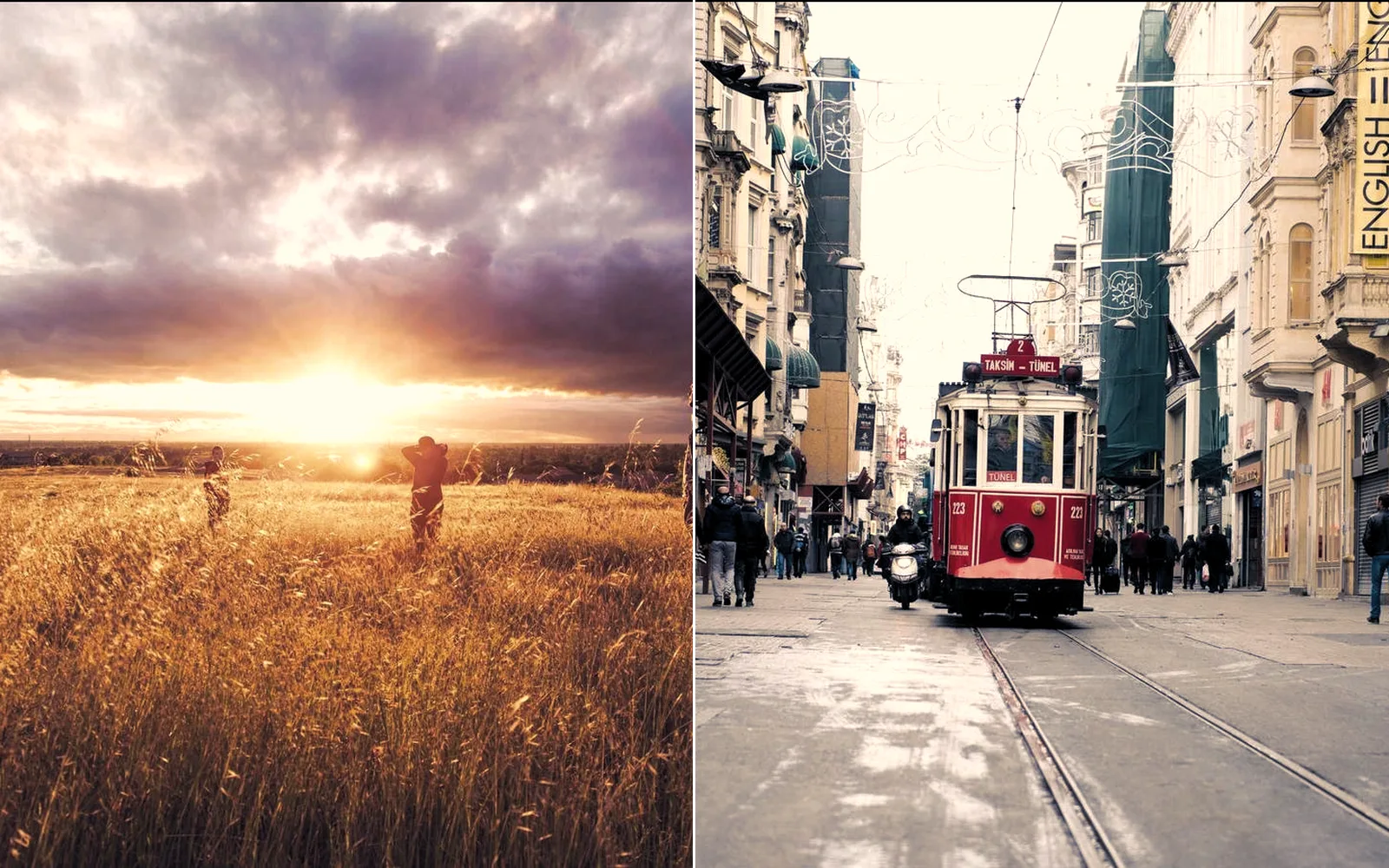
A sunset field and a tram street sharing one warm look
one warm look on two photos, a sunset field and a tram street
Edit · Color

Color

Grade with curves, wheels and scopes. Build a look once and lay it over a whole set.

CurvesHue curvesColor wheelsColor mixerSplit toningScopesFalse colorMatch colorsLUTs in and outOpenColorIOACESLooks with an amount

adds ImageRGBCurves · ImageHueVsCurves · ImageColorBalance · ImageOpenColorIO · InputImageLutFile

Learn more about color grading →
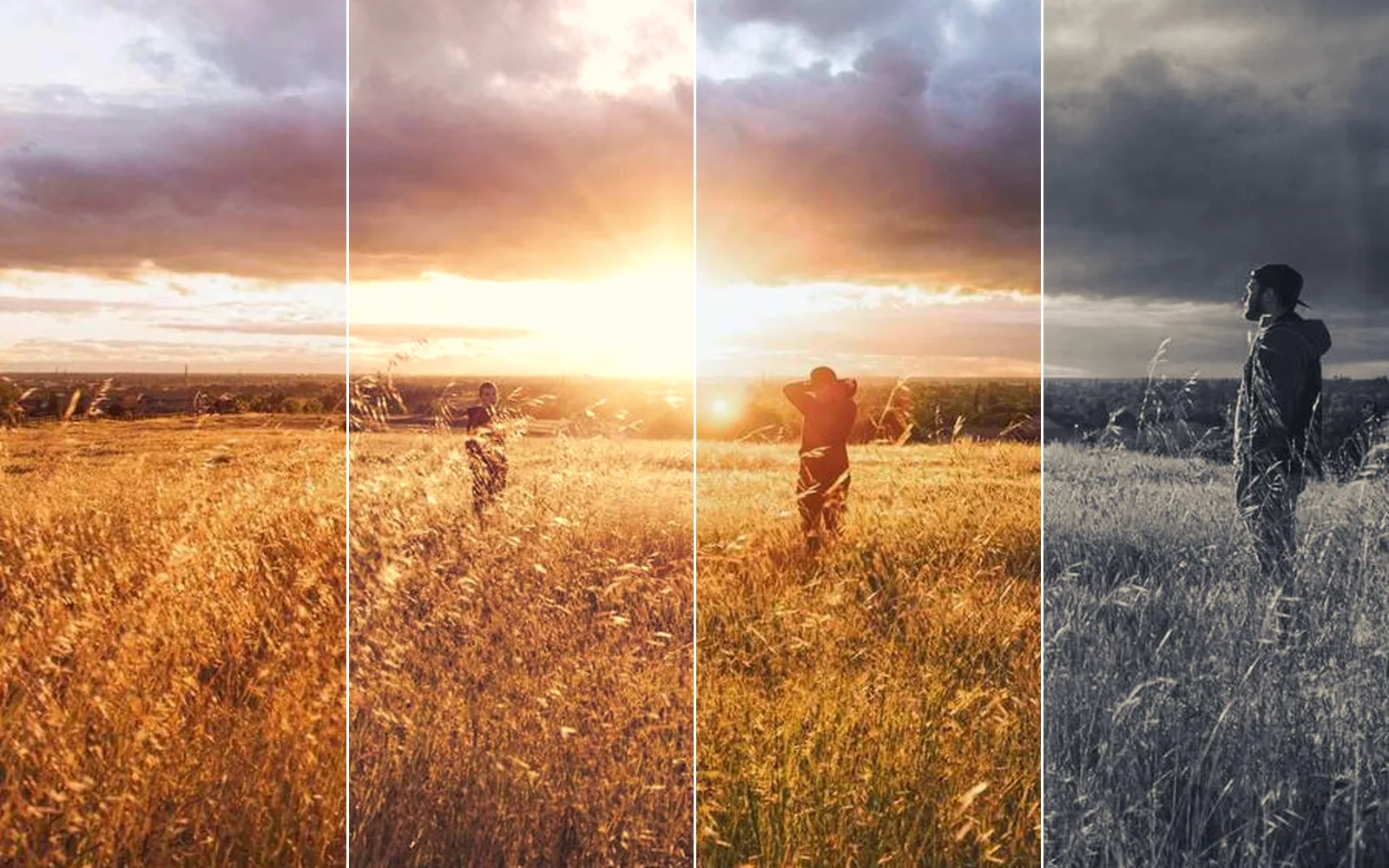
one sunset field in four looks: as shot, warm film, teal and silver
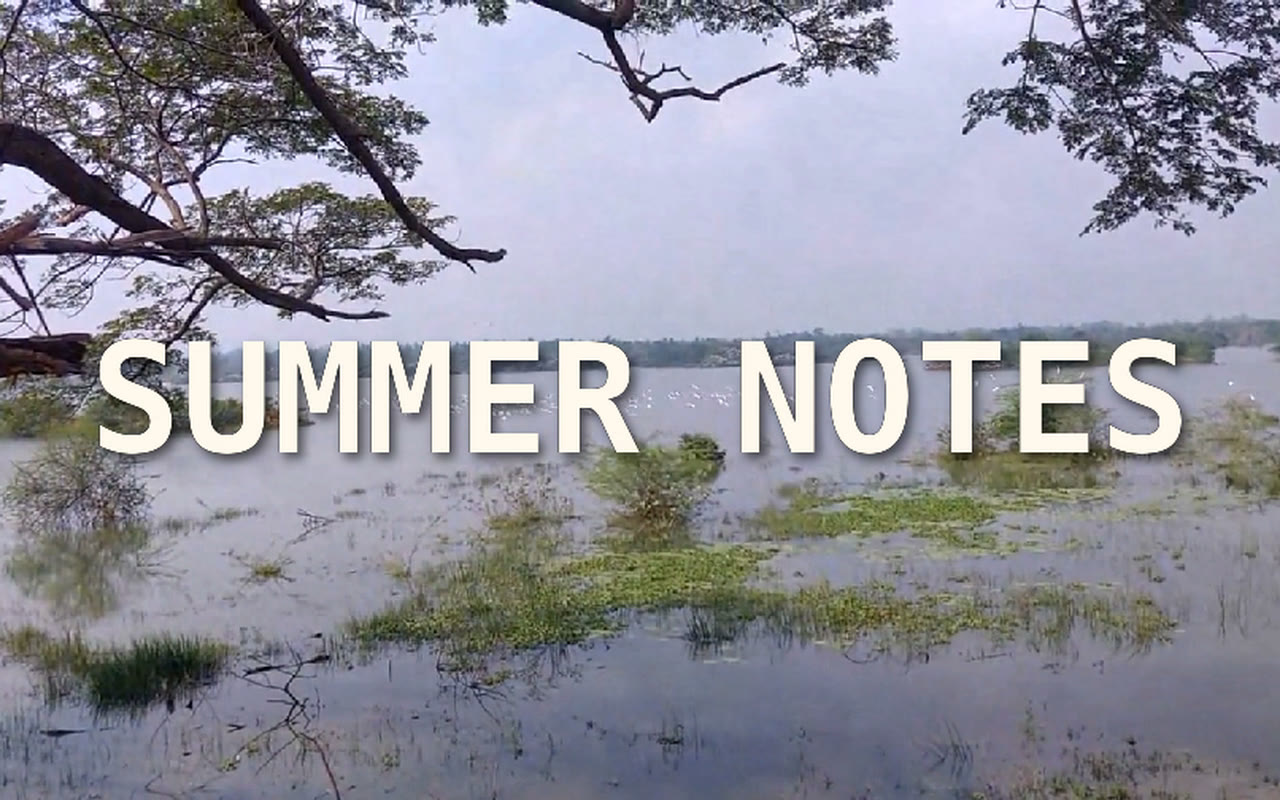
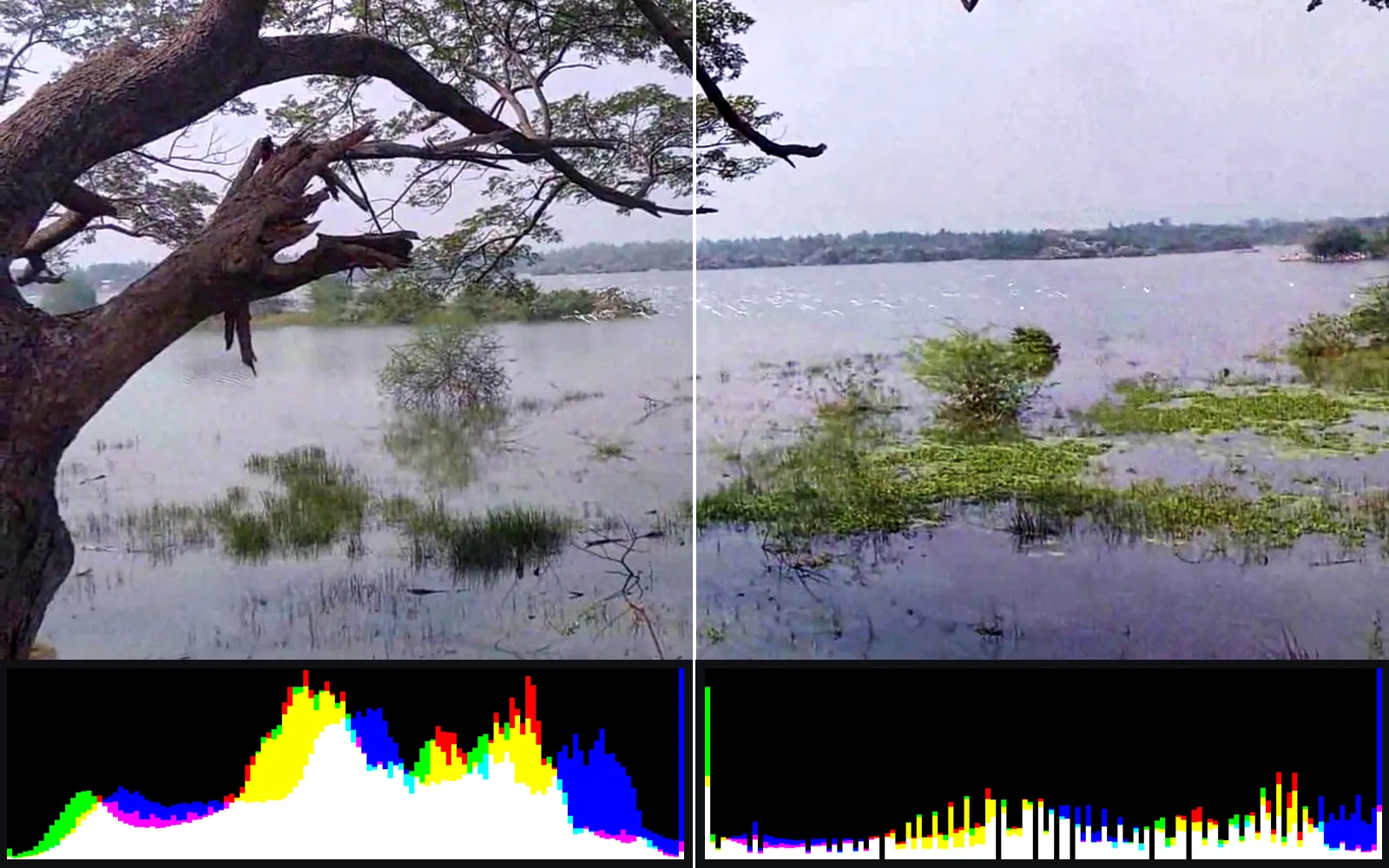
the hazy lake before and after Levels and Curves, each with its histogram below
Edit · Selections & masks

Selections and masks

Subject, sky, one color or one moving object, found for you or drawn by hand.

SubjectSkyPeopleSkinFace partsObjectColor rangeBrightnessBy distanceBy render IDPenRefine edgeFollow a track

adds ImageSelectShape · ImageMaskRefine · LocalAIImageToSceneParsing · LocalAIImageToTrackedMask · ImageCryptomatte

Learn more about selections and masks →
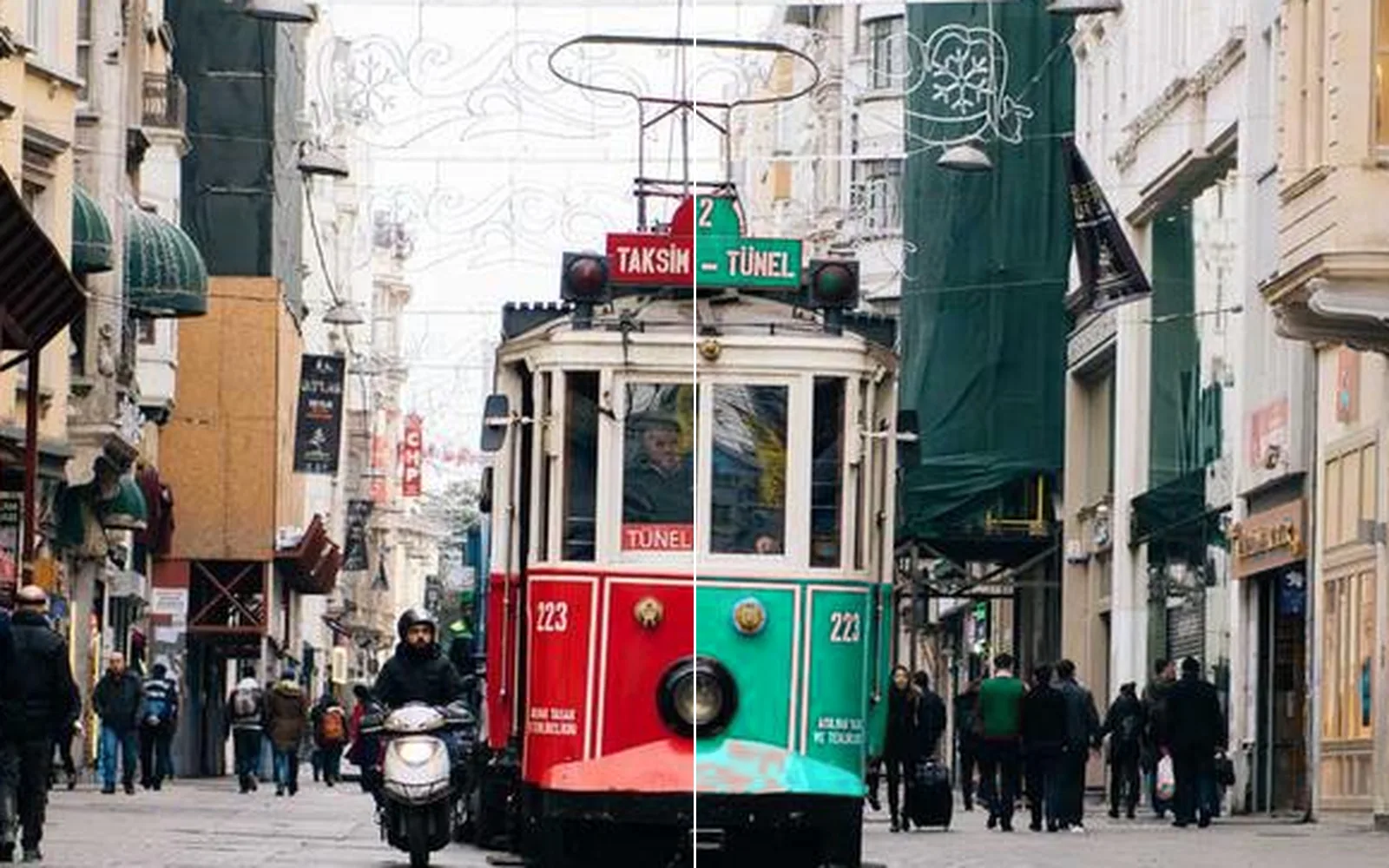
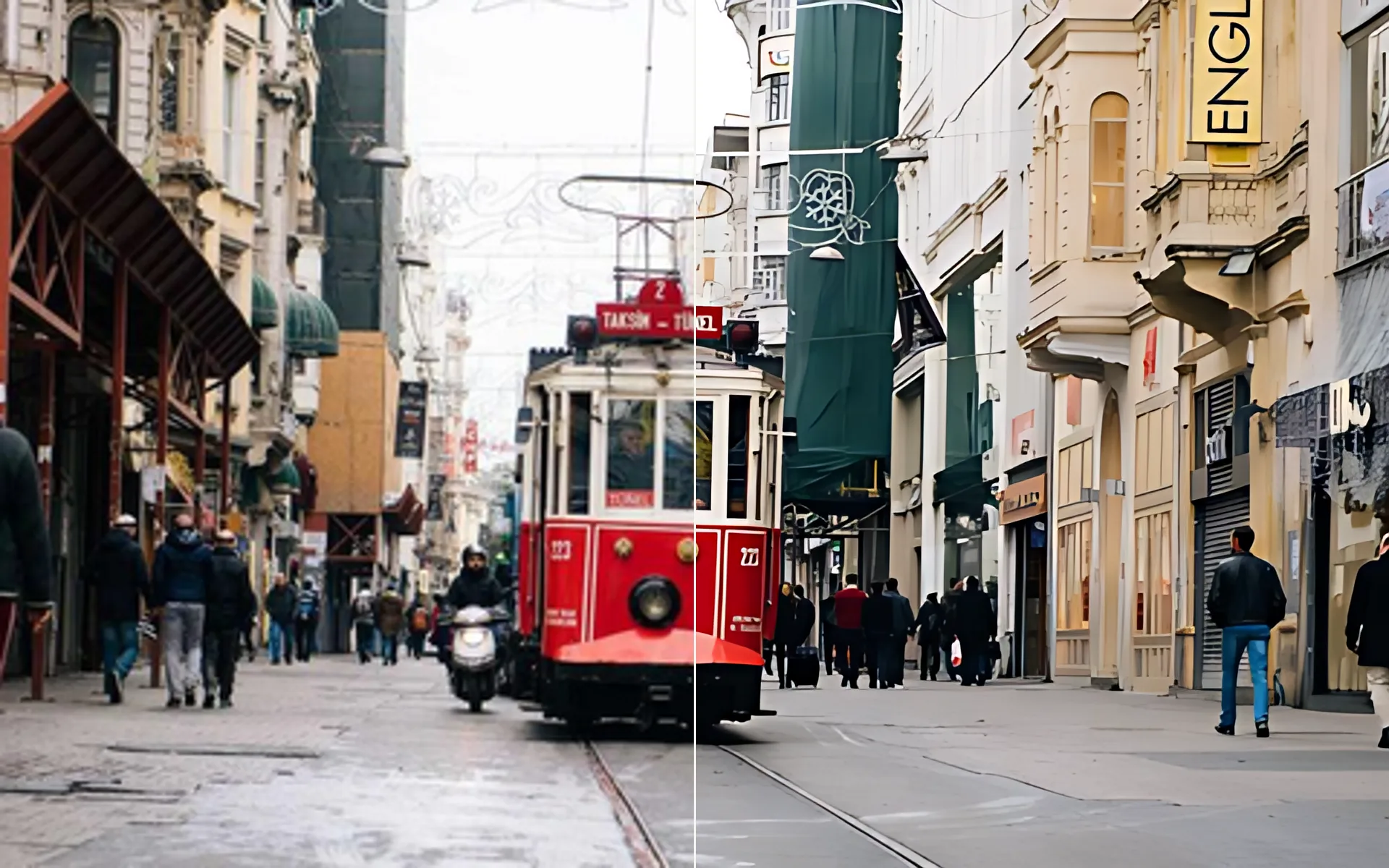
A red tram turned teal down the middle, before and after
one red tram turned teal, the busy street around it left as it was
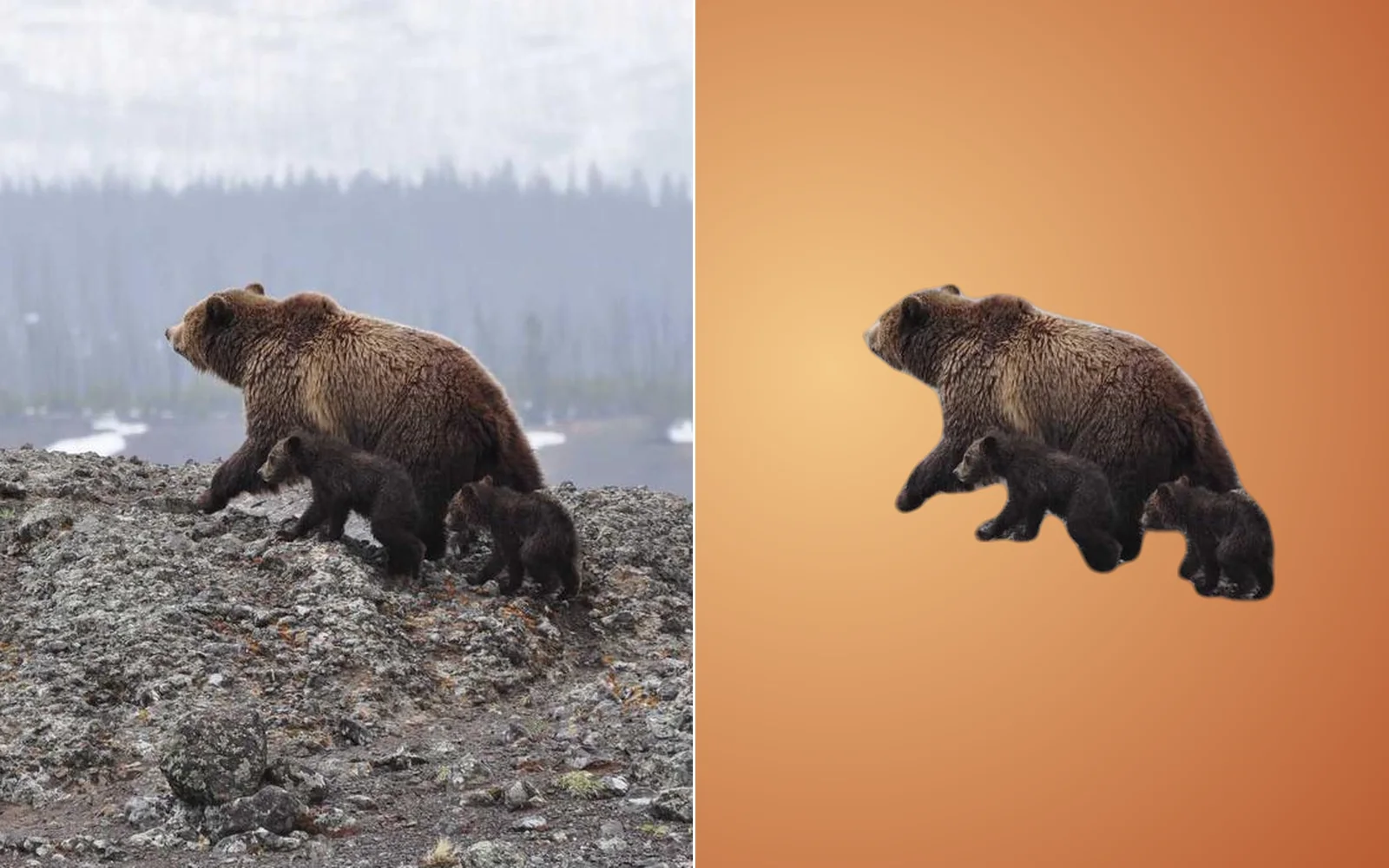
A bear and her cubs cut out of a misty hillside, before and after
a bear and her cubs lifted off a misty hillside and set on a warm backdrop
Edit · Retouch

Retouch

Heal, clone, paint and liquify. Every stroke stays open to change.

Spot healHealCloneRemoveRemove objectSmooth overLiquifyDodge and burnFrequency separationSmooth skinPen pressure

adds ImageHeal · ImageClone · ImageLiquify · ImageFrequencySeparation · LocalAIImageInfill

Learn more about retouching →
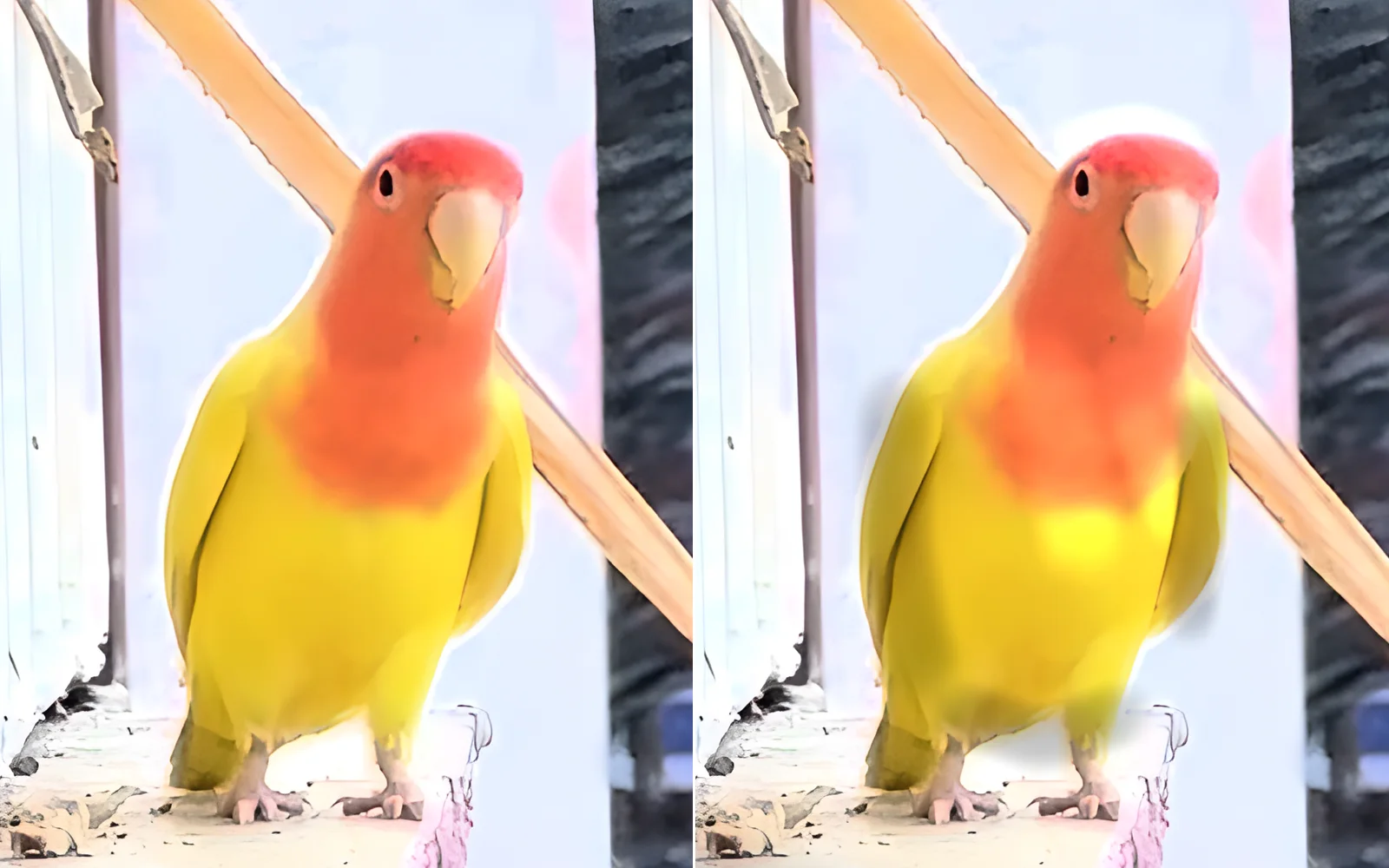
A lovebird before and after dodge and burn
a lovebird before and after dodge down the chest and burn along the flanks
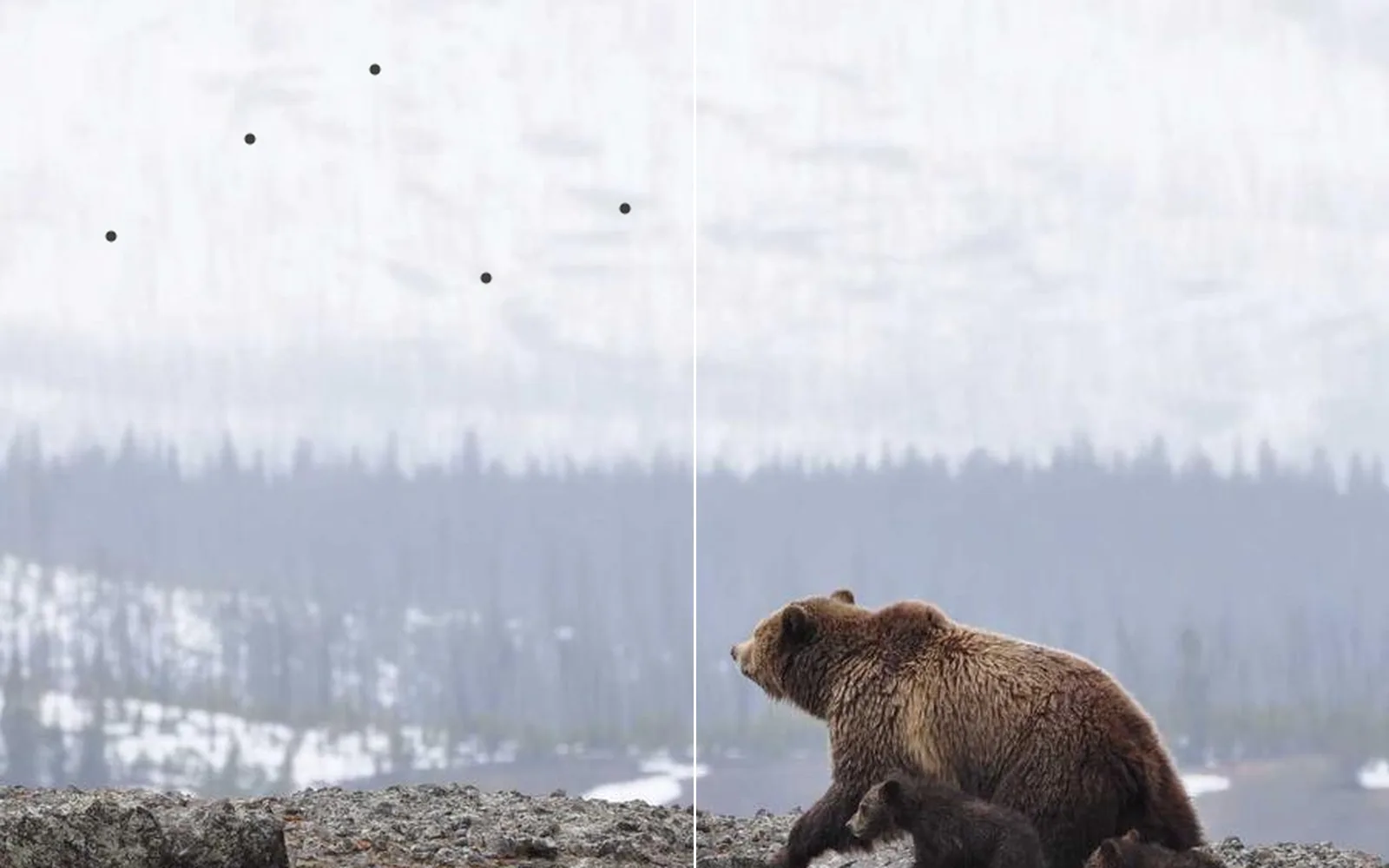
Dust specks on a bear photo, before and after healing
dust specks over a misty slope, each healed with one click
Edit · Relight & depth

Relight and depth

Move the light, pick the focus and fade the distance into haze. The depth comes from the photo itself.

RelightDepth of fieldHaze by distancePlace at a distanceDepth fogLight raysLens flareTilt-shift

adds ImageRelighting · LocalAIImageToNormals · ImageDepthOfField · LocalAIImageToMetricDepth · ImageZComposite

Learn more about relighting and depth →
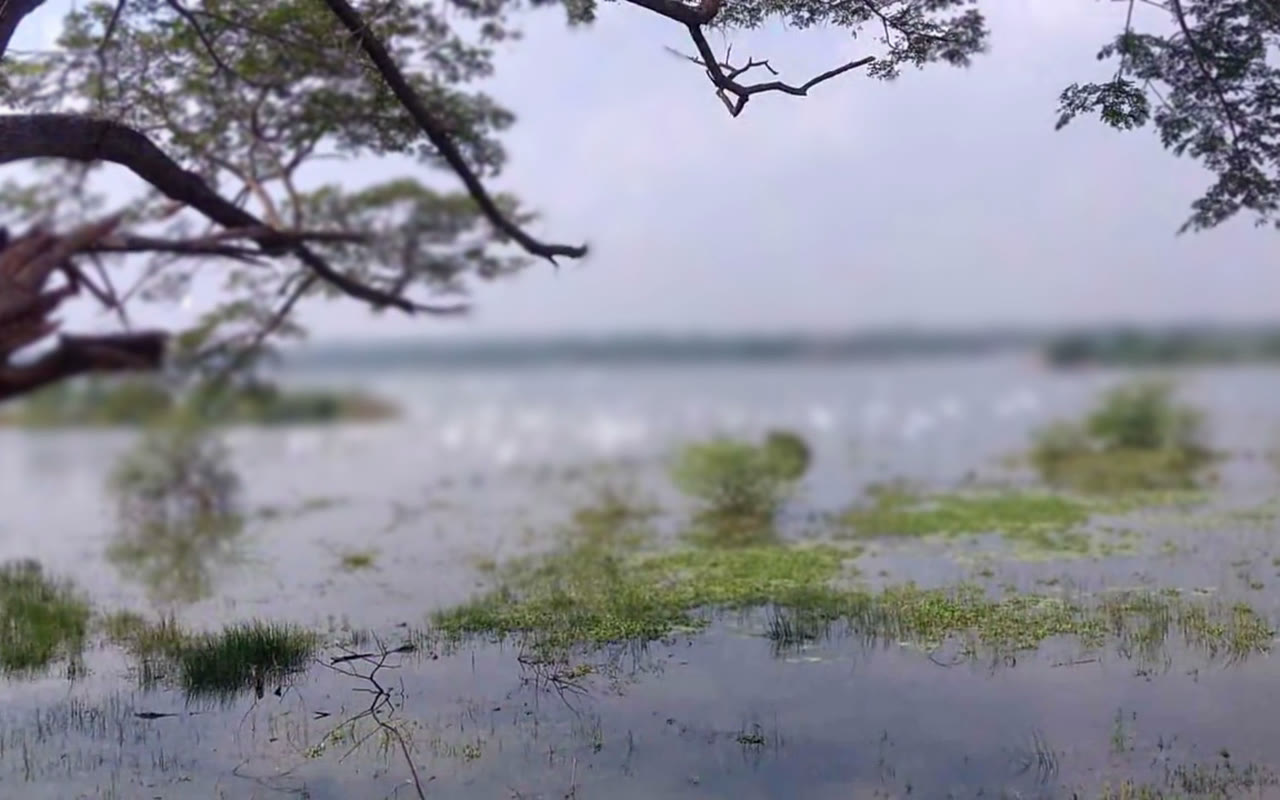
focus pulled between the far shore and the branch up close, the depth worked out from one photo
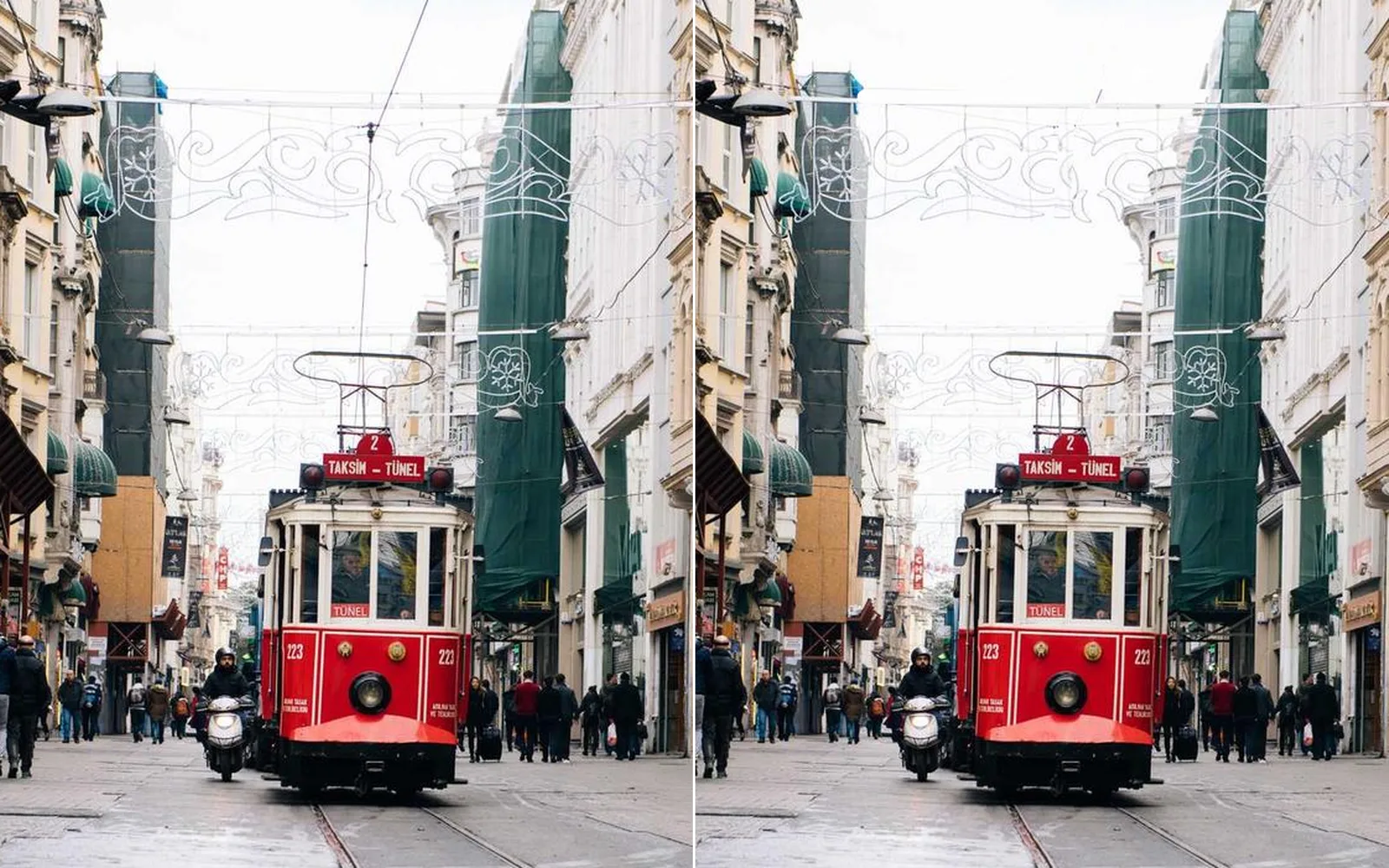
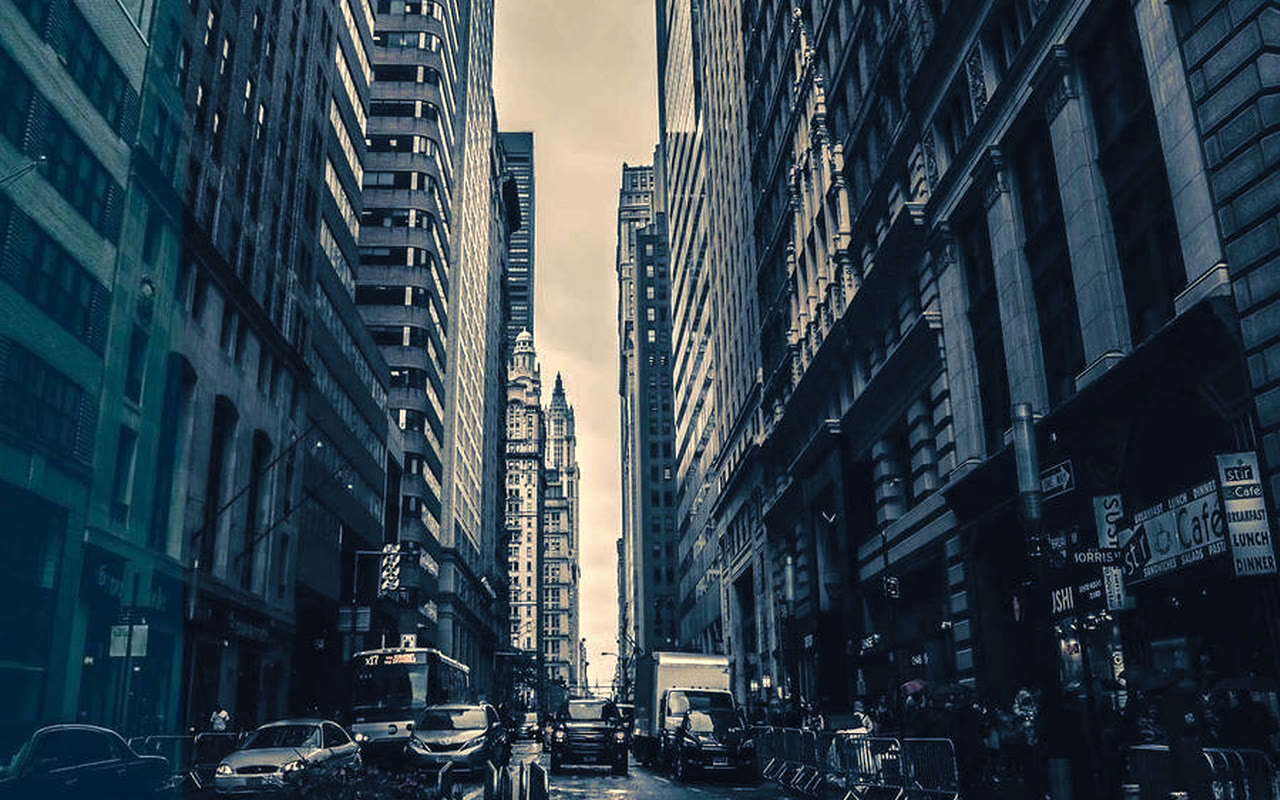
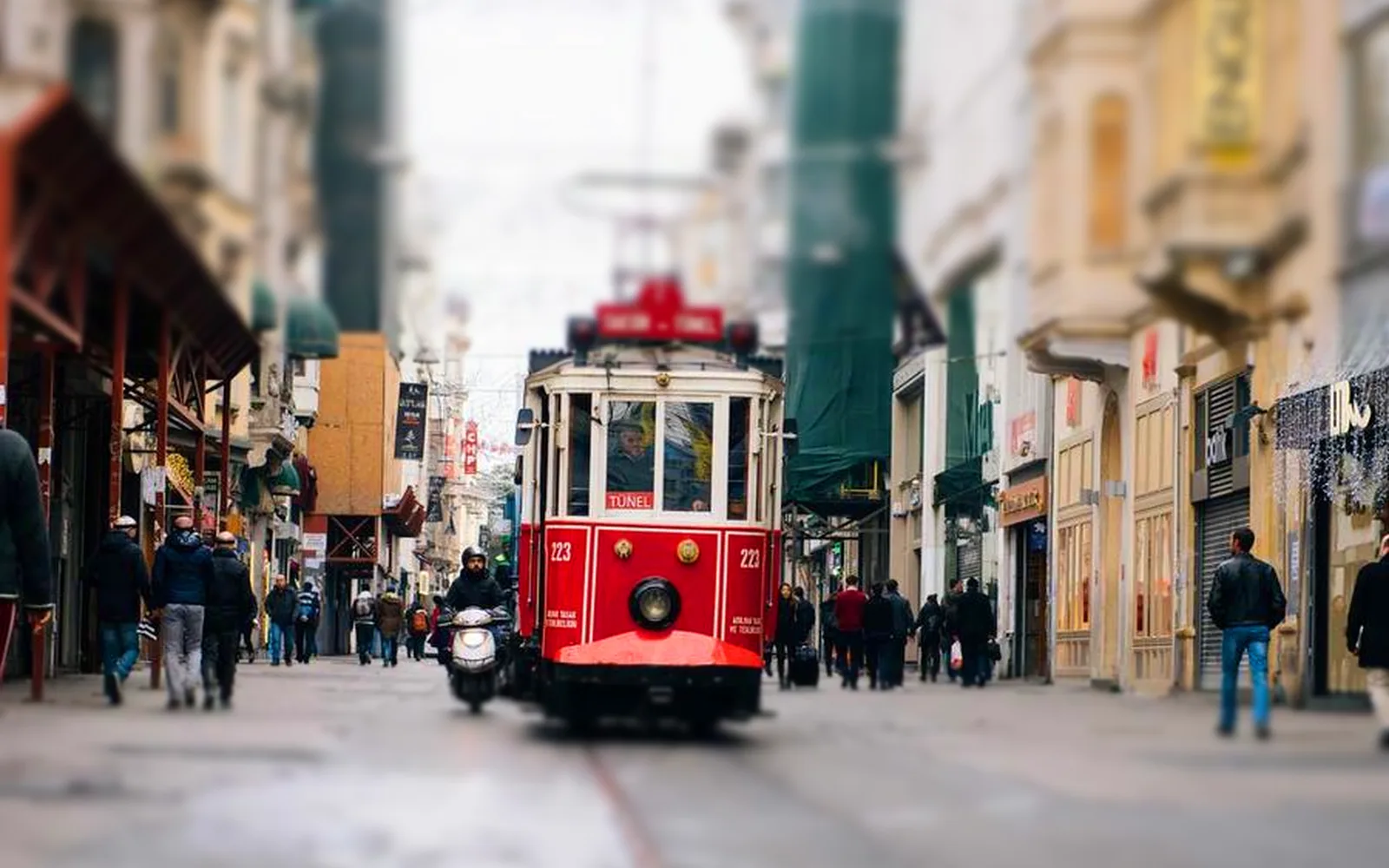
A tram street with a tilt-shift blur
a street turned toy town: a sharp band across the tram, soft above and below
Edit · Composite

Composite

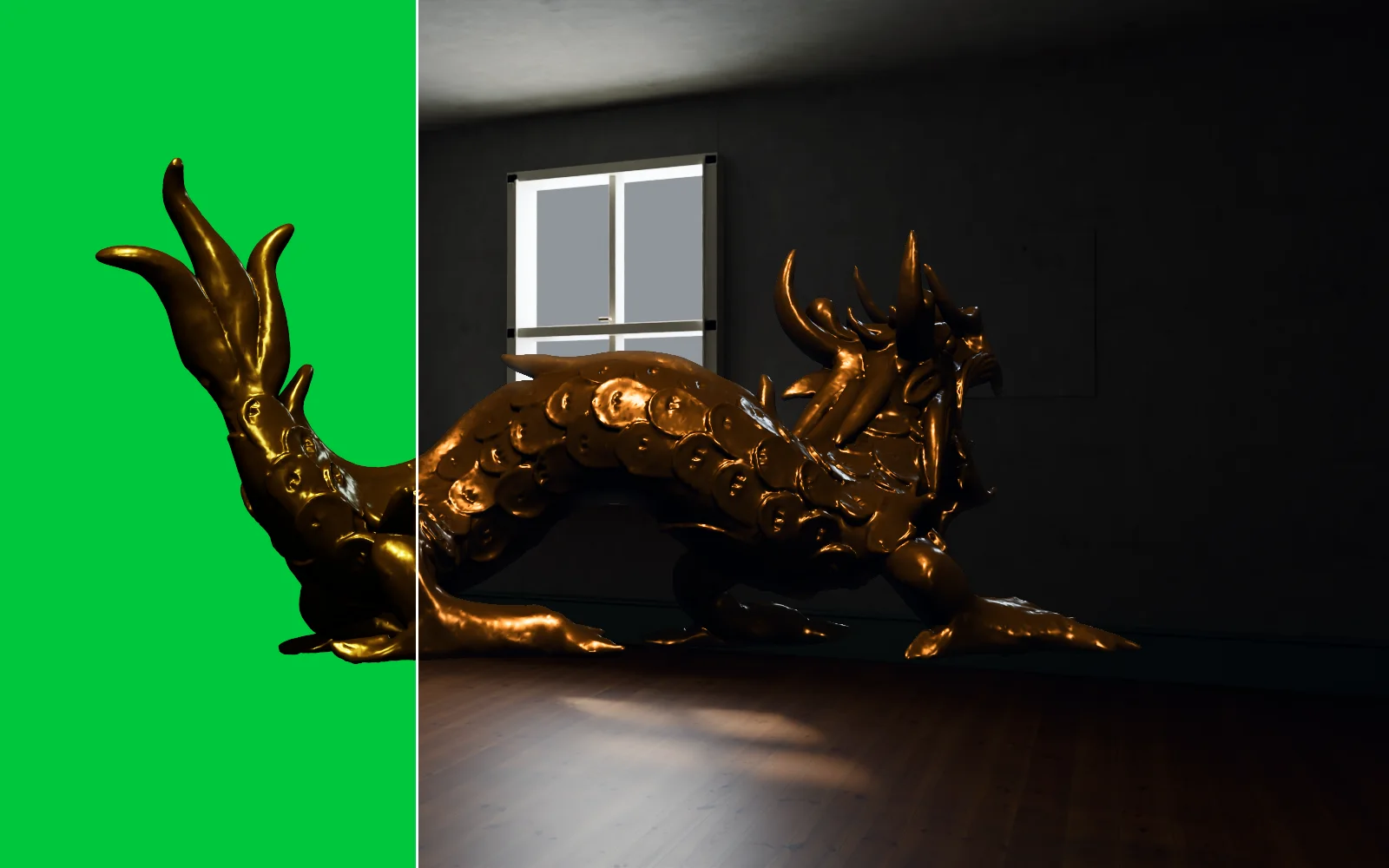
Place a cut-out and make it belong: clean edges, light that wraps, grain that matches.

LayersBlend modesPlace framePlace in perspectiveChroma keyDespillEdge decontaminateLight wrapGrain matchZ compositeCompositor window

adds ImageComposite · ImageChromaKey · ImageDespill · ImageEdgeDecontaminate · ImageLightWrap · ImageGrainMatch

Learn more about compositing →
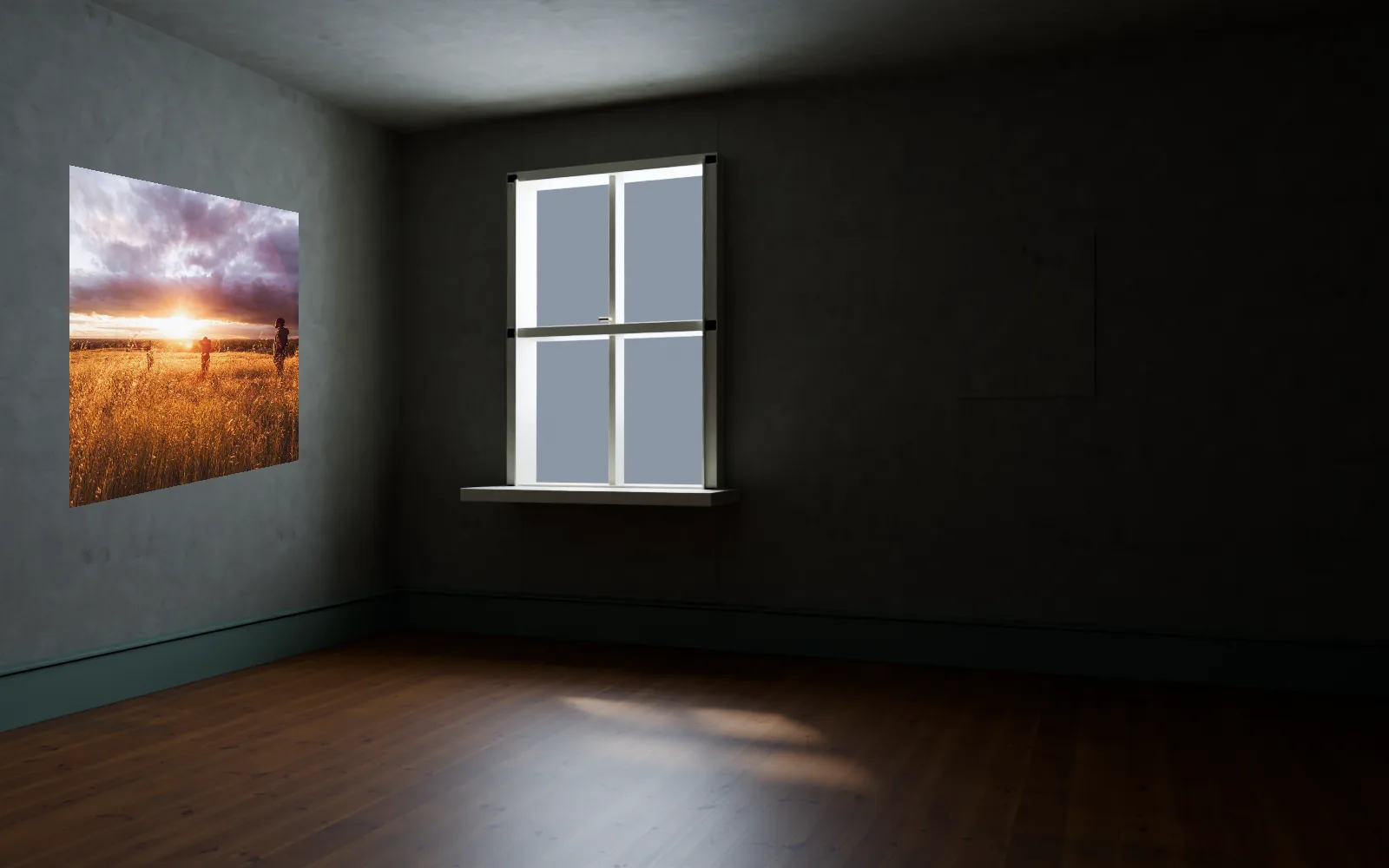
a sunset print hung on the angled wall of an empty room
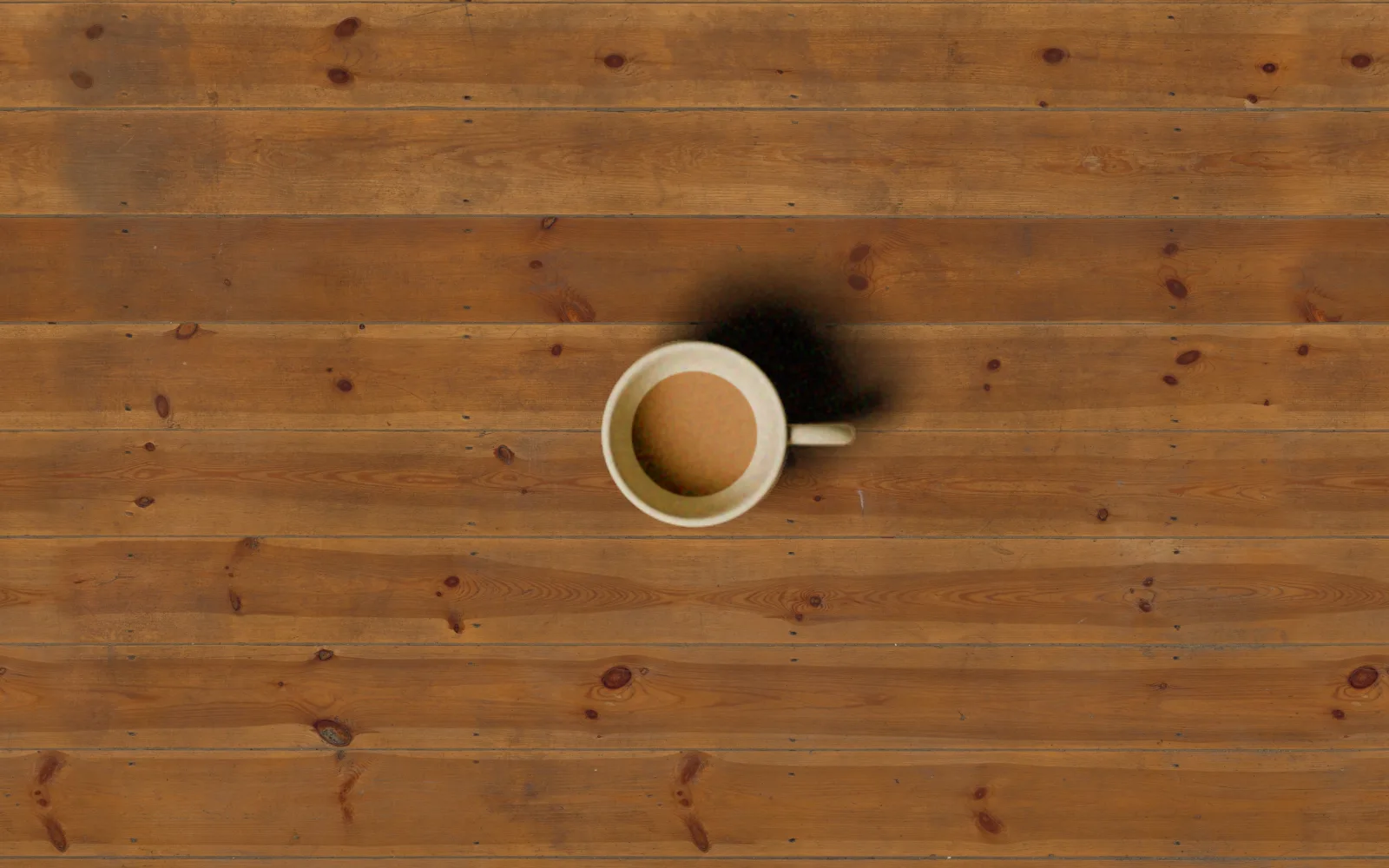
a cut-out cup set onto wooden boards, rim cleaned and grain matched
Edit · Restore & enlarge

Restore and enlarge

Old prints, dusty scans, dark night shots and tiny pictures, cleaned up and made bigger.

Photo restoreLow lightUpscale 4xVideo upscaleDenoiseDespeckleHeal a scanAuto cropAuto levelsMoire removal

adds LocalAIImageRestore · LocalAIImageLowLight · LocalAIImageUpscale · LocalAIVideoUpscale · ImageSpectrum

Learn more about restoration →
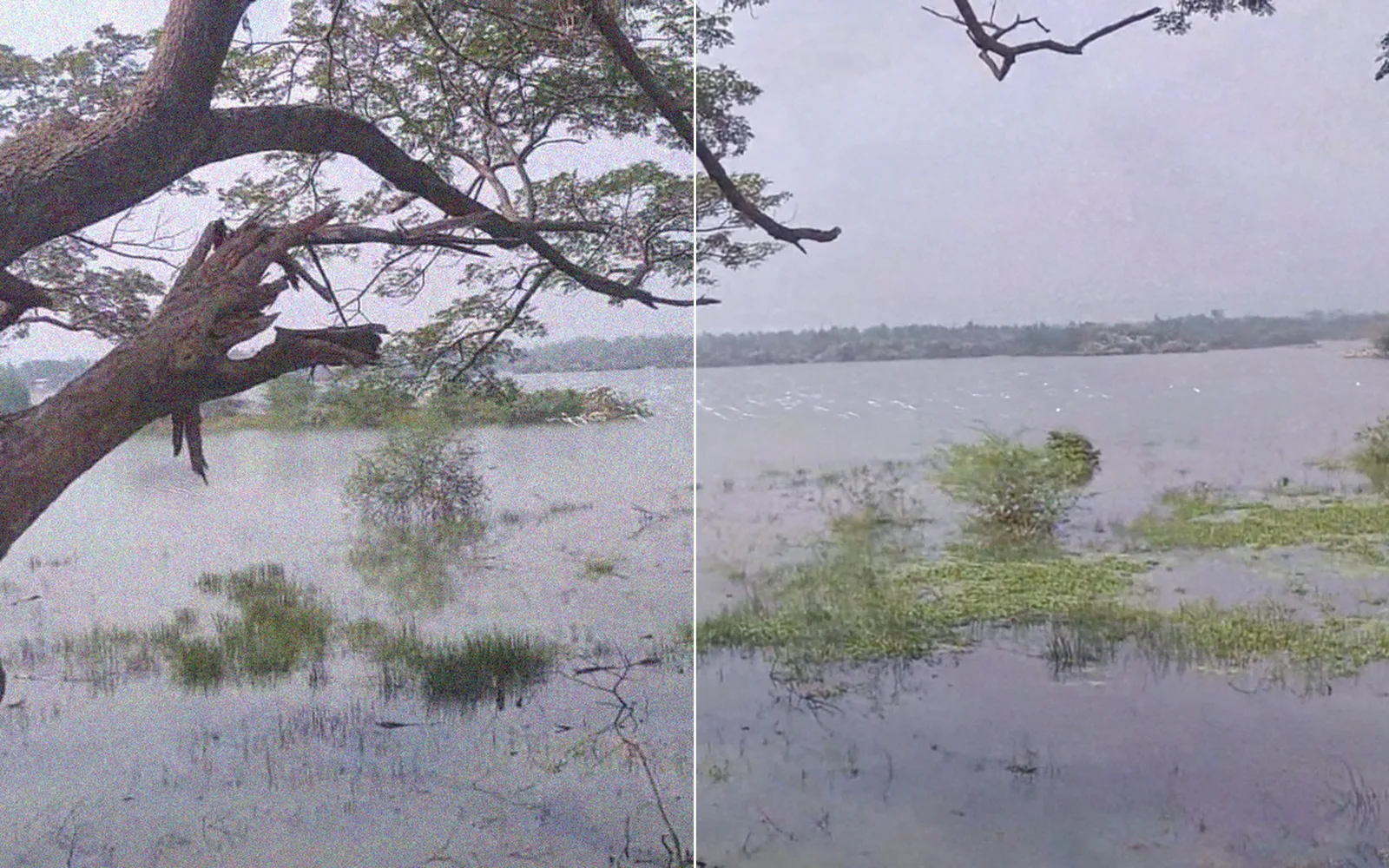
A hazy lake photo before and after restoring
the grainy, hazy lake on the left, cleaned in one pass on the right
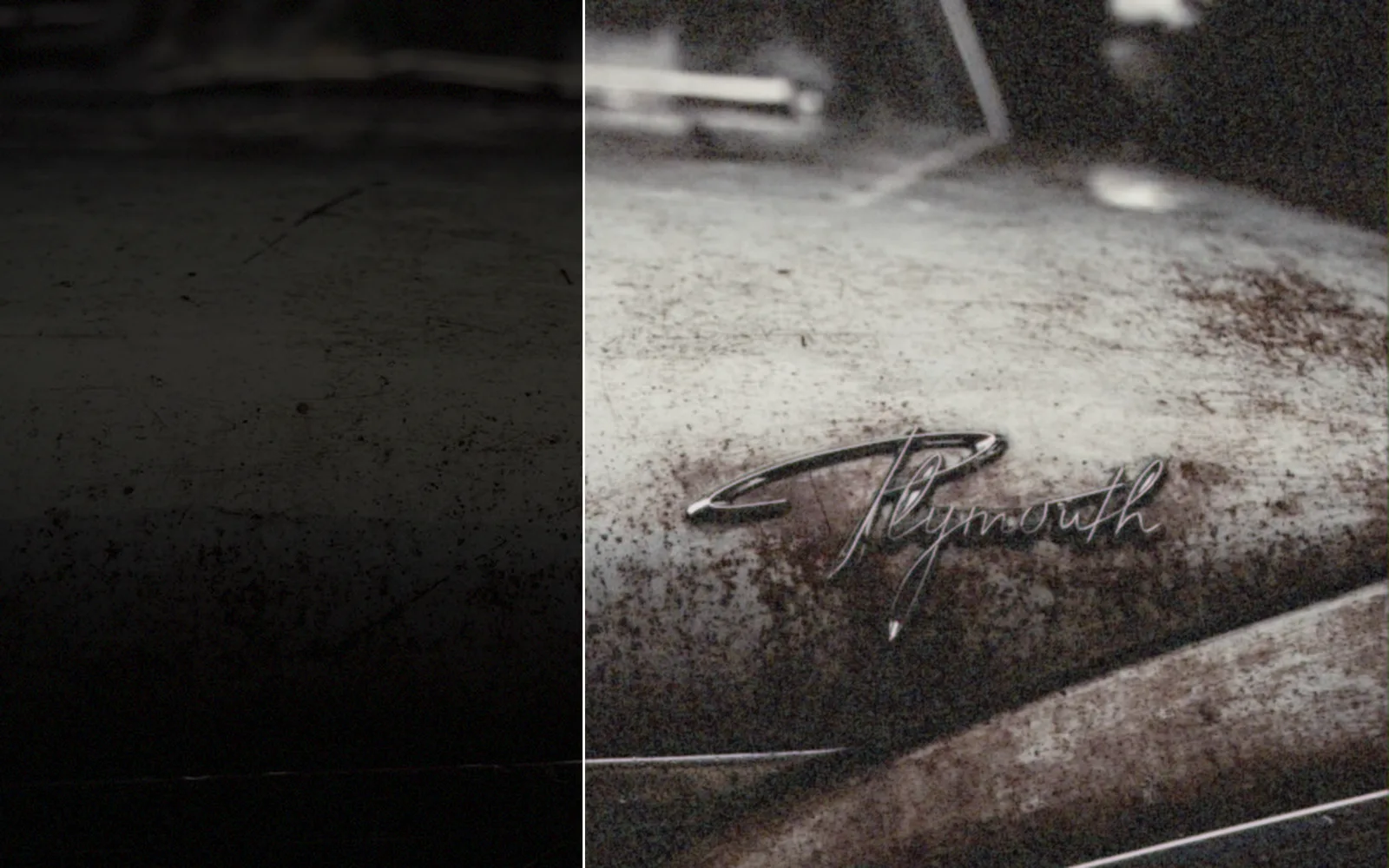
A dark photo of an old car before and after brightening
an old car shot in near darkness on the left, brightened on the right
Edit · Posters & layouts

Posters and layouts

Text, logos and vector layers on a photo, laid out on guides and saved at every size.

TextJustified textText on a pathPlace frameVector layersAnchorsAlign and distributeGuides and rulersVersionsExport presetsPrint sizeData merge

adds TextRenderOverImage · SvgTextOnPath · ImageComposite · ImagePad · OutputImageFile

Learn more about posters and layouts →
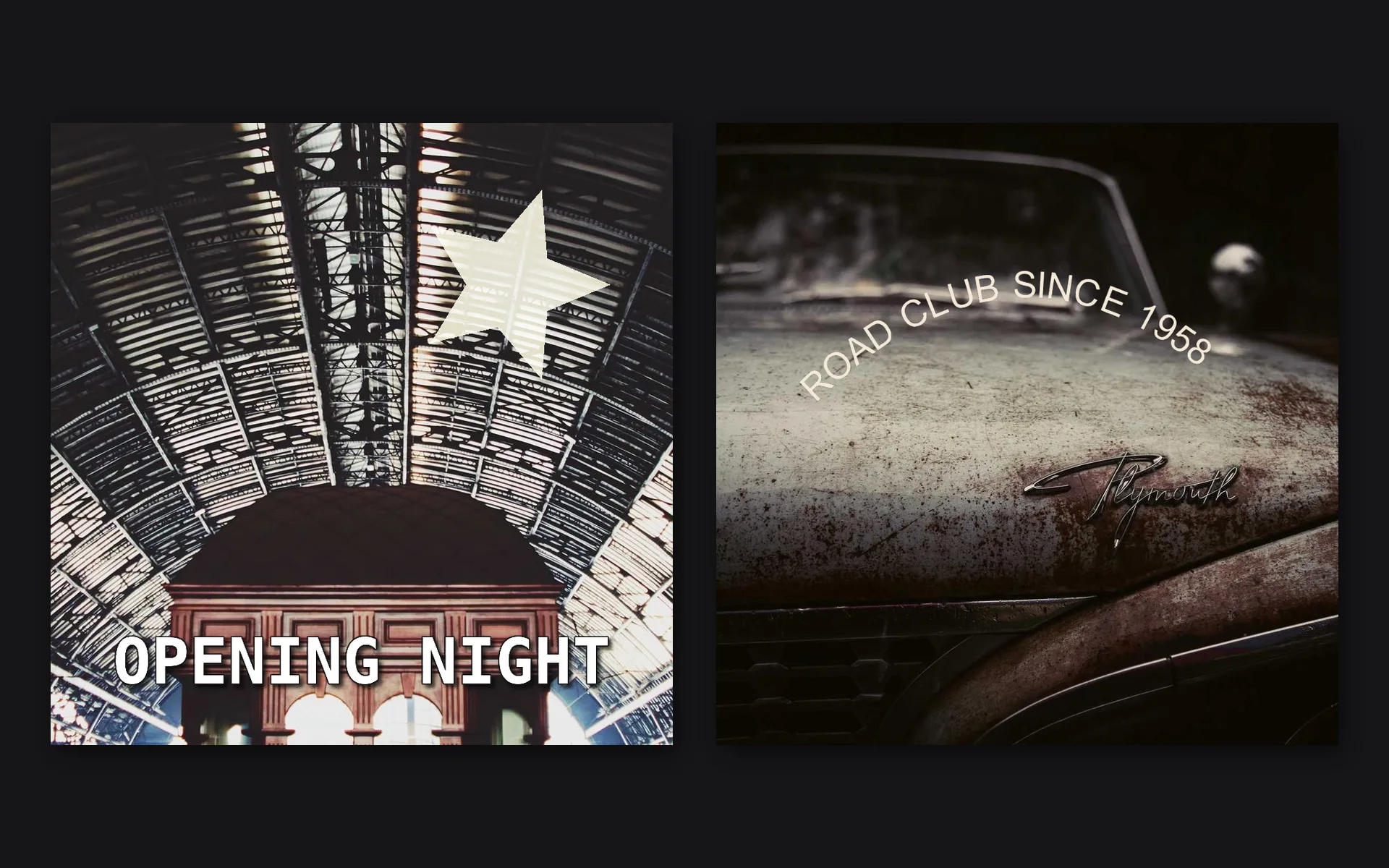
A layered poster and a headline lettered on a curve
a layered poster and a headline lettered on a curve
Edit · Video

Video

Cut clips on a timeline, steady a walk, take out a passing bus and rotoscope a hat.

TracksTrimSlip and slideCut at the playheadFadesTransitionsRenderEDL exportStabilizeDeflickerPlanar trackClean platesPen rotoRemove object

adds VideoArrangementPlayer · ImagePlanarTrack · ImageStabilize · ImageDeflicker · ImageFrameStack

Learn more about video editing →

Editing sound lives on Play: trim, fade, clean up and ride the volume of a clip. Sound editing →
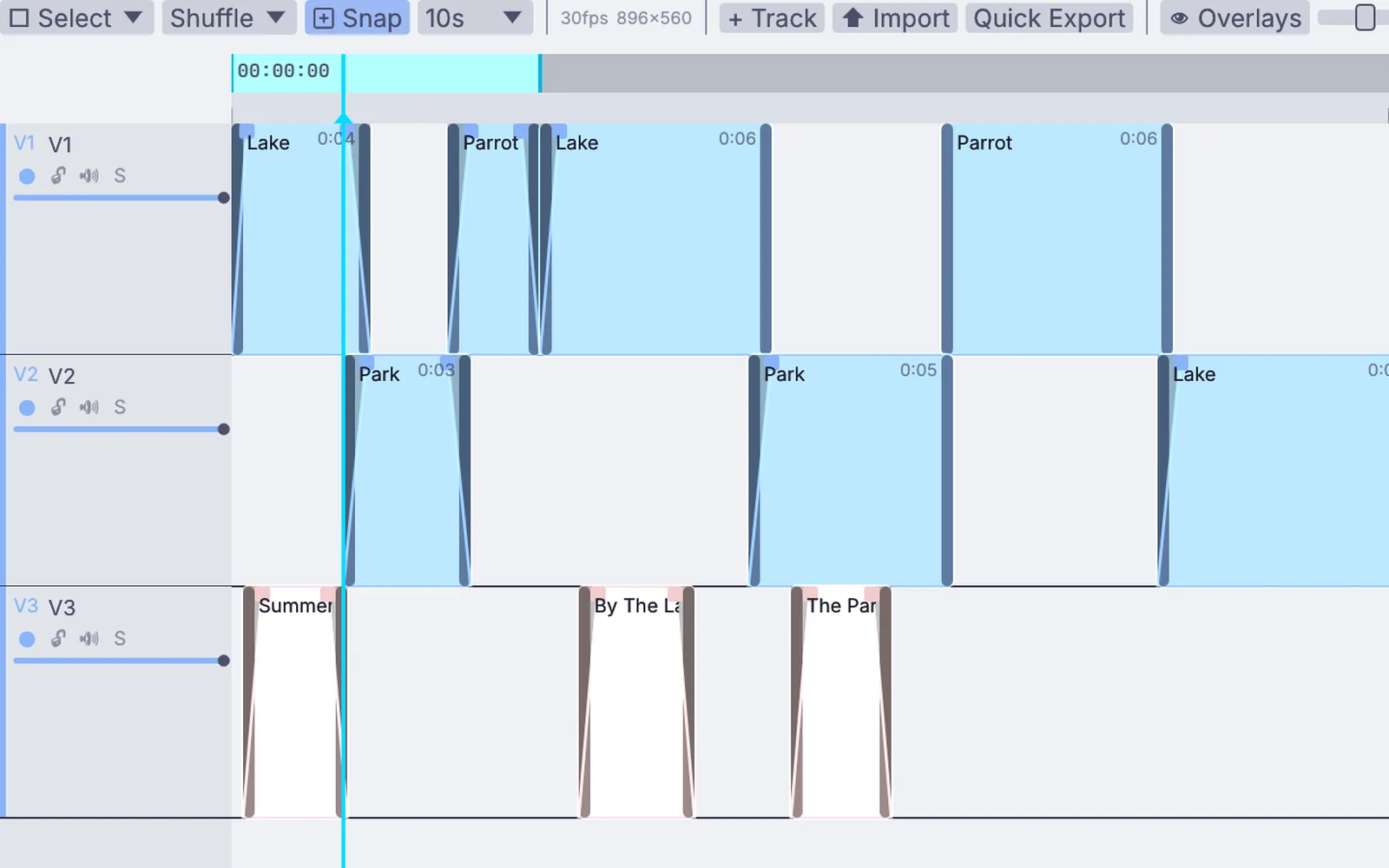
Clips on three video tracks in the timeline
the real timeline: clips on three video tracks, with fades and title clips

a sketch of the timeline, drawn with frames from the examples

Edit · MIDI editor

MIDI editor

Draw notes, shape CC curves under them and tighten a take you played in.

Piano rollCC lanesVelocityQuantizeFold to scaleStep inputFind and selectRecord takesOverdub or replaceComputer keyboardMIDI files in and out

adds MidiClipPlayer · MidiFileLoad · MidiFileSave

Learn more about the MIDI editor →
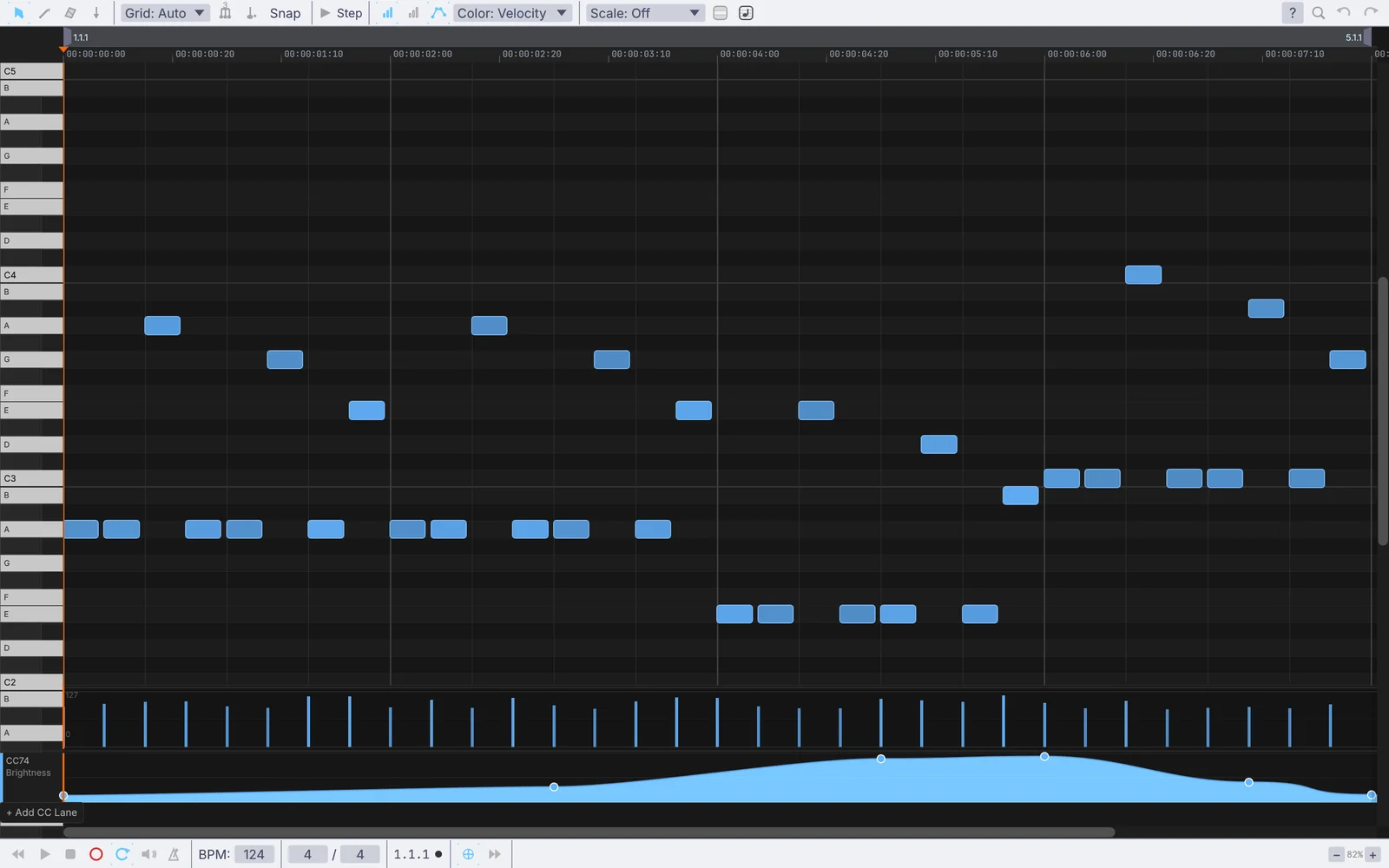
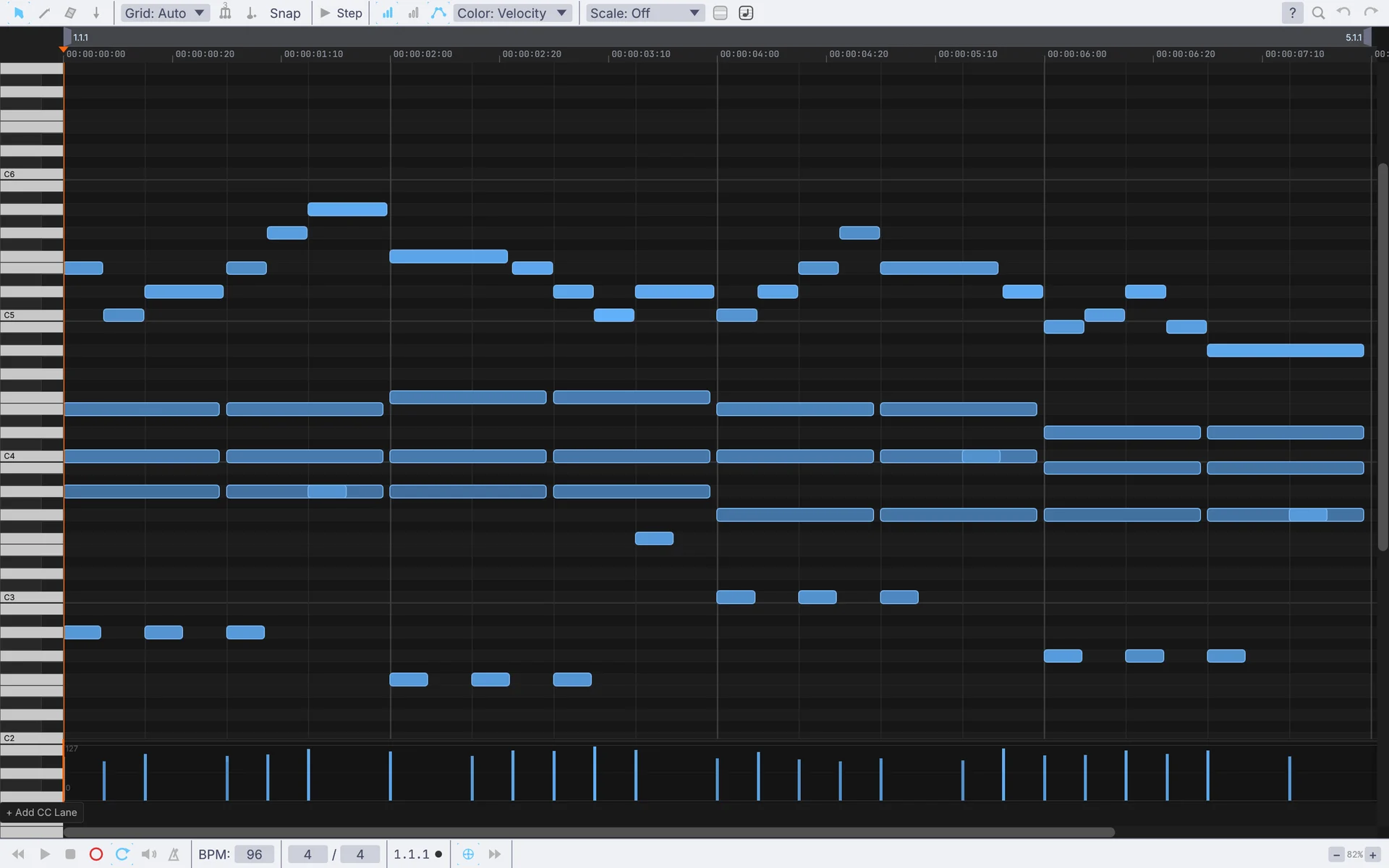
A bassline in the piano roll with a sweep drawn in a lane below
a bassline with a Brightness sweep drawn under it
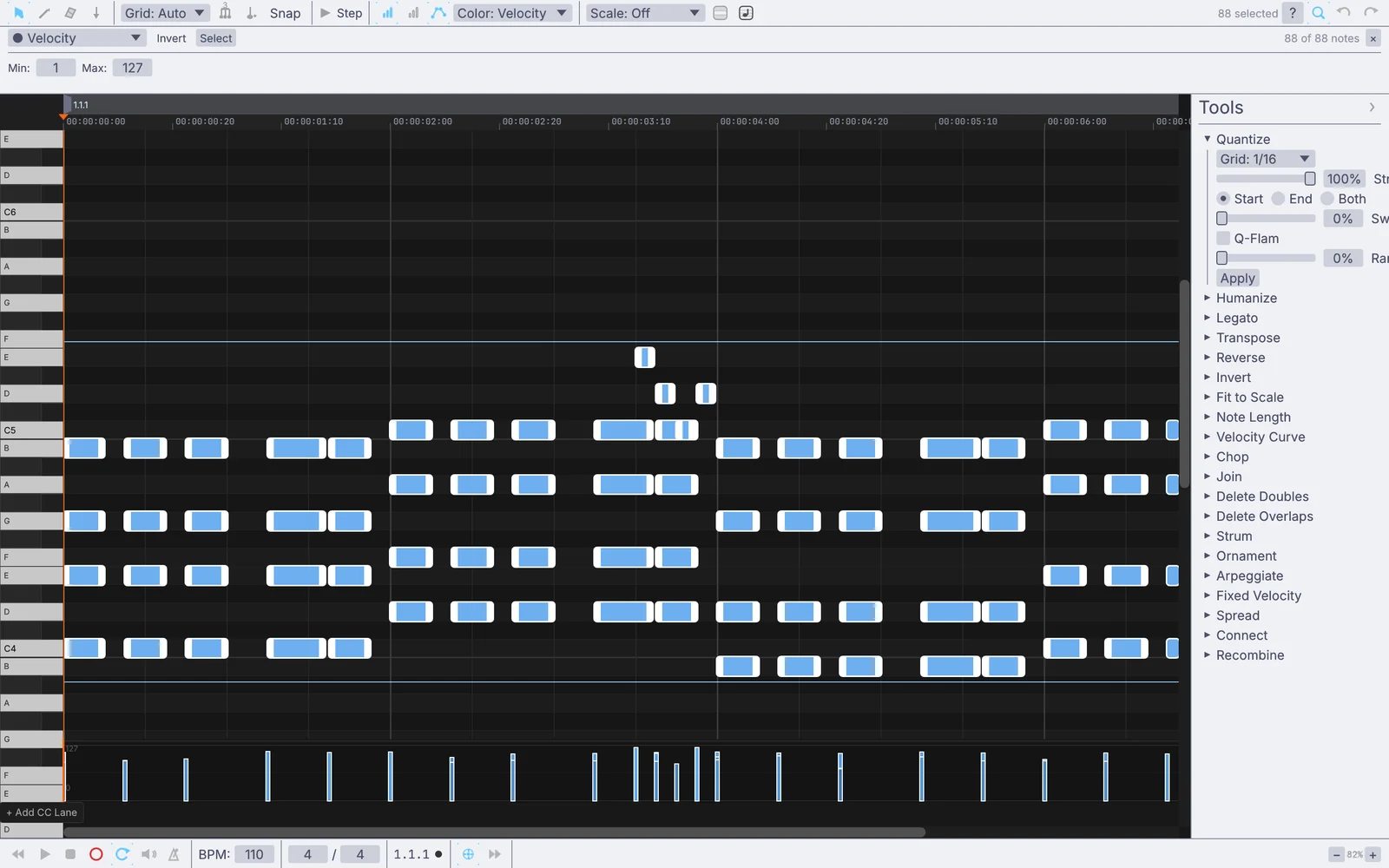
A selected keys take with the Quantize tool open
a keys take selected, with the Quantize tool open
Edit · Effects

Effects

Comic dots, cheap lenses, paint strokes, film glow and smoke, on a photo, a clip or a live camera.

HalftoneDitherToon shadeLine artOil paintKuwaharaPixelateChromatic aberrationLens distortGlowBloomKaleidoscopeTrailsFilm print

adds ImageHalftone · ImageToonShade · ImageKuwahara · ImageChromaticAberration · ImageSmokyTrails

Learn more about image effects →
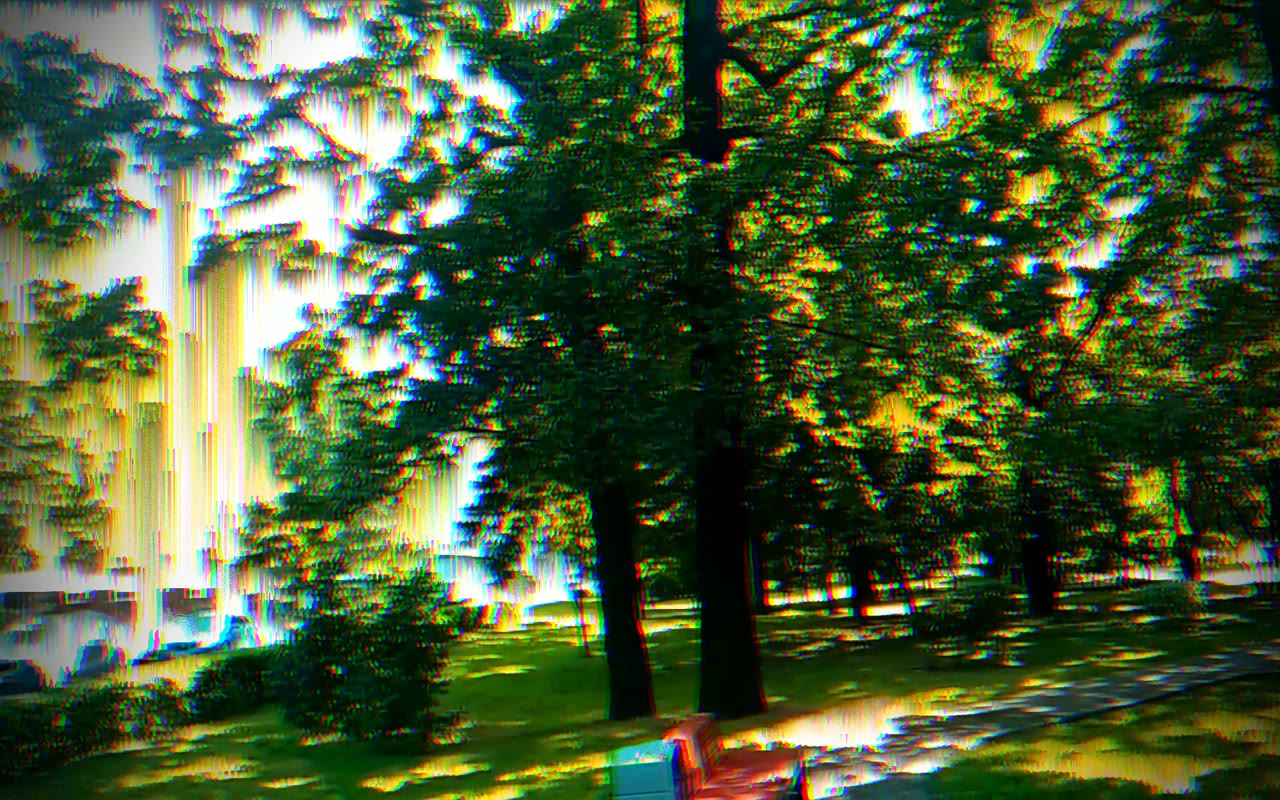
a walk through a park run through pixel sorting, a hue drift and color fringes
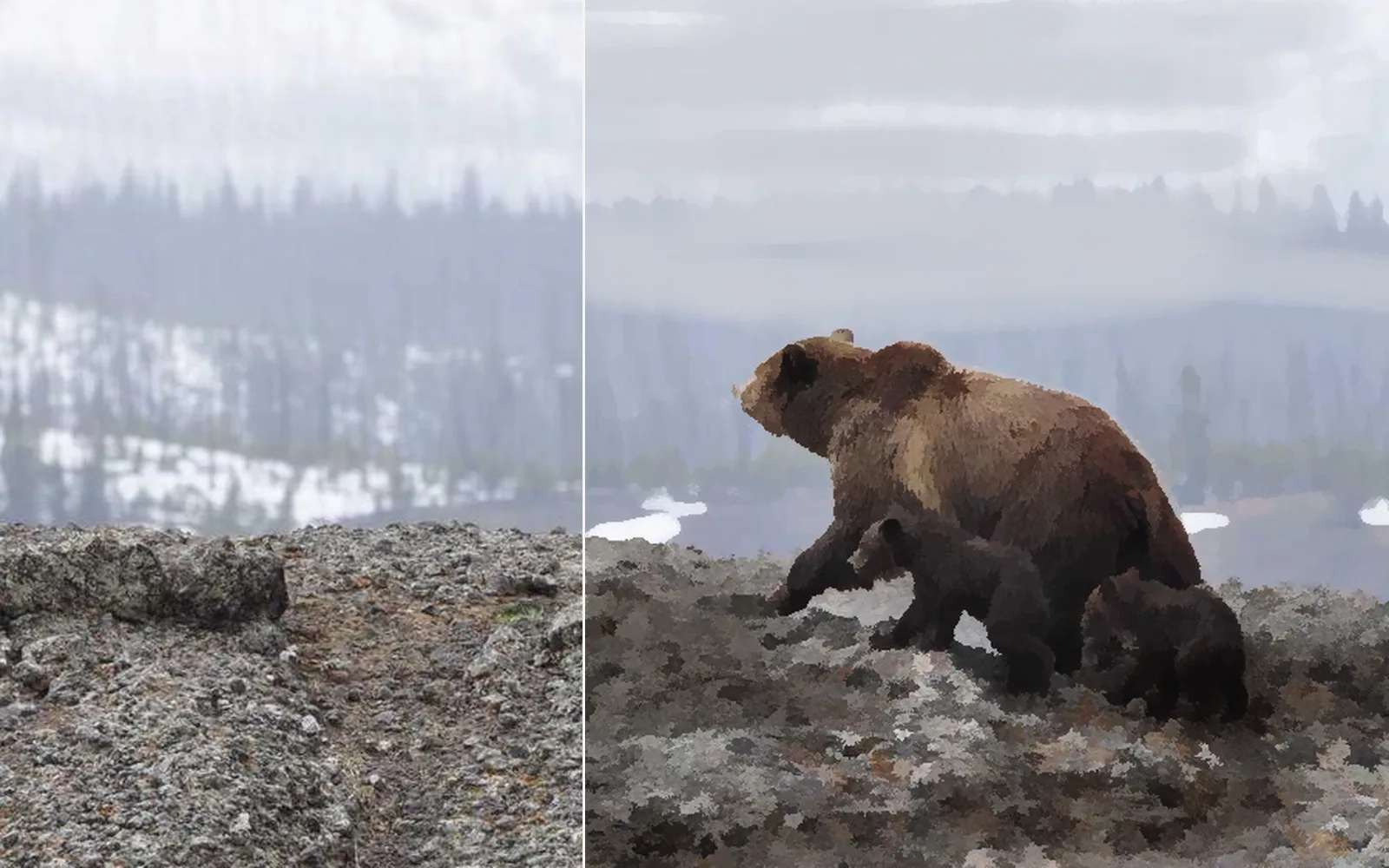
A bear photo before and after a painted look
a bear photo on the left, painted over with soft strokes on the right
Other ways in

Free and open. Yours, forever.

No account, no license key. macOS, Windows, Linux and Raspberry Pi.

Download Kinematic 0.5.0