09App
Project resolution.
Set one picture size for the whole project. Renders, patterns, resizes and recordings set to Project follow it, even while the graph runs.
Name extra sizes, such as an LED wall or a preview.
A new name, a timeline on every graph, and modeling, sculpting, painting, photo and sound editing in the viewport.
The app has a new name. It is the same app, free and open as before.
Graphs now save as .kin files.
macOS asks for camera and microphone access again. Allow it once more.
On Windows, remove the older version from Installed apps yourself.
A bar along the bottom of the window plays, pauses and scrubs whatever you built. Nothing to wire first.

126 | frame 126 |
4.2 s | 4.2 seconds |
00:00:04:06 | that timecode |
3.1.2 | bar 3, beat 1, sixteenth 2 |
+1 bar | one bar on from the playhead |
Model, sculpt, retopo and paint where you see the work. Each move adds a step to the graph, so it stays open to change.
Pick points, edges or faces and edit them right where they are. Each tool adds its node to the graph as you go.
Mesh tools work on only the parts you picked, and you can type an exact value, units and all.
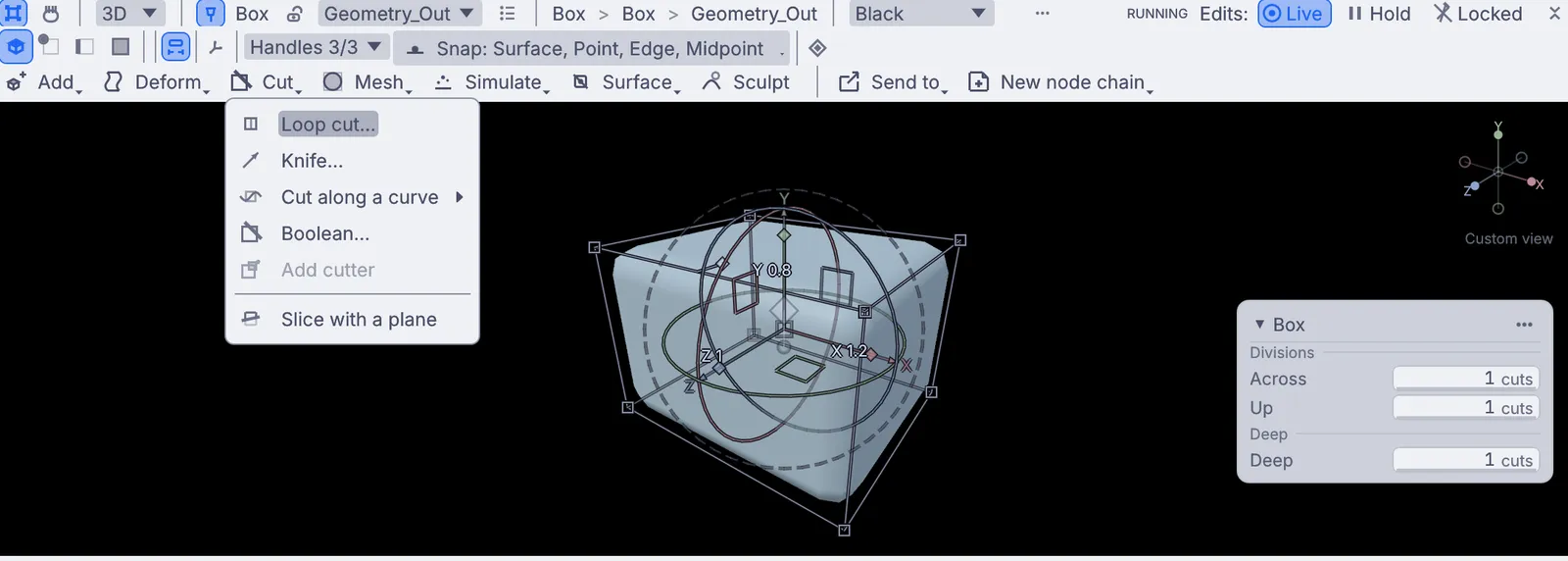
Push, pull and carve a mesh in the viewport. When the shape is right, lift a shell off it for a helmet or a mask, and trim the edge.
Light strokes build up, heavy strokes dig in. The pen shapes every stroke.
With dynamic detail the mesh splits only under the brush, so a small brush adds fine detail.
Mirror strokes across X, Y or Z, or repeat one around an axis.
Keep a pass on its own layer. Hold parts still with a mask.
Split the surface into named sets and hide what is in the way.
Stamp texture through the brush, or hold a stencil over the model.
Rebuild a stretched mesh evenly, so the brushes behave again.
Step back to any stroke. A saved sculpt opens without replaying its strokes.
Turn a heavy sculpt into a light mesh that is ready for a game, a render or a print.
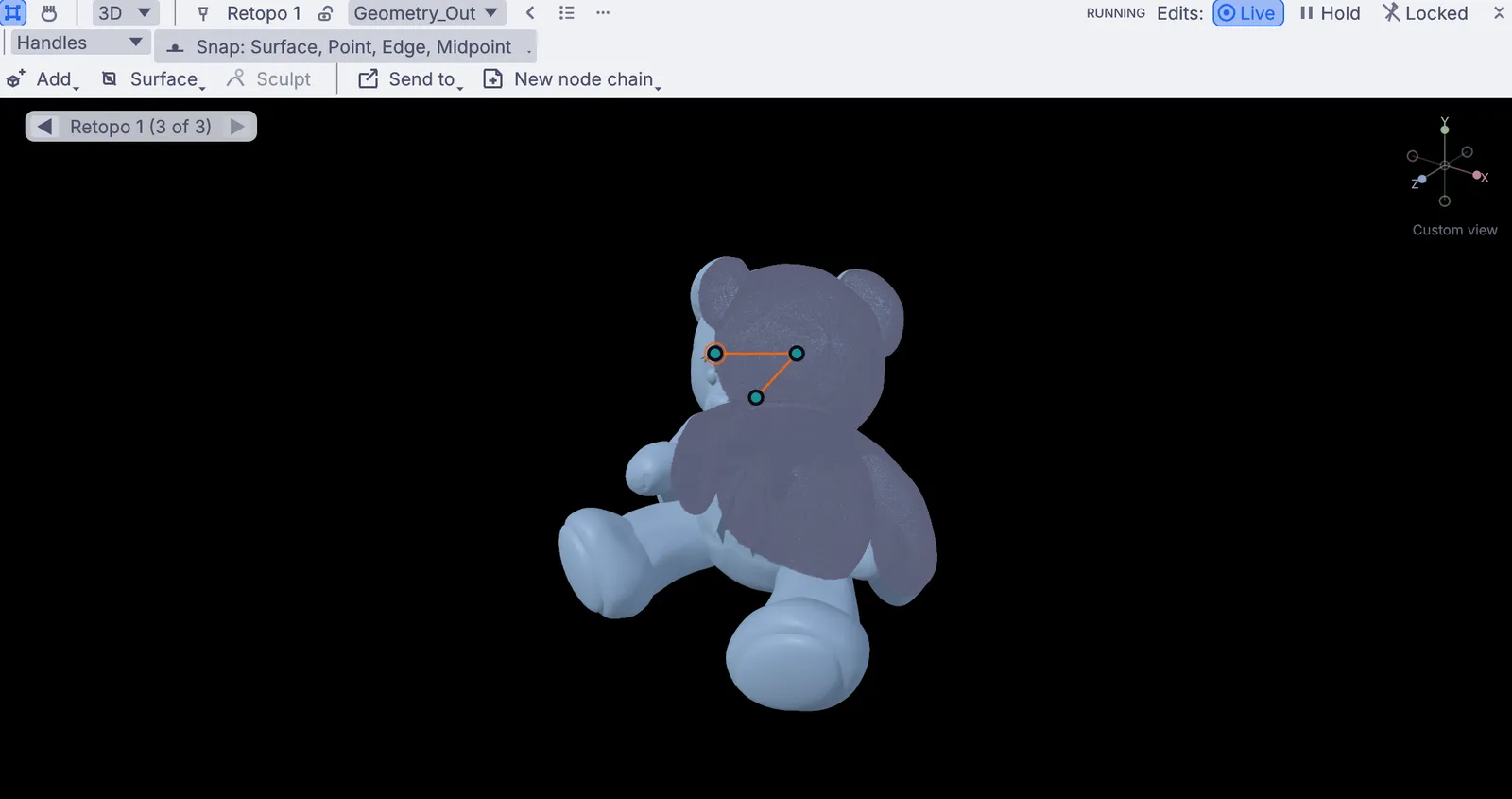
Draw a low-poly mesh right over a sculpt, or start it from a quad remesh. Turn triangles back into quads.
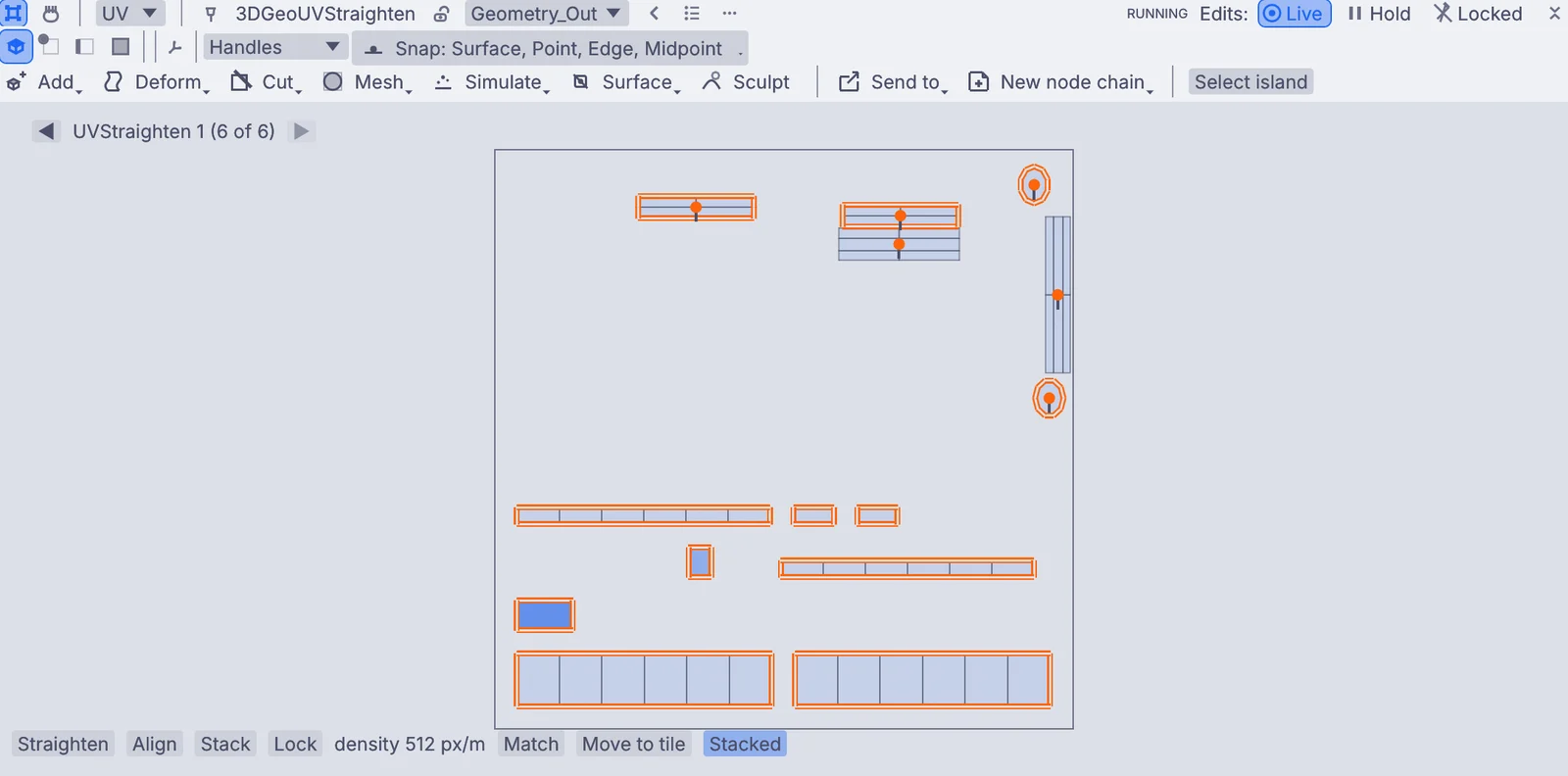
Unwrap automatically, then relax, stitch, align, stack and straighten islands, across UDIM tiles.
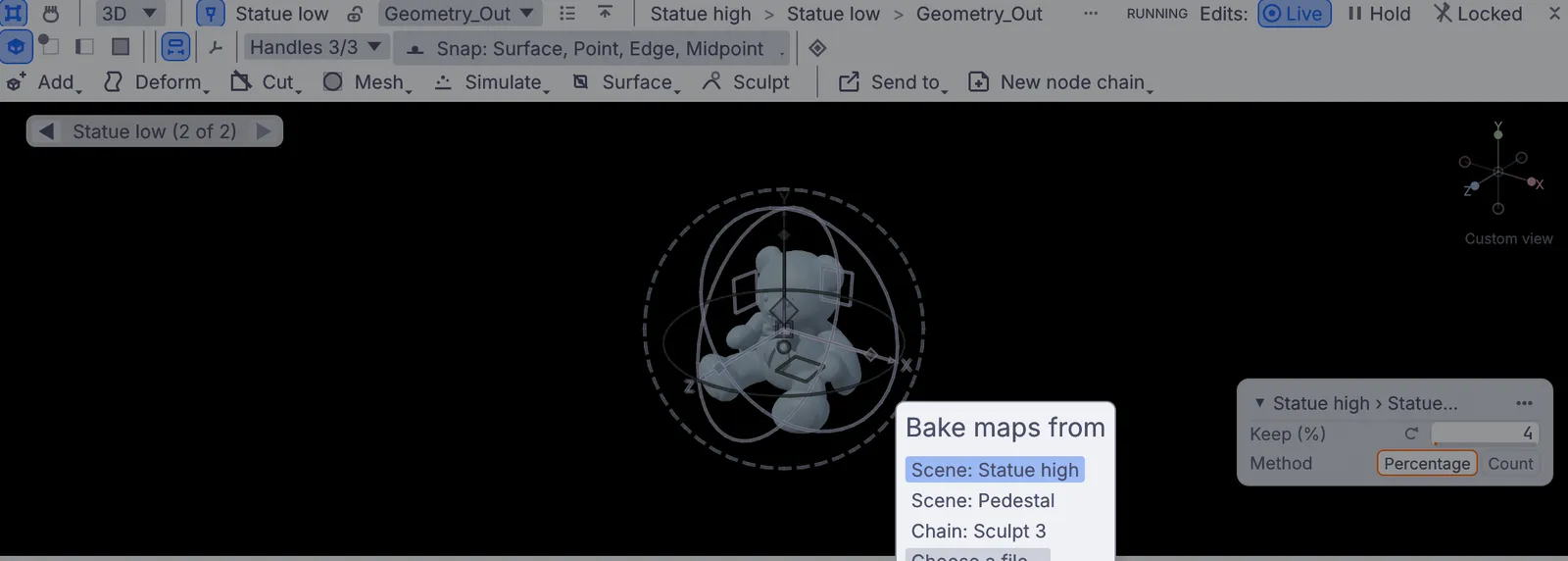
Bake normal, ambient occlusion, curvature and height from the high mesh onto the low one.
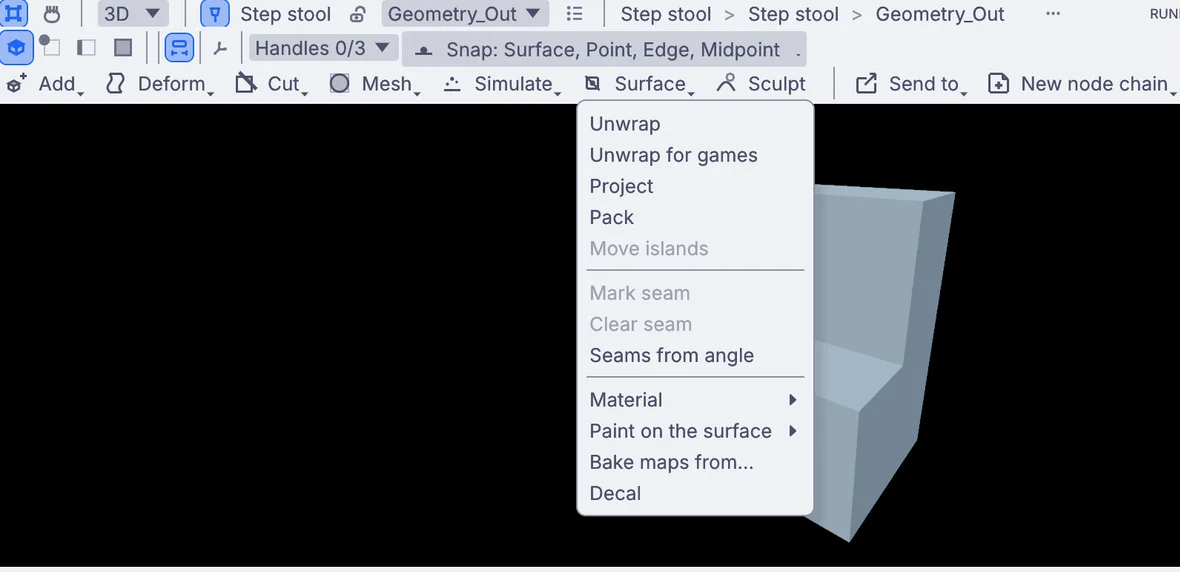
Paint straight onto a surface, in layers with masks, and watch the material change as you go.
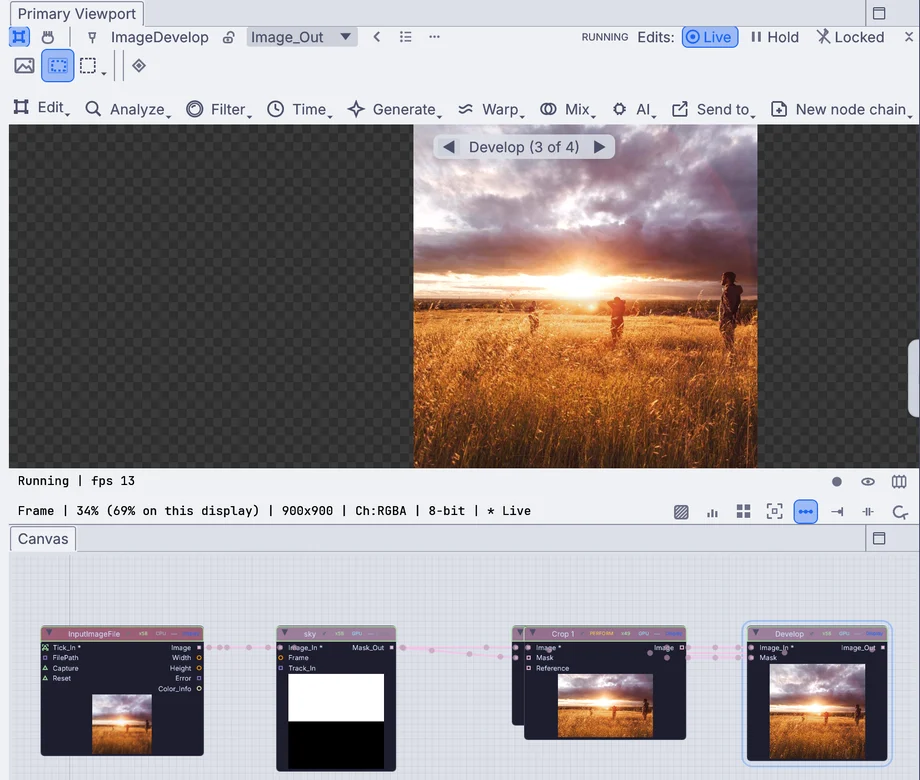
Edit a photo or a recording in the viewport, with the same stack of steps you can go back to.
Crop, develop and grade a photo where you see it. Every change lands in a stack, where you can compare it or switch it off.
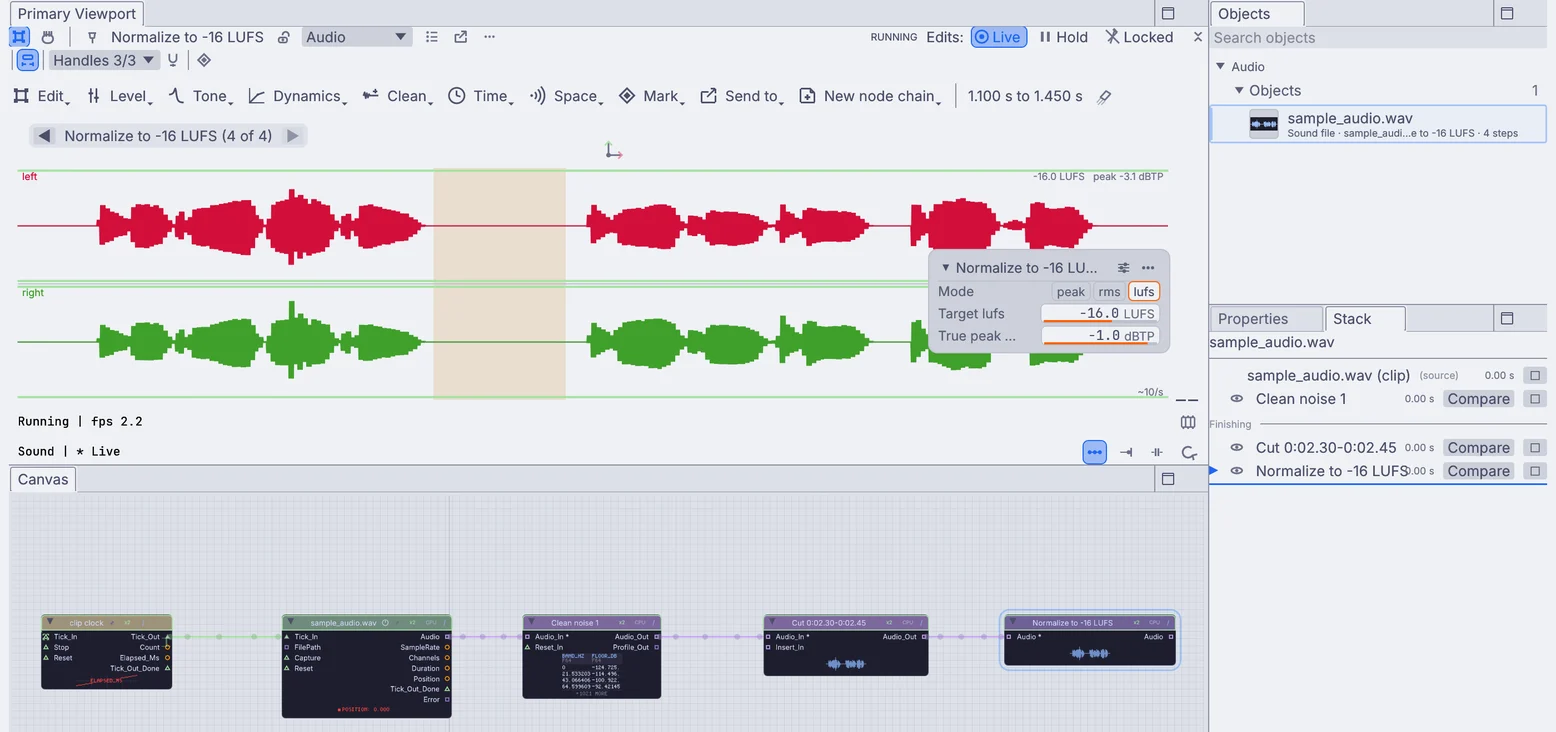
Select a range of a clip and work on it. You do not even need to press Play.
Record a take from a live sound and keep it. Drop markers on a clip and jump between them. Each edit is a step you can go back to.
Settings, panels and menus every graph gets, plus new ways to build on Kinematic.
Set one picture size for the whole project. Renders, patterns, resizes and recordings set to Project follow it, even while the graph runs.
Name extra sizes, such as an LED wall or a preview.
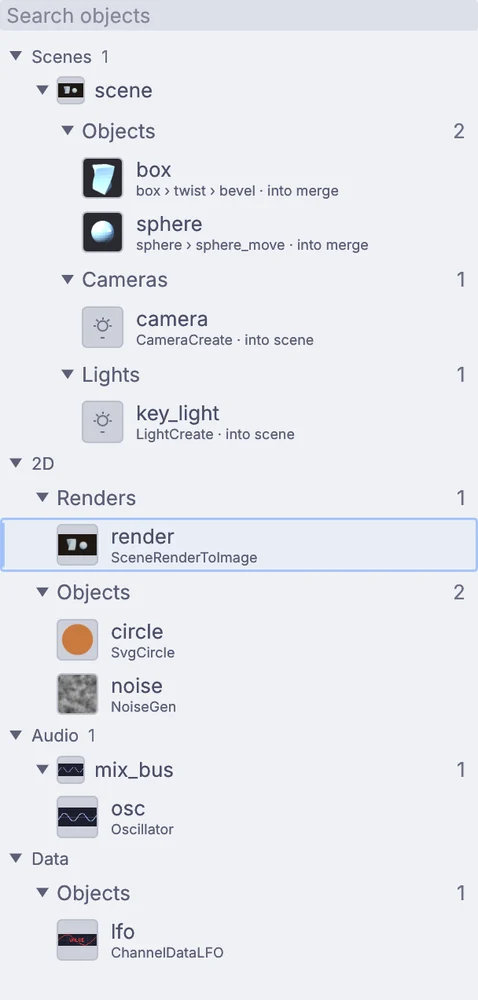
A sidebar list of everything the graph makes: shapes, scenes, renders, sounds and data, each with a live thumbnail. Click one to see it.
See the Objects panel on the tour→Use Kinematic with VoiceOver, Narrator, NVDA or Orca. Drive the canvas and the viewport from the keyboard alone.
Turn on high contrast or reduce motion in Preferences.
Accessibility in Kinematic→
ShaderMaterial takes up to 8 textures, reads scene shadows and environment light, and knows the time.
ImageShader writes 32-bit float on every output. PbrMaterial gets a height map input.
Drive DMX from channels or sound, play channels as MIDI notes, send a table over OSC, or project a picture through a light. One pick adds the nodes.
[permissions]
gpu = true
audio = false
midi = true
serial = false
# a row in the viewport's Add menu
kinematic.viewport.add_menu_item("Add", "Grid scatter",
    operator="my_ext.scatter",
    params={"pattern": "grid"},
    submenu="Procedural")
Extensions can add items to the viewport's Add menus.
They ask before they use the graphics card, audio, MIDI or a serial port. Kinematic asks you once per extension.
Build an extension→The smaller changes, in short. The changelog has every one.
3DGeoSequenceRead, 3DGeoDimension, 3DGeoRigGoalPoints, 3DGeoRigPoseBank, PhysicsBodiesFromPieces.No account, no license key. macOS, Windows, Linux and Raspberry Pi.