Kinematic 0.5.0 is out. Modeling and sculpting in the viewport, a timeline on every graph, photo and sound editing. What's new
Kinematic / Perform / Control

Build control panels.

Panels for the operator, MIDI controllers on any setting, cues from phones, web pages and Stream Decks.

a custom panel for the operator
01

Build a panel for the operator

Faders, buttons and pads on a second screen.

  1. Open the Panel Editor and drag knobs, faders and buttons onto the panel.
  2. Drag each one onto the value it drives.
  3. Open the panel on the operator's screen.
UIPanel→UISlider→UIButton
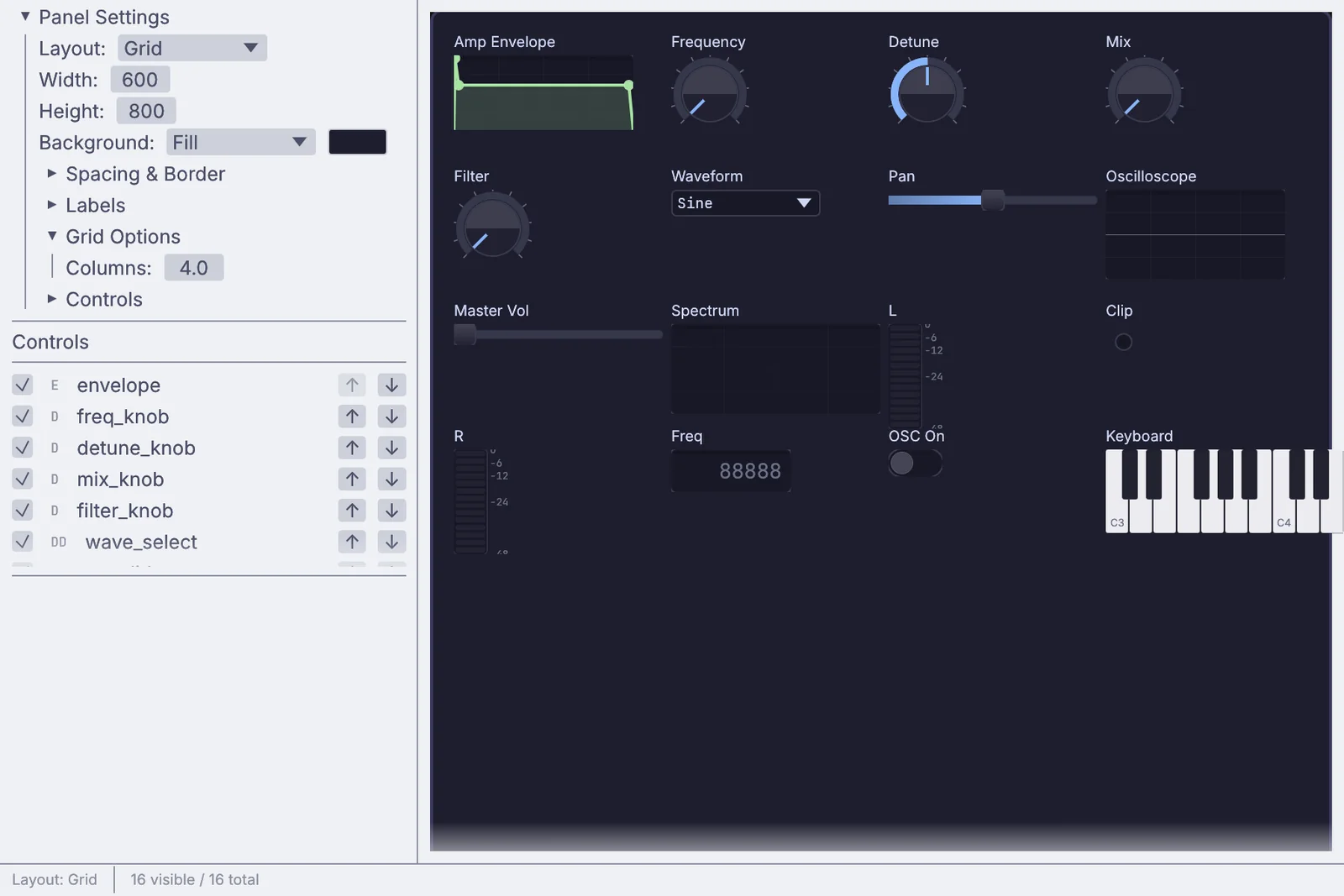
the Panel Editor laying out a synth panel
02

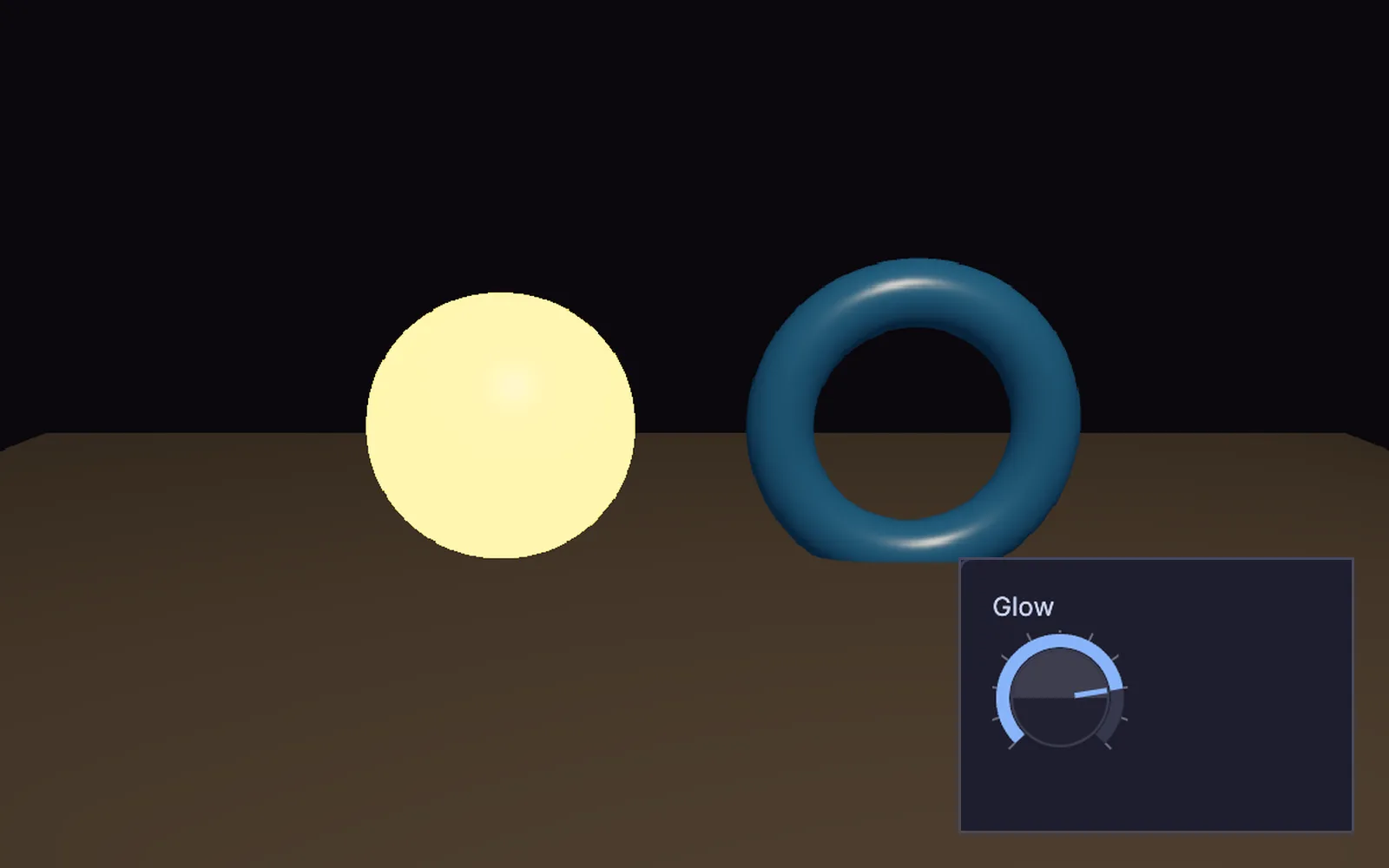
Put the glow amount on a panel knob

Right-click any value and give it a knob on your panel.

  1. Right-click a value and pick Link UI control.
  2. Choose the panel.
  3. Add an OSC address if you want one.
UIPanel→UIDial→PbrMaterial
the Glow knob on its panel, turned up, and the ball it lights
03

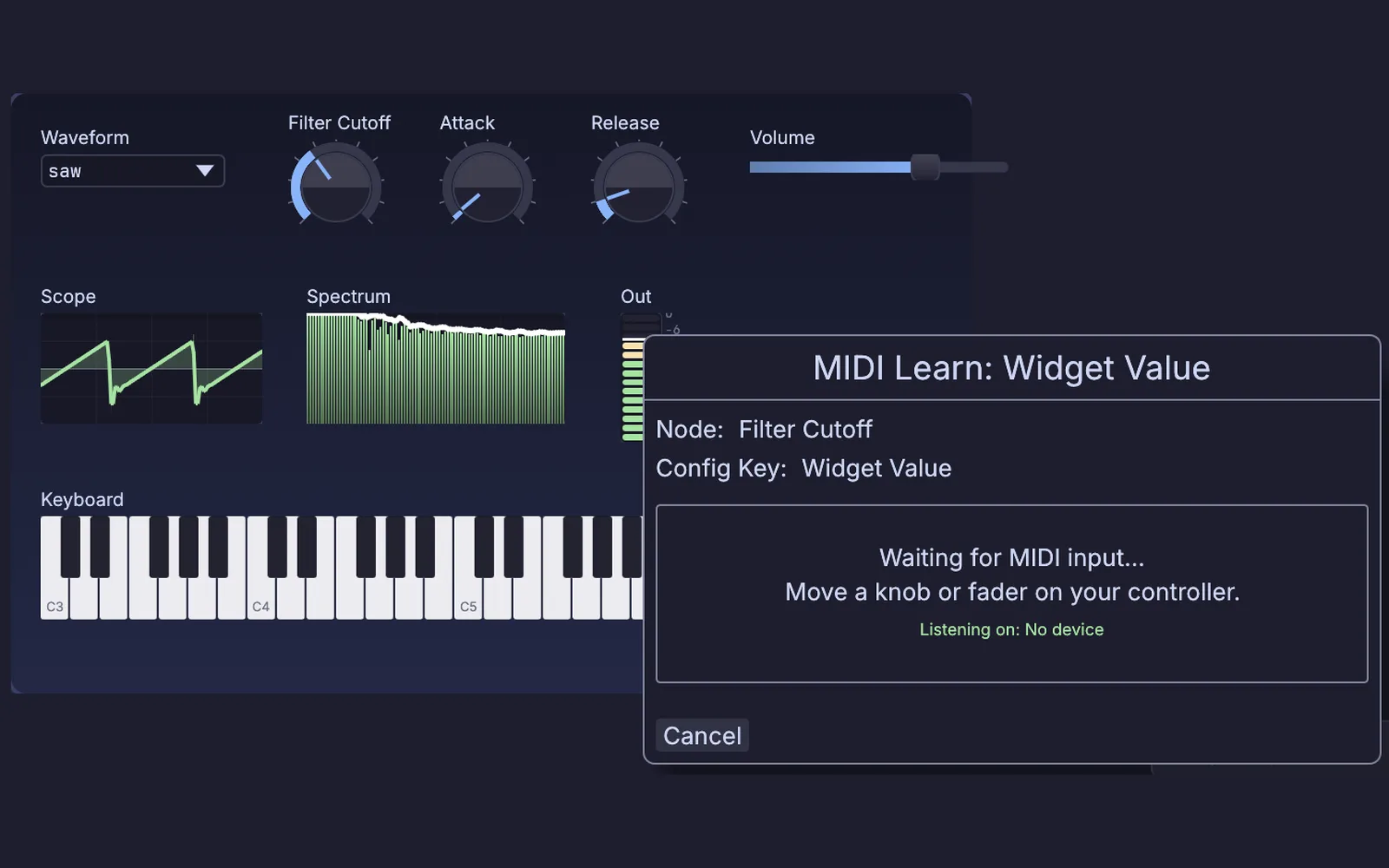
Map your MIDI controller

Wiggle a fader and it is mapped.

  1. Click Learn on the knob you want.
  2. Move a fader on your controller.
  3. It follows from now on.
MidiCCIn→MidiLearn→ChannelDataLag
MIDI Learn open on the Filter Cutoff dial of a synth panel, waiting for you to move a knob or fader
04

Run the show from a phone

A tablet app drives everything over Wi-Fi.

  1. Point the app at this machine.
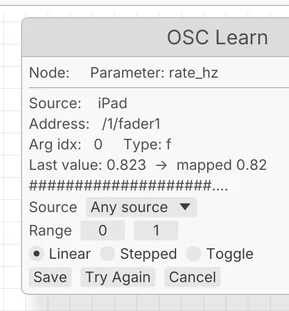
  2. Learn each address from the first message.
  3. Smooth it and drive anything.
OSCReceive→ChannelDataLag→DmxCueStack
a fader caught, ready to save
05

Fire cues from a web page

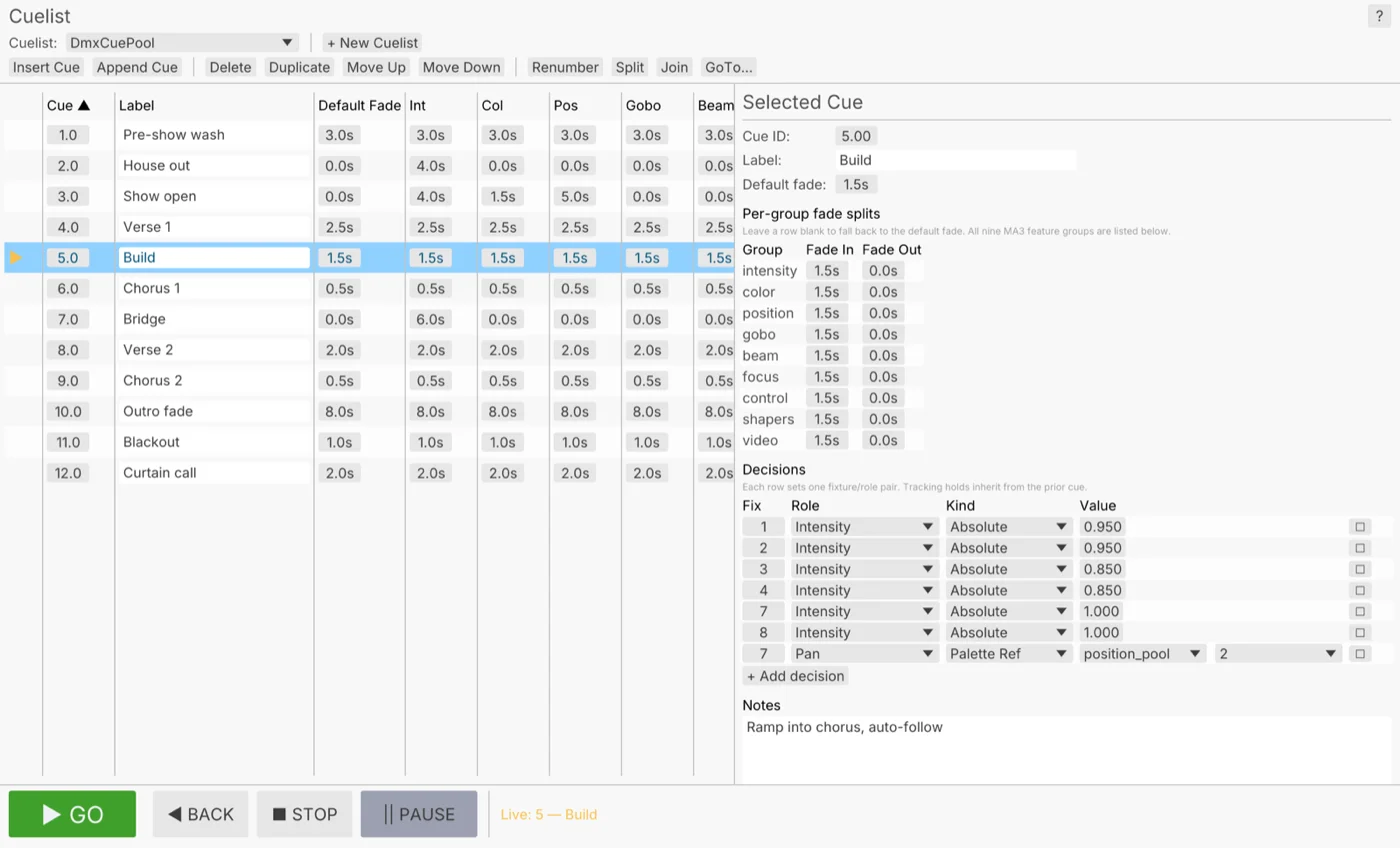
A button in any browser fires the next cue.

  1. Start listening for web requests.
  2. Point your page's button at it.
  3. Each press fires the next cue.
WebhooksServerInterface→DmxCueStack
the cue list each press steps forward, with GO on the bottom bar
06

Put cues on a Stream Deck

Every cue on its own key.

  1. Plug in the Stream Deck.
  2. Give each key a cue.
  3. Press to fire.
StreamingStreamDeckSurface→DmxCueStack
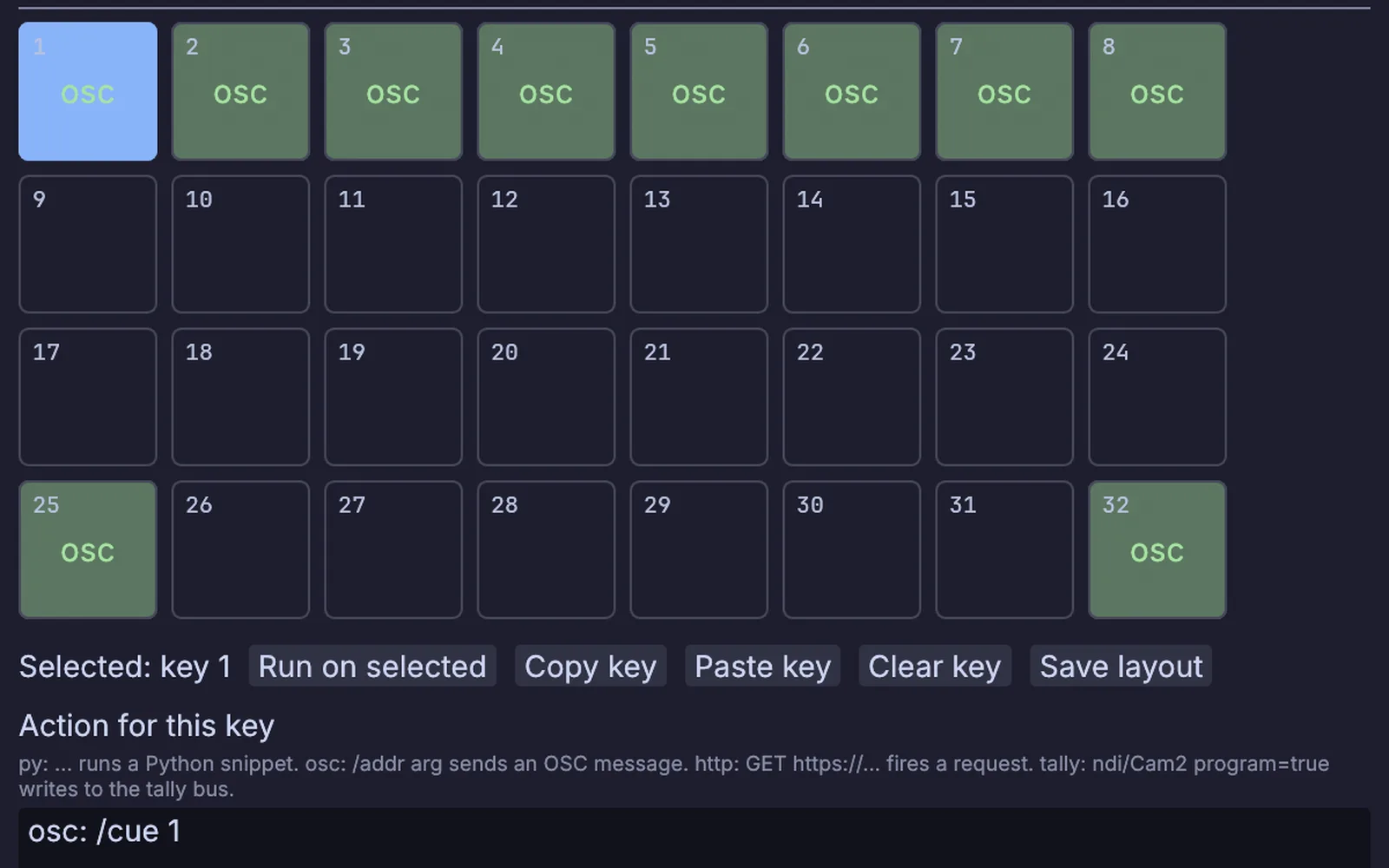
the Stream Deck Layout window: keys 1 to 8 send cue 1 to cue 8, with back and go on the bottom row
Take it further

It all connects.

Every part of Kinematic works with the others. Wire one into the next.

Keep going

Free and open. Yours, forever.

No account, no license key. macOS, Windows, Linux and Raspberry Pi.

Download Kinematic 0.5.0