Kinematic 0.5.3 is out. Crowds and traffic that find their own way, and a Clip Launcher that plays on the beat. What's new
Kinematic / Coming from Resolume

Play a VJ set in Kinematic.

Load your loops onto a grid and play them on the beat. When a clip is missing, build it here and play it live in its cell. Free, even for commercial use.

A clip launcher that lands on the beatProjection, LED pixels and DMX built inmacOS, Windows and LinuxFree to use
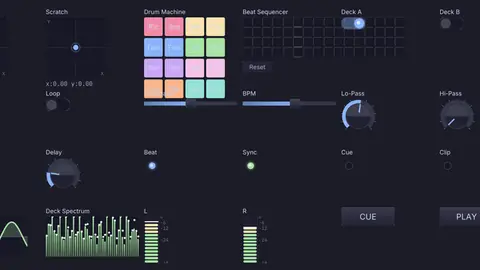
the Clip Launcher window: a pressed column waits for the next bar, then lights up
the show it plays, on the drop
You already know this

Resolume terms in Kinematic.

On the grid, a press lands on the beat. Underneath, the set is nodes on a canvas, and you can open and change any part of it.

tracks down the side, columns across
In Resolume: Layers, columns and decks

Tracks, columns and decks

Tracks are the rows, front on top, and columns run across. Press a cell and it starts on the next beat. Press a column's head and every row with a cell there changes at once. Decks are named sets of columns, so the warm-up and the peak each get a page.

ClipLauncherLauncherTrack
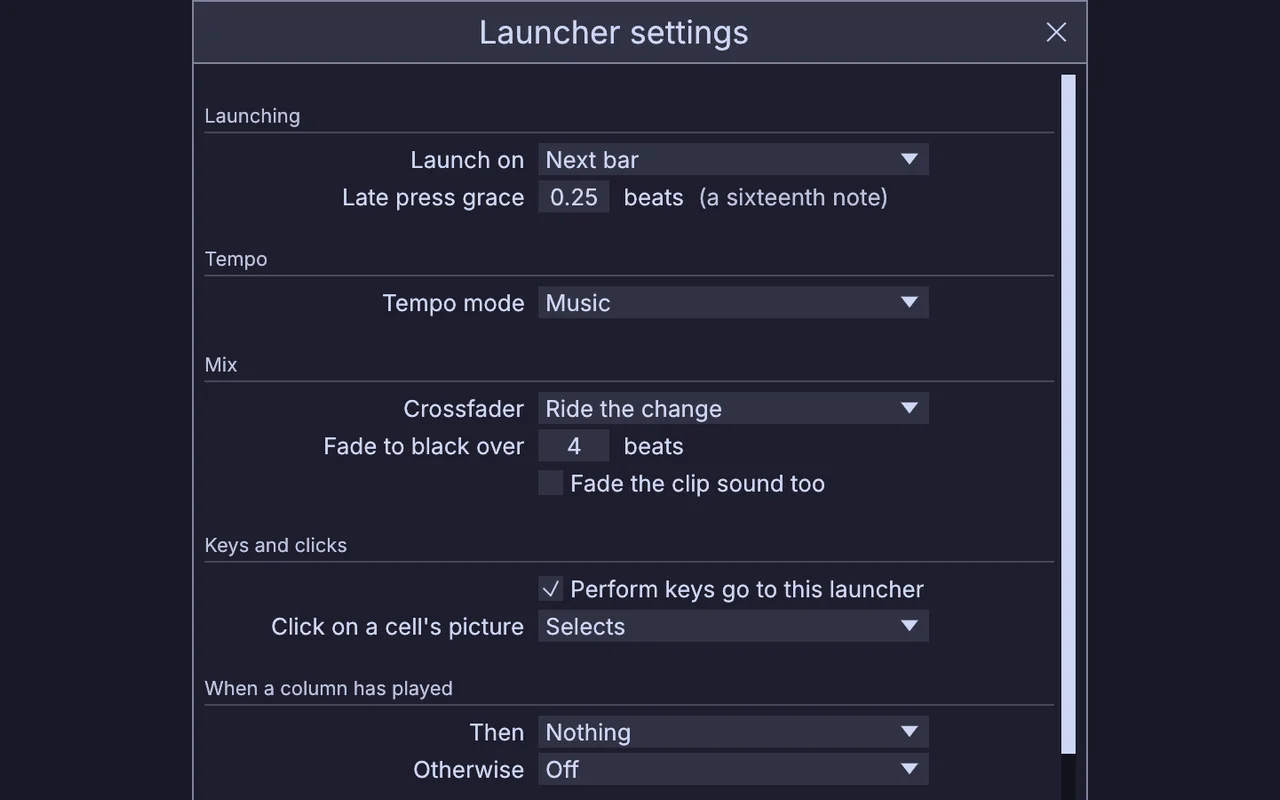
Launcher settings: Launch on the next bar, a late press grace of a sixteenth note, the crossfader set to Ride the change
Launcher settings: Launch on, Next bar
In Resolume: Beat Snap and BPM sync

Launch on

Pick when a press lands: right away, the next beat, the next bar, the next 2, 4 or 8 bars, or the next marker. A cell or a column can set its own. The tempo comes from a tap, MIDI clock, the beat a microphone hears, or the song itself.

ClipLauncherMidiClockInAudioBPMDetect
smears and pixel sorting on the beat
In Resolume: Layer and clip effects

Effects chains

Stack effects on a track, on the master or on one clip. Hold a switched-off effect to hit the picture with it for as long as you hold, and save a chain you like as one effect.

ImageKaleidoscopeImageFeedbackImageShader
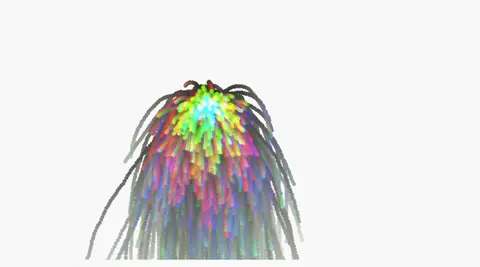
a song's loudness and hits driving particles
In Resolume: FFT and parameter animation

Signals and beat motion

The signals component turns a sound into bass, mid, high, level, hits and where the bar is. Drag a lane onto any knob and set its range, or animate a knob with the beat: sine, saw, square, random steps.

AudioFFTAudioOnsetDetect
Map mode: click a target, then move a control
In Resolume: MIDI and OSC mapping

Map

Press Map, click a target, then move a control on your controller. Pads light in the colors of their cells, and faders pick up where they should be. The whole show answers OSC too.

MidiLearnOSCReceive
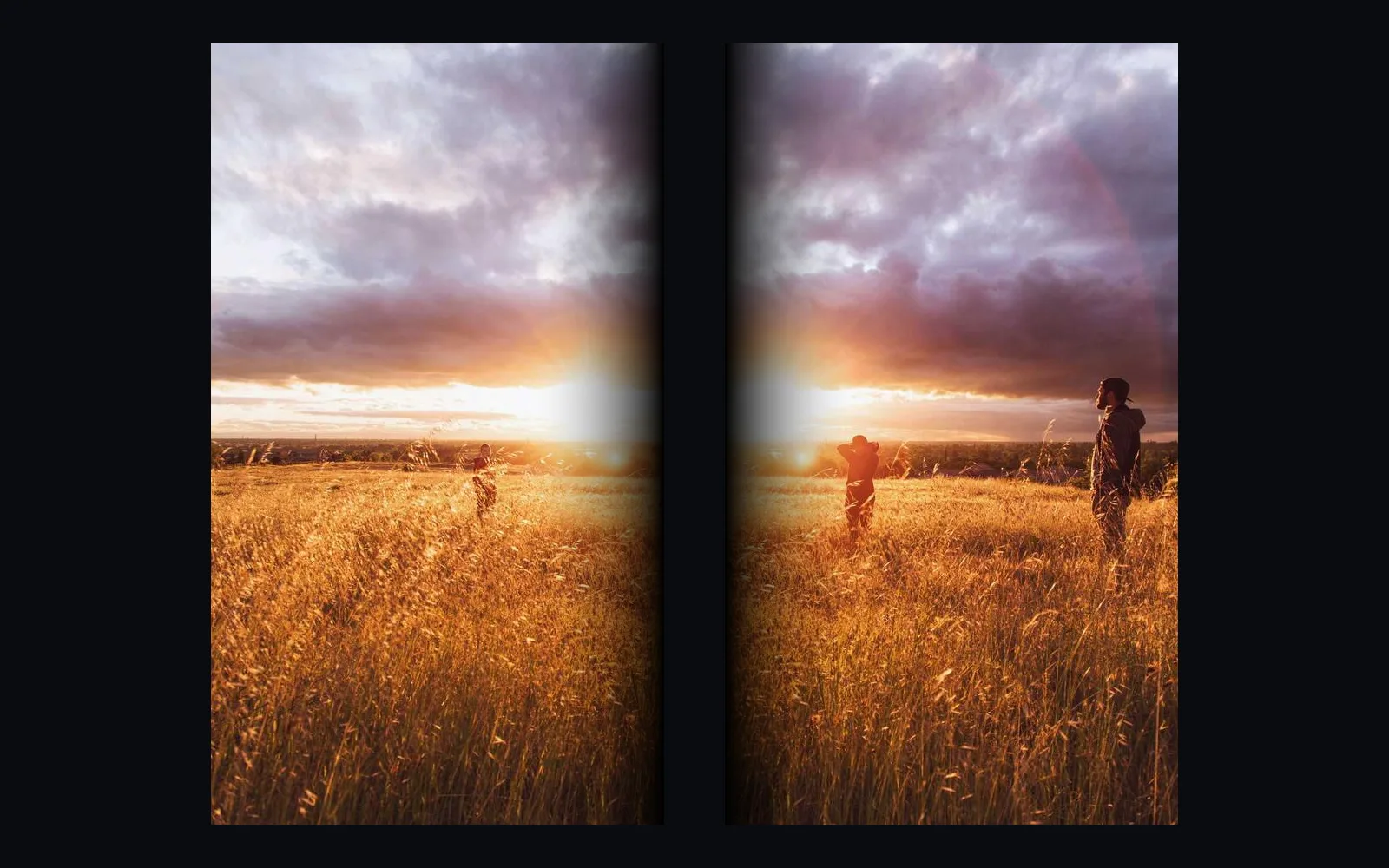
one sunset photo split across two projector halves, each feathered where they overlap
one picture over two projectors, soft where they meet
In Resolume: Advanced Output and edge blending

Outputs

Add blended projectors splits the picture across 2 to 16 projectors with soft overlaps, and gives each one its own warp and display window. Corner pin, a grid warp and the projection mapper fit the picture to any surface.

ImageEdgeBlendImageGridWarpProjectionMapper
a dancer clip on a 64 by 40 grid of LED pixels
In Resolume: DMX fixture output

LED pixels and lights

Add LED pixels sends the picture to a strip, a grid or patched positions over Art-Net or sACN, 170 pixels a universe. BLACK takes those pixels dark at the wire and leaves your lighting universes alone.

ImageToDmxArtNetSendInterfaceSAcnSendInterface
stained glass cells from a shader, moving
In Resolume: Sources and generators

Graph clips

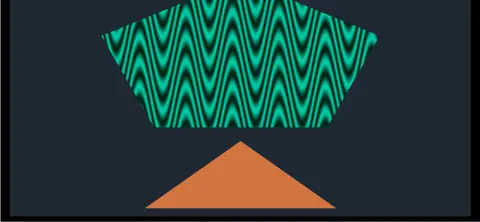
A cell can play a small graph instead of a file, like a plasma, a title or a camera cut out from its background. Each graph clip runs on its own, so a heavy one slows only itself.

ImageShaderComponent
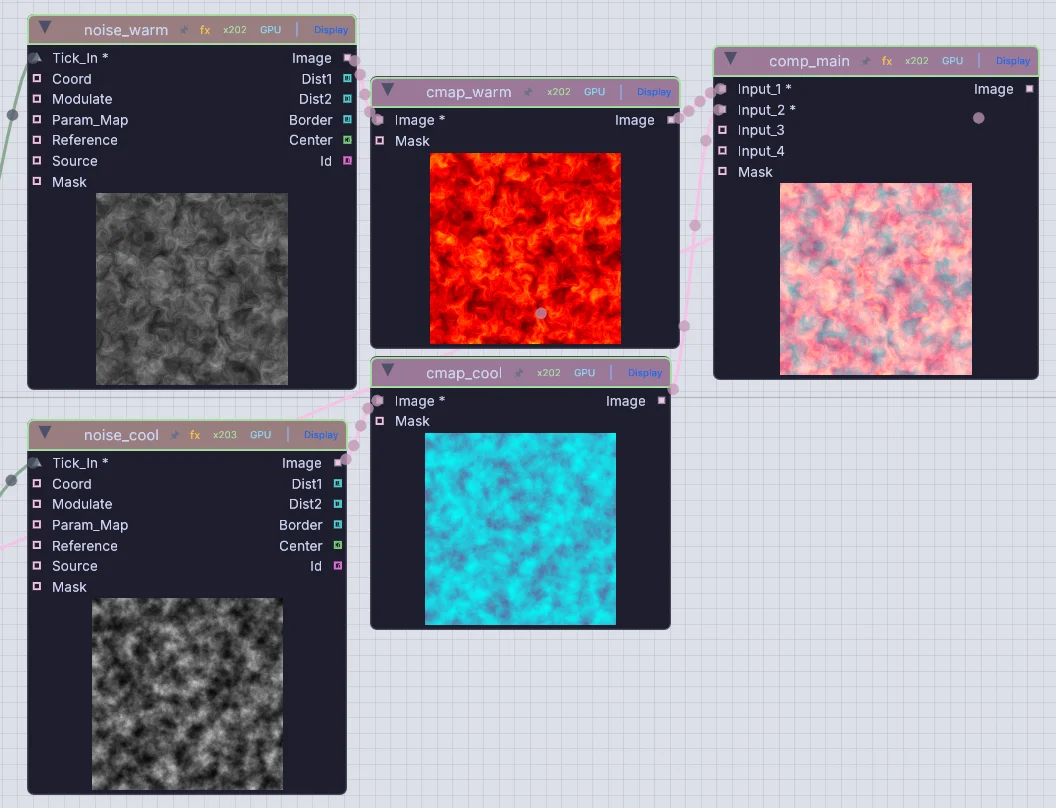
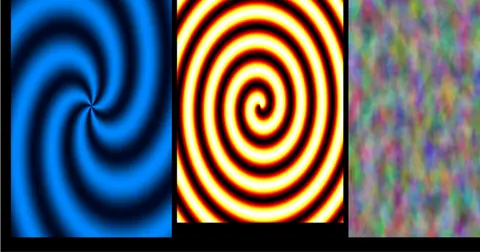
two noise fields, colored and composited, each node showing its picture
a patch on the canvas, its nodes showing their pictures
In Resolume: Wire

The node canvas

The launcher, its tracks and its effects are all nodes on the canvas, so the whole set is open. Turn selected nodes into a graph clip, or drop your own WGSL or ISF shader file on a chain.

ClipLauncherImageShader
Familiar work, done here

Play a set from a clip grid.

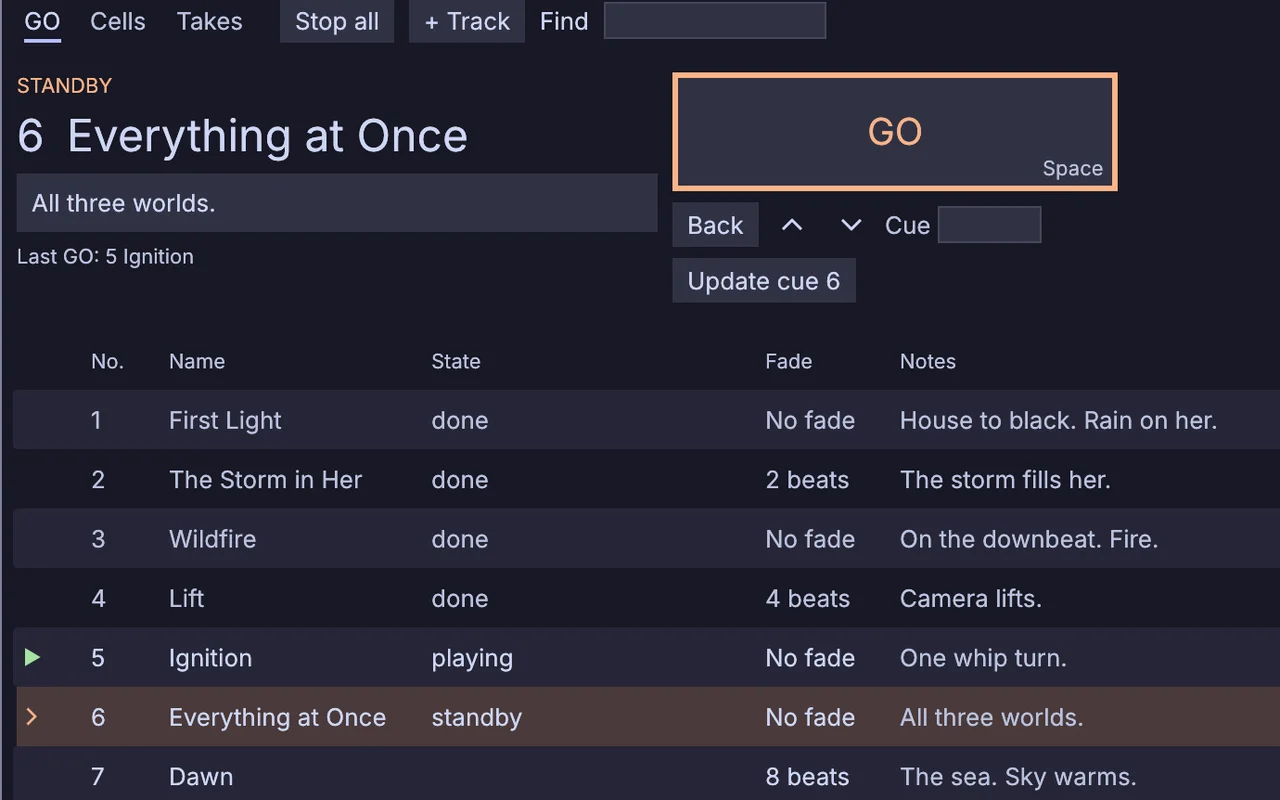
Drop a run of loops on a track and the launcher fills the row, adding the columns it needs. Press a cell and it starts on the beat. Ride a change in on the crossfader, or hold a column for the drop and let go to come back. For theater, GO mode runs the columns as numbered cues.

  • Launch on the next beat, bar, 2, 4 or 8 bars, or marker, with a little grace for a late hand
    ClipLauncher
  • Ride the change on the crossfader, or mix side A against side B
  • Then plays the next column, a random one or a named one after the time you set
  • Knob rows: up to eight knobs whose stored settings glide in on the beat. Cue rows fire lights and MIDI on the same beat
    LauncherKnobRowLauncherCueRow
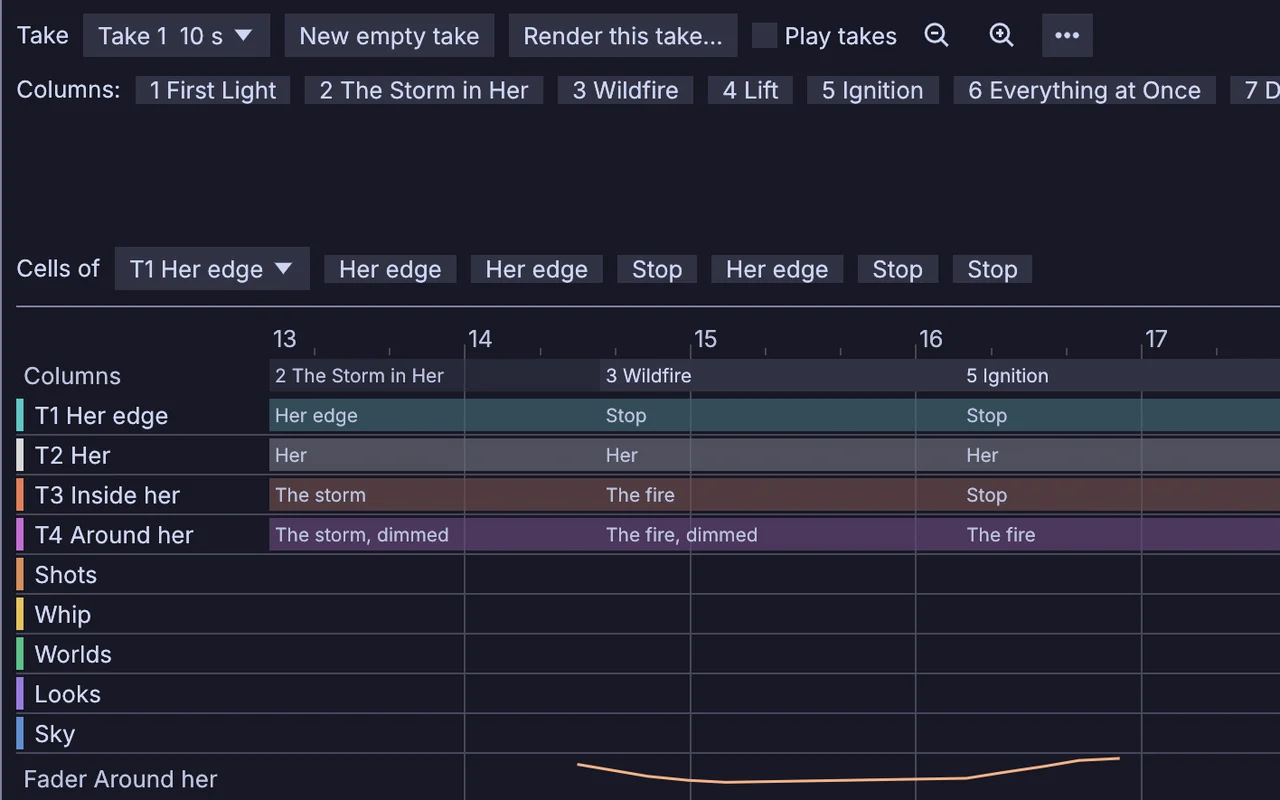
  • Record a take of how you played, punch in over it, and render it to a movie
three columns pressed in turn, all landing on a bar line
the GO tab in GO mode: the columns as numbered cues with fades and notes, cue 5 playing and cue 6 on standby
GO mode: numbered cues, fades and notes
the Takes tab: a recorded take as lanes, one per track, each launch a block under a bar ruler
a take: every launch, ready to render
Familiar work, done here

Projection mapping and LED walls.

Slice the show across blended projectors and warp each slice onto its surface. The same picture can light an LED strip, pixel by pixel. BLACK reaches every display, NDI and Syphon output and LED pixel, even when a clip is stuck. The Stage view shows the room in 3D before you reach the venue.

  • Blended projectors: 2 to 16 side by side or stacked, with soft edges and warps of their own
    ImageEdgeBlendImageGridWarp
  • Quads and freeform shapes filled with their own pictures, and a corner pin for any surface
    ProjectionMapperImageCornerPin
  • LED pixels over Art-Net or sACN, and more than 1,600 fixture profiles for the lights
    ImageToDmxArtNetSendInterfaceSAcnSendInterface
  • Video out over NDI, or Syphon on a Mac
    StreamingNDISendInterfaceStreamingSyphonSendInterface
  • Line a projector up through a camera with a structured light scan
    StructuredLightCalibration
the Stage view: the fire track on both LED walls, flooding on the drop
three blended projector slices
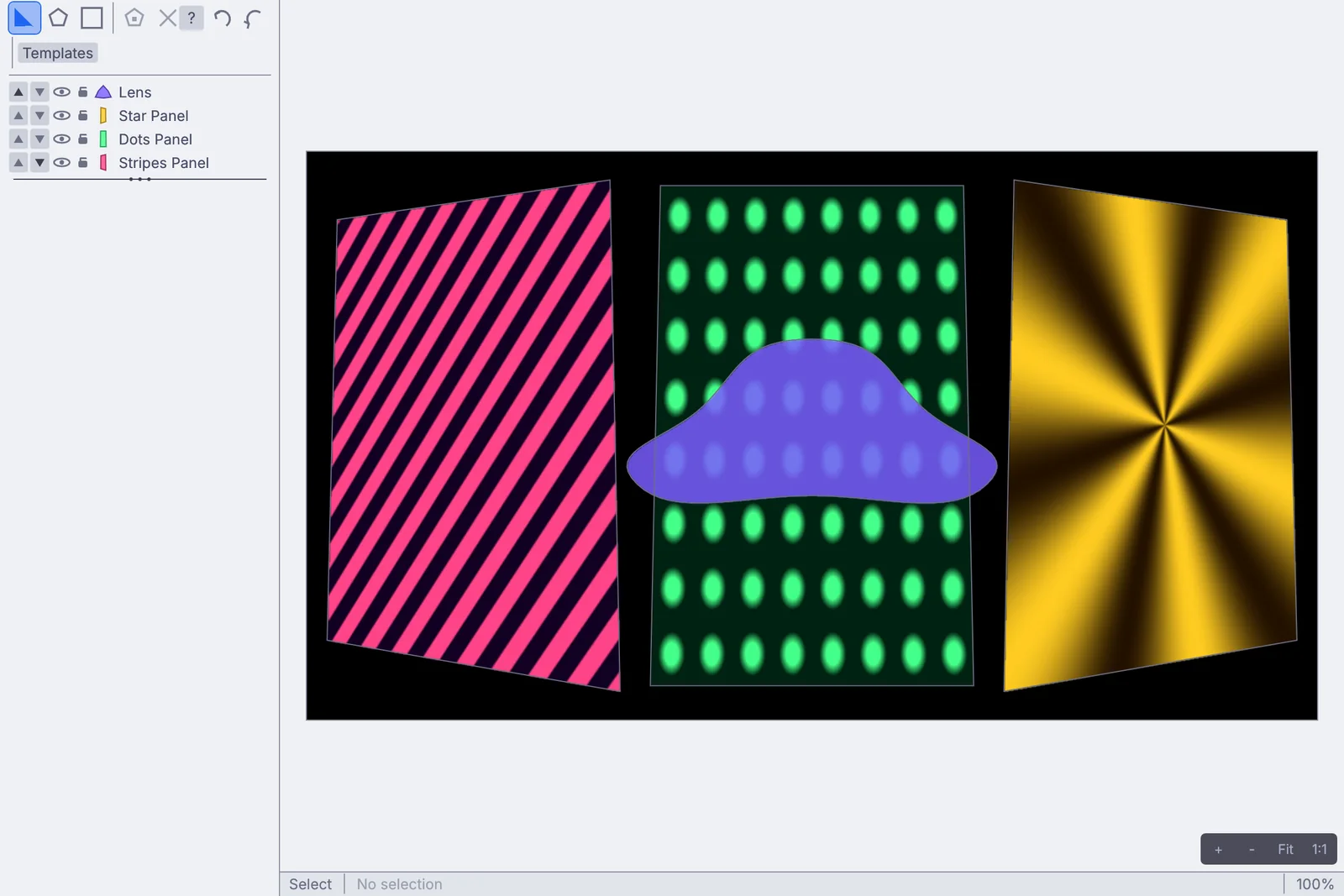
the Projection Mapper: three tilted panels and a freeform lens
the Projection Mapper editor
What you gain: making the clips

Make the clips in the same app.

Your clips do not have to come from somewhere else. Write a shader or pour a liquid, and play it live in a cell. Two cells of the same clip with different knobs morph into each other instead of cutting. When a clip gets heavy, render it to a looping file in one press.

  • Graph clips that ship with the app: generators, simulation, 3D, sound, text, code and camera inputs
  • A Code clip swaps your new shader in on the next beat. An error shows its line and the old code keeps playing
    ImageShader
  • Model, sculpt and animate in the viewport. Every move adds a node, so the set can drive it
    3DGeoSculpt
  • Liquids, fire and smoke, cloth and particles, on the GPU
  • Render to a clip records a graph clip to a looping video at the tempo of the show
a creature sculpted from a ball, then painted
ink swirling through feedback
water turning a paddle wheel
What you gain: the song and the room

Let the song and the room launch the show.

A song map finds the parts of a song, like the build and the drop, and columns launch on them. A raised hand or a clap in the room can fire a column. A cue row fires the lighting cue on the same downbeat as the picture.

  • Follow the song: a column for each part, launched where the song has it
    LocalAIAudioToSongMap
  • Launch when: hands up, someone in the zone, a clap, applause or the room going quiet
  • Cue rows pick DMX cues on the beat, beside the picture
    LauncherCueRowDmxCueStack
  • Chase MIDI clock, MIDI timecode or LTC, or take the tempo from what the room hears
    MidiClockInMidiTimecodeInMidiLtcDecodeAudioBPMDetect
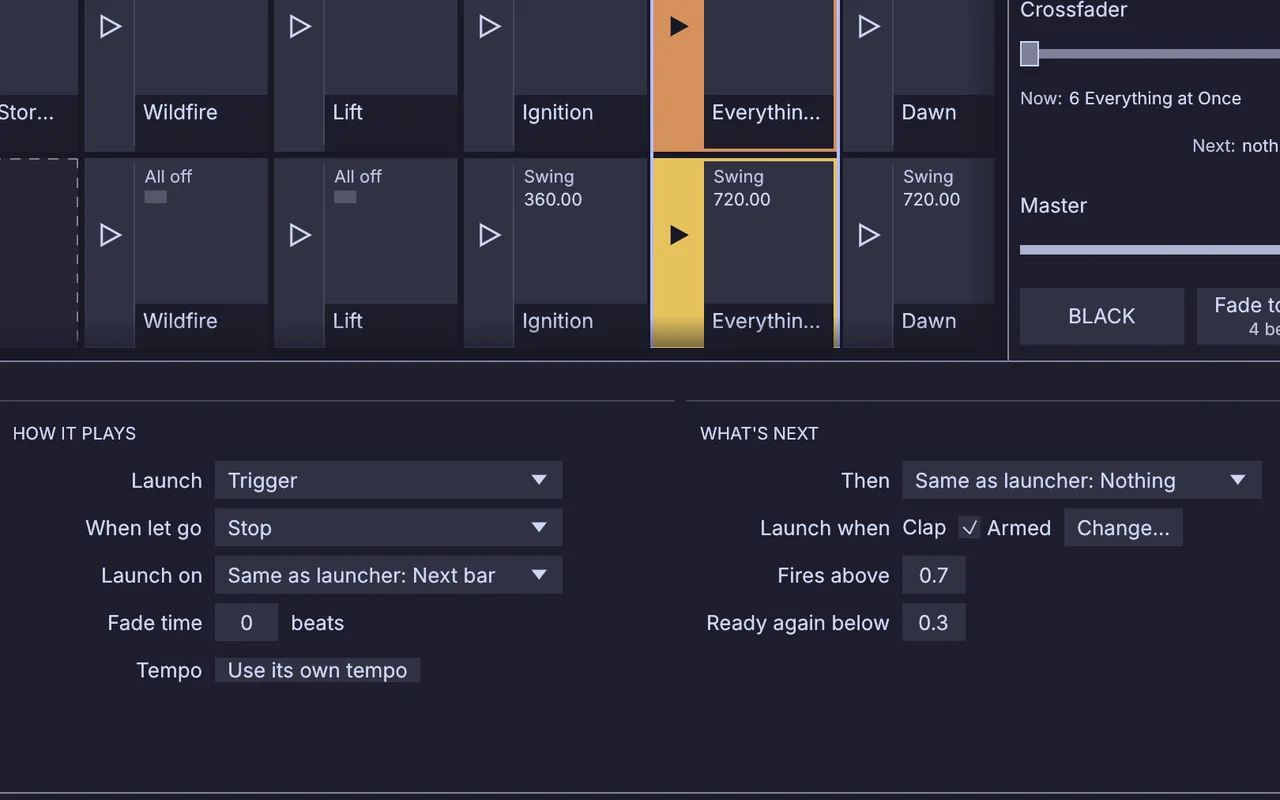
a column's Launch when set to a clap from the room: armed, firing above 0.7 and ready again below 0.3
Launch when: a clap fires the column
strobes on the beat, in the 3D preview
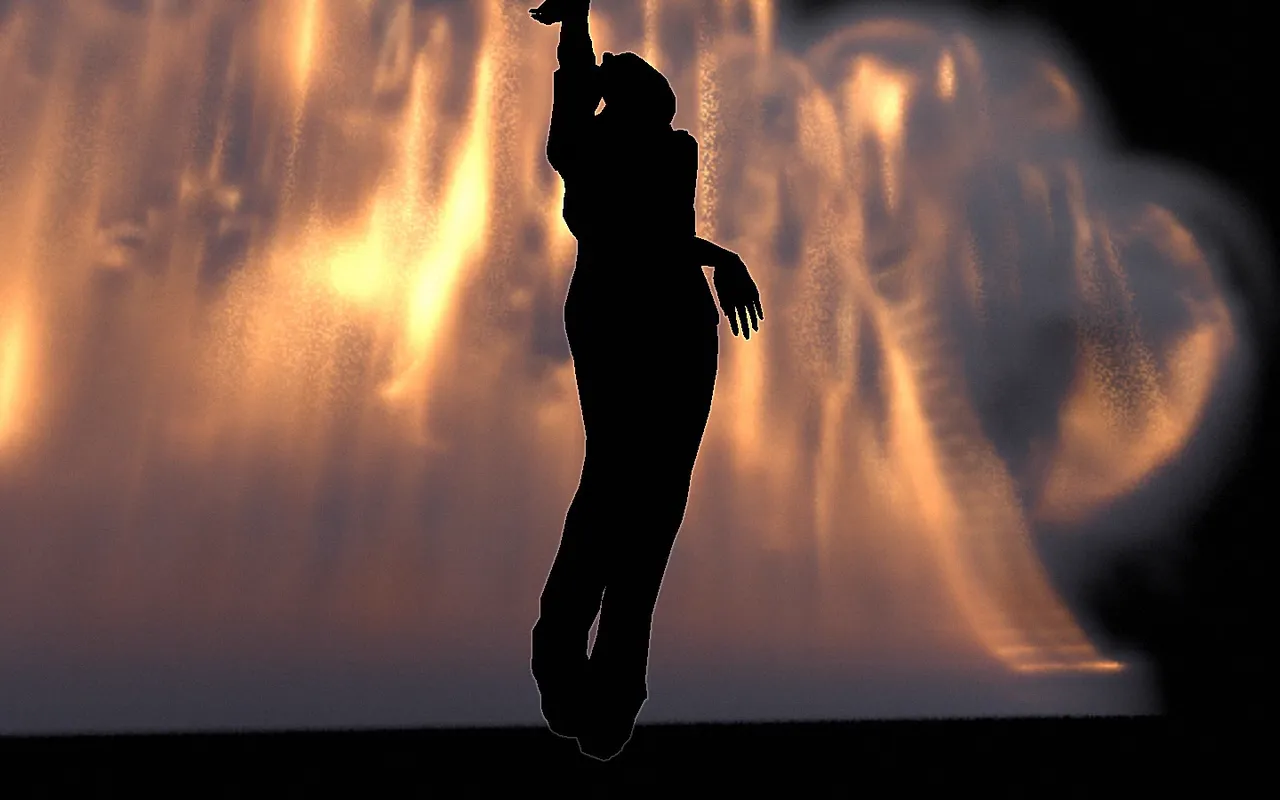
background dropped, body tracked
Moving over

Moving over from Resolume.

Your clips and your controller come with you, and Resolume can keep running beside it. Here is what to expect in the first hour.

01

Your clips come with you.

Resolume compositions don't open here, so you rebuild the set. Import folder brings a whole folder of videos and pictures in at once, and the cards show their codecs. HAP, HAP Q, HAP R and hardware ProRes launch fast. Make fast-launch copies turns the rest into HAP in the background and leaves your originals alone.

Opens
HAP, HAP Q, HAP RProResH.264 and H.265MP4, MOV, MKV, WebM, AVIImage sequencesPNG, JPEG, TIFF, WebPEXR and HDRWAV, FLAC, MP3, OGG, AACWGSL, GLSL and ISF shaders.cube LUTsglTF, FBX, USD, AlembicGDTF fixture files
Saves
HAP and HAP Q copiesProRes, H.264, H.265, VP9Takes rendered to a moviePNG and EXR sequencesWAV, FLAC, AIFFPatch lists for the crew
Live, in and out
NDISyphon on a MacArt-Net and sACNOSCMIDI and MIDI clockMIDI Show ControlStream Deck
Everything it works with →
02

Keep Resolume running while you switch.

Nobody has to move a whole show at once. Build the new part here and pass it across.

ResolumeKinematic
  • Video, both ways, over the network
    StreamingNDISendInterfaceStreamingNDIReceiveInterface
  • Video, both ways, on one Mac
    StreamingSyphonSendInterfaceStreamingSyphonReceiveInterface
  • Cues and values out to Resolume
    OSCSend
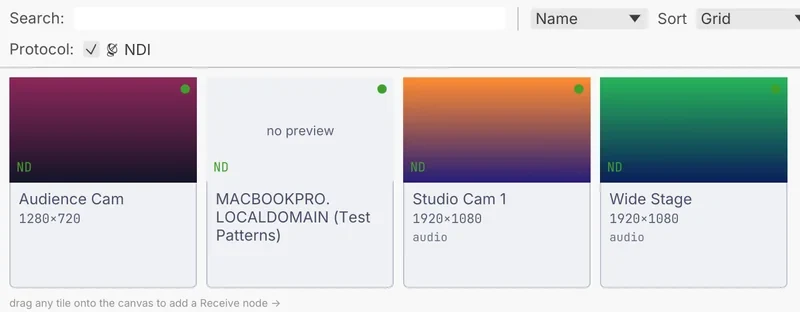
the Source Browser listing NDI sources on the network
NDI sources on the network. Drag a tile onto the canvas for a receive node.
03

Bring your controller.

Pick your controller in Launcher settings and its pads light in the colors of their cells. Map fills in its own layout in one step: pads, scene buttons, track stops, faders and knobs. Any other MIDI controller maps by hand, a control at a time.

APC40 mkIIAPC40APC mini mk2LaunchpadLaunchpad Mini mk3Launchpad XPush 2Maschine MK3MIDI Fighter Twister

A Stream Deck key can launch a cell and show its picture. A phone or tablet on the same network can play the show too, behind a PIN.

MIDI Learn on a panel knob: move a control and it is mapped
04

Find your way around.

The keys you will use in the first hour. Ctrl on Windows and Linux is Cmd on a Mac, except pause, which is Control there too.

Take the app tour →
Double-clickOpen the Clip Launcher window from its node. Window, Media, Clip Launcher works too.
1…0Launch the columns of the deck you see, first to tenth.
AltPressLaunch a cell or a column right away, off the grid.
ShiftPressArm it on the crossfader, then move the fader to bring it in.
SpaceIn GO mode, fire the standby cue. Up and Down move standby.
CtrlEnterSwap a Code clip's new shader in on the next beat.
CtrlHPause and resume the show.
Ctrl.Stop. Under Show lock it asks for a second press.
F1Perform Mode: the show takes the screen. With Perform keys on, the keys still launch.
RRecord a take while you play, in Perform Mode.
05

Your first hour.

  1. Download itNo account and no key. The demo browser opens on first launch.
  2. Start a VJ setFile, New Project, VJ set opens a set that is already playing: two tracks of moving clips.
  3. Drop your loops inDrag a few onto a track. Press a cell and it lands on the next beat.
  4. Map your controllerPick it in Launcher settings, press Map, click a target and move a pad.
  5. Press F1Perform Mode hands the screen to the show. Turn on Perform keys and the number keys keep launching.
Fair is fair

Where Resolume is still ahead.

Resolume is a fine instrument, and plenty of VJs will keep it. Here is where it still leads, and what Kinematic does not do yet.

  • Made for VJs firstResolume builds Avenue as an instrument for VJs, AV performers and video artists, with your media and effects within reach while you play4.
  • The DXV codecIts own codec, made to mix many layers at high resolution, with alpha. Alley and plugins for Adobe apps write it5.
  • Capture cards and DJ gearBlackmagic, AJA and Datapath capture cards in and out4, and in Arena, Denon StageLinq and Pioneer Pro DJ Link for DJ gear2.
  • Spout and pluginsSpout sources on Windows, and third-party plugins that add to Avenue and Arena4.
Not in Kinematic yet
  • Resolume compositions do not open
  • Spout on Windows is on the roadmap
  • No sync to DJ players over StageLinq or Pro DJ Link
  • No Ableton Link. Tempo travels over MIDI clock or OSC

Running both is fine. NDI moves video between them on one machine or across the network, Syphon does it on a Mac, and OSC carries cues into Resolume.

The numbers

What it costs.

Kinematic costs nothing, even for commercial use, with no account and no license key. Install it on all the machines in the booth. The Resolume side comes from its maker's own pages.

KinematicResolume
Live VJ work
$0even for commercial use
€299Avenue, for one computer1
Projection mapping, edge blending, DMX
$0built in
€799Arena, for one computer12
Node patching
$0built in
€399Wire, for one computer13
Updates
Freealways
12 monthsincluded, then you renew1
Free version
The whole appno watermark
The demoa watermark on the output and a spoken reminder2
Runs on
macOS, Windows, Linuxand Raspberry Pi
macOS, Windows1
  1. Resolume, Shop: prices for one computer, 12 months of updates, macOS and Windows.
  2. Resolume, Difference between Avenue and Arena: the Arena-only features and the demo watermark.
  3. Resolume, Wire.
  4. Resolume, Avenue & Arena: BPM sync, FFT, NDI, Syphon and Spout, capture cards, plugins.
  5. Resolume, DXV codec.

Checked October 2026. Resolume prices in euros, as its shop lists them.

Open these first

Demos to open first.

They all come with the app. Take one apart and keep the looks you like.

Browse every demo →
Questions

Questions from Resolume users.

Something else on your mind? Reach out.

Can I open my Resolume compositions?

No. You rebuild the set instead: Import folder brings your clips in, and dropping a run of them on a track fills the row and adds the columns. Your media, shaders and LUTs open as they are.

Will my clips launch fast?

HAP, HAP Q, HAP R and hardware ProRes launch fast, and the cards in the Media tab name their codecs. Make fast-launch copies writes HAP or HAP Q copies of the slower ones in the background, next to the project, and never touches the originals.

Does my controller work?

The APC40 mkII, APC40, APC mini mk2, Launchpad, Launchpad Mini mk3, Launchpad X, Push 2, Maschine MK3 and MIDI Fighter Twister are built in, with pads that light. Any other MIDI controller maps by hand in Map. A Stream Deck and a phone page work too.

Can I run Resolume and Kinematic together?

Yes. Send video either way over NDI, or over Syphon on a Mac, and send OSC to Resolume to fire its clips from the graph.

What about Spout on Windows?

NDI works today on every platform, and Syphon on a Mac. Spout on Windows is on the roadmap.

Is it really free for paid work?

Yes. No license for commercial work, no watermark and no seat count.

Coming from somewhere else
Your next set

Download Kinematic.

Free, with no account and no license key, on macOS, Windows, Linux and Raspberry Pi. Bring the loops you play now.

a dancer drawn on 2,560 pixels of a DMX pixel grid