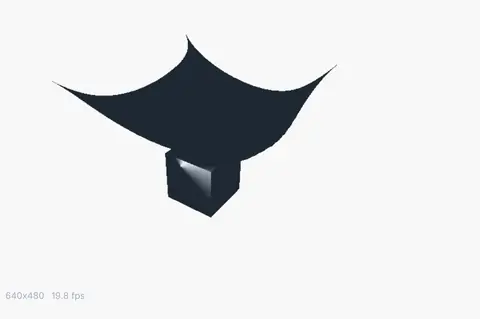
Kinematic 0.5.3 is out. Crowds and traffic that find their own way, and a Clip Launcher that plays on the beat. What's new
Kinematic / Simulate / Rigid bodies

Simulate rigid bodies.

Dominoes, wrecking balls, bowling pins and walls that shatter. Glue a wall into pieces that hold until something heavy hits it. You light and render the shot in the same file, and the timeline scrubs back through the fall.

Fracture and breakable glueSix kinds of joint, and motorsScrubs back on the timelineFree
a wrecking ball bursting through a brick wall toward the camera, then swinging back to topple the rest

The clips on this page are the app's own renders.

What you can make

Six setups to start from.

These are real graphs built from the physics nodes, and the clip with a setup is what that graph renders. Under it is the one setting to try first.

a steel ball bursting through 71 bricks
01

Swing a wrecking ball

A steel ball on a cable, let go from high on the left, bursts through a wall of 71 bricks and swings back over the rubble.

  • Hang the ball from a static anchor with a ball joint, so the cable can swing any way.
  • Lay the bricks in running bond as box bodies. They touch, so the wall stands still until it is hit.
  • Pull the ball back and let go. Continuous collision on the ball keeps it from slipping through a brick.
PhysicsWorld→PhysicsBody→PhysicsConstraint→PhysicsGround
The setting to try

substeps on PhysicsWorld

Steps inside a frame. 4 to 8 keeps a tall stack and a fast ball steady, and the sim takes longer.
In the Demos browser: Wrecking Ball
a light ball bounces off, a heavy one brings it down
02

Shatter a wall

A concrete wall cut into 60 glued pieces. A light ball bounces off and the glue holds. A heavy one rolls into its foot, and the wall gives way piece by piece.

  • Crowd 60 seed points around where the hit will land, and cut the wall along them.
  • Turn the pieces into bodies and glue neighbors to one another.
  • Set the glue to chain, so one snapped joint weakens the next. Then roll the two balls in.
3DGeoVoronoiFracturePoints→3DGeoVoronoiFracture→PhysicsBodiesFromPieces→PhysicsGlueConstraint+PhysicsWorld+3DGeoConnectAdjacentPieces
The setting to try

break_force on PhysicsGlueConstraint

The pull in newtons that snaps a joint. Near 50 the wall is brittle; from 500 up it is tough.

Tutorial: Shatter a ball into pieces · 6 min
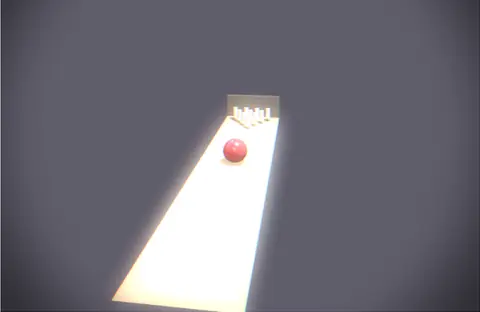
all ten pins, slowed down through the hit
03

Bowl a strike

A glossy ball rolls into the pocket and all ten pins scatter, slowed down through the hit.

  • Turn a pin from a drawn profile. Its body is a convex hull of that shape.
  • Stand ten in a triangle. Give the ball one push, with the spin of a rolling ball.
  • Change the angle of the push and play it again for a different break.
3DGeoRevolve→PhysicsBody→PhysicsImpulse→PhysicsWorld
The setting to try

shape on PhysicsBody

convex_hull wraps the body tight around its mesh. A box or a sphere costs less where the shape allows it.

In the Demos browser: Bowling: alley night
thirty dominoes down an S curve
04

Topple dominoes

Thirty painted dominoes stand along an S curve, waiting for one small push.

  • Stand thirty box bodies along a curve, turned to follow it.
  • Tip the first one with a small push near its top.
  • Play it. The fall runs down the curve to the last one.
PhysicsWorld→PhysicsBody→PhysicsImpulse→PhysicsGround
The setting to try

rel_pos_y on PhysicsImpulse

Where the push lands on the body. Off center, the push also turns it, and that is what tips a domino over.

In the Demos browser: Domino Chain: Color Cascade
a motor turning an arm on a hinge
05

Build a spinning machine

A powered hinge turns an arm at the speed you set, and the arm bats falling balls away.

  • Pin a rod to a static post.
  • Put a motor on the joint and set its speed, in radians per second.
  • Give it enough force to carry the arm. Set the speed, or control it from a knob or a fader with a driver.
PhysicsWorld→PhysicsBody→PhysicsMotor
The setting to try

max_force on PhysicsMotor

How hard the motor may push. Set it too low and the arm stalls. Too high, it overshoots.

five bounce settings, one drop
06

Drop a row of balls

One drop from rising heights, with five ways to land, from dead to rubbery.

  • Drop five spheres from rising heights onto the ground.
  • Set the bounce from 0 on the first ball to 0.9 on the last.
  • Play it. The first lands dead, and the last keeps bouncing.
PhysicsWorld→PhysicsBody→PhysicsGround→PhysicsExtractTransforms
The setting to try

restitution on PhysicsBody

Bounce. 0 lands dead, and 1 bounces back as high as it fell.

In the Demos browser: Ball Drop: Heat Map Bounce
Destruction you can direct

Decide where it cracks and how hard it holds.

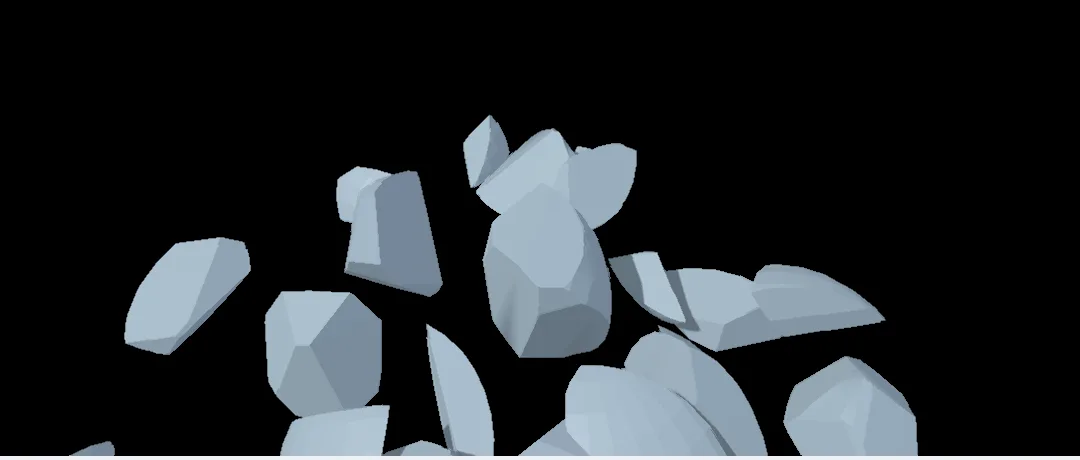
Cut a mesh into pieces and glue the neighbors together. The glue snaps past a pull you set, so the same wall can shrug off a light ball and come down under a heavy one.

  • Seeds spread evenly, crowded around a point of impact, laid in rings like a cracked window, or placed where you paint
    3DGeoVoronoiFracturePoints
  • Cracks that wander instead of running straight, with both sides still fitting together, and a material of their own on the inside faces
    3DGeoVoronoiFracture
  • Glue that snaps past a pull or a twist, then stays snapped until the world resets
    PhysicsGlueConstraint
  • A break that stays local, snaps the next ring of joints, or cascades through the wall
  • Pieces thrown out from a point as they are made, for a blast instead of a collapse
    PhysicsBodiesFromPieces
a ball smashing through a wall of glued pieces
count on 3DGeoVoronoiFracturePoints, roughly the number of pieces
  • 5 to 15big chunks, broken once
  • 50 to 200shattered
  • past 500dust
One file, from sim to frame

Render the fall where you simulate it.

Bodies carry their materials into a lit scene, so the shot you tune is the shot you render. A driver on the world's timestep slows the moment of impact while the swing plays at full speed.

  • Slow motion from a driver on the timestep: full speed on the swing, about 3.7 times slower at the hit
    PhysicsWorld
  • Objects in a scene follow the body with the same name, so a model you lit falls as it is
    3DGeoSceneApplyTransforms
  • A cached run you can scrub back through on the timeline, or loop
  • With a virtual clock a render repeats the same sim on the same machine, so you can move the camera and render the take again
  • Frames out as EXR or PNG, or as ProRes or H.264, from the timeline or from a terminal with no window
    3DGeoSceneRenderToImage→OutputVideoFile
the take from the top of this page, rendered again from a low side camera
the driver on PhysicsWorld in this take
dt  #lerp(lerp(0.033333, 0.009091, smoothstep(24, 30, frame)),
          0.020000, smoothstep(88, 118, frame))
Bodies in the rest of the scene

Share the world with water, cloth and characters.

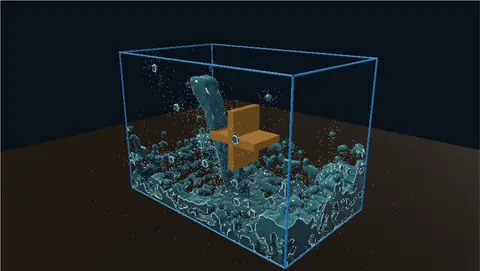
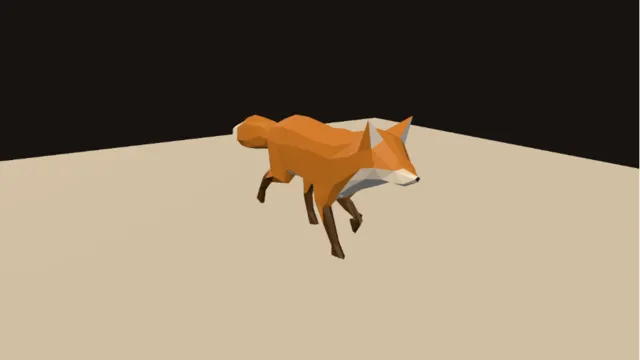
The physics world is shared, so other sims can push on its bodies. A stream turns a hinged wheel with no motor, and a rigged fox can fall into the same world as a ragdoll.

  • Water pushes on bodies. A stream turns a wheel; a buoy bobs and settles
    3DGeoFlipRbdFeedback
  • Cloth pinned to a body pulls back on it
    PBDSimRBDFeedback
  • A character can take a knock mid-walk and fall, with motors pulling chosen parts back toward the animation
    3DGeoRigRagdollSolve
  • Contacts come out as data by body name. The world reports a contact when it starts and again when it stops
    PhysicsWorld
  • A drum hit can fire an impulse again, and a driver can hand a motor's speed to a fader
    AudioOnsetDetect→PhysicsImpulse
water spilling off a wooden trough turns the paddle wheel
a fox walking until physics takes over
Collision_Out on PhysicsWorld
[ { "type": "started", "body_a": "ball", "body_b": "b012" },
  { "type": "stopped", "body_a": "b012", "body_b": "b013" } ]
How it works

A world, and the bodies in it.

PhysicsWorld steps the sim. Bodies and joints plug into it one after another and hand the world along, so one world runs the scene.

From the viewport
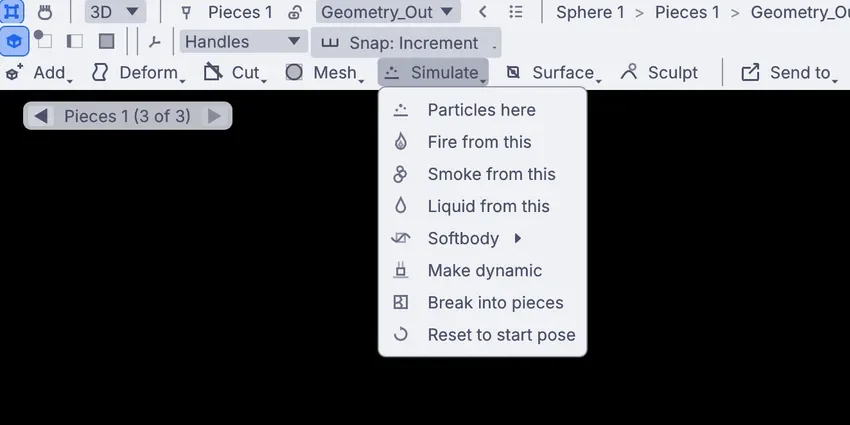
the Simulate menu at the top of the viewport, with Make dynamic and Break into pieces
the Simulate menu in the viewport

Pick it, then Make dynamic.

Pick an object and open Simulate at the top of the viewport. Make dynamic lets it fall and knock into things on a floor. Break into pieces cracks it into rigid pieces first. The first time, you also get a world and a floor, and the nodes land on the canvas ready to open.

On the canvas
a glued wall: cut, then bodies, then glue
CREATE3DGeoBox CREATE3DGeoVoronoiFracture SIMULATEPhysicsBodiesFromPieces SIMULATEPhysicsGlueConstraint CREATE3DGeoVoronoiFracturePoints SIMULATEPhysicsWorld CREATE3DGeoConnectAdjacentPieces

Open the nodes and wire your own.

The same setup is a short chain. The fracture node cuts the mesh along seed points, the pieces become bodies in the world, and a glue node holds neighbors together until they snap. Swap the box for any mesh you have made or brought in.

The settings you will reach for

  • substepsPhysicsWorldSteps inside a frame. 4 to 8 keeps tall stacks and fast bodies steady, at some cost in speed.
  • solver_iterationsPhysicsWorldRaise it to 8 to 16 when joints stretch under load.
  • dtPhysicsWorldThe length of a step. Shorter steps at the same frame rate play in slow motion.
  • dimension_modePhysicsWorld2d locks depth, for a flat sim seen side on.
  • shapePhysicsBodyA box, a sphere, a capsule, a cylinder, a convex hull of your mesh, or the mesh itself on a static body.
  • friction · restitutionPhysicsBodyGrip, from ice at 0 to rubber at 1 and up. Bounce, from dead at 0 to fully elastic at 1.
  • ccd_enabledPhysicsBodySweeps a fast body along its path, so it cannot skip through a thin wall.
  • body_typePhysicsBodydynamic falls and reacts. static never moves. kinematic follows the motion you give it.
How it fits

What goes in and what comes out.

Bring in a model from another app as a body. Send the motion back out as a cache, or as finished frames.

In

glTFFBXUSDAlembicOBJSTLPLY

A mesh becomes a collider: a convex hull for a moving body, or the mesh itself for a static one.

3DGeoImportGLTF→PhysicsBody

Out

Alembic caches, with velocitiesMesh sequencesEXR and PNG sequencesProRes, H.264, H.265Body positions and turns as pointsContacts as JSON

The Alembic cache uses the standard layout Blender, Maya and Houdini read.

3DGeoExportABC→PhysicsExtractTransforms

Live

Full screen on a projectorNDI outArt-Net and sACN to LED wallsMIDI and OSC into any setting

The graph keeps running, so a sim can play on a stage and take a push from the music or a controller.

Everything it works with →
Coming from Houdini? RBD and Voronoi fracture have a home here. The Houdini page lines up the terms you know with the nodes that do the job: PhysicsWorld for the RBD solver, 3DGeoVoronoiFracture for the fracture. Read the Houdini page →
Where to start

Tutorials and demos.

Start with the six-minute shatter. The demos come with the app, under Help > Browse Demos. Take one apart and keep what you need.

Honest gaps

What it does not yet do.

Better to know now. Need one of these for a shot? Reach out.

  • The solver runs on the CPURigid bodies are solved on the processor. The liquid and smoke solvers have GPU paths; this one does not yet.
  • No concave moving bodiesA moving body collides as a simple shape or a convex hull of its mesh. The exact mesh works on static bodies only, and splitting a mesh into several hulls is not wired to a body yet.
  • Limits on hinges and sliders onlyA ball joint swings free. There is no cone limit on it yet.
  • Radial forces push out onlyA radial force field pushes bodies away from its center. Pulling them inward is not there yet.
  • No dust from a breakA break makes the pieces you cut and nothing more. There is no debris or dust pass of its own.
  • Bodies stay in KinematicSaved scenes carry the shapes, not the bodies or joints. Bake the motion to an Alembic cache to take it to another app.
Take it further

It all connects.

Every part of Kinematic works with the others. Wire one into the next.

Keep going

Free and open. Yours, forever.

No account, no license key. macOS, Windows, Linux and Raspberry Pi.

Download Kinematic 0.5.3