Kinematic 0.5.3 is out. Crowds and traffic that find their own way, and a Clip Launcher that plays on the beat. What's new
Kinematic / Simulate / Crowds & agents

Simulate crowds and agents.

Fill a scene with a crowd that finds its own way around. Tell it where to go and what to do when it gets there.

On the GPU, liveReady-made characters, or your ownCued from the timeline, OSC or MIDIFree
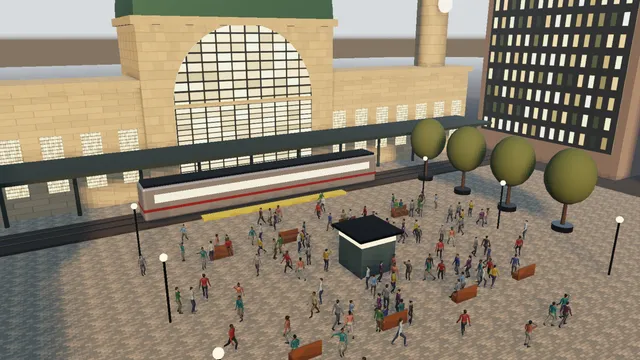
Plaza
nearly four hundred people cross a plaza in low evening sun, each heading somewhere and stepping around the others
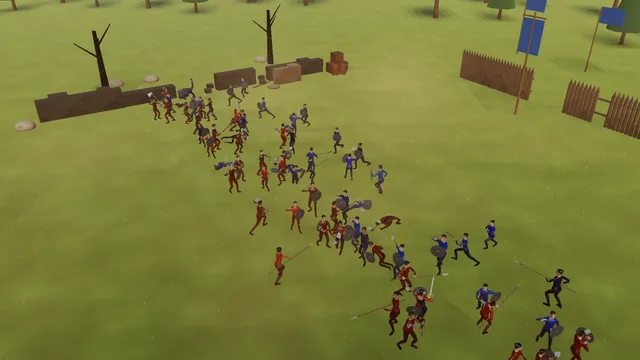
Battle
two armies charge and pair off to fight
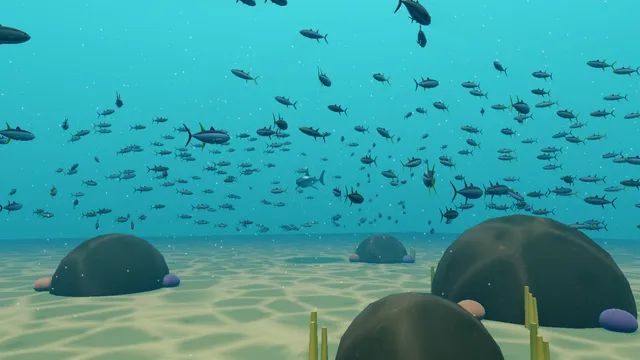
Fish
tuna scatter as two big hunters cut through
What you can make

Building a crowd.

a bus turns through a junction at dusk while people cross at the lights and vans wait their turn
01 · Traffic

Run a town at rush hour

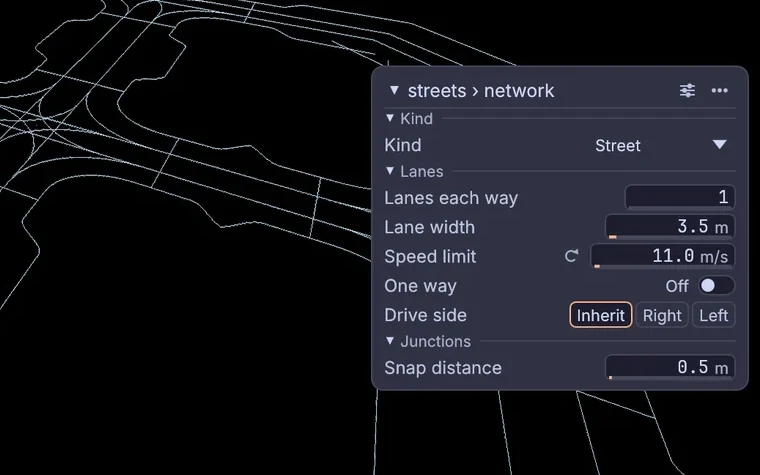
Cars wait at the red lights while people cross in front of them, and buses pull in at their stops. Edit a street curve and the town rebuilds around it.

  • Draw the streets as curves, then pick them and choose Simulate > Street traffic.
  • The curves become roads with sidewalks and crosswalks, with lights on the junctions.
  • Add a stops node and click the bus stops onto the roads with the Target tool. Then set how often the bus runs and how long it waits at a stop.
  • Press Play and the traffic starts. Turn on curb parking and cars pull in and out.
3DGeoLine→3DGeoNavNetwork→3DGeoNavSignals→3DGeoNavStops→3DGeoCrowd
the network four drawn curves became: lanes, sidewalks and crosswalks, with the speed limit on the network's card
commuters pour through a station doorway and down the stairs and escalator to the platform, others climbing back up past them
02 · Navigation

Fill a train station with commuters

Commuters pour through the doorways and down to the platforms while others climb back up past them. Nobody walks off the platform edge.

  • Build the station from boxes, with stairs down to two platforms.
  • Wire it into the crowd. The crowd works out where people can walk.
  • Click targets on both levels. People plan a route through a doorway and down the stairs to reach them.
  • Add an escalator with the Link tool: click its top, then its foot on the platform.
3DGeoBox→3DGeoMerge→3DGeoCrowd
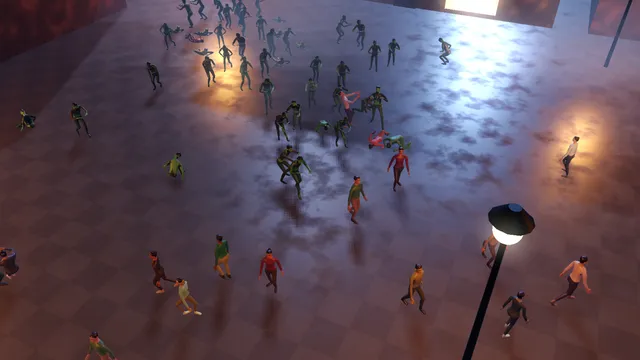
a horde of zombies shambles across a night square, grabbing and feeding on the people who do not get away
03 · Python

Let zombies loose on a square

Zombies shamble onto a town square at night and chase down the crowd, and anyone bitten turns. Their hunger is a few lines of Python.

  • Load the stock people and the stock zombies. A zombie moves at the pace of its own walk, so its feet never slide.
  • Write the hunger in Python: open the Behavior editor and press Script.
  • Draw the states: a zombie that sees someone chases them, grabs them and feeds.
  • Let a bite turn people. The bitten fall, shake on the ground and rise as the dead.
3DGeoCrowdStockCharacters→3DGeoCrowd
In the Demos browser: Script Zombies
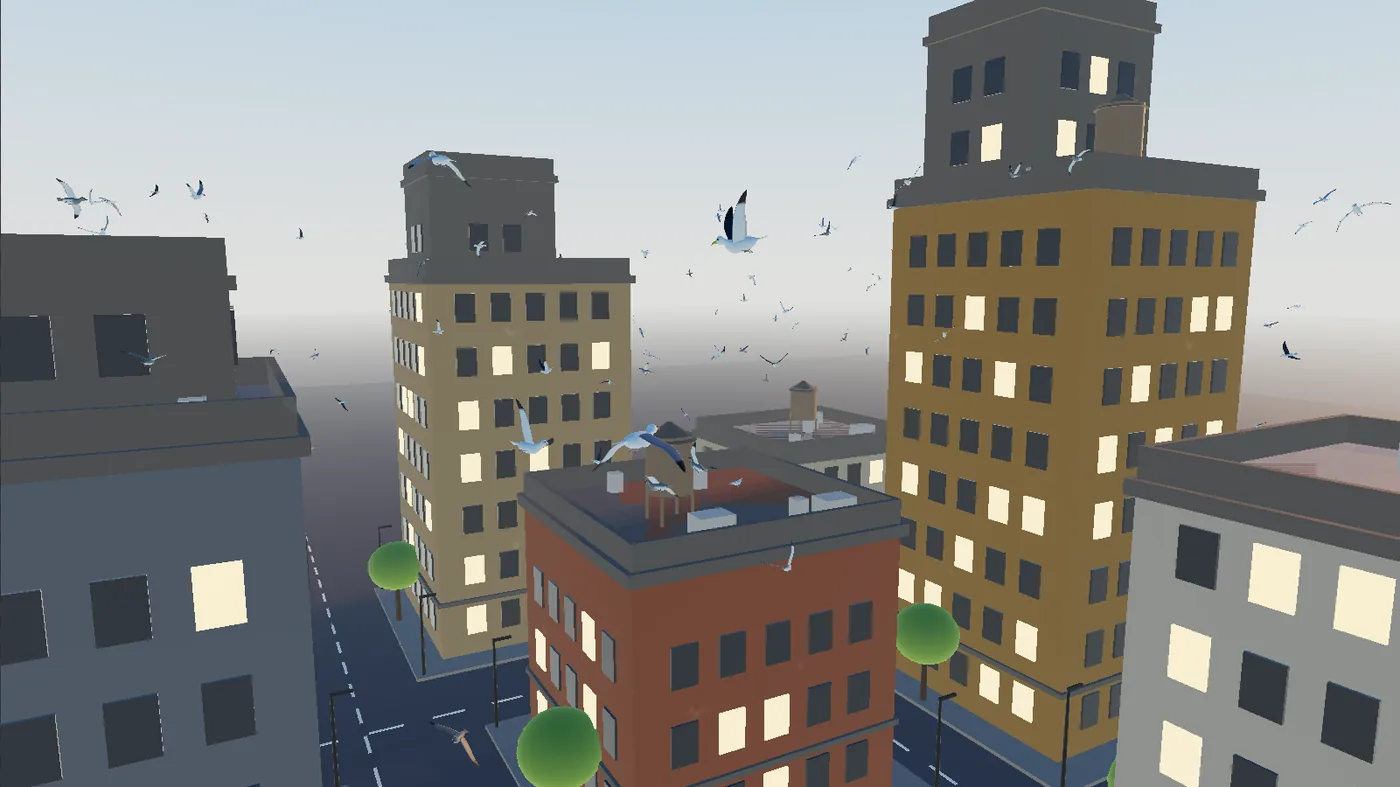
gulls resting along a rooftop at sunset burst into the air at a bang on the timeline and scatter over the city
04 · Flying

Land birds on the rooftops

Two hundred gulls circle a city block and land on the roof edges to rest. At the bang marker they all take off at once.

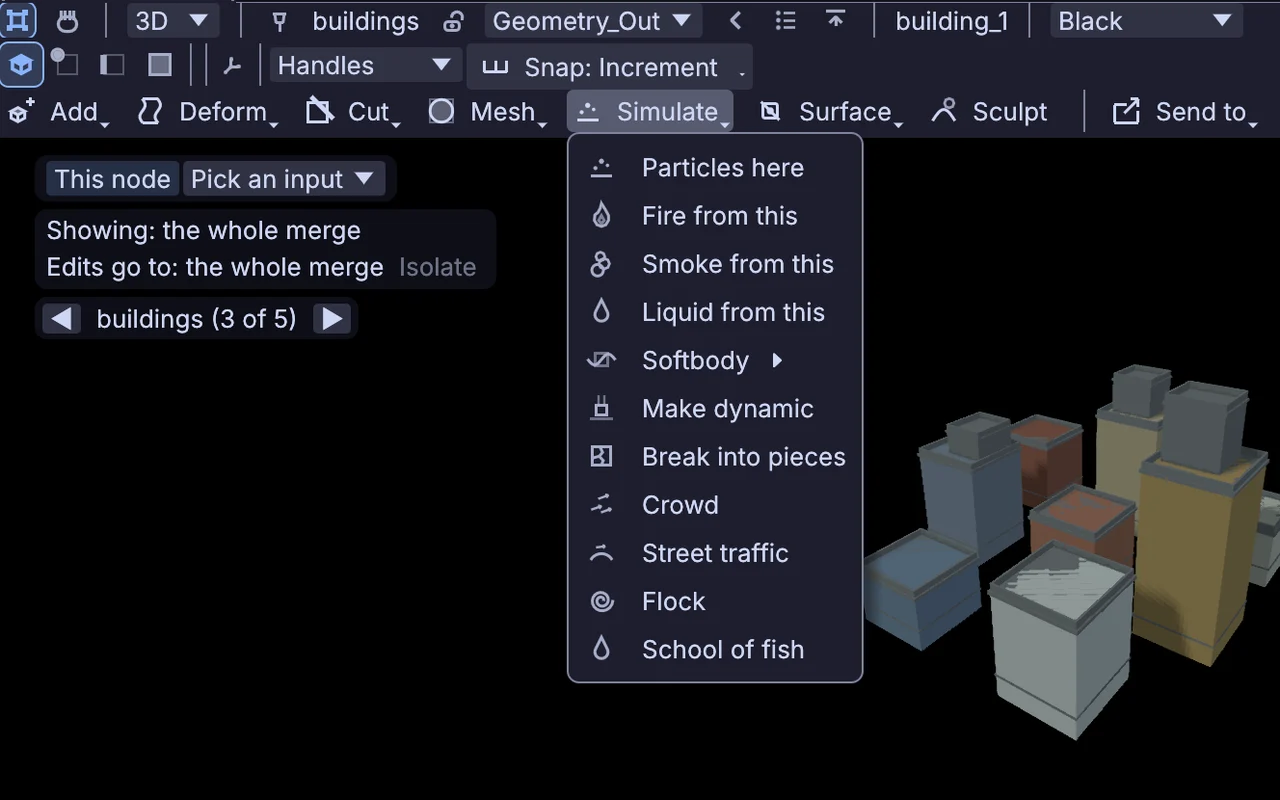
  • Pick the buildings and choose Simulate > Flock. The flock lands in the scene with perches found on the roof edges.
  • Add a nav volume, so the birds plan their routes around the buildings and not through them.
  • Draw two air routes over the streets with the Draw lane tool.
  • Put a bang marker on the timeline. The birds hear it perched or flying.
3DGeoNavVolumeBuild→3DGeoCrowdObjects→3DGeoCrowd
In the Demos browser: Life Birds Roofs
the Simulate menu over a city block's buildings, with Crowd, Street traffic, Flock and School of fish
two big hunters cut through a school of three hundred tuna over a sandy reef, and the fish scatter out of their way
05 · Swimming

Send two hunters through a school of fish

Three hundred fish school over a reef while two big hunters chase them. The school splits around a hunter and closes up behind it.

  • Pick a closed shape, such as a tank, and choose Simulate > School of fish.
  • Give the fish a School state that holds them together, and a Flee state that runs from anything hunting.
  • Start the hunters in Hunt, chasing whatever is schooling.
  • Add a hunger need and three feeding spots over the rocks.
3DGeoCrowdStockCharacters→3DGeoCrowdPlacedObjects→3DGeoCrowd
In the Demos browser: Life Reef School
two armies charge across a field, pair off to fight and fall
06 · Physics

Fight a battle

Two armies charge across a field and pair off to fight. A light hit makes a soldier stagger, and a heavy blow drops a soldier as a ragdoll that stays where it falls.

  • Load the stock soldiers. They come with their own weapons.
  • Lay out an army on its own side of the field, and give it a team and its colors.
  • Draw the states: advance, charge when the other side is near, fight when it is in reach.
  • Set get up to never, so a soldier who falls as a ragdoll stays down.
3DGeoCrowdStockCharacters→3DGeoCrowdSource→3DGeoCrowdVariety→3DGeoCrowdMerge→3DGeoCrowd
In the Demos browser: Phys Battle

More to make

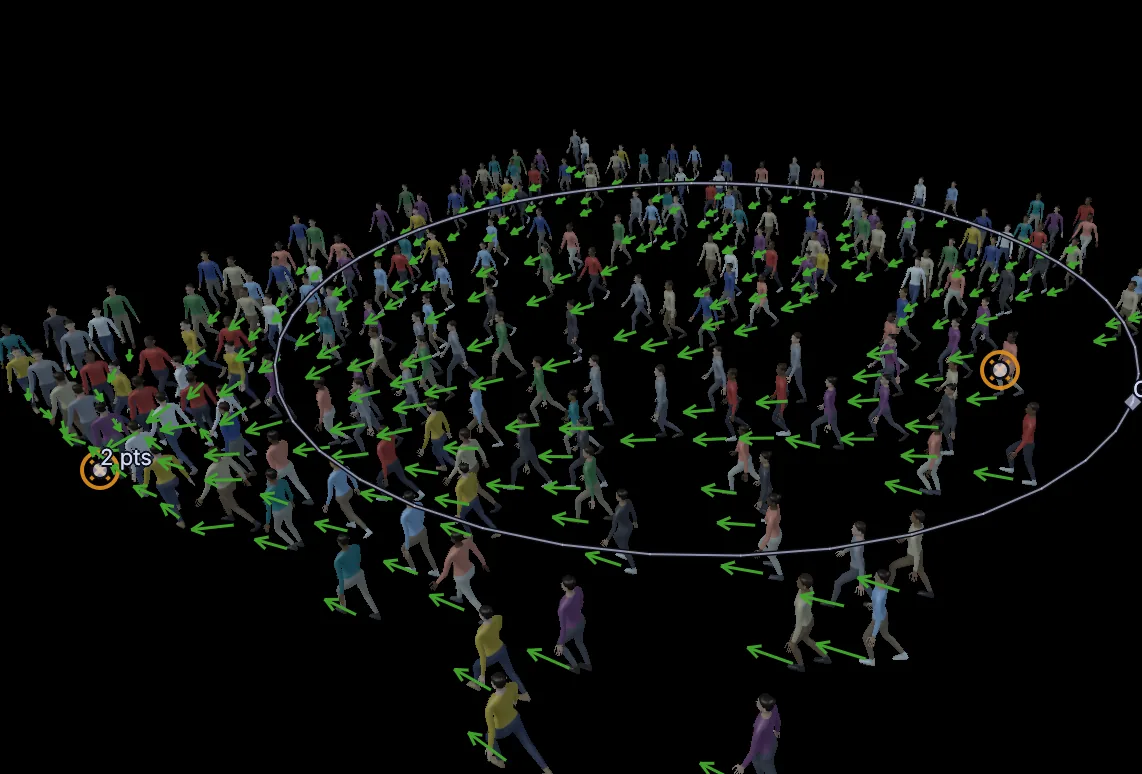
a plaza from above, people crossing in every direction with long evening shadows

Fill a plaza

Three hundred people cross to targets around the edge, some in small groups of friends, and step around one another.

3DGeoCrowd
a hundred and twenty people walk, jog and run up and down a flight of stairs, feet planted on the steps

Walk and run on stairs

The clips blend by speed, and feet stay planted on the steps.

3DGeoCrowd
twelve riders walk their horses into a corral at sunset and get off once they are inside the fence

Ride to the corral

Riders walk their horses in at sunset. Inside the fence they get off and wander on foot.

3DGeoCrowdStockCharacters3DGeoCrowdVariety3DGeoCrowd
Art-direct it

Direct the crowd in the viewport.

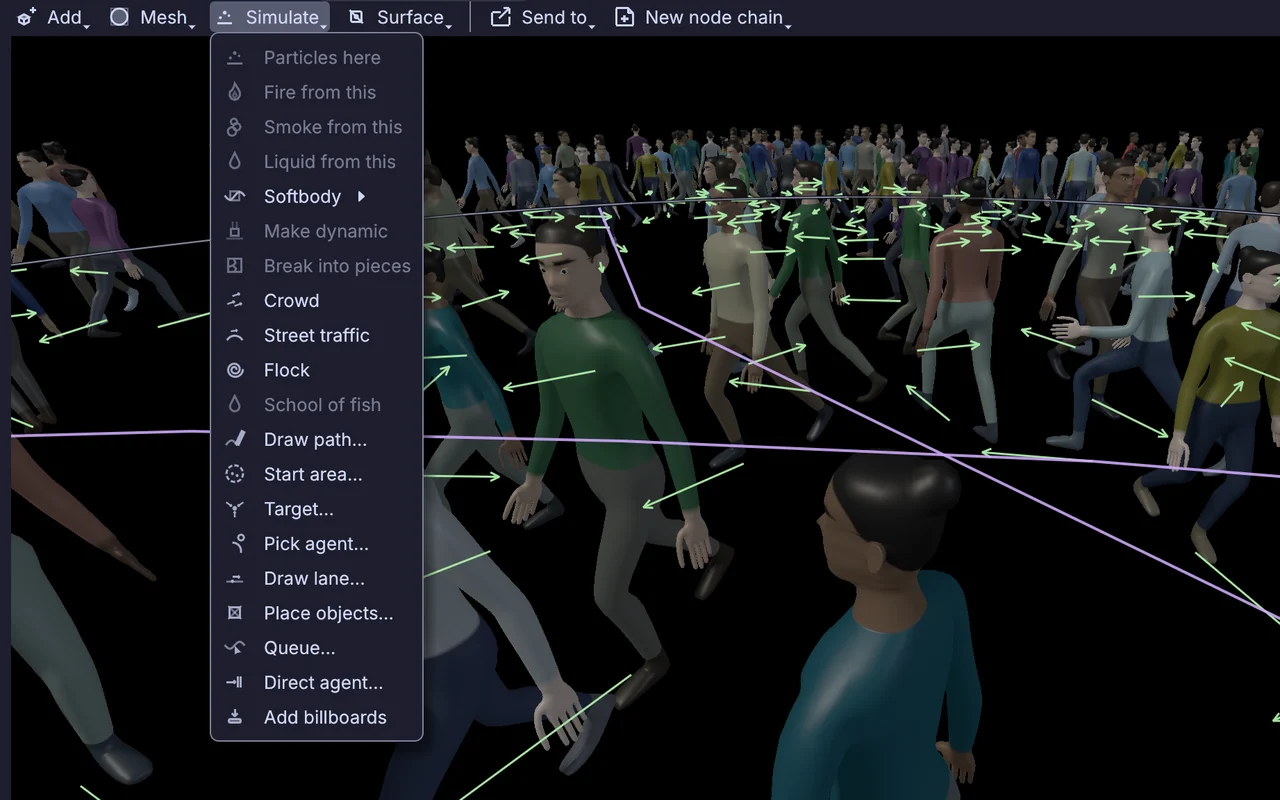
Pick a ground and choose Simulate > Crowd. A Crowd node lands in the scene, and when you press Play people start walking. Then tell them where to go, and give them states when a goal is not enough.

  • Click targets and exits onto the ground in the view, and draw the paths you want walked.
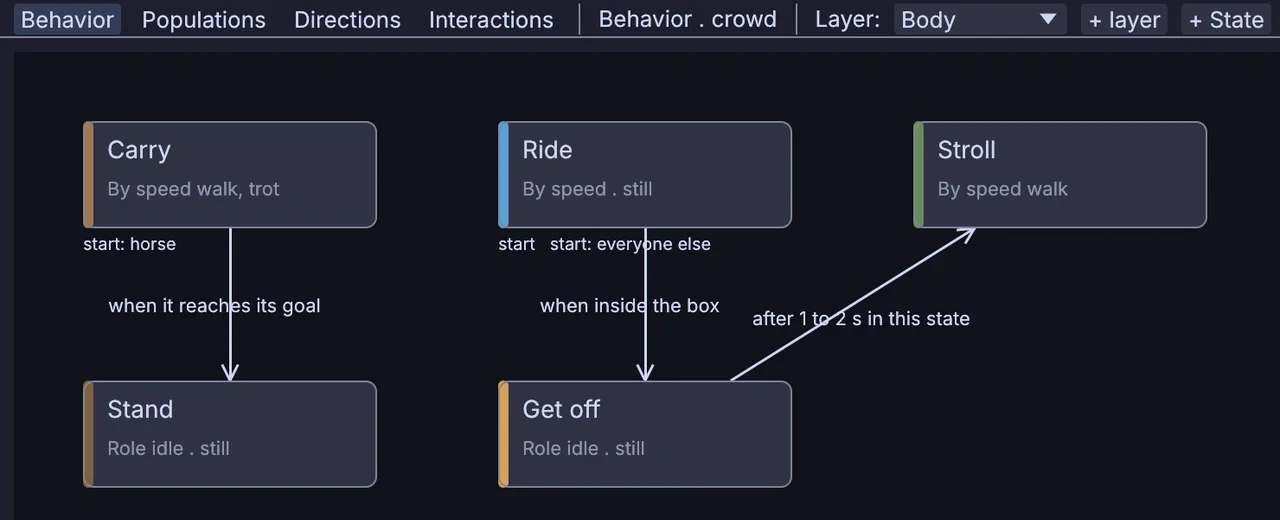
  • In the Behavior editor, states are linked by arrows with plain conditions, such as when a horse reaches its goal or after 1 to 2 seconds in a state.
    3DGeoCrowd
  • Direct agent sends one agent along a path you draw from this frame on, and the crowd still makes room for it.
  • After the sim, pick agents and recolor, retime or remove them without running it again.
    3DGeoCrowdEdit
  • Write a move of your own in Python, or in WGSL that runs on the GPU, one thread per agent. The zombies hunt with a few lines of Python.
    3DGeoCrowdChainPython3DGeoCrowdChainShader
the Behavior editor for riders and their horses: states linked by arrows that say when they are taken
the crowd tools on the Simulate menu, Direct agent among them, over a plaza where a hero's drawn path cuts through the walkers
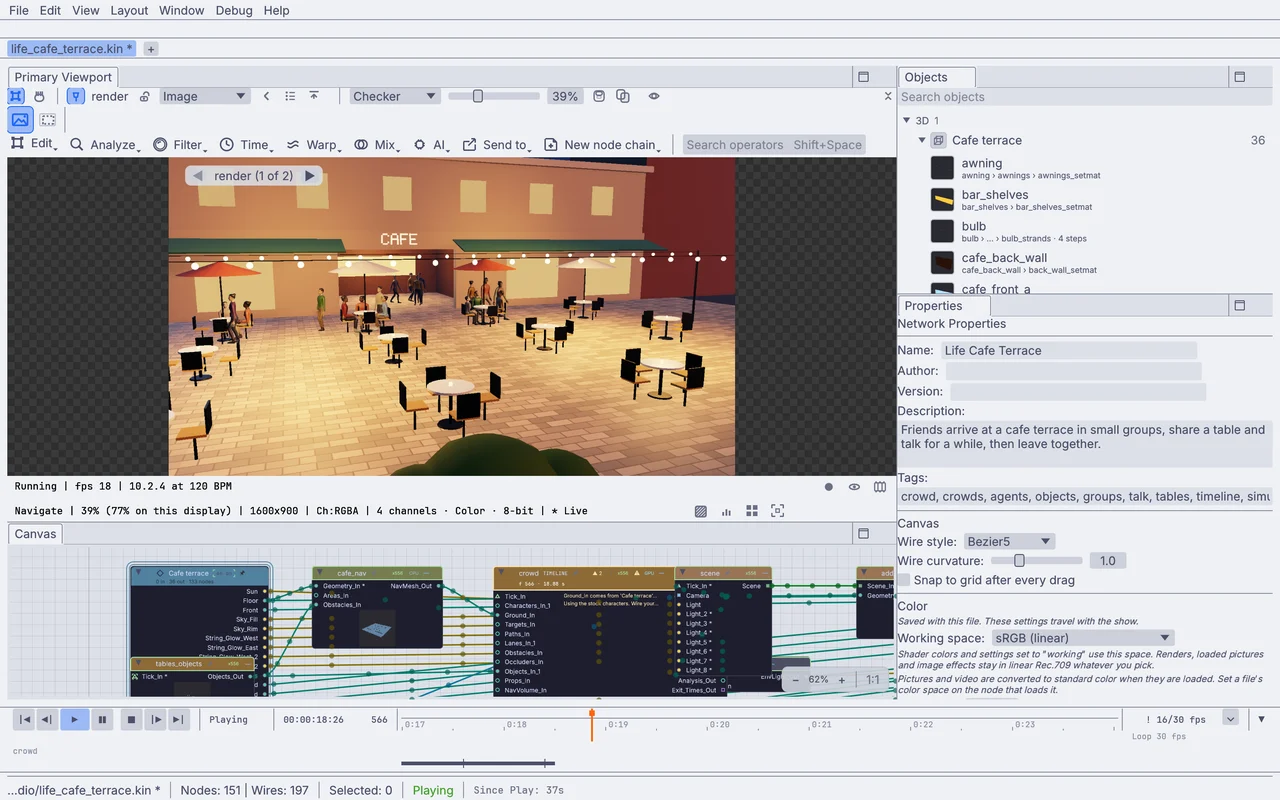
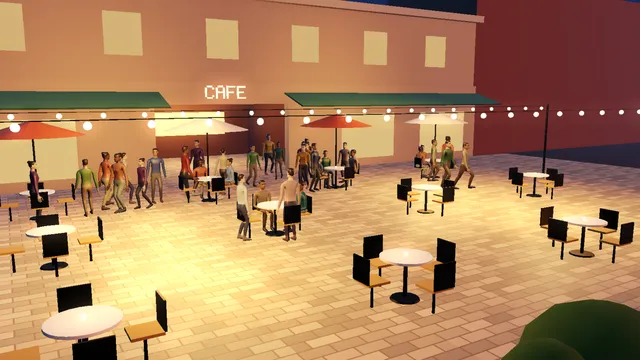
the cafe terrace playing in the app, its crowd node on the canvas below
dots steered by a WGSL shader on the GPU
Everyday life

Give them things to do.

Put tables, benches or tills in the scene and people use them: they find a free seat, stay a while and leave. A schedule sends them where they need to be at the times you set.

Cafe terrace
friends take a table together and sit down to talk
Shop
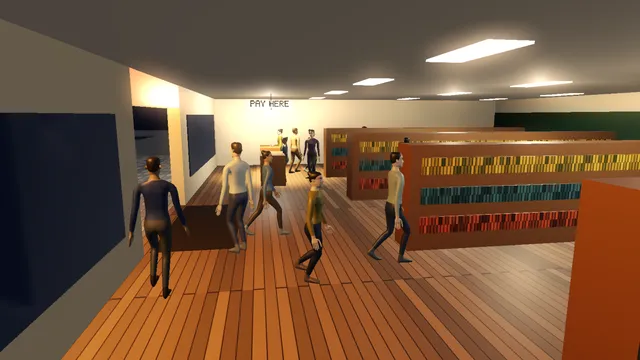
shoppers browse the shelves and pay at the tills
Station square
tired commuters sit down on the benches
  • Friends arrive in small groups, and a group always shares one table.
    3DGeoCrowdPlacedObjects
  • Shoppers browse the shelves, then line up and pay at whichever till is free.
  • Commuters carry an energy need. When it runs low they find a free bench, and they head for the platform when the train is called at 07:44.
    3DGeoCrowdObjects
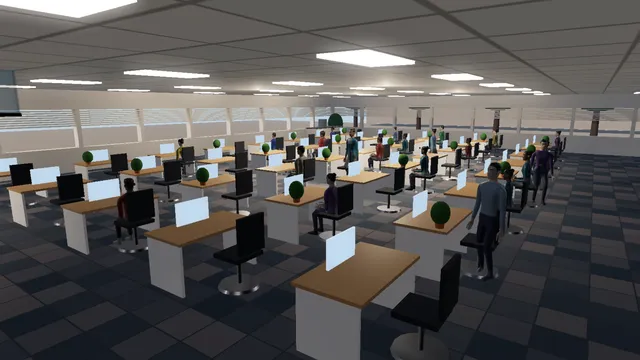
  • A schedule takes forty people through an office day: desks from 08:00, meetings at 11:00 and 15:00, home after 17:00.
    3DGeoCrowdSchedule
  • Two or more agents can do things together, such as talk in a circle or walk side by side.
Take it live

Cue the crowd from a show.

A timeline marker, an OSC message or a MIDI note can tell the crowd something happened, and it reacts: the birds scatter at a bang and the office empties at an alarm. Scrub back over a live show and the crowd replays what it heard.

  • An alarm marker sends an office to the nearest of three exits along a shared flow field, and where it gets too crowded the panic spreads. Scrub back before the marker and everyone is calm again.
  • Show control sends OSC, and the last part of the address is the event: /stage/drop arrives as drop. A tick on a trigger input works too, from MIDI or anything else.
    OSCReceive
  • Wire a tracker in and real people join the crowd as live agents. Everyone keeps clear of them, and anyone close can stop to watch.
    3DGeoCrowdFromTracking
  • Traffic lights come out as numbers, 0 red, 1 amber and 2 green, ready for lamps in the scene or a lighting desk.
    3DGeoNavSignals
  • Footsteps come out as events you can turn into sound, and the head count and how crowded it gets come out as values.
    3DGeoCrowdInfoValues
the alarm rings and a busy office floor heads for the nearest exits, threading around the desks as the lights drop to red
How it works

One node runs the whole crowd.

Pick a preset and wire a ground, and the crowd comes out ready to render. When you want a step the Behavior editor cannot express, right-click it and choose Split into chain for the same crowd as a ready-wired chain of nodes.

a crowd on a plaza, from the quick start in the app's Help
CREATE3DGeoGrid SIMULATE3DGeoCrowd CREATE3DGeoSceneAddObject CREATE3DGeoSceneRenderToImage

What an agent does on every frame

  1. 01Think

    The brain checks which state the agent is in and whether an arrow out of it is now true.

  2. 02Steer

    The moves of that state push it toward where it wants to go.

  3. 03Keep apart

    Avoidance makes room, so nobody walks through anybody else.

  4. 04Move

    It turns and speeds up within its limits and keeps to its ground.

  5. 05Animate

    Its character plays the clips that match its speed and state, feet planted.

  6. 06Draw

    Near agents are drawn in full detail, far ones with less, down to dots.

The settings you will touch.

  • PresetCrowd

    Start from a ready-made crowd, such as Walkers, Street, Flock or School.

  • CountCrowd

    How many agents. Raise it while it plays and new agents are born on the frame you are on.

  • GoalCrowd

    Wander, walk to targets, follow paths, follow lanes or head for the exits.

  • SpeedCrowd

    The walking speed they prefer. Settings like this apply live from the current frame.

  • AvoidanceCrowd

    Smooth for polite crowds, Look ahead for streams crossing, Push for a crush, None for people who stay in their seats.

  • GroundCrowd

    Wire a mesh and the crowd works out where people can walk, up to the tallest step and the steepest slope you allow.

  • SeedCrowd

    Same seed, same crowd. Change it for a different one.

  • Motion matchCrowd

    Blend walk and run by speed, or let agents pick the best bit of any clip, for smoother starts and turns.

  • DrawCrowd

    Characters for the render; boxes or points while you block out the shot.

  • Compute deviceCrowd

    Application Default, GPU or CPU. Big crowds belong on the GPU.

Feet that stay planted.

A motion set measures a character's clips, so walks and runs follow speed and feet do not slide. Legs bend to slopes and stairs, and agents start at different points in their clips, so five hundred people do not step in time.

3DGeoCrowdMotionSet3DGeoCrowdAnimate

Far agents cost less.

Near the camera an agent is the full skinned character. Farther out it drops to a lighter mesh, then a few stored poses, then a flat picture that turns to face the camera, then a dot. Add billboards bakes those pictures from the viewport.

3DGeoCrowdDraw3DGeoCrowdImpostorBake

The same crowd as a chain.

Source makes the agents and the chain sim runs the frames. Behavior nodes push, the solver moves everyone, then Animate and Draw pose and draw them.

3DGeoCrowdSource→3DGeoCrowdChainSim→3DGeoCrowdChainFlock→3DGeoCrowdChainSolver→3DGeoCrowdAnimate→3DGeoCrowdDraw
How it fits

What goes in and what comes out.

Bring your characters and your set in from another app. Send the crowd back out to your renderer, or keep it in the file that runs the show.

Comes in

Characters: glTF, FBX, USD, VRMGrounds and buildings as meshesStreets, rails and rivers as curvesTracked peopleTimeline markersOSCMIDIPython and WGSL moves

Goes out

USD: each character once, moved per agentAlembic meshes, frame by frameFBX: one take per agentCSV agent tracksIts own recording, to replay with no simFrames: EXR and PNG sequencesVideo
3DGeoCrowdExport3DGeoCrowdCache

Live

Projectors and second screensNDISyphon on a MacArt-Net and sACNEvents and values for sound and lights
Everything it works with →

Bring characters in, or use the stock ones.

  • 3DGeoRigCharacterImportYour own character and its clips, from glTF, FBX, USD or VRM.
  • 3DGeoCrowdMotionSetWorks out which clip is the walk and how fast it travels.
  • 3DGeoCrowdStockCharactersReady-made people, vehicles, animals and soldiers to block out a scene.
  • 3DGeoNavNetworkCurves become streets, rails, rivers or air routes.
  • 3DGeoCrowdFromTrackingTracked people become live agents.
  • 3DGeoCrowdUnpackA few heroes turned into real meshes, for cloth, sculpting or a close-up.
Coming from Houdini? A crowd chain reads like a POP network.

Agents are points that carry a state. Split a crowd into a chain and you get a sim node, behaviors that push, and a solver that moves them.

Read the Houdini guide →
Where to start

Tutorials and demos.

Build a plaza of walkers from a new project, then move the bang that scatters a flock. The Crowds and Agents guide under Help in the app goes further.

Demos to start from

In the app, under Help > Browse Demos.

Brain CommutersCommuters sit when they tire, and head for the platform when the train is called.In the Demos browser
Life Birds RoofsTwo hundred birds land on the roof edges and take off at the bang marker.In the Demos browser
Life Reef SchoolThree hundred fish school over a reef and split around two hunters.In the Demos browser
Phys BattleTwo armies march and fight man to man. The fallen drop as ragdolls.In the Demos browser
Script ZombiesZombies chase down a crowd on a town square at night. Their hunger is Python.In the Demos browser
Life Cafe TerraceFriends arrive in small groups, share a table, talk, and leave together.In the Demos browser
Life ShopShoppers browse the shelves, then line up and pay at whichever till is free.In the Demos browser
Life Office DayForty people through an office day, from 08:00 to home after 17:00.In the Demos browser
Honest gaps

What it does not yet do.

Better to know now. Need one of these for a project? Reach out.

  • No path tracerRenders are drawn on the GPU with PBR materials and shadows. For final frames in another renderer, send the crowd out as USD or Alembic.
  • Stock people are mannequinsThey are made for blocking and for crowds. Bring your own characters for the people the camera comes close to.
  • No cloth on agentsClothes do not simulate on a crowd. Turn a few heroes into meshes and run cloth on those.
  • Renders up to 4096 pixelsA render tops out at 4096 on a side.
Take it further

It all connects.

Every part of Kinematic works with the others. Wire one into the next.

Keep going

Free and open. Yours, forever.

No account, no license key. macOS, Windows, Linux and Raspberry Pi.

Download Kinematic 0.5.3