Kinematic 0.5.3 is out. Crowds and traffic that find their own way, and a Clip Launcher that plays on the beat. What's new
Kinematic / Simulate / Cloth & soft

Simulate cloth and soft bodies.

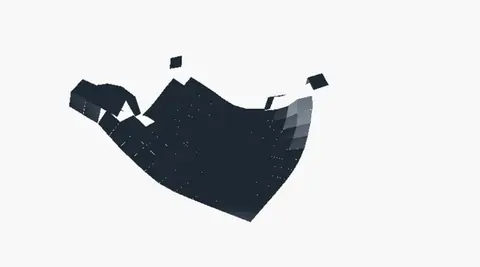
Flags, tablecloths, jelly, balloons, sand and stuffed toys, all from one solver. Drape a sheet over a table or rip it under a falling ball. Drop a plush bear and it lands with a squish, then springs back. On the GPU, live.

One solver for cloth and soft bodiesOn the GPU, liveAlembic caches for your rendererFree
Cloth · Tearing
a heavy ball drops into a hanging sheet and rips it in two

The clips on this page are the app's own renders.

Things to make

Six sims to start from.

These steps made the clips beside them, with the nodes listed under the steps. Start from the same setup. Then change one setting and make it your own.

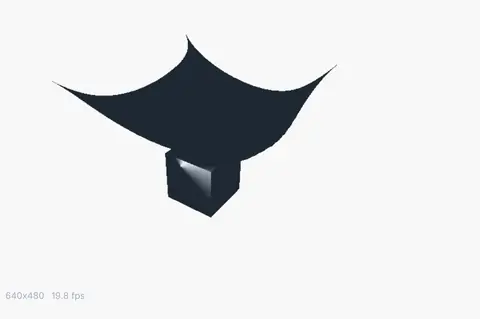
a round blue cloth drops onto a box and settles into soft folds
01

Drape a cloth over a box

A round cloth falls onto a box. It sags, catches on the corners and settles into soft folds.

  • Cut a round cloth from a disc, then remesh it into even triangles so it folds smoothly.
  • Bake the box into a distance field and hand it to the solver as something to land on.
  • Press Play. Friction on the box keeps the cloth from sliding off.
The setting to tryBend stiffness

Low crumples it into fine folds. High gives a few broad, heavy ones. The band below shows both.

3DGeoCircle→3DGeoRemesh→PBDSimClothConfigure→PBDSimSolver→3DGeoSceneRenderToImage+3DGeoSdfFromMesh
In the Demos browser: Cloth draped on a box
a red flag on a pole streams out sideways and swings back
02

Hang a flag in the wind

One edge stays pinned while the cloth ripples and folds, streaming out to the side and swinging back.

  • Add a grid and pin the points down one edge to the pole.
  • Make it cloth. The clip keeps the default stretch and bend.
  • Tip the solver's gravity sideways. The flag blows out as if the wind had it.
The setting to tryGravity

Here its direction does the work of wind. Change it while the flag flies and the cloth follows.

3DGeoGrid→PBDSimClothConfigure→PBDSimSolver
In the Demos browser: Cloth flag
the ball tears through the middle, and the two halves hang from the rods
03

Rip a sheet

Pull too hard and pieces tear away. Here a heavy ball drops into a hanging sheet and splits it in two.

  • Hang a fine sheet between two rods, pinned along both.
  • Turn on breaking with pre-fracture for clean torn edges, then set how far an edge may stretch before it lets go. In a chain of microsolvers, the breaking step does the same job.
  • Drop a ball into the middle. A one-line driver moves the ball, and the sheet does the rest.
The setting to tryBreak threshold

Raise it and the sheet holds the ball. Lower it and the cloth gives way sooner.

3DGeoGrid→PBDSimClothConfigure→PBDSimSolver+3DGeoSdfPrimitive
Also:
PBDSimMicrosolverBreaking
In the Demos browser: Cloth breaking
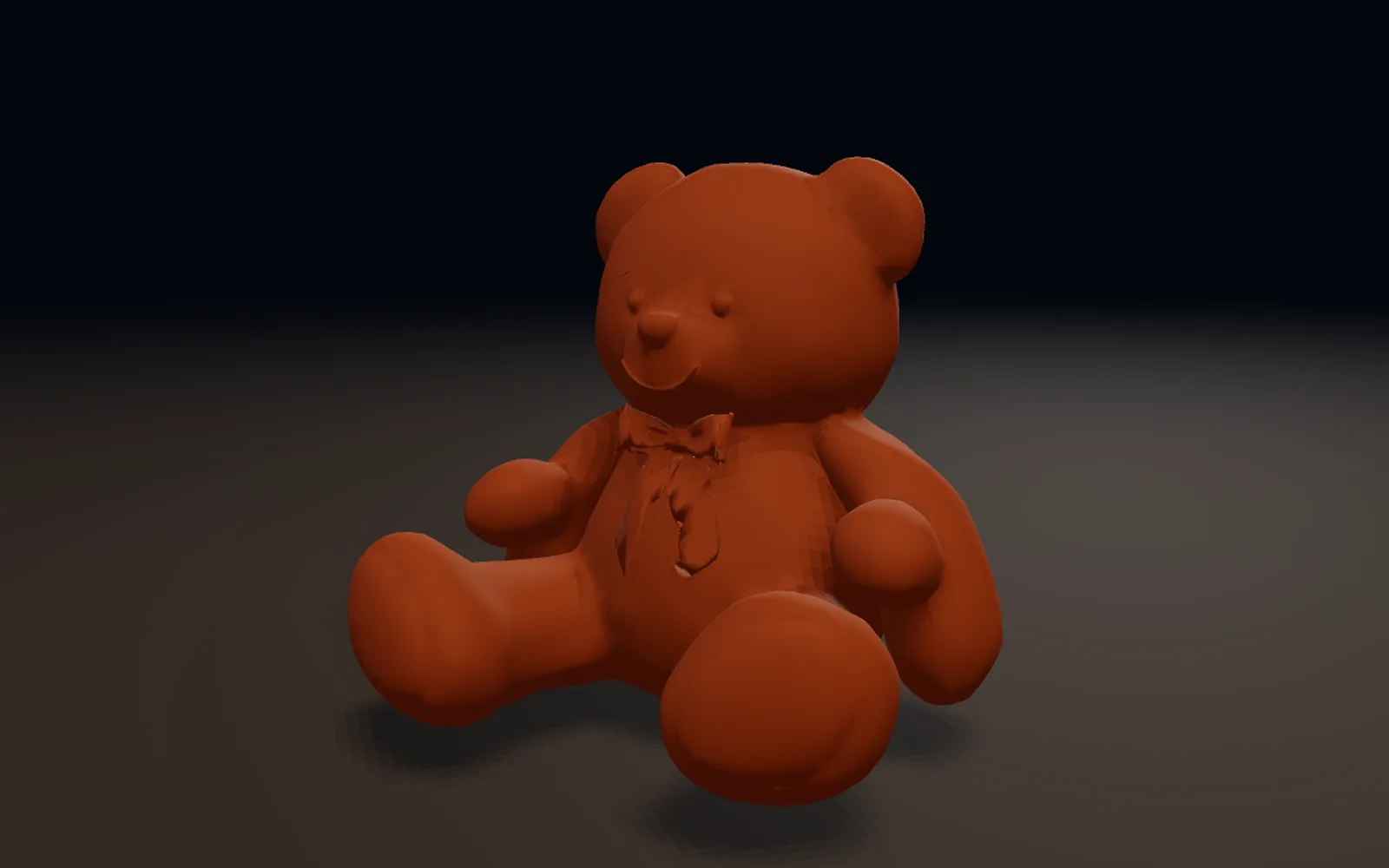
a stuffed bear drops to the floor and springs back into shape
04

Stuff a teddy bear

A cloth skin with air pressure inside. It lands with a squish, then springs back into shape.

  • Import the bear and cut it down to a light mesh for the sim.
  • Wrap it in the stuffed toy setup. It holds air inside the skin and remembers the bear's shape.
  • Drop it on the floor, then subdivide the result so the render stays smooth.
The setting to tryShape memory

At 0 the bear flops wherever it lands. At 1 it holds its pose as if stuffed solid.

3DGeoImportOBJ→3DGeoPolyreduce→PBDSimStuffedAnimalConfigure→PBDSimSolver→3DGeoSubdivide
In the Demos browser: Stuffed animal
a red balloon swelling as the air flows in
05

Blow up a balloon

Air flows in at the rate you set. It swells to ten times its volume and holds there.

  • Start from a small sphere.
  • Make it a balloon and set its target size. 10 means ten times the volume it started with.
  • Set how fast the air flows in, so it swells steadily instead of jumping to size.
The setting to tryInflow rate

At 0 it jumps straight to the target. A small number fills it slowly. Turn on breaking and it pops when the skin stretches too far.

3DGeoSphere→PBDSimBalloonConfigure→PBDSimSolver
In the Demos browser: Balloon inflate
sand runs out of a funnel and piles into a cone on the floor
06

Pour a sand pile

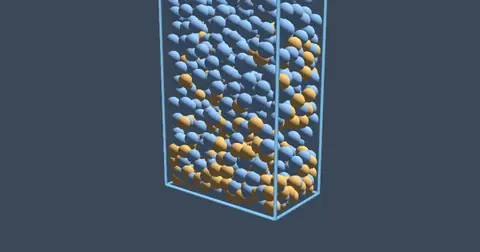
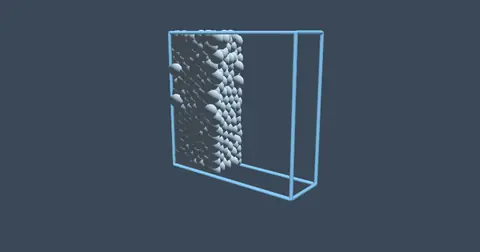
Grains pour out of a funnel, bounce, settle and find their slope in a cone on the floor.

  • Fill a funnel with grains, and make the funnel a collider so they only leave through the spout.
  • Set the friction and the bounce. Contact damping decides how much they bounce.
  • Press Play and let them pour onto the floor.
The setting to tryFriction

More grip holds a steeper cone. Less spreads the pile into a low heap.

3DGeoBox→PBDSimGrainConfigure→PBDSimSolver+3DGeoSdfFromMesh
In the Demos browser: Grain pour
The settings that matter

See what one setting does.

The cloth over the box from the first recipe, simulated three times. Only the bend stiffness changes. At 0.1 the cloth crumples into fine folds that hang straight down. At 40 it settles in a few broad, smooth curves, like heavy fabric.

Bend stiffness 0.1
Bend stiffness 1.5
Bend stiffness 40
  • Stretch stiffnessPBDSimClothConfigure

    How much the cloth gives under its own weight. Around 1,000 it stretches like silk; near a million it holds like canvas.

  • Bend stiffnessPBDSimClothConfigure

    How easily it folds. Near 0 it creases sharply, like paper. High values give heavy fabric smooth curves.

  • Substeps and iterationsPBDSimSolver

    Raise substeps when a fast ball passes through or the sim blows up. Raise iterations when the cloth stretches like rubber.

  • FrictionPBDSimSolver

    Around 0.5 keeps a cloth resting on a box. At 0 it slides off.

  • Shape memoryPBDSimStuffedAnimalConfigure

    0 lets a toy flop, 1 makes it hold its pose. The default, 0.5, reads as plush.

  • PressurePBDSimBalloonConfigure

    1 holds the volume it started with. Above 1 it inflates; below 1 it deflates.

  • Creases that stayPBDSimClothConfigure

    Turn on plasticity and a fold stays pressed in after the cloth moves on.

  • Time scalePBDSimSolver

    Below 1 the sim runs in slow motion. Above 1 it speeds up.

Gravity and time scale sit on the solver and change while the sim runs. The fabric settings live on the setup node, beside the pins.

From the viewport

Make cloth from the Simulate menu.

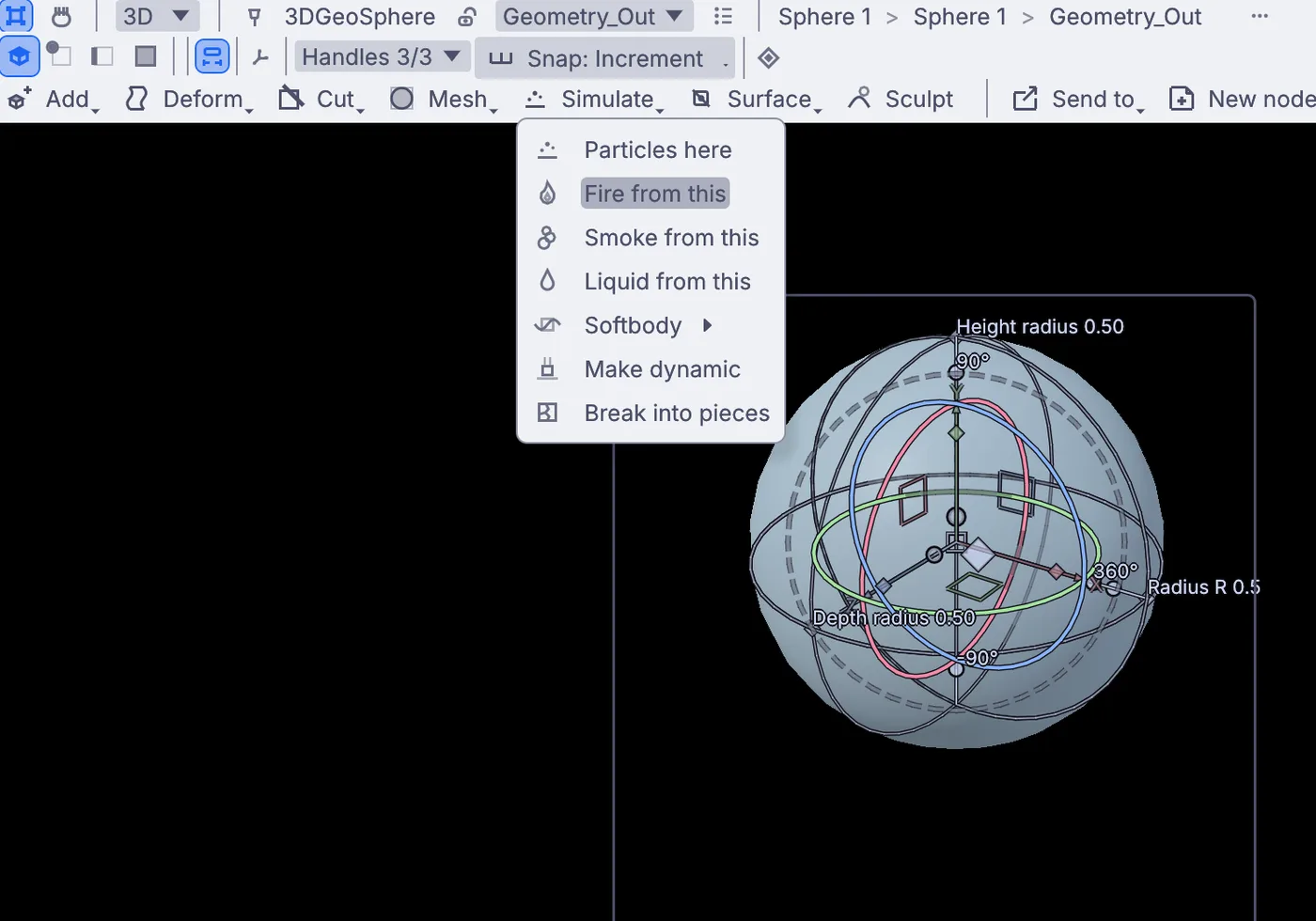
Pick an object, then choose Simulate › Softbody › Cloth. Points you picked first stay pinned, and a floor goes in one object height below, so you see it fall and land. Balloon sits beside Cloth in the same menu.

  • The menu writes plain nodes: a cloth setup and a solver, spliced in after your object. Open either one and change it.
    PBDSimClothConfigurePBDSimSolver
  • Put the sim on the timeline and scrub back through it. Frames come from its cache, and an edit marks the frames after it to simulate again.
  • Run the solver on the GPU for heavy cloth and smooth playback. On the CPU, a file gives the same result on any computer.
The Simulate menu over a ball: Particles here, Fire from this, Smoke from this, Liquid from this, Softbody, Make dynamic and Break into pieces
the Simulate menu in the viewport, with Softbody partway down
what Cloth adds after a grid: a setup and a solver, ahead of the scene
CREATE3DGeoGrid SIMULATEPBDSimClothConfigure SIMULATEPBDSimSolver CREATE3DGeoSceneAddObject
Live, in one file

Drive the sim live and put it on a screen.

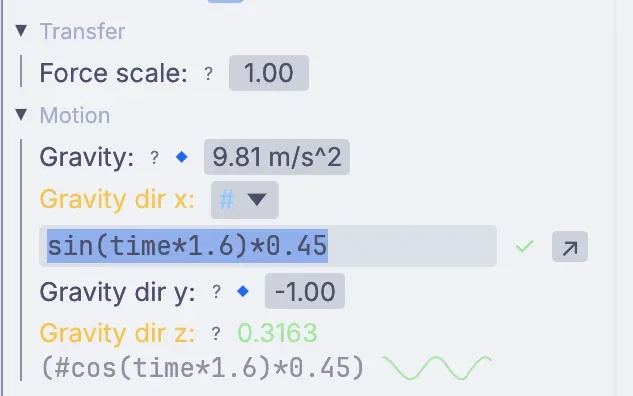
The cloth sits in one running graph with its material and its render. In the torn sheet at the top of this page, a one-line driver drops the ball and the cloth answers it. Right-click any number and add one of your own.

  • A MIDI fader or the loudness of a song can drive any number. Drag its output onto the knob, and the driver is written for you.
    MidiCCInAudioEnvelopeFollower
  • Fabric shading on the material: a sheen that stays low for satin and spreads wide for velvet.
    PbrMaterial
  • Send the render out over NDI, or pixel-map it across an LED wall through Art-Net.
    StreamingNDISendInterfaceImageToDmxArtNetSendInterface
the stuffed bear right after it lands, lit and shaded in the same file as its sim
the bear as lit and shaded in the file that runs its sim
A driver typed into a knob: sin(time*1.6)*0.45 on the gravity of a liquid sim
a driver typed into a knob, here leaning a liquid's gravity in a circle
from the solver to an LED wall
SIMULATEPBDSimSolver CREATE3DGeoSceneAddObject CREATE3DGeoSceneRenderToImage PERFORMImageToDmx PERFORMArtNetSendInterface
How it works

A setup node and a solver.

A setup node tells the solver what a mesh is made of. The solver moves it from frame to frame, and keeps it out of the floor and the colliders you give it.

a cloth sim with a collider
CREATE3DGeoGrid SIMULATEPBDSimClothConfigure SIMULATEPBDSimSolver SIMULATE3DGeoSdfFromMesh

Colliders

Any mesh can be something to land on: bake it to a distance field. A scanned object works too.

3DGeoSdfFromMesh
Turn a scan into a solid →

Rigid bodies

A body from the physics world can hold the cloth up, and cloth pinned to a body pulls back on it.

PhysicsWorldPBDSimRBDFeedback
Rigid bodies →

Smoke

The cloth can follow the moving air of a smoke sim, so a fire can push a curtain.

PBDSimForceVelocityField
Fire and smoke →

Pins

List the points that hold still, or attach points to a target that moves.

PBDSimAttachEditor

The setup nodes

  • ClothPBDSimClothConfigure

    Stretch along the edges and bend across the folds. Tearing and lasting creases are a switch away.

  • BalloonPBDSimBalloonConfigure

    A thin skin around a target volume, to inflate or to pop.

  • Stuffed toyPBDSimStuffedAnimalConfigure

    A skin with air inside that remembers its shape. Made for plush toys and pillows.

  • Soft bodyPBDSimSoftbodyConfigure

    Jelly that wobbles back to shape, or dough that keeps a dent.

  • Hair and ropePBDSimHairConfigure

    Strands pinned at the root. Curls and braids hold their shape; rope stretches freely.

  • GrainsPBDSimGrainConfigure

    Sand and gravel that pile up at their own slope. A little attraction makes them clump like wet sand.

  • LiquidPBDSimFluidConfigure

    Water or honey on the same solver, mixed with sand if you want both.

How it fits

Meshes in, caches out.

Bring the garment or the toy in from another app, and send the moving result back out to your renderer.

Comes in

OBJFBXglTFUSDAlembicPLY

Any mesh can be cloth or a collider. Hair starts from curves.

Coming from another app

Coming from Houdini?How sims map across →

Scenes from other apps do not open here. Their meshes come across as Alembic, USD, FBX or OBJ.

Everything it works with →

Goes out

  • Alembic

    An animated cache in the standard layout other 3D apps open, with point velocities for motion blur.

    3DGeoExportABC
  • Mesh sequences

    One PLY, OBJ, STL or GLB file per frame.

    3DGeoSequenceWrite
  • Its own cache

    Saved to disk, to replay a sim without running it again.

    PBDSimIO
  • Rendered frames

    Numbered EXR or PNG files, saved by a node in the graph or rendered from the command line with no window.

    OutputImageFile
Where to start

Tutorials and demos.

Two short tutorials teach the Simulate menu on a ball. The demos come with the app. Open one and take it apart.

Tutorials

Demos

Also in the Demos browser
Balloon squishCloth pendulumCloth anisotropicHair strandsHair pendulumRope chainSoftbody jellyHoney drip
Honest gaps

What it does not yet do.

Better to know now. Need one of these for a project? Reach out.

  • No wind force on clothTip the solver's gravity to blow it out, or let the moving air of a smoke sim push it.
  • No sewing patternsThere is no 2D pattern editor for garments. Model the panels as meshes and stitch their edges together.
  • No path tracer3D renders are drawn on the GPU with PBR materials and shadows. For final frames, send Alembic to your renderer.
  • Alembic leaves materials behindAn .abc file carries geometry only, so set up the look again in your renderer.
Take it further

It all connects.

Every part of Kinematic works with the others. Wire one into the next.

Keep going

Free and open. Yours, forever.

No account, no license key. macOS, Windows, Linux and Raspberry Pi.

Download Kinematic 0.5.3