Kinematic 0.5.0 is out. Modeling and sculpting in the viewport, a timeline on every graph, photo and sound editing. What's new
Kinematic / Who it's for / Video editors and colorists

Cut, grade and finish video in Kinematic.

A multi-track timeline for the edit. Color wheels, curves and scopes for the grade, inside OpenColorIO. Fixes for shaky, flickering and noisy shots, clean dialogue, and a render to H.264, H.265, ProRes or 10-bit HDR.

  • Editors
  • Colorists
  • Finishing artists
  • Documentary makers
  • Wedding filmmakers
Camera log, OpenColorIO and ACESProRes, 10-bit, HDR10 and HLG outCMX 3600 EDL and SRT outFree, even for commercial use
Grade
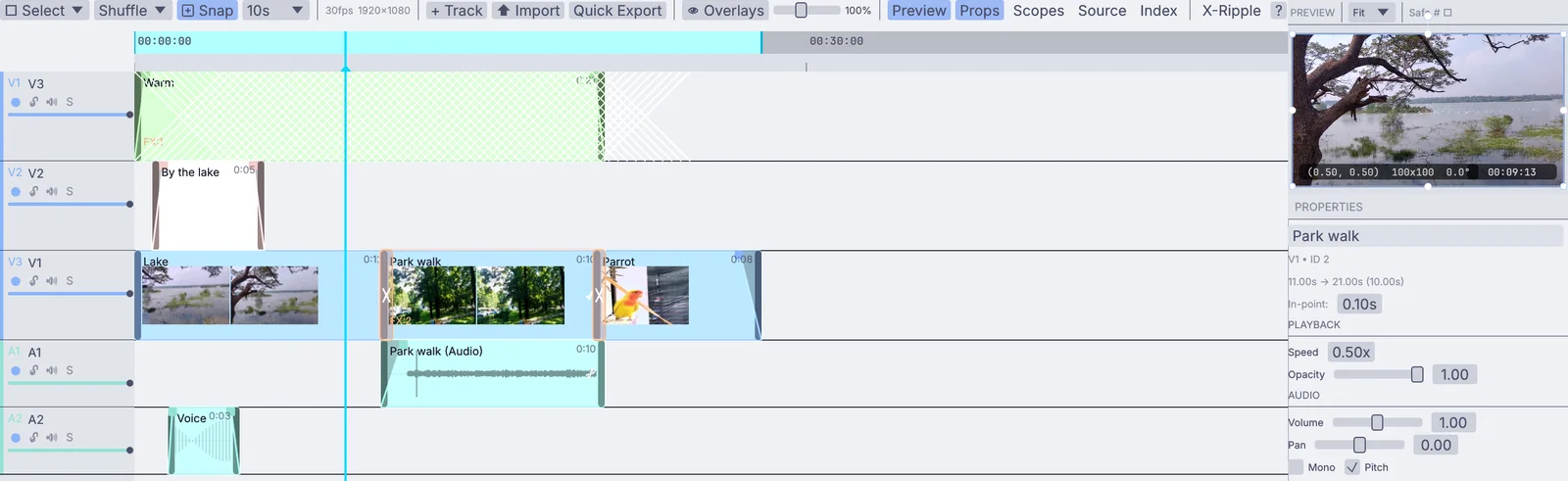
Cutthe cut on the timeline: an adjustment clip and a title over the lake, the park walk and the parrot, with their sound below

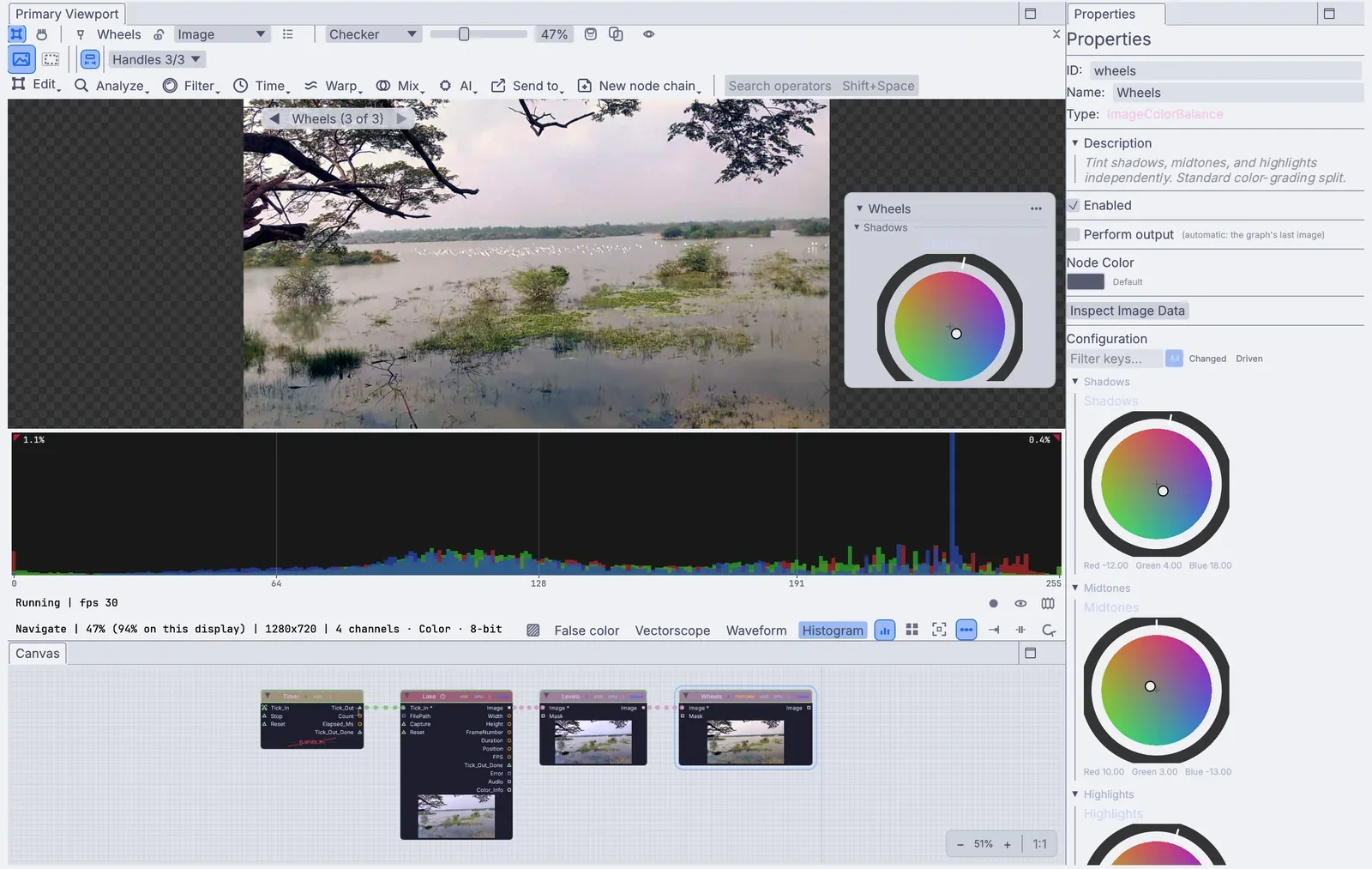
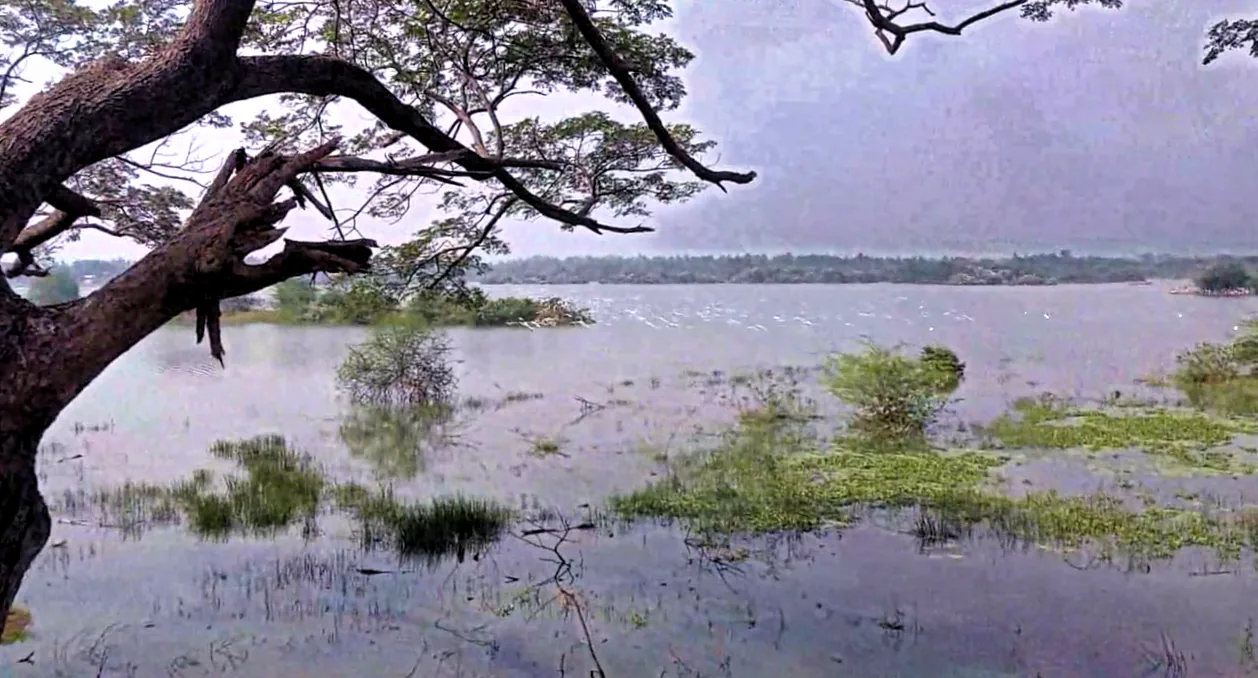
Both are the app itself: a lake clip graded on the wheels, then the cut it sits in.

The work

Cut, grade, fix and deliver.

The jobs that come in every week, and how each one is done here. Every step stays a node you can open again when the notes come back.

a short cut: a title over the lake, then a dissolve into the park walk
01 · Cut

Cut the edit on tracks.

Lay clips on video and audio tracks, then trim, slip and slide them, cut at the playhead and ripple delete. Dissolves, dips, wipes and pushes go between clips, titles sit on their own Text clips, and a clip can run from 0.01x to 16x with speed keys.

VideoArrangementPlayerInputVideoFile
Cut a short →
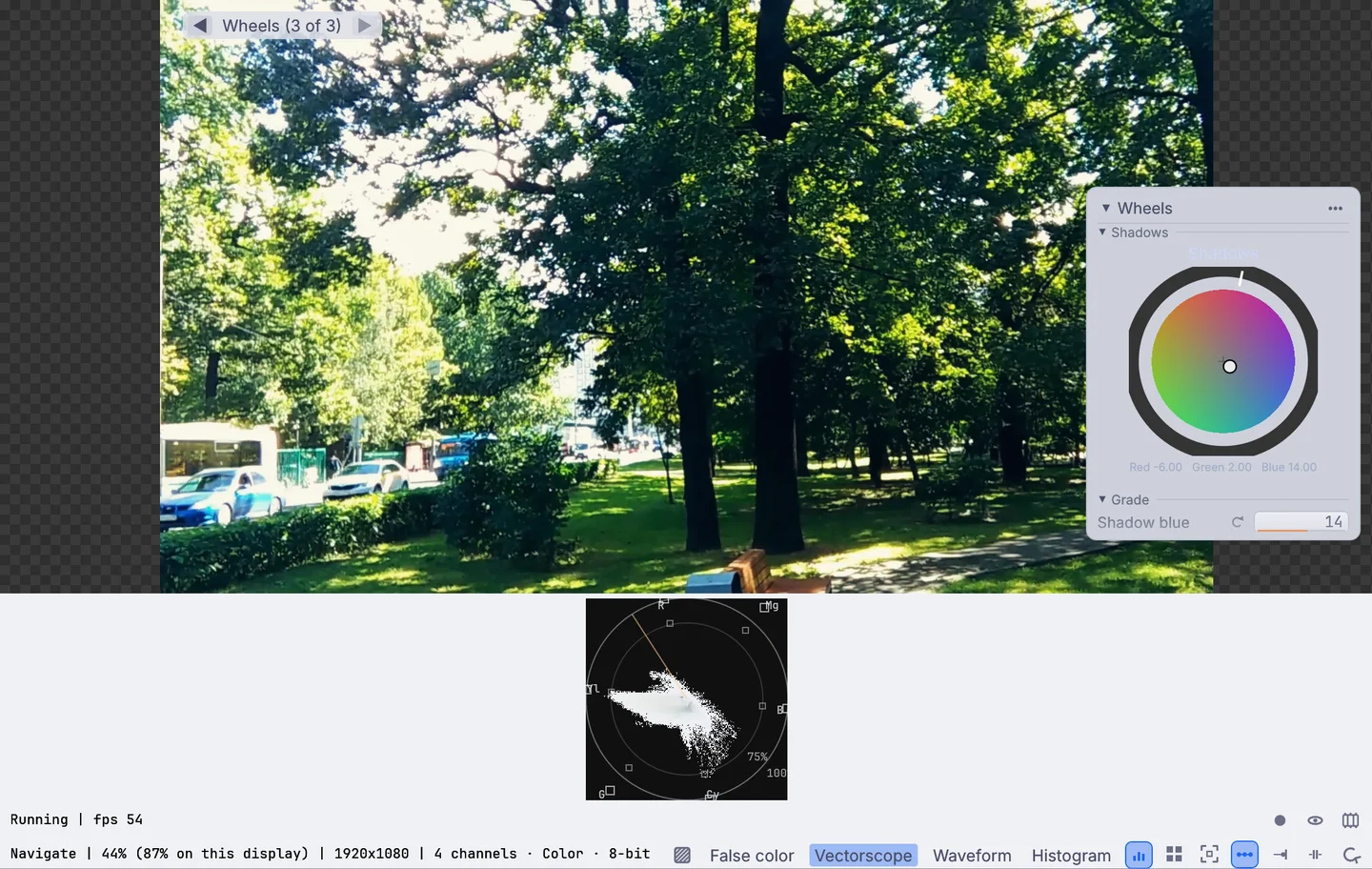
the vectorscope under a graded park walk, with its skin tone line, and the shadows wheel on the picture
02 · Grade

Grade on wheels, curves and scopes.

Push shadows, midtones and highlights on the color wheels, shape curves per channel and bend hue, saturation and brightness by color. A histogram, a waveform and a vectorscope with a skin tone line sit under the picture. Grade the shot, a single clip on the timeline, or every track below an adjustment clip.

ImageColorBalanceImageColorCorrectImageRGBCurvesImageHueVsCurves
Bring a flat, hazy shot back →
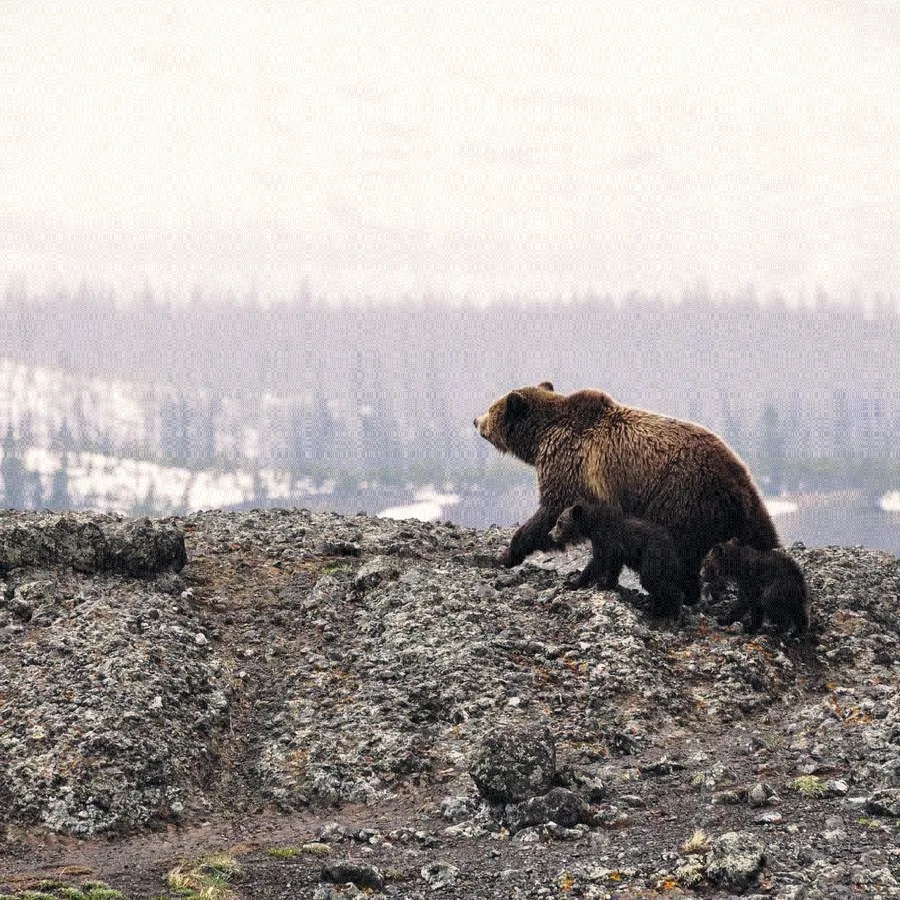
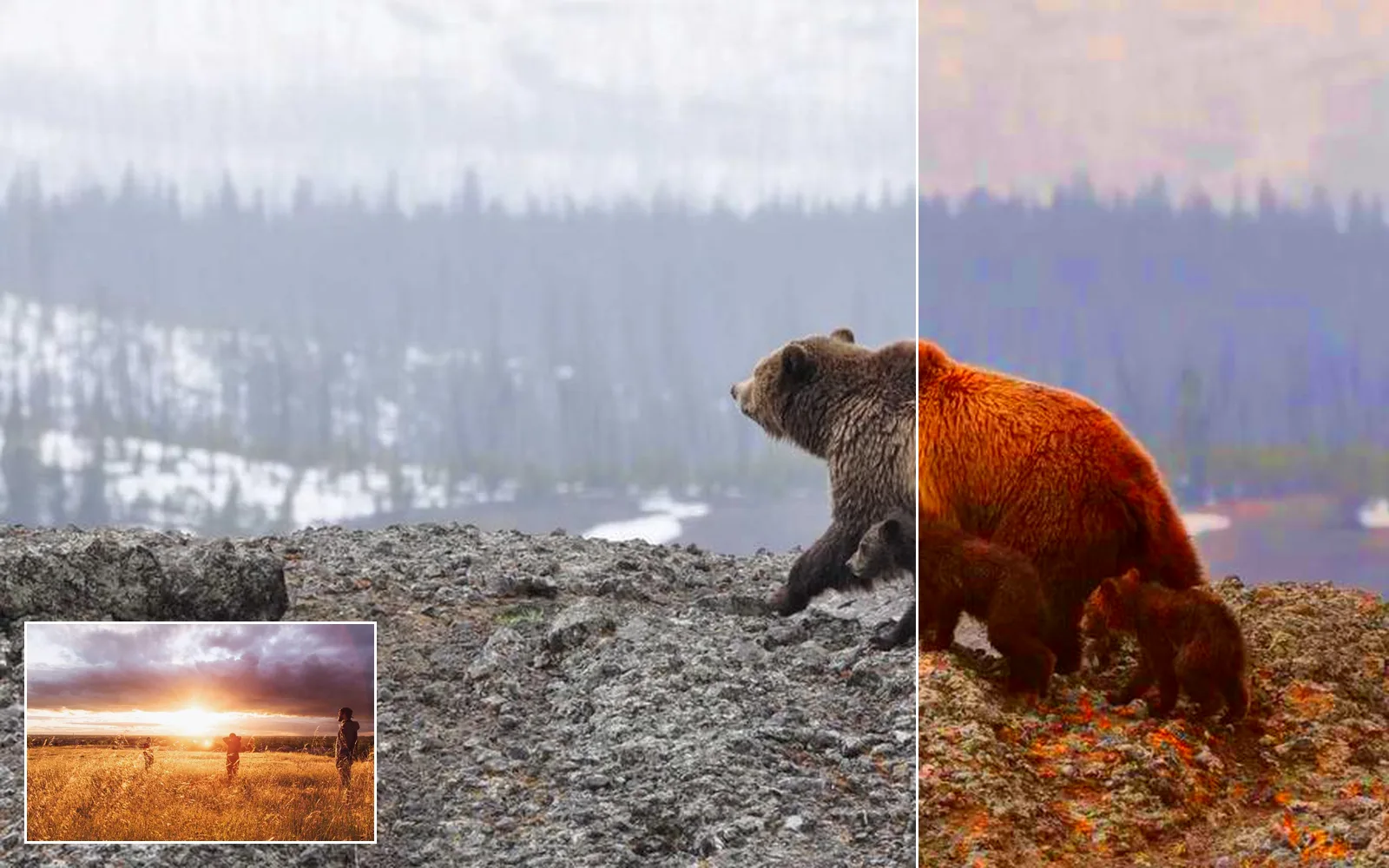
a cold, misty bear shot pulled toward the warm sunset frame in the corner
03 · Match

Match a scene to the hero shot.

Pull a cold shot toward a warm hero frame in one step, then trim the rest by eye on the wheels.

ImageHistogramMatchImageColorBalance
Match shots to a hero frame →
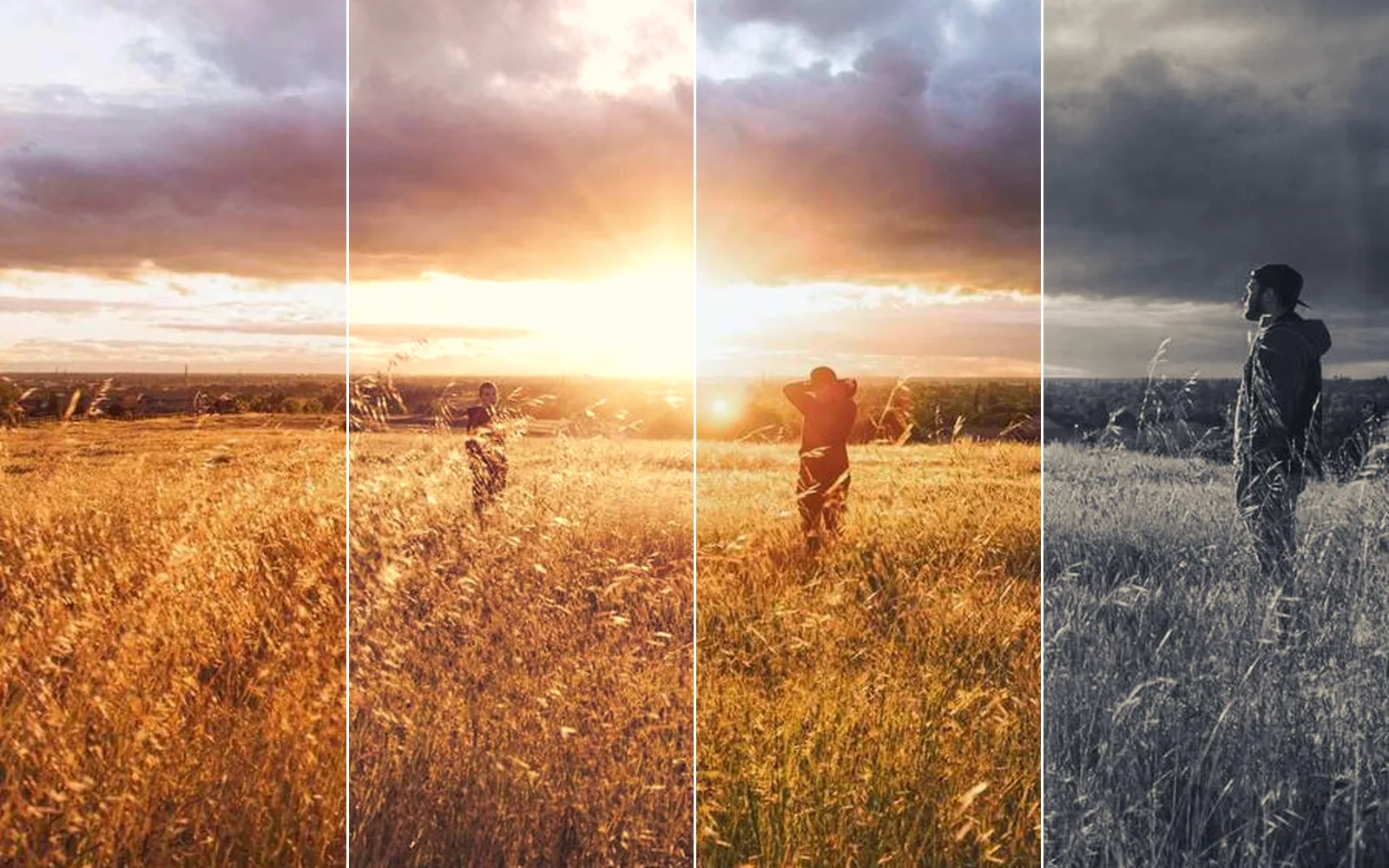
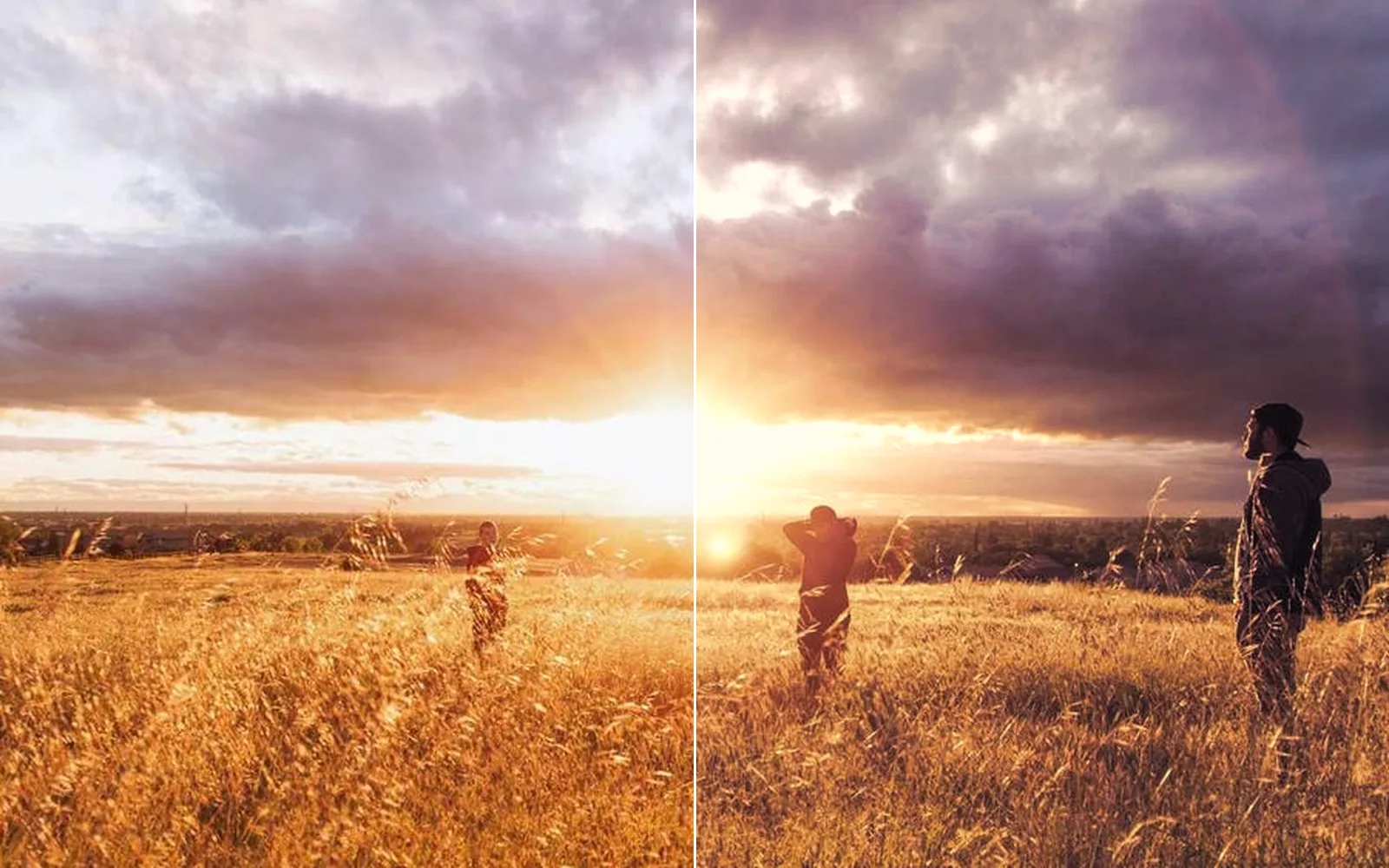
one sunset field in four looks: as shot, warm film, teal and silver
04 · Looks and LUTs

Build a look and hand it on.

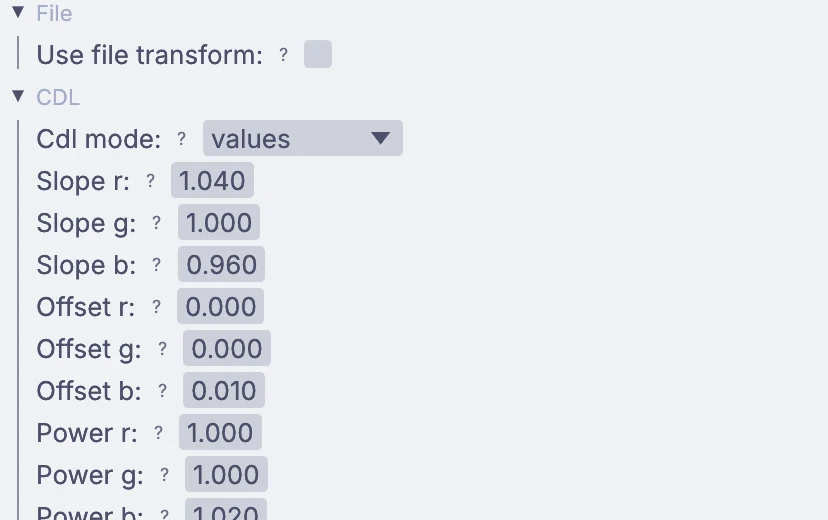
Load the show LUT or the colorist's CDL, build a film look with grain, and bake your grade into a .cube file for the monitor on set or another grading app.

InputImageLutFileImageOpenColorIOImageLutLatticeOutputLutFile
Bring in a LUT from your grading app →
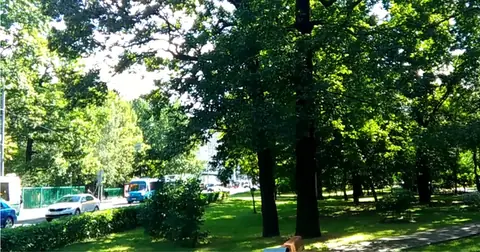
the bouncing walk on the left, steadied on the right
05 · Fix the shot

Steady and clean up the shot.

Track a flat surface and steady the shot with it, keeping the slow drift and losing the bounce. Paint a passing bus out with a local model, or build a clean plate from the shot itself.

ImagePlanarTrackImageStabilizeLocalAIImageInfillImageFrameStack
Steady a walking shot →
a flickering newsreel shot on the left, evened out on the right
06 · Archive

Restore archive footage.

Even out the pumping brightness of an old newsreel, and bring a small clip up to four times its size with detail that holds from frame to frame. The models run on your machine.

ImageDeflickerLocalAIVideoUpscale
Fix the flicker in a newsreel →
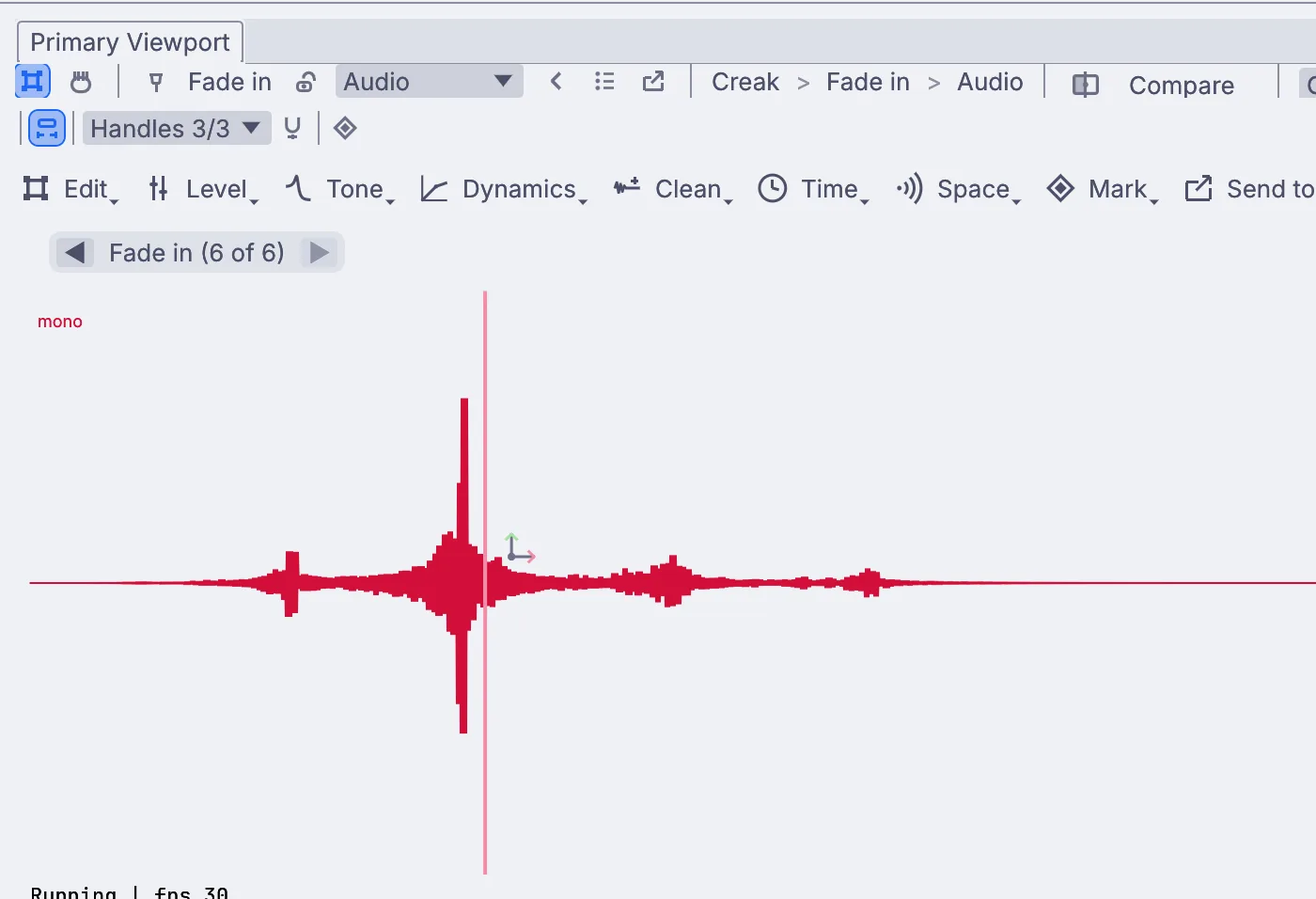
drips over a low hum, then the same recording with the hum turned down
07 · Sound

Clean the dialogue and set the level.

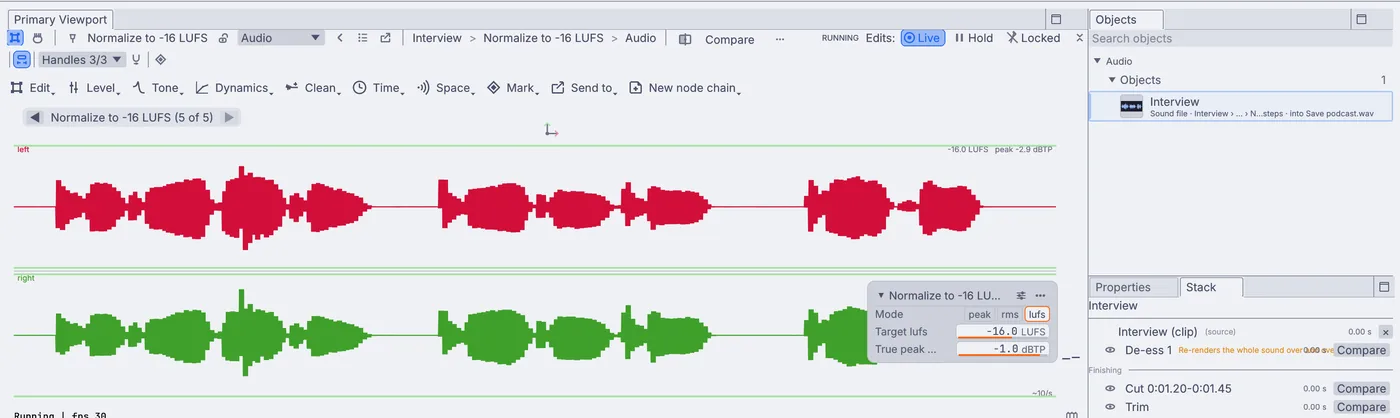
Learn the hiss or hum from a quiet stretch and take it out, tame harsh S sounds, then set the mix to -16, -14 or -23 LUFS and check it on a loudness meter.

AudioDenoiseAudioDeEsserAudioNormalizeAudioLoudness
Clean a field recording →
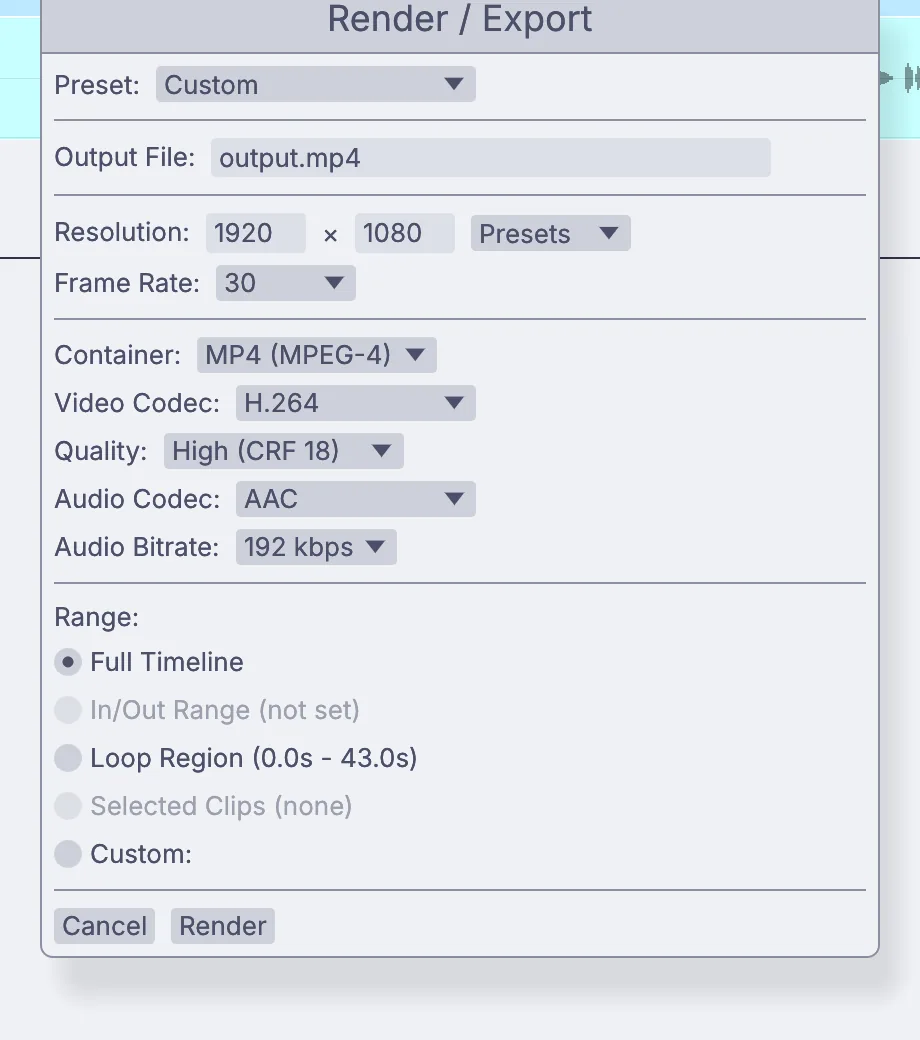
the Render dialog: size, frame rate, codec, quality and the range to render
08 · Deliver

Deliver the master and the social cuts.

Quick Export opens the render set to H.264 1080p. Pick a preset, a vertical 1080 by 1920, or your own size, and the whole timeline, the in to out range or the selected clips. ProRes, 10-bit and HDR go out through a Video file output.

OutputVideoFileVideoArrangementPlayer
Cut a short video →
The grade

Manage color from camera to screen.

The picture stays color managed from the file you load to the screen you grade on. Every step is a node on the canvas, so the grade is there to read, copy to the next shot, or change later.

  • Camera log decoded as it loads: LogC3 and LogC4, S-Log3, Log3G10, Canon Log 2 and 3, V-Log and Apple Log
    InputVideoFile
  • Your own OpenColorIO config, or the ACES config that comes built in, with CDLs from .cc, .ccc and .cdl files
    ImageOpenColorIO
  • HDR10 and HLG clips come in as 32-bit float, and the grade nodes work in float when you ask
    ImageColorBalanceImageRGBCurves
  • A grading monitor on a second screen, full screen, as BT.1886, Display P3 or Rec.2020 in 10-bit with your calibration LUT on that window alone, or as HDR10 on an HDR screen
    ImageDisplay
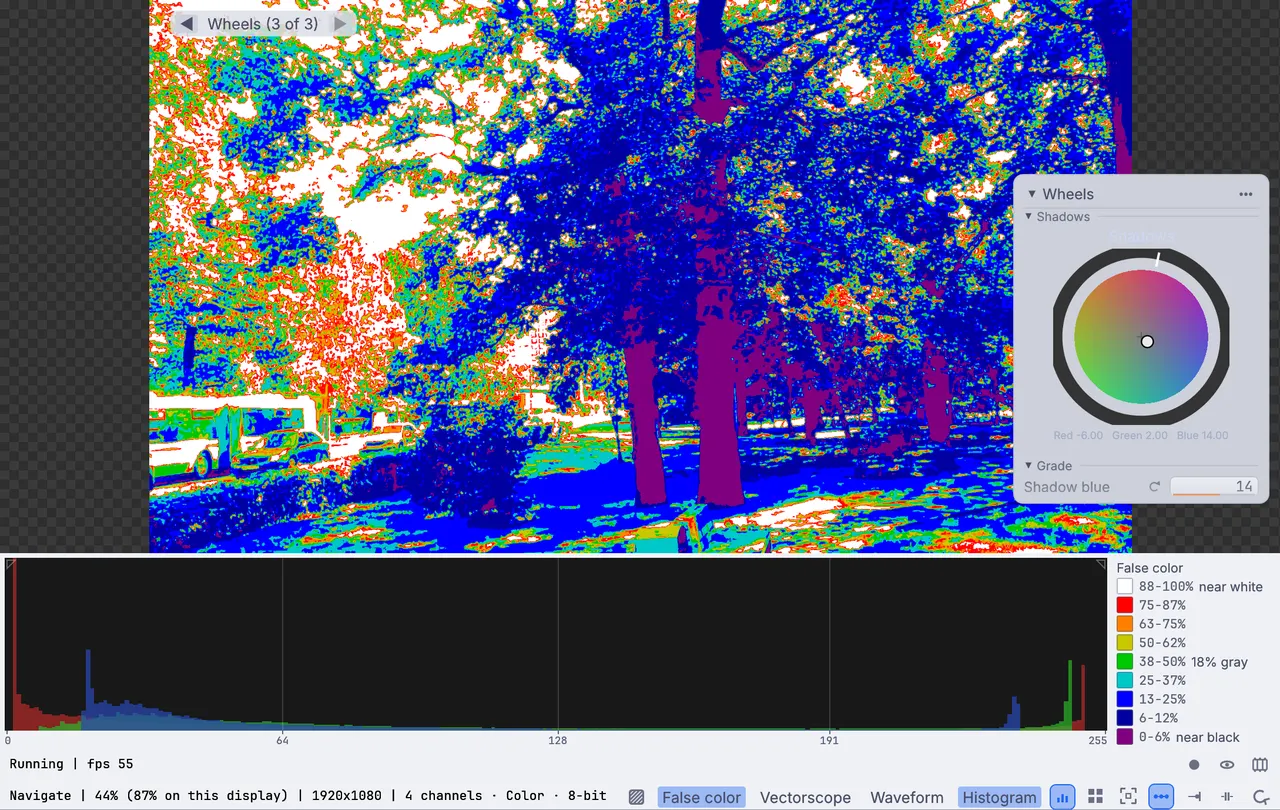
  • False color with a legend from near black to near white, for exposure at a glance
  • Out as Rec.709, Rec.709 at gamma 2.4 for TV, or Rec.2020 PQ and HLG in 10-bit
    OutputVideoFile
the whole grade in the app: Lake, Levels and Wheels on the canvas, the wheels in Properties, the histogram under the picture
false color on the park walk, with its legend from near black to near white
a CDL on the OpenColorIO node: slope, offset and power for each channel
What you gain: sound

Make the picture follow the music.

Sound lives in the same file as the picture, so a song can ride the grade. Good for music videos, lyric videos and anything cut to a track.

  • The loudness of a song rides any value: an exposure, a glow, the warmth of a grade
    AudioEnvelopeFollower
  • Hits found in the music fire a glitch or a burst of blocks
    AudioOnsetDetect
  • Pixel sorts and smears that land with the drums
    ImagePixelSortImageDatamosh
  • The tempo and the key read from the track as it plays
    AudioBPMDetectAudioKeyDetect
a stage clip graded warm, its exposure following the loudness of a song
pixel sorting and smears that hit on the beat
the background breaks into blocks on each beat while the parrot stays sharp
What you gain: live

Grade and send a live feed.

The graph that grades a clip can grade a camera as it comes in. Put a lower third over it, mix two looks on a fader, and send the program to a stream, a projector or the vision mixer, recording every take as it goes.

  • Webcams, capture cards that show up as a webcam, NDI, and Syphon on a Mac
    VideoCaptureInterfaceStreamingNDIReceiveInterface
  • A name bar that fades in over the feed
    ImageTextOverlayImageAlphaOver
  • Two looks on one fader, and any knob on a MIDI controller
    ImageCrossfadeMidiLearn
  • Live to YouTube, Twitch or Facebook Live over RTMP, or out over NDI
    StreamingRtmpSendStreamingNDISendInterface
  • Every take recorded, split into parts, in a file that still plays if the machine goes down
    OutputVideoFile
a name bar and a station badge fading in over the feed
a cold look easing into a warm one on a fader
four feeds on one multiview: a stage camera, a lower third, the lights and the graphics
Your setup

Files, monitors and gear.

The formats your camera, your client and the next app in line expect, in and out.

Opens

MP4, MOV, MKV, WebM, AVIPicture and sound togetherCamera log: LogC3, LogC4, S-Log3, Log3G10, Canon Log, V-Log, Apple LogHDR10 and HLGImage sequences: EXR, TIFF, PNG, JPEG.cube LUTs, 1D and 3DOCIO configs: .ocio, .ociozCDLs: .cc, .ccc, .cdlWAV, FLAC, MP3, OGG, AAC

Saves

H.264, H.265, AV1, VP9ProResFFV1, lossless10-bitRec.709, Rec.2020 PQ and HLGHardware encoding for H.264 and H.265EXR, TIFF, PNG and JPEG sequences.cube LUTsCMX 3600 EDLSRT subtitlesWAV, FLAC, AIFF

Gear and live

Webcams and capture cardsNDI in and outSyphon on a MacA second screen as a grading monitorMIDI controllersStream DeckLTC and MIDI timecodeRTMP to the big video sites
Everything it works with →

Send the cut to another editor.

Two lines of Python in the app write the cut as a CMX 3600 EDL for Resolve or Premiere, and every Text clip as an SRT subtitle, in time order.

ui.editor_video_timeline_export_edl("timeline", "cut.edl")
ui.editor_video_timeline_export_srt("timeline", "titles.srt")
VideoArrangementPlayer
Python in the app →

Grade a folder from the terminal.

See the color space, bit depth and HDR tags a clip says it has before you trust it. Then run the same look over every clip in a folder, a few at a time, each written under its own name.

$ kinematic probe A001_C003.mov
$ kinematic run look.kin --each in.file_path='dailies/*.mov' \
    --set out.file_path='graded/{stem}.mov' --jobs 2
The command line →
Coming from Nuke?Keying, roto, paint and comp, with the names you know →
Where to start

Tutorials and demos.

Short lessons that each end with something finished, and demos that come with the app. Open one, take it apart and keep what you need.

Tutorials

Browse every demo →
Honest gaps

What it does not yet do.

Better to know before the job starts. Need one of these for your next project? Reach out.

  • No XML, AAF or FCPXMLThe timeline writes a CMX 3600 EDL, and no EDL or XML is read back in, so there is no conform from another editor yet.
  • No camera RAW videoBlackmagic RAW, REDCODE and ARRIRAW do not open. Bring ProRes, H.264 or H.265, or an image sequence.
  • No DPX or CineonThose frames do not open yet. Use EXR or TIFF sequences.
  • Timeline renders are 8-bit Rec.709The Render dialog writes H.264, H.265, VP9 or AV1. For ProRes, 10-bit or HDR, record the timeline through a Video file output.
  • No grading panelsGrading control surfaces are not supported yet. Map a MIDI controller's knobs to the wheels instead.
  • No multicamThere is no multicam editing, and no lining clips up by their sound.
  • No subtitles inText clips go out as SRT, but an SRT file cannot be read into the timeline yet.
Free and open

Download Kinematic.

Free, even for commercial use. No account, no license key and no watermark on your exports. macOS, Windows, Linux and Raspberry Pi.

a sunset field before and after a warm film look