Kinematic 0.5.0 is out. Modeling and sculpting in the viewport, a timeline on every graph, photo and sound editing. What's new
Kinematic / Edit / Effects

Add effects to pictures and video.

Comic dots, cheap lenses, paint strokes, film glow and smoke, on a photo, a clip or a live camera.

a walk through a park run through pixel sorting, a hue drift and color fringes
01

Print a photo as a comic panel

Flat bands of color, dark outlines and printed dots.

  1. Pick Filter > Toon shade for flat color and outlines.
  2. Add Halftone for printed dots, in one ink or four.
  3. Fade each one with its Strength setting.
InputImageFile→ImageToonShade→ImageHalftone
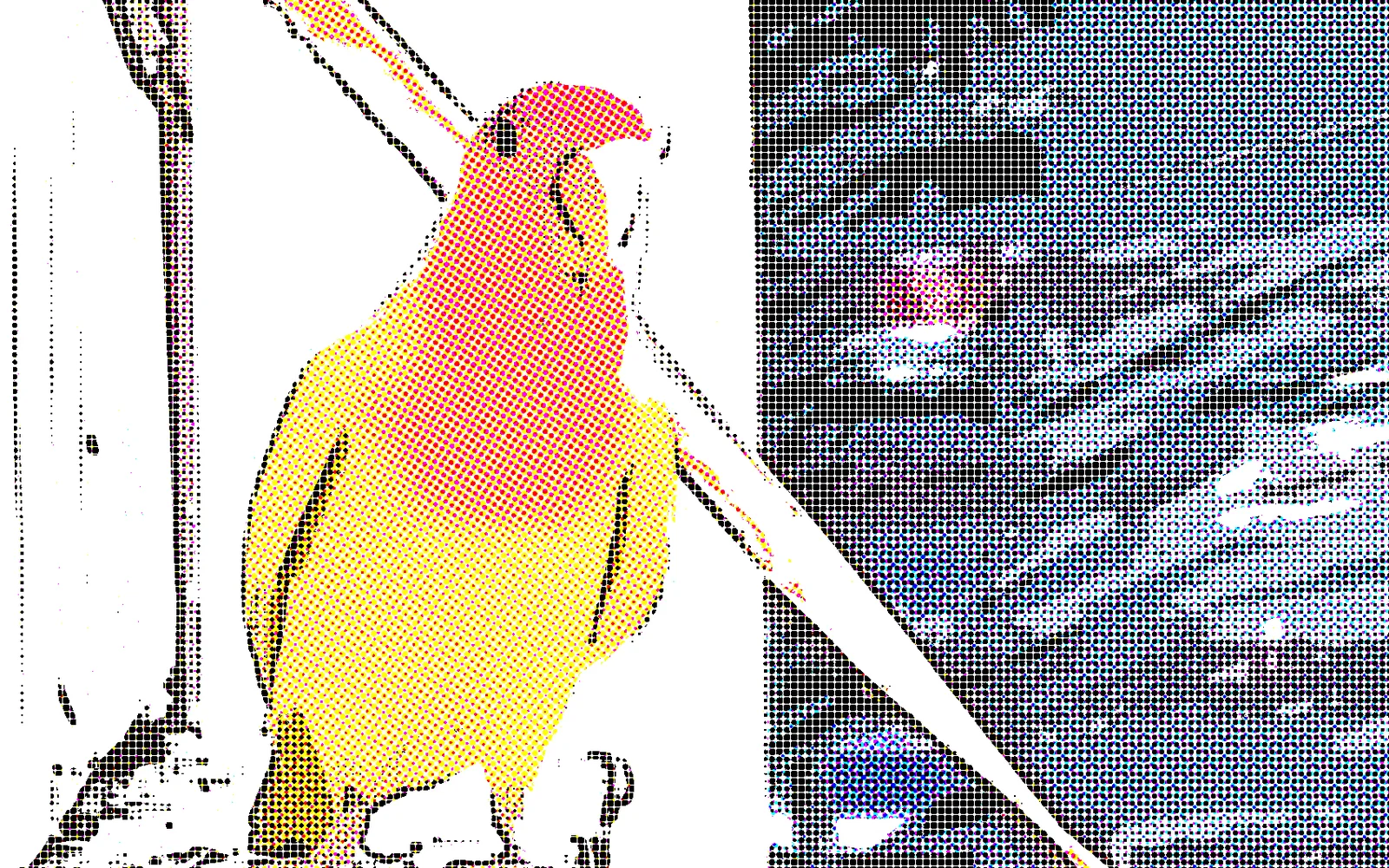
a lovebird printed as a comic panel, flat color, outlines and dots
02

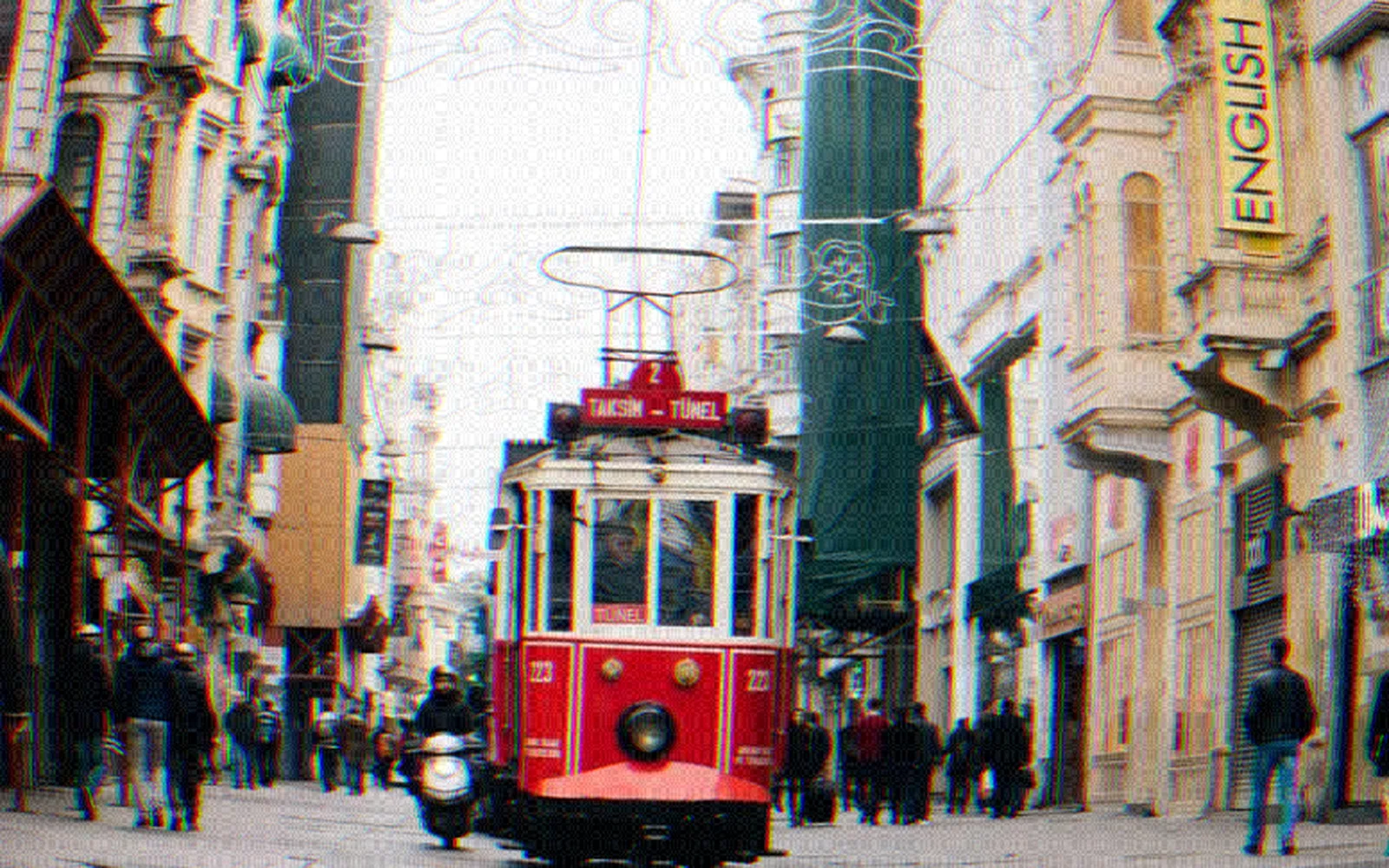
Fake a cheap plastic lens

Bent edges, color fringes, dark corners and grain.

  1. Add Lens distort to bend the edges.
  2. Add Chromatic aberration for the color fringes.
  3. Finish with a vignette and some grain.
InputImageFile→ImageLensDistort→ImageChromaticAberration→ImageVignette→ImageGrain
a street through a cheap lens, bent edges, color fringes, dark corners and grain
03

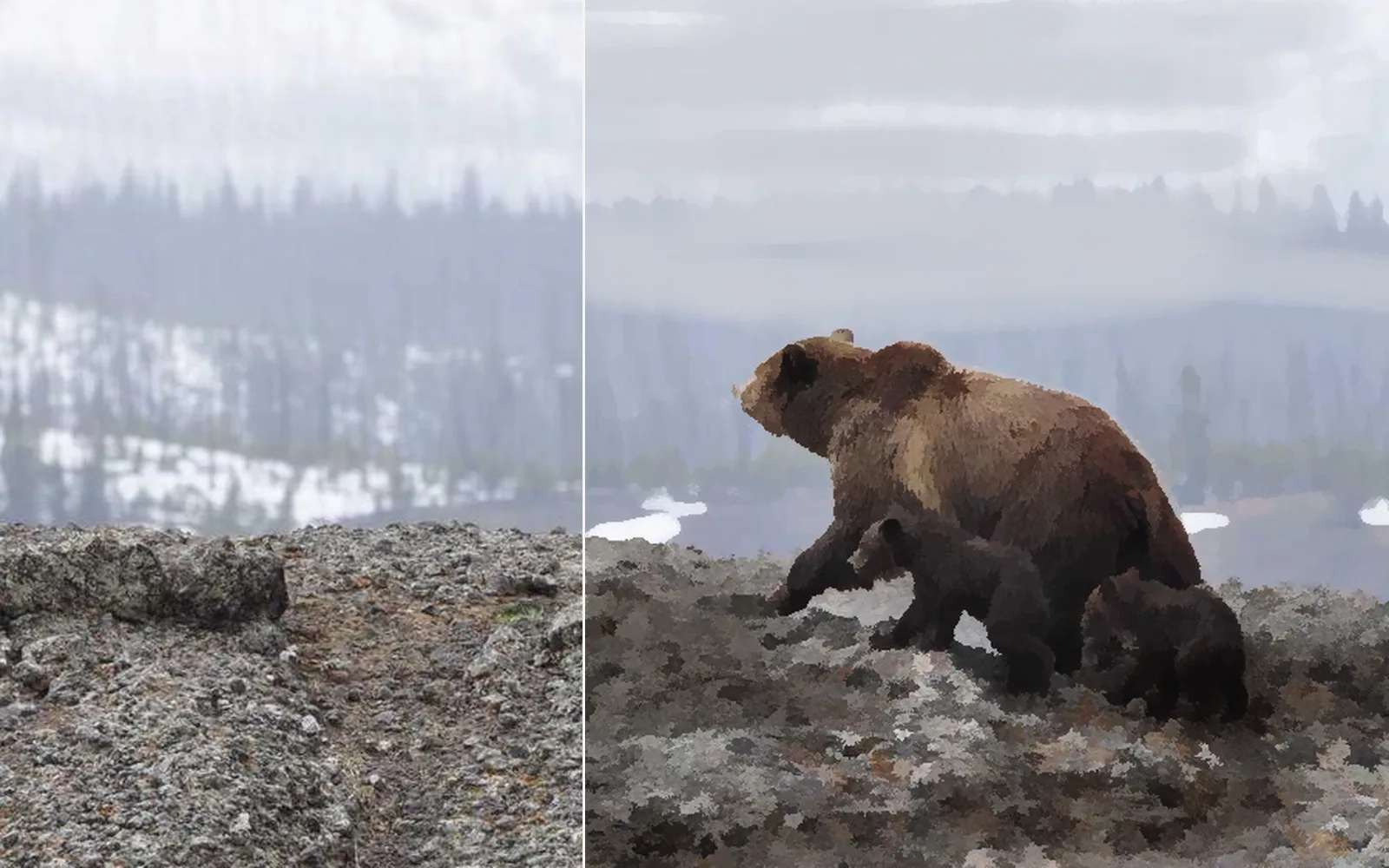
Turn a photo into a painting

Soft strokes in the sky's own colors, shading over the hills, and brush marks over everything.

  1. Paint a first layer. Take its color from the sky with the eyedropper.
  2. Add a second paint layer in Multiply at 70 percent for the shading.
  3. Add Kuwahara to pull the whole picture toward brush marks.
InputImageFile→ImagePaint→ImagePaint→ImageKuwahara
a bear photo on the left, painted over with soft strokes on the right
04

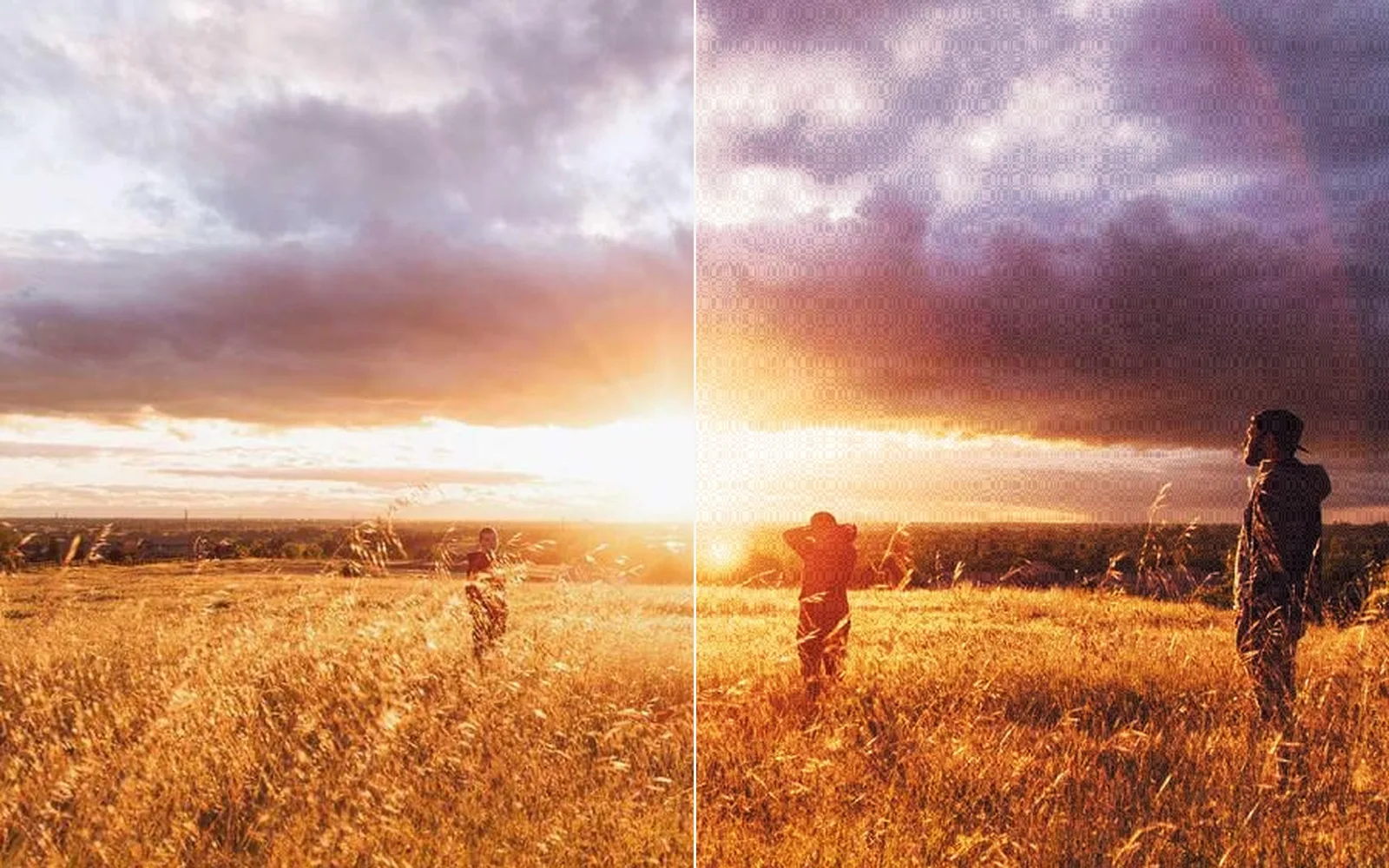
Give a sunset a film look

Soft print contrast, warm highlights, cool shadows, fine grain and a red glow around the sun.

  1. Pick Recipe > Stock > Film print.
  2. Set its Strength, Grain and Halation.
  3. Double click it to step inside and change the size of the glow.
InputImageFile→InputImageLutFile→ImageGrain→ImageLumaKey→ImageBlur→ImageComposite
a sunset on the left, with a film print look on the right
05

Let smoke rise off a moving clip

Warm smoke drifts up from the bright parts of a walk through a park.

  1. Feed the clip through a Feedback buffer.
  2. Add Smoky trails. Each new frame moves the smoke one step.
  3. Lower Trail decay for quick wisps, or raise Gravity to make it fall.
InputVideoFile→ImageFeedbackBuffer→ImageSmokyTrails
the park walk on the left, the warm smoke trails drawn from its bright sky on the right
06

Pixelate the room on the beat

The background breaks into blocks with each beat. The performer stays sharp.

  1. Click Subject, then Select inverse.
  2. Add Pixelate to the background.
  3. Drag the beats onto its opacity.
InputVideoFile→ImageMaskRefine→ImageMaskRefine→ImagePixelate+LocalAIImageRemoveBackground+AudioOnsetDetect
the background breaks into blocks on each beat while the parrot stays sharp
Take it further

It all connects.

Every part of Kinematic works with the others. Wire one into the next.

Keep going

Free and open. Yours, forever.

No account, no license key. macOS, Windows, Linux and Raspberry Pi.

Download Kinematic 0.5.0