Kinematic 0.5.0 is out. Modeling and sculpting in the viewport, a timeline on every graph, photo and sound editing. What's new
Kinematic / Edit / Retouch

Retouch photos.

Heal, clone, liquify, dodge and burn, and skin split into tone and texture, and every stroke stays open to change.

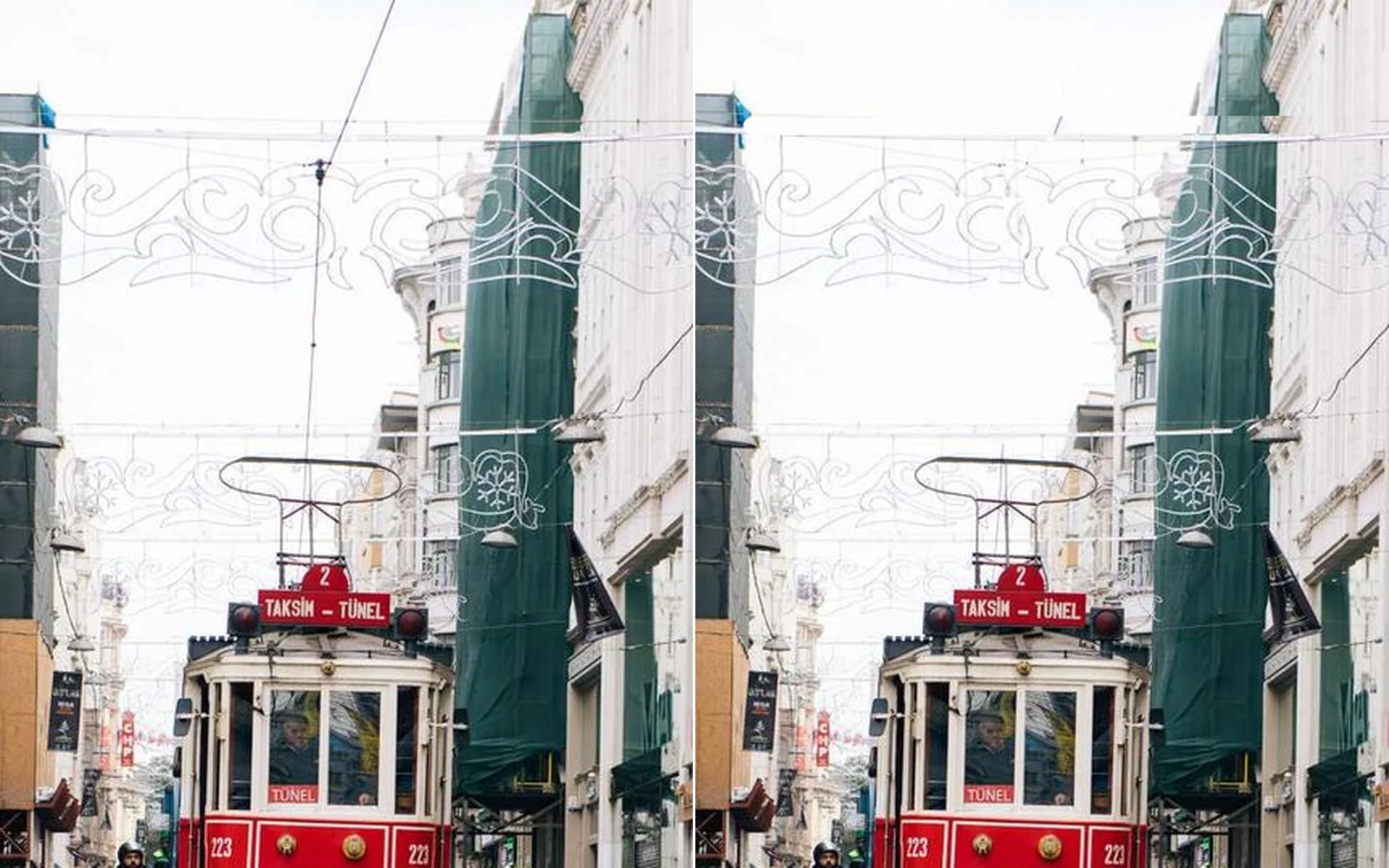
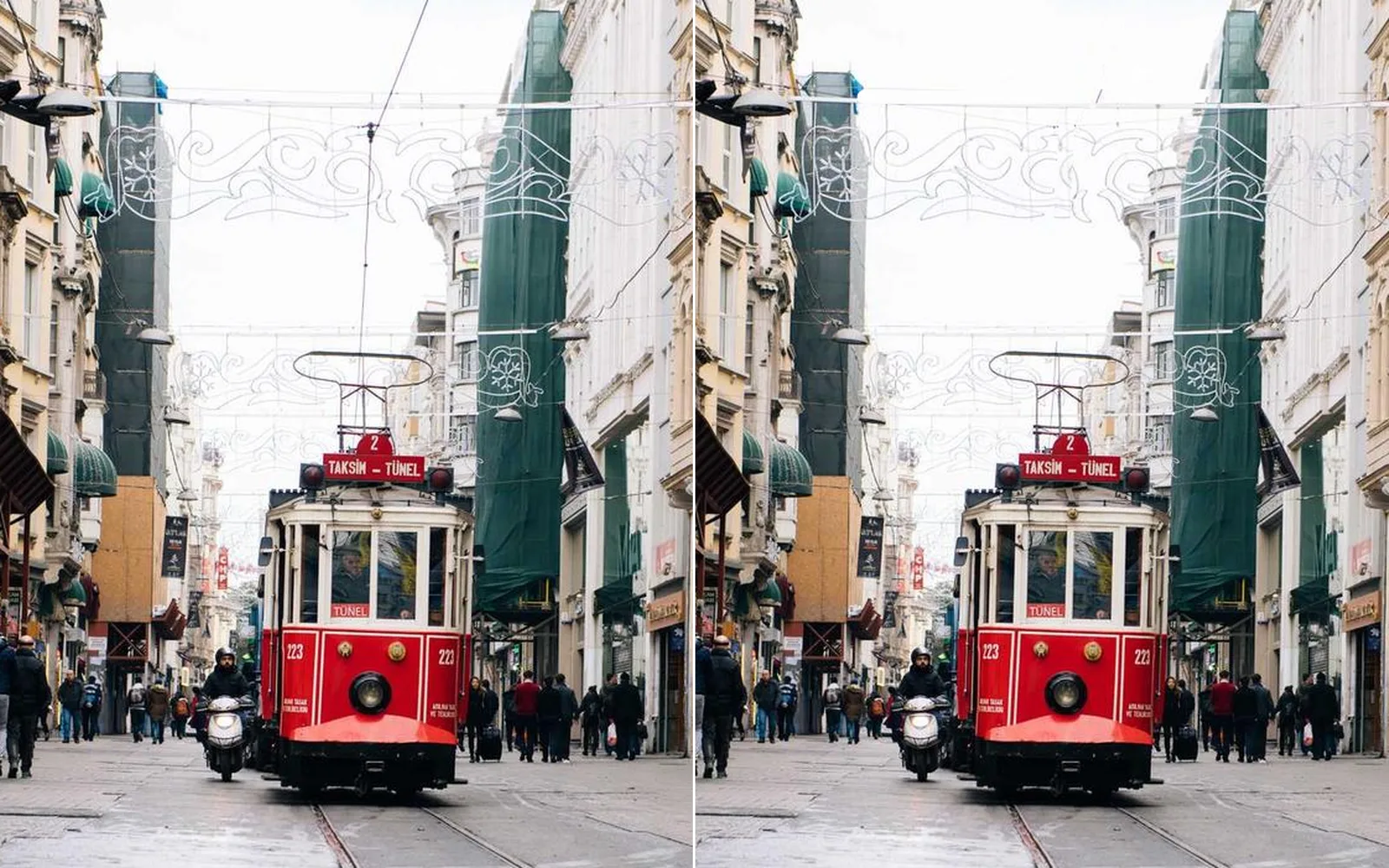
the tram street before and after: the overhead wire cloned out of the sky
01

Clear the specks from a landscape

One click per spot. The clean patch is picked for you.

  1. Pick Retouch > Spot heal.
  2. Click each spot. It heals from the best match nearby.
  3. Drag along a thin line to heal it all the way.
InputImageFile→ImageHeal
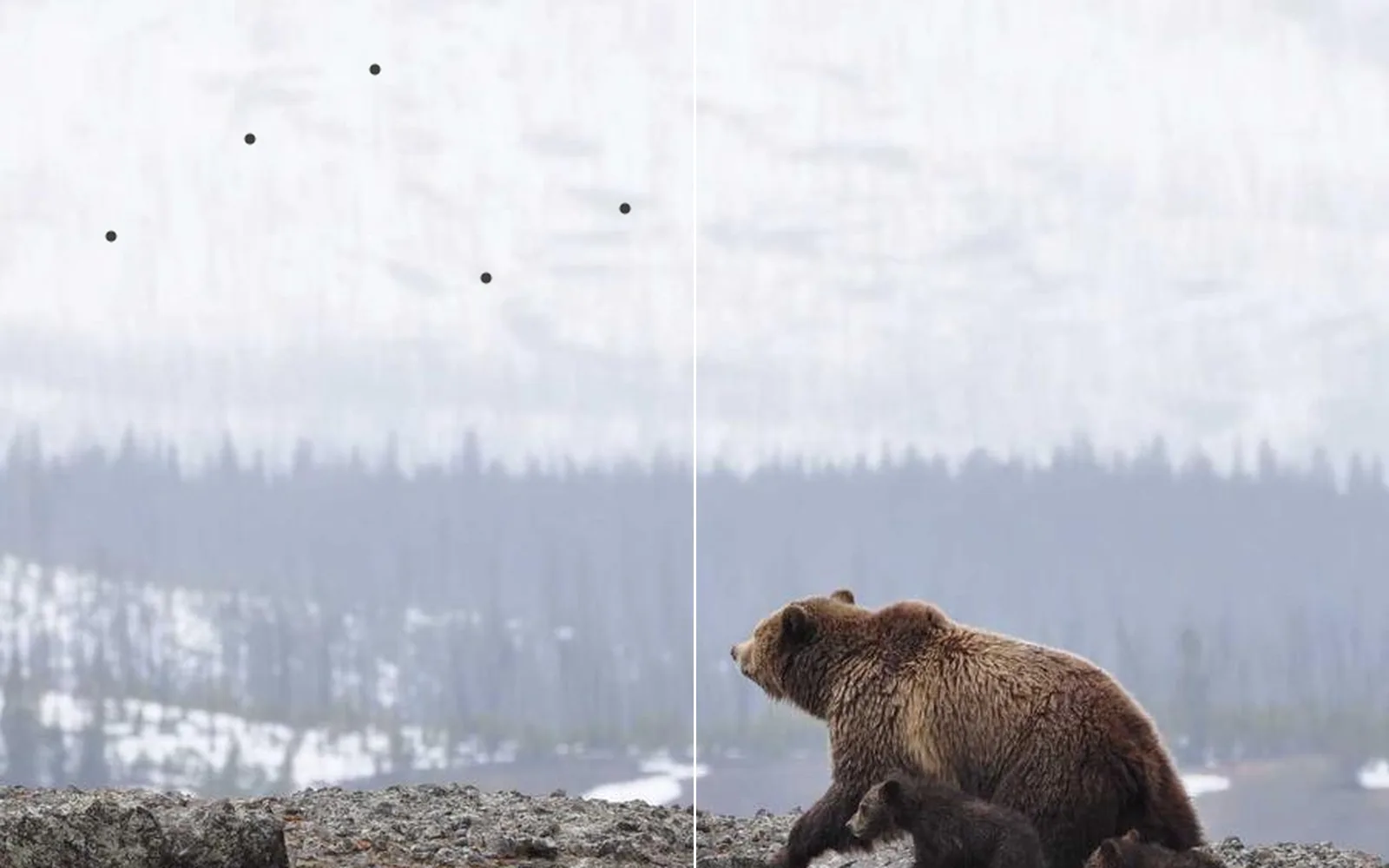
dust specks over a misty slope, each healed with one click
02

Finish a portrait: eyes, teeth and light

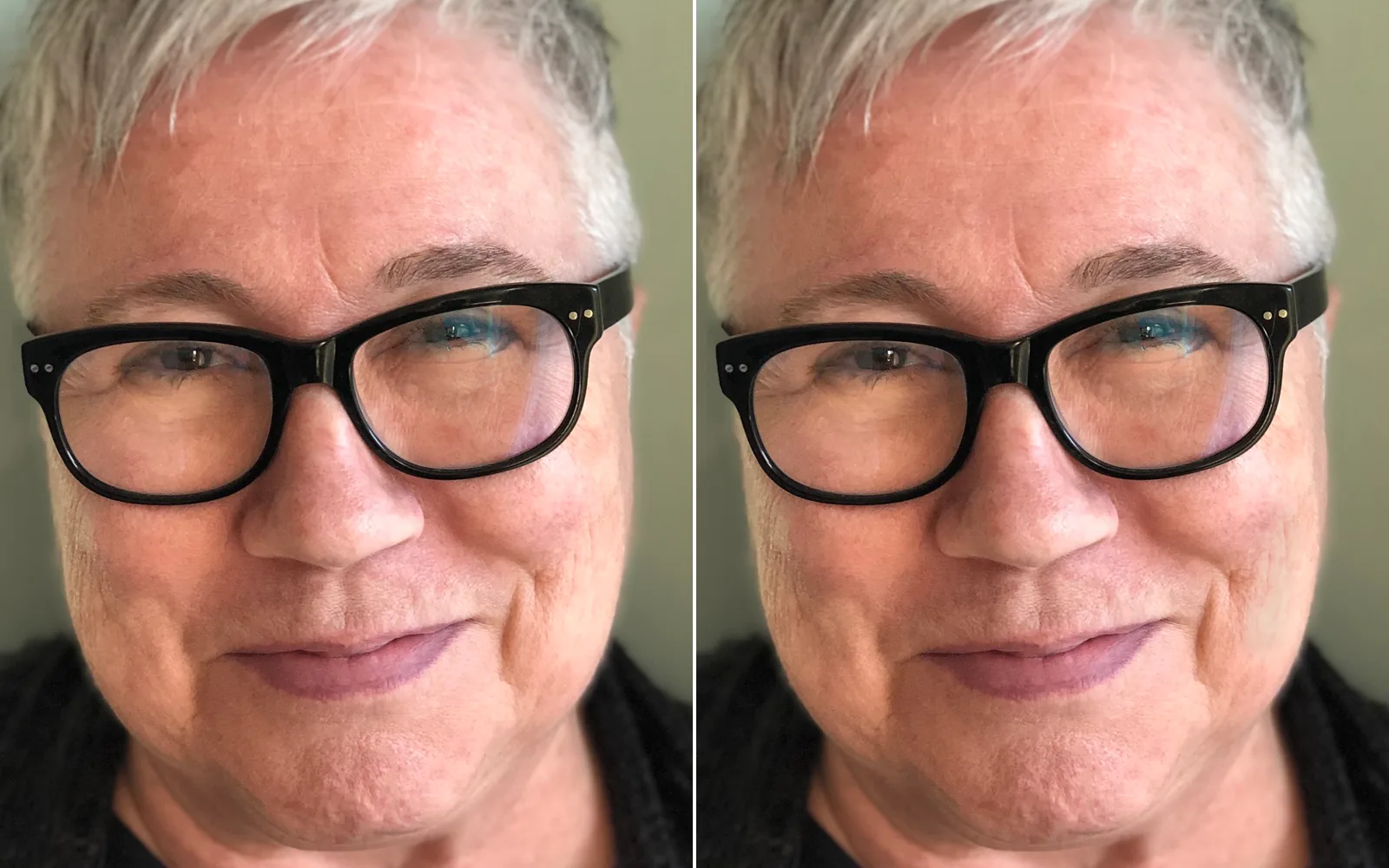
Lifted eyes, deeper cheek shadows, whiter teeth and a catchlight in each eye.

  1. Select the eyes and the teeth. They are found on the face for you.
  2. Brush under the eyes and lift them a quarter stop. Take a little yellow out of the teeth.
  3. Sharpen the eyes and paint a small white catchlight into each.
InputImageFile→ImageMaskRefine→ImageDevelop→ImageHueSaturation→ImageSharpen→ImagePaint+LocalAIImageToFaceParsing
a smiling self-portrait before and after: the eyes lifted behind her glasses, the cheeks shaded a touch, the catchlights brightened · Photo: Elizabeth MacKenzie, self-portrait, CC BY 4.0 (retouched in Kinematic)
03

Clone a wire out of the sky

The overhead wire above a red tram, gone in two strokes.

  1. Set the source on clean sky right beside the wire.
  2. Follow the wire in one long stroke. Sky is copied over it as you go.
  3. Set a second source above the cross wire and take out the span across the street.
InputImageFile→ImageClone
the wire above the tram, before and after the clone strokes
04

Retouch skin for a close-up portrait

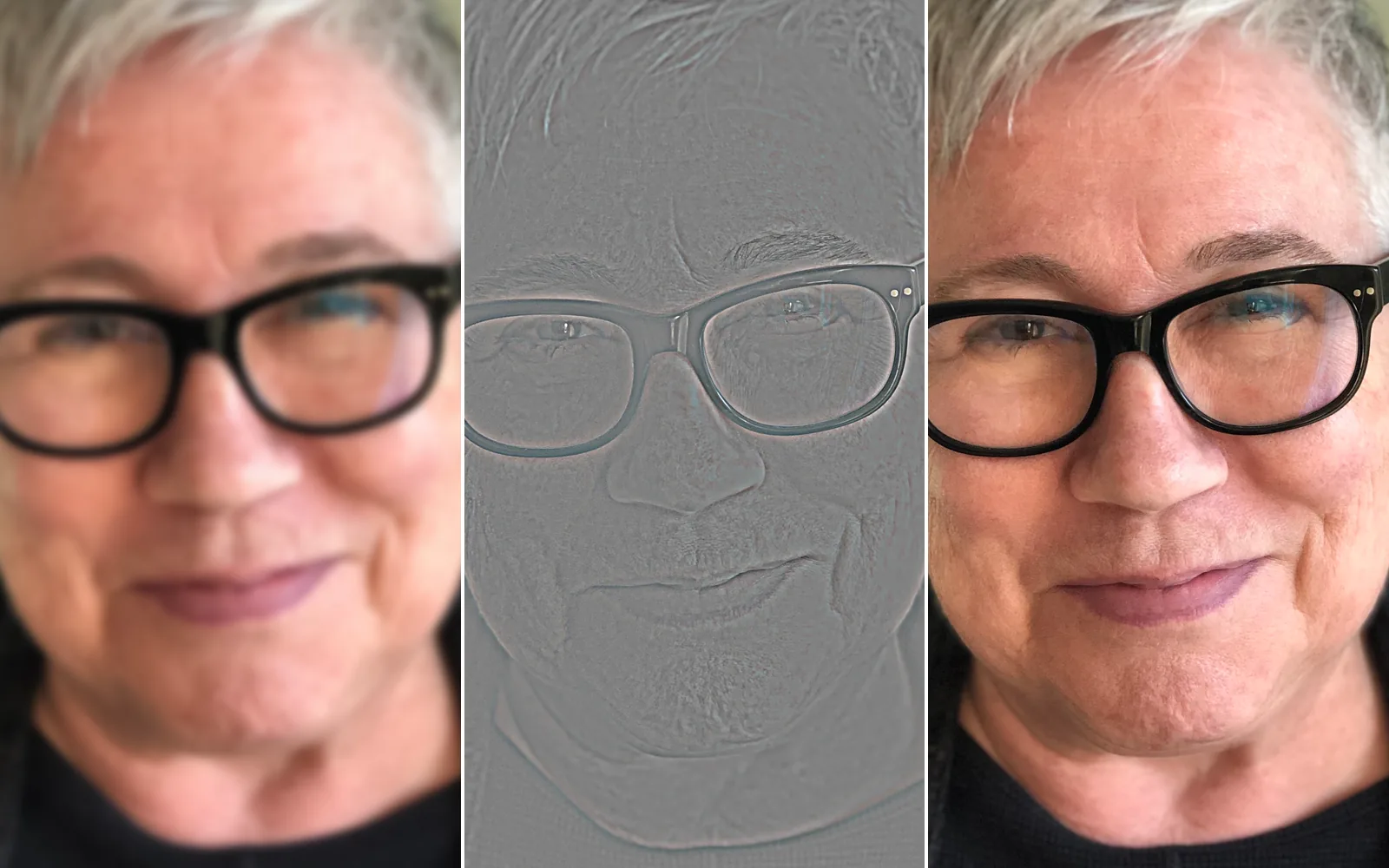
Marks healed and blotches evened, with the pores kept.

  1. Split detail pulls the photo apart into tone and texture.
  2. Heal the marks on the texture. Blur the blotches on the tone under a brushed skin selection.
  3. Join the two back together. Liquify comes last, for a gentle tuck of a jawline when the sitter asks for one.
InputImageFile→ImageFrequencySeparation→ImageHeal→ImageBlur→ImageDetailRecombine→ImageLiquify
a self-portrait in soft daylight split into tone and texture, then joined back with the marks healed and the blotches evened · Photo: Elizabeth MacKenzie, self-portrait, CC BY 4.0 (retouched in Kinematic)
05

Sculpt a subject with light

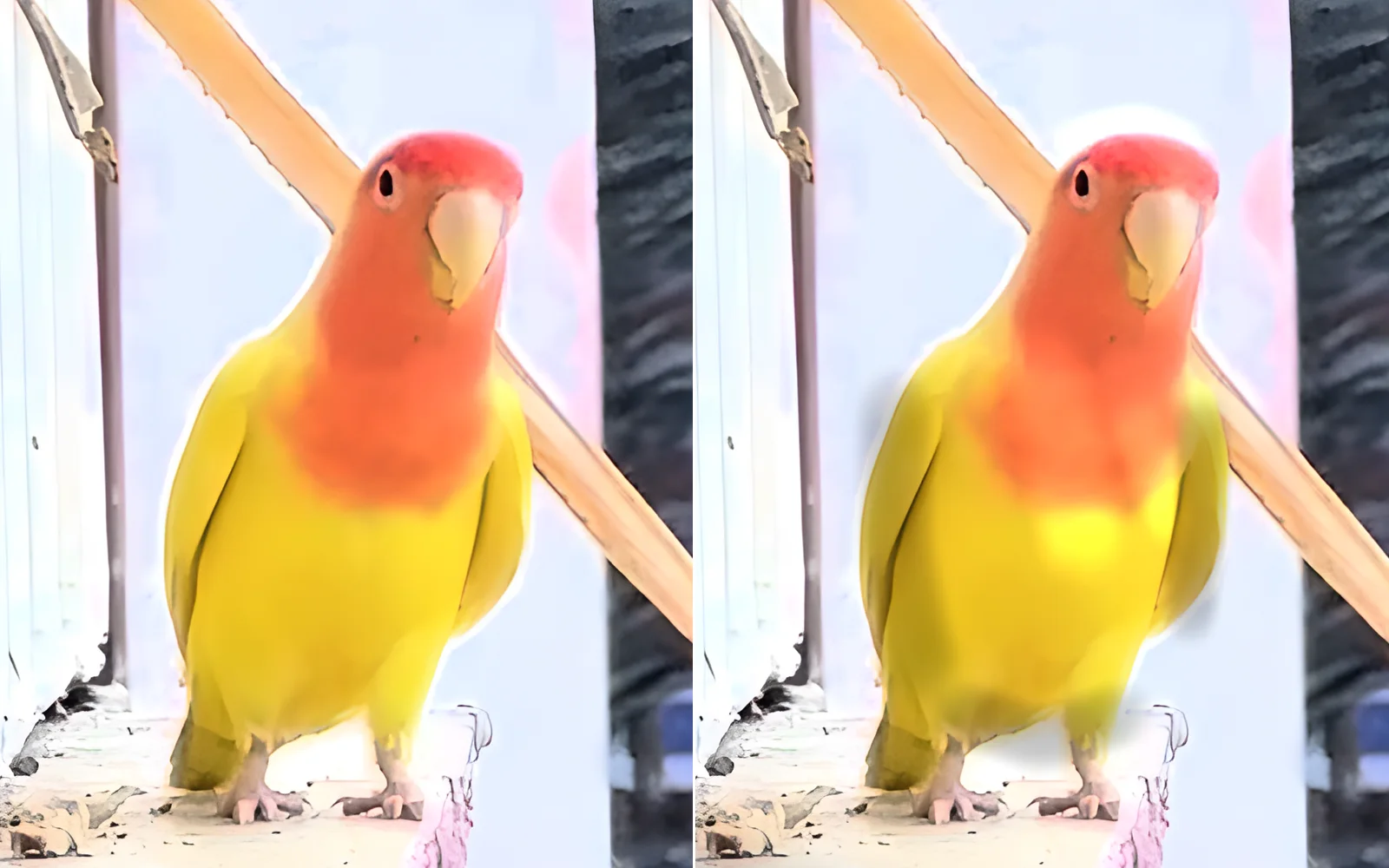
A rounder chest and darker flanks on a small bird, built up a faint stroke at a time.

  1. Pick Retouch > Dodge and burn.
  2. Paint Dodge down the middle of the chest and Burn along each flank. Flow starts low.
  3. Hold Ctrl and paint to pull back a patch that went too bright.
InputImageFile→ImagePaint
a lovebird before and after dodge down the chest and burn along the flanks
06

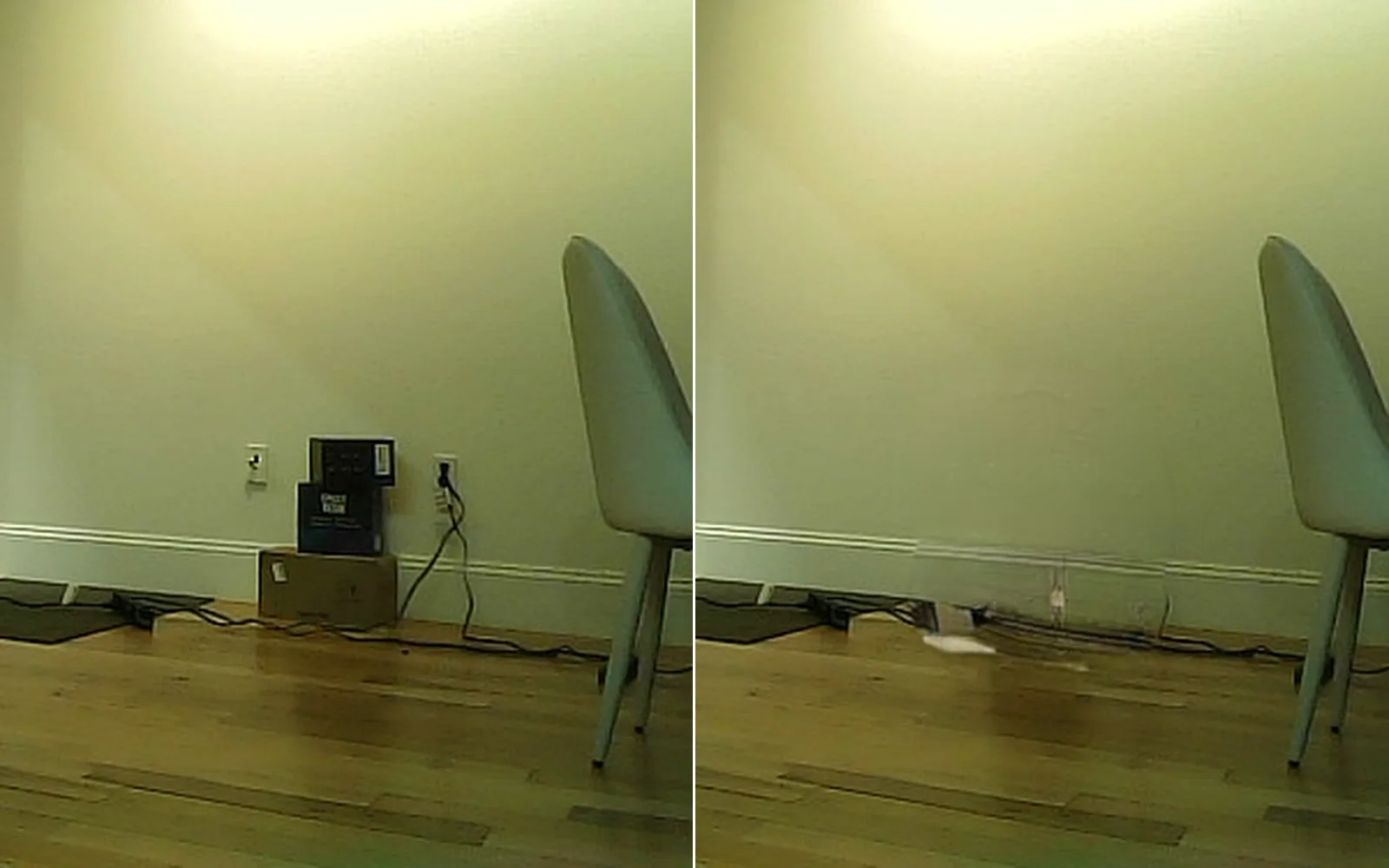
Clear the clutter out of a room

The stack of boxes by the wall, painted out and filled in.

  1. Pick Remove.
  2. Brush over the boxes. When you let go, the gap fills from what is around it.
  3. Brush more to grow the patch.
InputImageFile→ImageSelectShape→ImageMaskRefine→LocalAIImageInfill
the boxes by the wall painted out and filled in, before and after
Take it further

It all connects.

Every part of Kinematic works with the others. Wire one into the next.

Keep going

Free and open. Yours, forever.

No account, no license key. macOS, Windows, Linux and Raspberry Pi.

Download Kinematic 0.5.0