Kinematic 0.5.0 is out. Modeling and sculpting in the viewport, a timeline on every graph, photo and sound editing. What's new
Kinematic / Who it's for / Hardware and physical computing

Plug your hardware into Kinematic.

Read an Arduino or ESP32 over serial, map a MIDI controller, take OSC from a phone, light LED strips and fixtures over DMX, Art-Net and sACN, and see the room through a depth camera. Every device turns into live values you can wire to 3D, video, sound and light, in one file.

  • Hardware hackers
  • Makers of physical things
  • Interaction designers
  • Lighting techs
  • Exhibit engineers
  • Students
Serial, MIDI and OSC inDMX, Art-Net and sACN outDepth cameras and touchFree, even for commercial use
one picture on a ring of 24, a 16 by 10 panel and a strip of 60 RGB LEDs, drawn from the DMX frames
sketch.ino, read as two channels
void loop() {
  Serial.print(analogRead(A0));
  Serial.print(",");
  Serial.println(readTemperature());
  delay(20);
}
What you connect

Boards, controllers, lights and cameras.

What a week at the bench looks like, and where each part happens in Kinematic. Every device is a node, and every value it gives can drive anything else in the graph.

01

Read a board over serial

Your board prints a line and Kinematic reads it. Pick the Arduino or ESP32 preset and the port settings fill in, then split every line into named channels you can smooth, plot or wire into anything. Send text, numbers or exact bytes back the other way, or ask a question and wait for the answer, the way lab instruments work.

SerialOperationSerialReceiveInterfaceSerialSendInterfaceSerialRequest
sketch.ino, on the board
void setup() {
  Serial.begin(115200);
}

void loop() {
  Serial.print(analogRead(A0));
  Serial.print(",");
  Serial.println(readTemperature());
  delay(20);
}
in Kinematic
SerialOperation
  preset          arduino_115200
SerialReceiveInterface
  framing         line
  parse           numbers
  channel_names   light temperature
  emit            latest
→ Values_Out      light 512  temperature 21.5
Try it with nothing plugged in.A loop:// test port sends back whatever it is given, so the graph works before the board arrives. Window > Serial > Serial Monitor shows every byte going by.
Pull the cable, plug it back.The port keeps trying to open again when the cable is pulled or the board restarts, and the device list updates itself when a board comes or goes.
Reach it from Python.kinematic.serial lists the ports, reads their status, writes to a port and listens in, while the graph holds the port open.
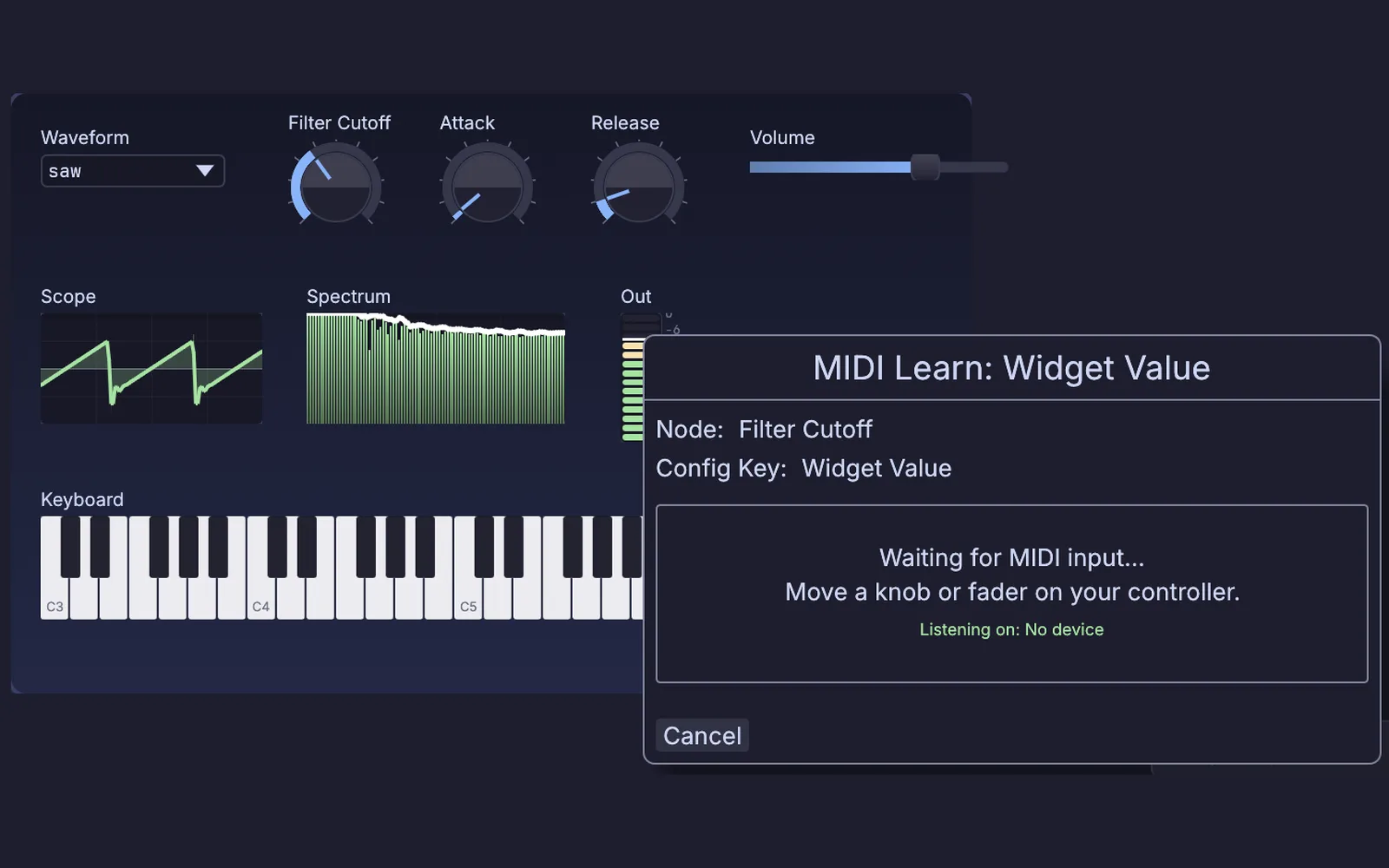
MIDI Learn open on the Filter Cutoff dial of a synth panel, waiting for a knob or fader to move
MIDI Learn on a synth panel, waiting for you to move a knob
02

Map a MIDI controller

Pick your controller in the Profile Library and every knob and fader maps in one press, with its lights answering back where it has them. Or click Learn on any knob and move a fader. Notes, CC, NRPN, pitch bend, SysEx and MPE all come in, and RTP-MIDI carries them between computers with no cable.

MidiCaptureInterfaceMidiLearnChannelDataLag
Map your MIDI controller →
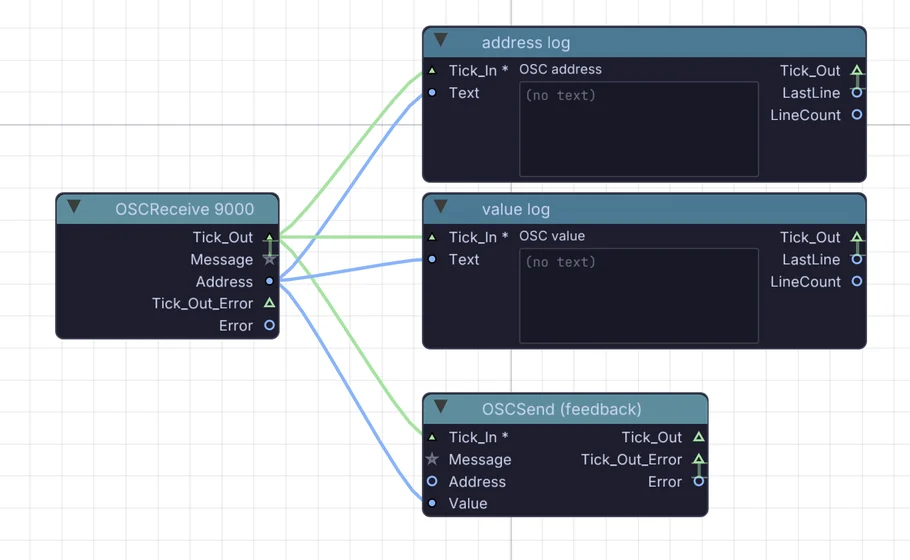
An OSC receive node on port 9000 wired into an address log, a value log and an OSC send that answers back
OSC in on port 9000, with a send back for feedback
03

Take OSC from a phone or another app

TouchOSC on a tablet, a script on another machine, or anything that speaks OSC over UDP or TCP. Move a fader there and its address is learned here, and values go back so its faders follow. Or serve a touch page from the graph that any phone on the network can open.

OSCReceiveOSCSendDmxRemoteEndpoint
Run the show from a phone →
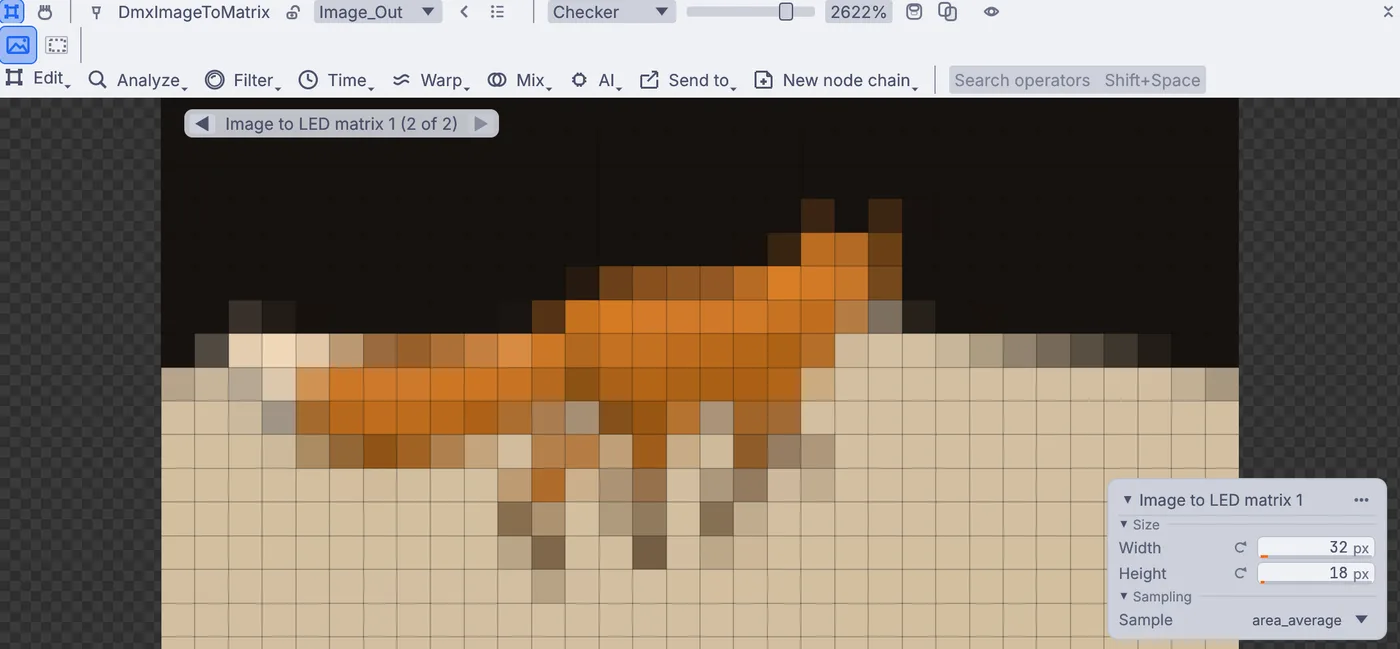
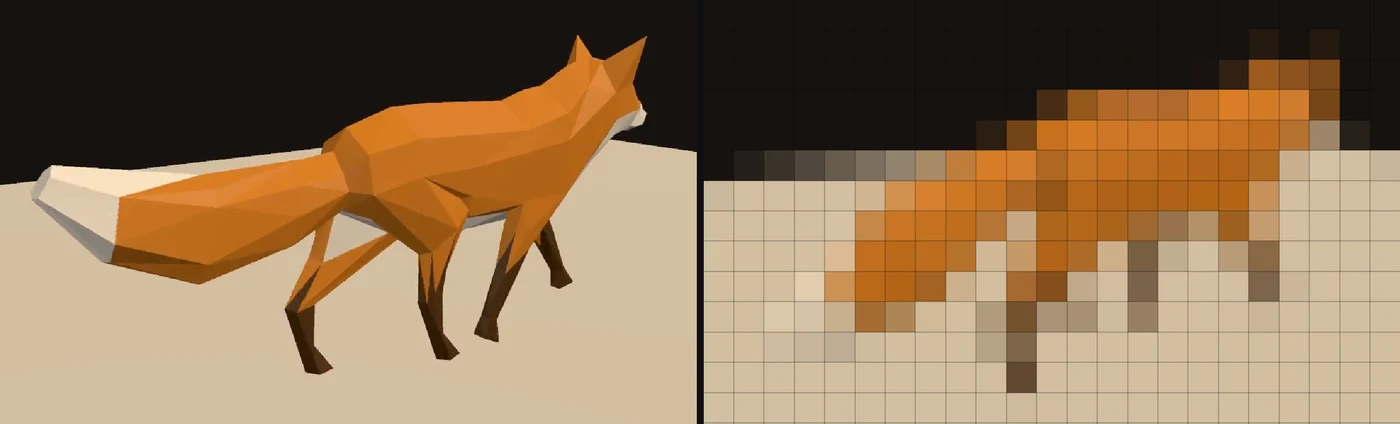
A walking fox shrunk to a 32 by 18 grid of lights, with Width and Height on the card beside it
a video on a 32 by 18 LED panel, one square per light
04

Light LED panels and strips

Shrink any picture to the size of the panel and every pixel becomes a light. Snake-wired panels, strips that want green first and RGBW pixels each have a setting, and Art-Net, sACN or a USB DMX adapter carries it to the controller. Watch the panel play in the app before you own one.

DmxImageToMatrixMatrixToDmxArtNetSendInterface
Tutorial: play a video on a wall of LED lights →
a room from one saved depth camera frame, turned into points
05

See people and rooms

An Orbbec Astra, Gemini or Femto gives color, depth and IR. Turn the depth into points you can measure, mask or render, or calibrate a wall or table once and use it as a touchscreen. A plain webcam tracks bodies, hands and faces on your own machine.

DepthCameraCaptureInterfaceDepthImageToGeometryDepthTouchSurface
Turn the room into points →
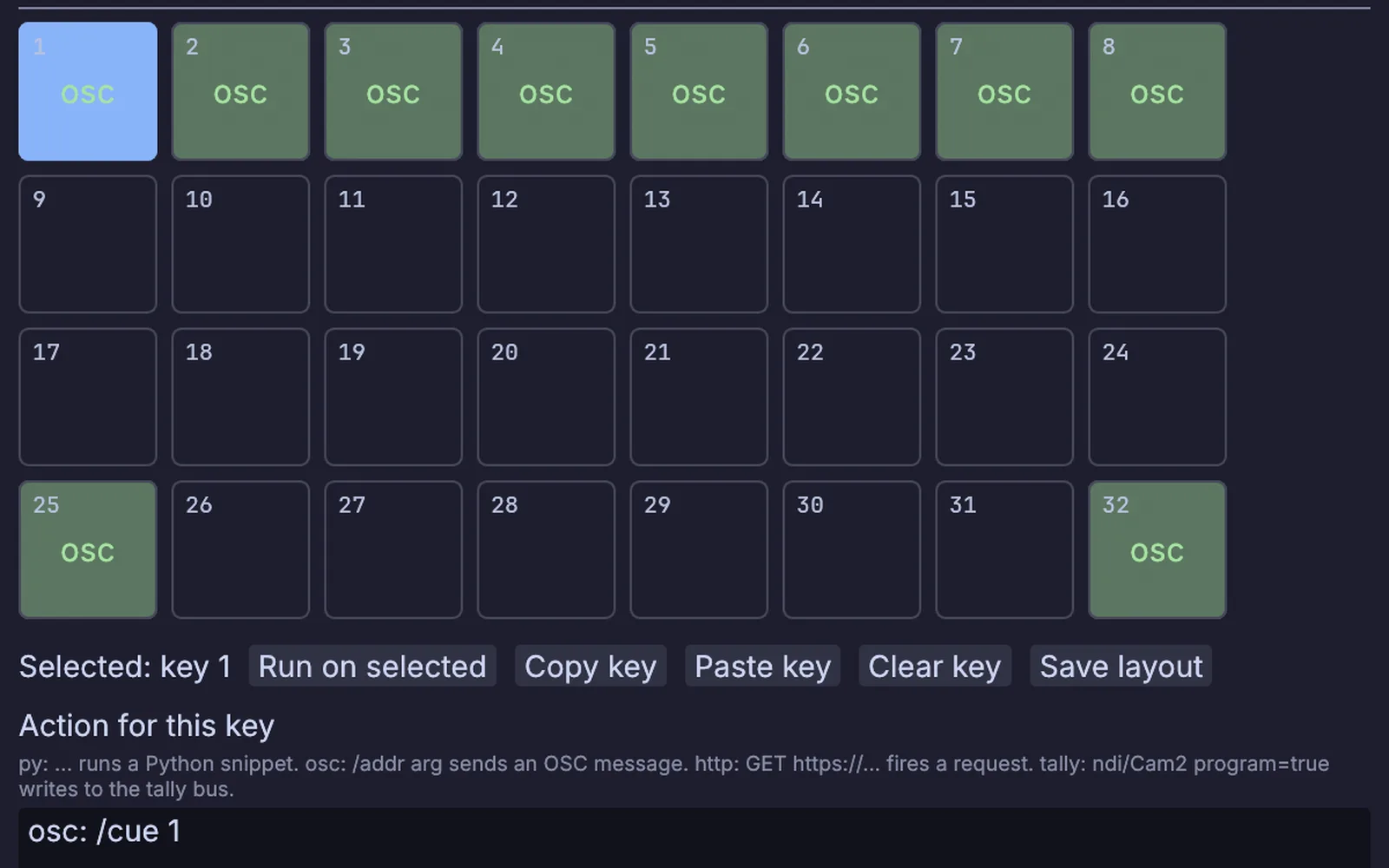
The Stream Deck Layout window: thirty-two keys, the first eight and two more set to send OSC cues
the Stream Deck Layout window, a cue on each key
06

Buttons, pads, sticks and touch

Put a cue on every Stream Deck key. Read a gamepad's sticks and triggers, every finger on a touchscreen, or any key you name on the keyboard, and light the pads of an Ableton Push in your own colors.

StreamingStreamDeckSurfaceGamepadInputMultiTouchInPushSurface
Put cues on a Stream Deck →
The work you know

Drive lights over DMX, Art-Net and sACN.

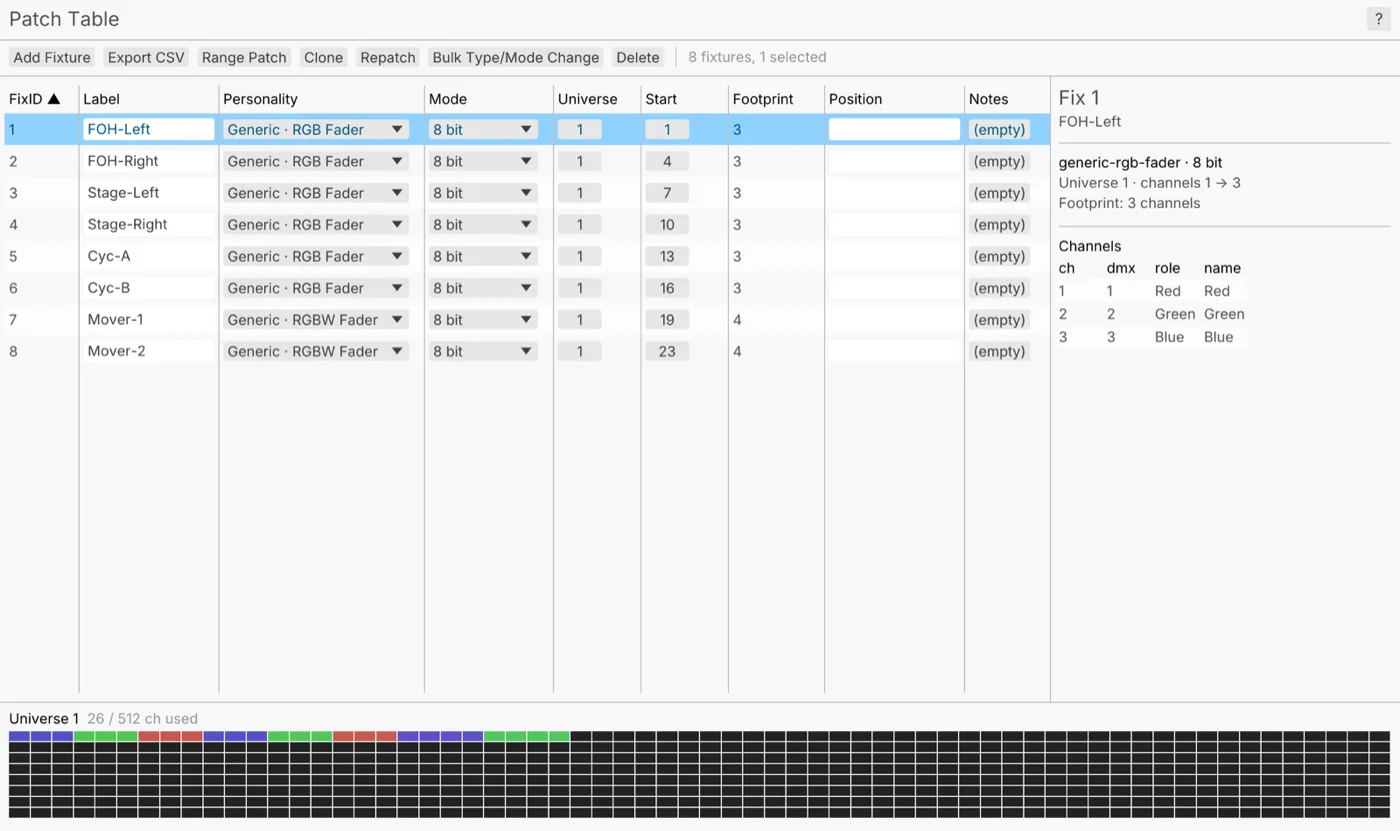
Patch each fixture from a library of more than 1,500, or point one at a GDTF file. Image to DMX samples every frame at each fixture's place on the wall and packs the colors into a universe. Send them through a USB adapter, or over the network as Art-Net or sACN.

Lighting scenes come in and go out as MVR, and the patch prints as a list for the crew.

DmxPatchDmxFixtureMapImageToDmxArtNetSendInterfaceSAcnSendInterface
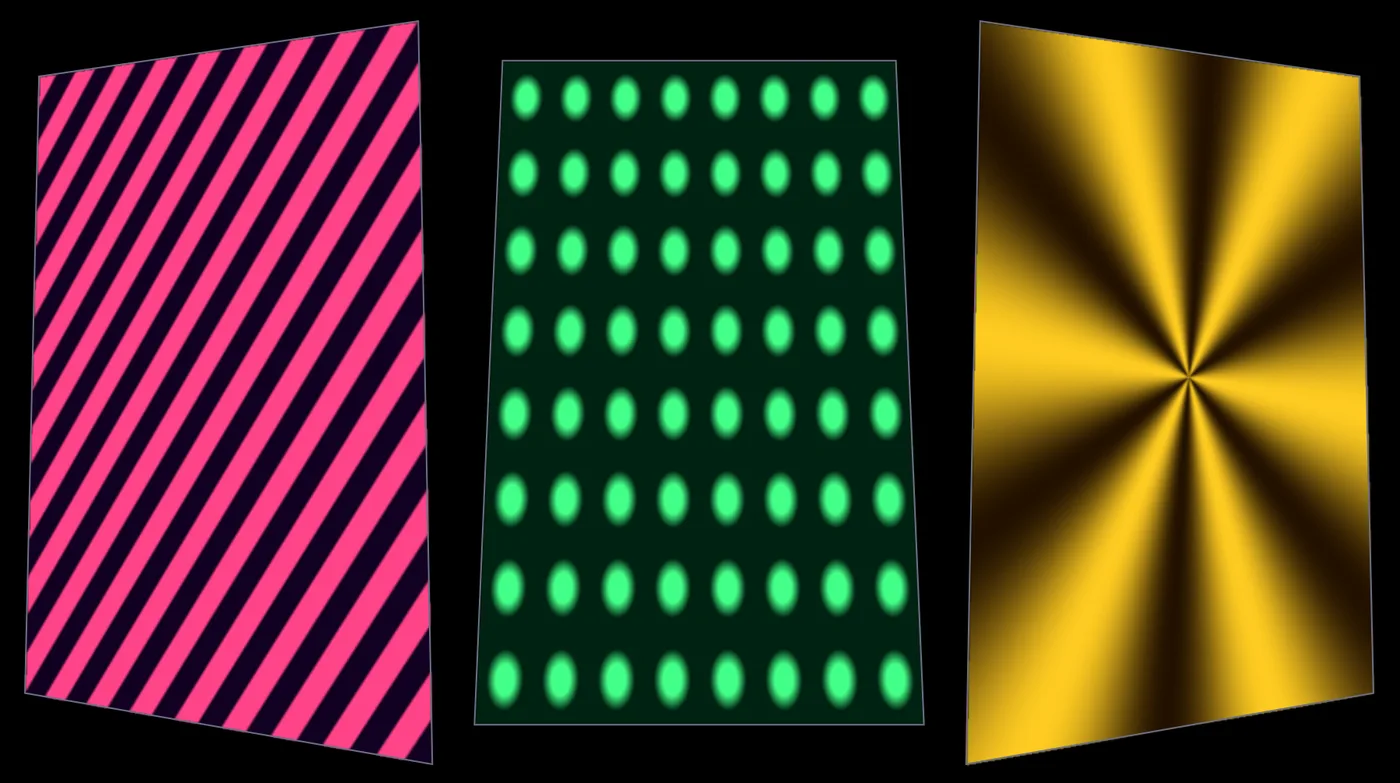
a pattern on 640 RGB lights over four DMX universes, drawn as they glow
The patch table: eight fixtures with their modes, universes and start addresses, and a channel bar for universe 1
the patch table
What Kinematic adds

Drive lights from a simulation.

The fire, its render and the lights can sit in one file. A render is a picture like any other, Image to DMX samples it at every fixture, and the frames go out to the rig. Swap the fire for liquid, smoke or particles and the wiring stays the same. A camera feed, a video or a shader works too: if it is a picture, it can light the rig.

3DGeoSceneRenderToImage→ImageToDmx→ArtNetSendInterface
a fire sim, and the same frames on 640 RGB fixtures over DMX
What Kinematic adds

Make lights follow the music.

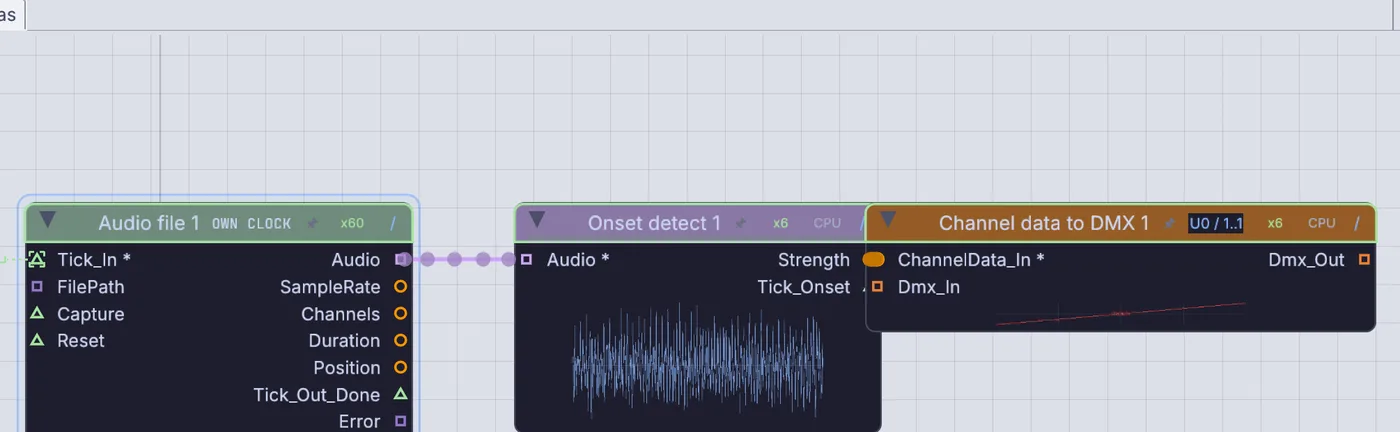
Onset detection finds every hit in a song or a live input and flashes a channel on the beat. Loudness, tempo and key are live values too, so a strip can breathe with the music while the picture beside it reacts to the same song.

InputAudioFile→AudioOnsetDetect→ChannelDataToDmx
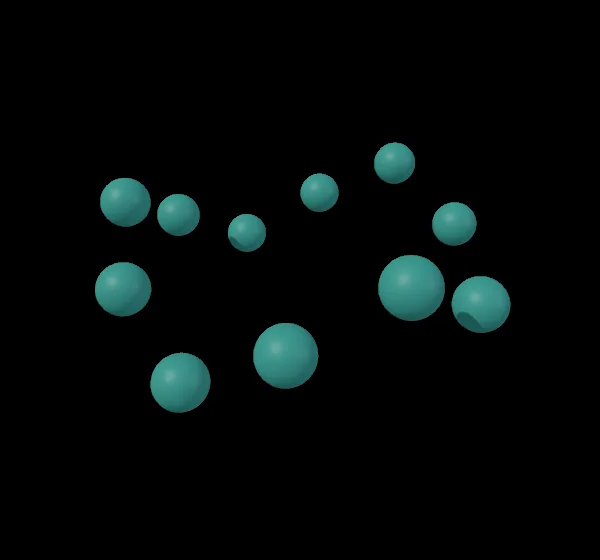
a song's loudness and hits driving a particle burst
Three nodes on the canvas: Audio file, Onset detect and Channel data to DMX
the three nodes the tutorial adds
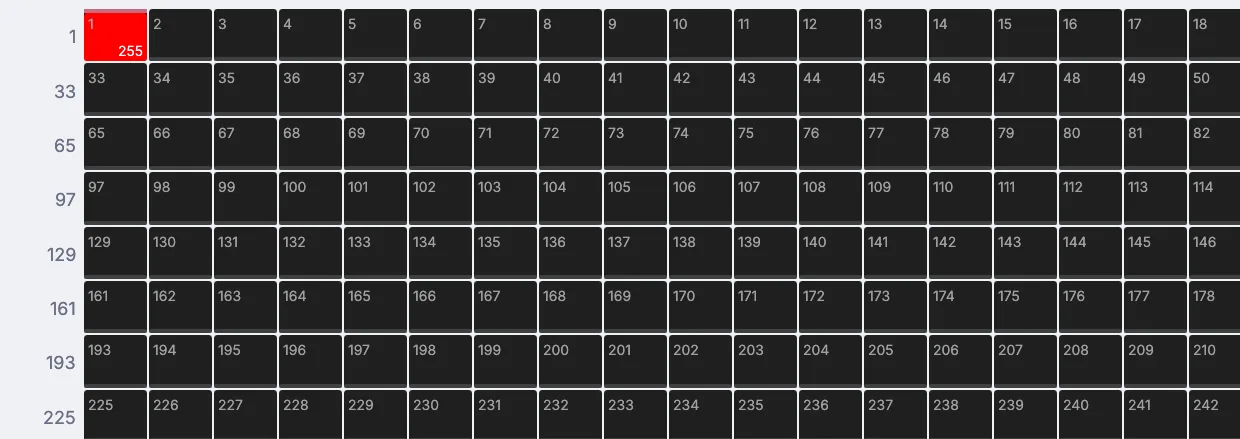
A DMX channel grid with channel 1 lit red at 255
channel 1 at full on every hit
a dancer drawn on 2,560 pixels of a DMX pixel grid
terminal
$ kinematic devices --kind serial
$ kinematic run show.kin --watchdog 30s --health-port 8080 \
    --log-file show.log --log-keep 14
$ kinematic show.kin --kiosk --restart-on-panic 5
Taking it live

Run it on its own.

Build the piece on your laptop, then run the same file on a box in the rack with no window. kinematic run answers a health check, keeps one log file a day, and exits when nothing has run for too long so a supervisor can start it again. For a screen, --kiosk opens straight into the show and nobody can close it by accident.

Gear comes and goes on a long run. A serial port reopens after a pulled cable, a Push or a Stream Deck that drops out reconnects when it comes back, and a gamepad reports when it is gone so the piece can fall back to something else.

Raspberry Pi, experimental. A Pi 5 with 64-bit Raspberry Pi OS, from a .deb. 3D renders use a lighter mode there and custom shader materials do not run, so test the piece on the board.

In and out

Protocols, devices and files.

What Kinematic talks to, in and out. Every format and device is on Works with, and kinematic devices lists the ports, controllers, cameras and DMX adapters a machine can see.

In

Serial lines and bytesMIDI notes, CC, NRPN, MPERTP-MIDI and ipMIDIOSC over UDP or TCPOSCQueryDMX, Art-Net and sACN inLTC and MIDI timecodeHTTP, WebSocket, webhooksWebcams and capture cardsDepth camerasGamepadsTouchscreensKeyboard and mouse

Out

DMX through a USB adapterArt-NetsACNSerial text and bytesMIDI, MIDI clock, MSCOSCNDISyphon on macOSProjectors and extra screens

Gear with ready settings

Arduino and ESP32 presetsLab balances, scales, receipt printers, GPSKorg nanoKONTROL2Novation LaunchpadAkai APC40Ableton Push 2 and 3Stream DeckEnttec DMX USB ProDMXking ultraDMXOrbbec Astra, Gemini, Femto1,500+ fixture profilesGDTF and MVR files
Runs onmacOS on Apple SiliconWindowsLinuxRaspberry Pi 5, experimental
Where to start

Tutorials and demos.

Short lessons that work before any gear arrives, and demos that come with the app. Open a demo from Help > Browse Demos, press Play, then read its graph.

Tutorials

Demos

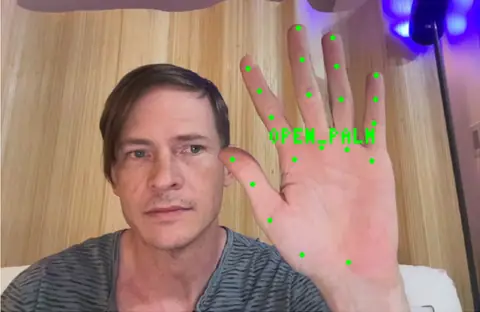
Gesture triggerThumbs up, open palm or a fist, read from a webcam, each one a trigger for a cue, a sound or a light.In the Demos browser
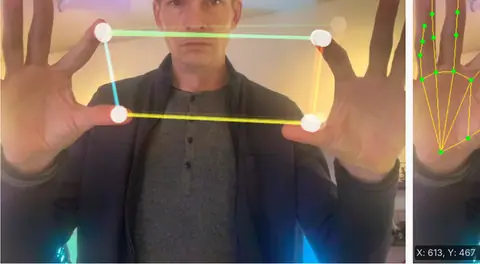
Hand tracking synthA synth played with your hands in front of a webcam: the gap between fingers sets pitch and tone.In the Demos browser
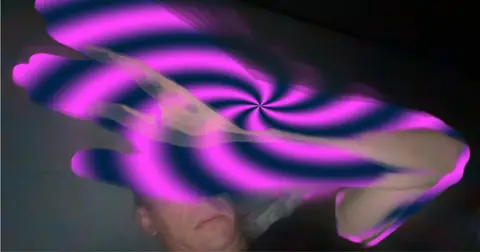
Motion-detect swirl overlayA webcam that notices movement: a swirl lights up only where something moved.In the Demos browser
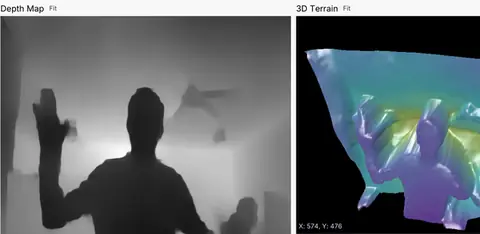
Live depth terrainA plain webcam turned into depth, then into a lit 3D terrain that moves with you.In the Demos browser
Swirls on a projectorThree swirling patterns sent to a projector on a second display, with a preview in the app.In the Demos browser
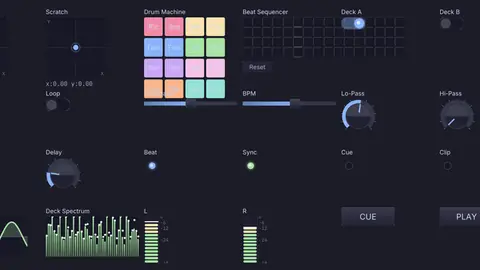
DJ performance controllerA control surface built from widgets: pads, a crossfader, a step sequencer and beat lights. MIDI Learn maps any of them to a controller.In the Demos browser
Honest gaps

What it does not yet do.

Better to know now.

Something missing that you need? Reach out.

  • No GPIO, I2C or SPI nodesKinematic does not drive pins directly, on a Raspberry Pi or anywhere else. Put a board in between and talk to it over serial.
  • No direct output to addressable stripsA strip needs a pixel controller that takes Art-Net or sACN, or a board of your own that you send bytes to over serial.
  • It does not program your boardUpload the sketch with your usual tools, then read the board here.
  • No MQTTUse OSC, HTTP, WebSocket or webhooks to reach other devices on the network.
  • Kinect and ZED cameras are not supported yetUse an Orbbec camera, or turn a plain webcam into depth with a depth model.
  • No virtual MIDI ports on WindowsThey open on macOS and Linux, where other apps on the same computer can play into the graph through one.
  • The Push screen stays darkPads, encoders, buttons, the touch strip and pad colors work. The color screen is not supported yet.
  • No Spout yetVideo between apps on Windows is on the roadmap. NDI works in the meantime.
  • Some gear needs the full Linux packageDepth cameras, Stream Deck, serial DMX and NDI need the .deb. The sandboxed snap leaves them out.

Download Kinematic.

Free. No account, no license key. macOS, Windows, Linux and Raspberry Pi.