Kinematic 0.5.3 is out. Crowds and traffic that find their own way, and a Clip Launcher that plays on the beat. What's new
Kinematic / Perform / Clip Launcher

Play clips live.

VJ a club night to the DJ's tempo, or run a theater show from one GO button. Cells hold video files or live parts of your graph.

three columns pressed in turn, each lighting up across the grid on the next bar
01

Play visuals on the DJ's beat

Every press lands on the beat.

  • Click New Project, then Start a VJ set on the viewport card.
  • Press cells as the music moves.
ClipLauncher→LauncherTrack→LauncherTrackBlend→ImageComposite→ImageDisplay
the whole window: each press lands on the next bar, and the picture turns from rain to fire
02

Let the song run the show

When the song reaches its build or its drop, the matching column comes in without a press.

  • Drop a song on the canvas, then pick Build a set from this song.
  • It finds the intro, the build and the drops, makes a column for each and fills them with looks.
  • Press Play. Each column comes in as its part of the song starts.
InputAudioFile→LocalAIAudioToSongMap→ClipLauncher→LauncherTrack
the drop column fires on the song's marker and a wall of fire floods in behind her
03

Play it from a pad controller

An APC40 or a Launchpad maps in one step, and the pads light up in the clips' colors.

  • Plug the controller in and pick it under Controller in Launcher settings.
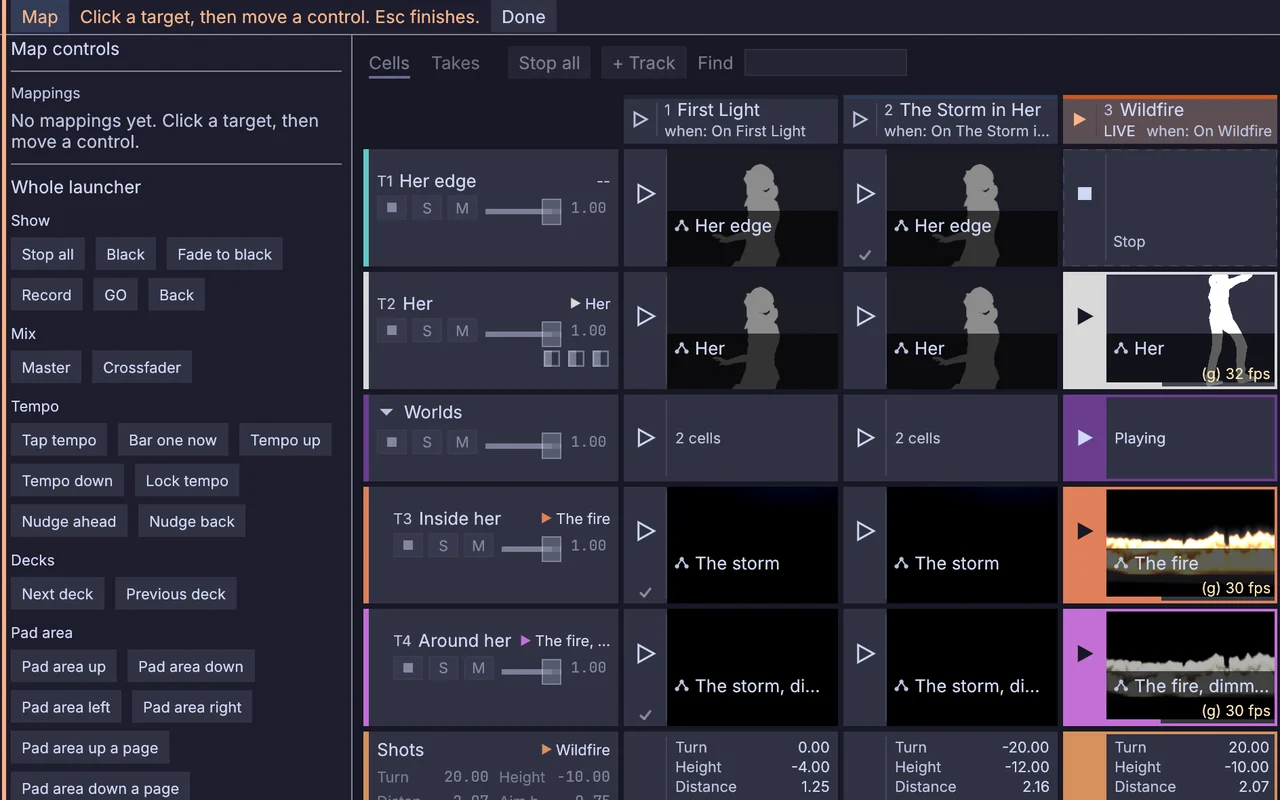
  • Press Map, then pick Use the APC40 layout. Every pad and fader is mapped at once.
  • The bank buttons move the pads across the grid. A fader takes over once you move it past where the show has it.
ClipLauncher→MidiSendInterface
Map mode: click a target in the window, then move a control on the controller
04

Run a theater show with GO

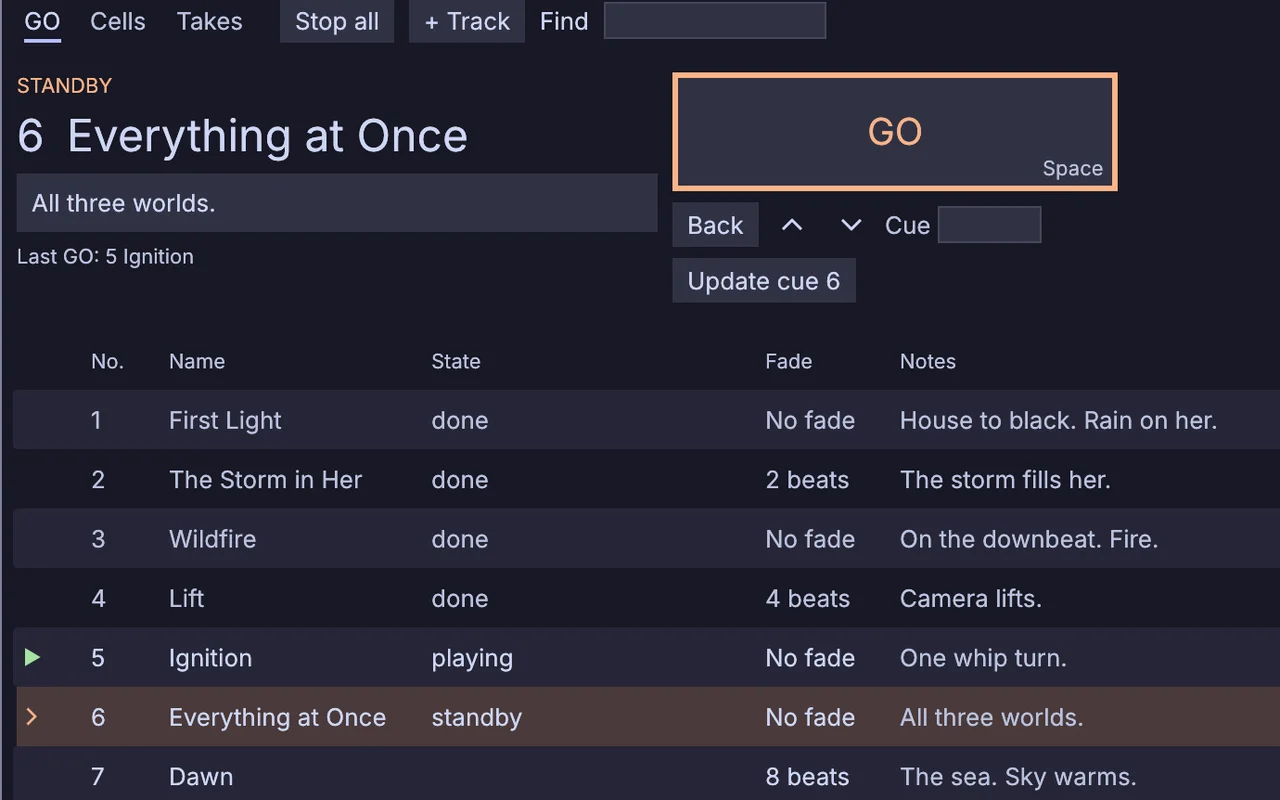
The columns become a numbered cue list. Space fires the next one.

  • Turn on GO mode and give each cue a number, a name and a fade.
  • Press Space to GO. The arrows only move standby.
  • Let the lighting desk fire your cues over MIDI Show Control.
MidiShowControlIn→ClipLauncher→LauncherTrack→LauncherTrackBlend
the GO tab: cue 6 on standby with its note, cue 5 playing
05

Record a take and render it

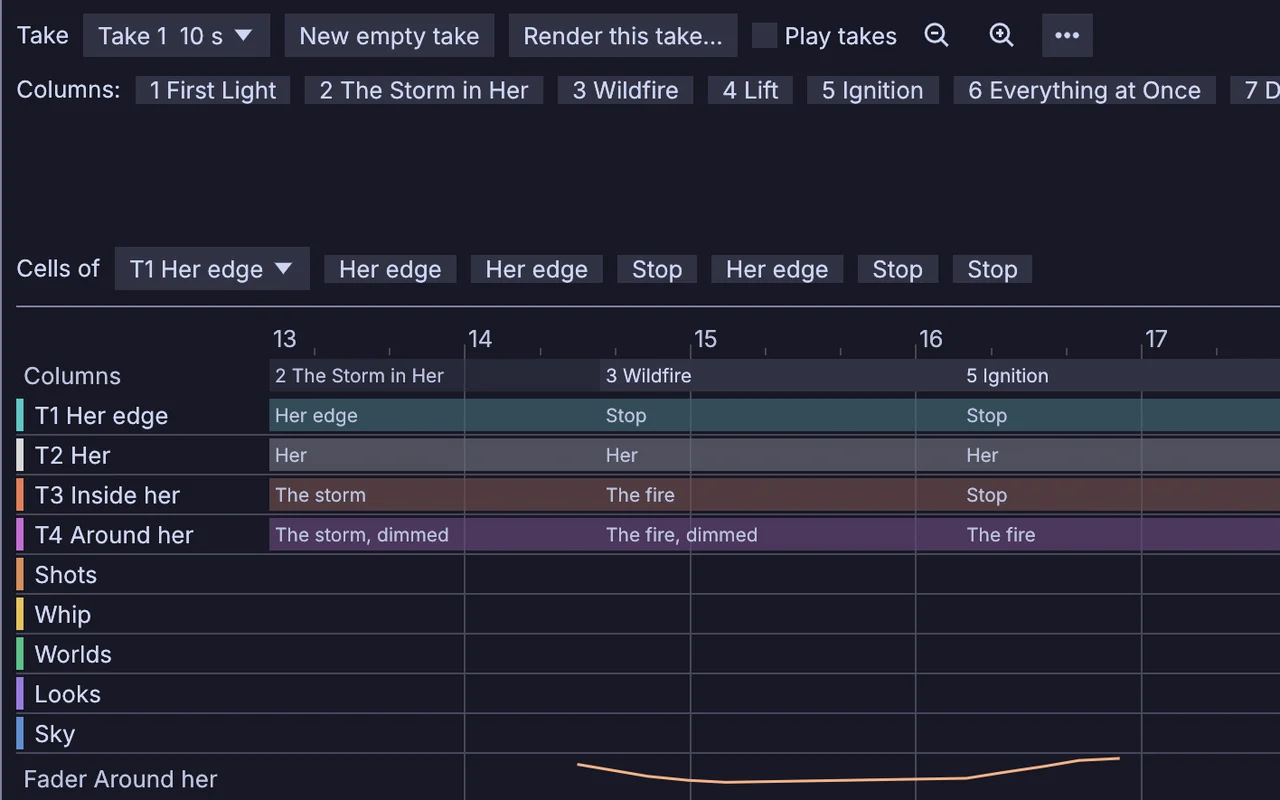
It keeps every launch and fader move, and records the camera and the room sound alongside.

  • Press Record take, then play the show.
  • Turn on Play takes, then punch in over the bars you want to redo.
  • Press Render this take, then pick any size and frame rate.
ClipLauncher→LauncherTakeInput
the Takes tab: each launch a block on its track, the fader move drawn as a curve
06

Send a row to the LED wall

One row of clips goes out to the wall as pixels, on the same beat as the screen.

  • Give the wall a row of clips of its own.
  • In the Outputs menu, pick Add LED pixels and choose Art-Net or sACN. Press BLACK and they go dark with the picture.
  • Switch the output pane to Stage to see the walls in the room before you get there.
LauncherTrack→LauncherTrackBlend→ImageToDmx→ArtNetSendInterface
the Stage view: the program on the big screen, the fire track on both LED walls, all flooding on the drop
07

Let the room launch the drop

When the crowd claps or puts their hands up, the drop comes in on the beat.

  • Add the camera or a sound input in the library's Inputs tab.
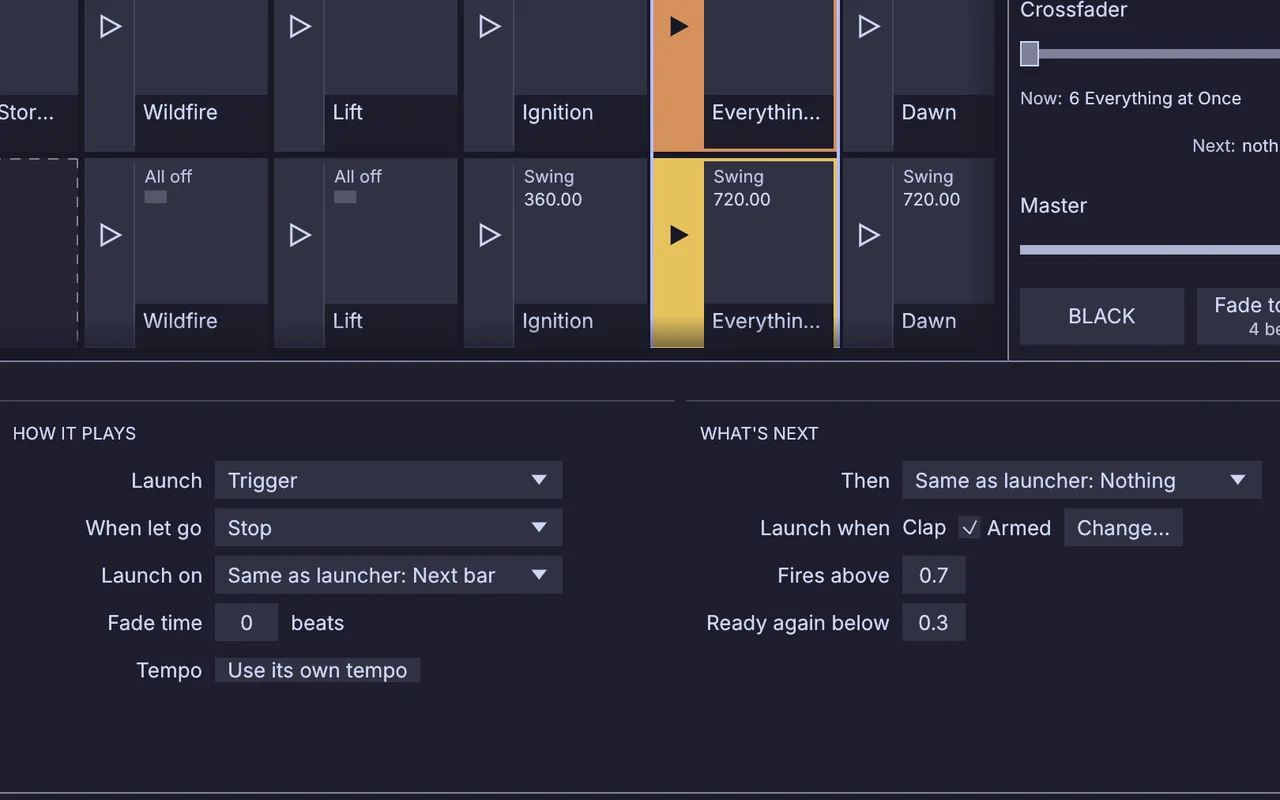
  • On the drop column, pick Launch when, then choose Room: Clap or Room: Hands up.
  • Set the mark it fires above and the one it must fall below before it can fire again.
LauncherTakeInput→Component→ClipLauncher
the live column and its trigger: a clap, firing above 0.7 and ready again below 0.3
08

Leave an installation running for weeks

It picks its own next look every couple of minutes, and the staff run it from their phones.

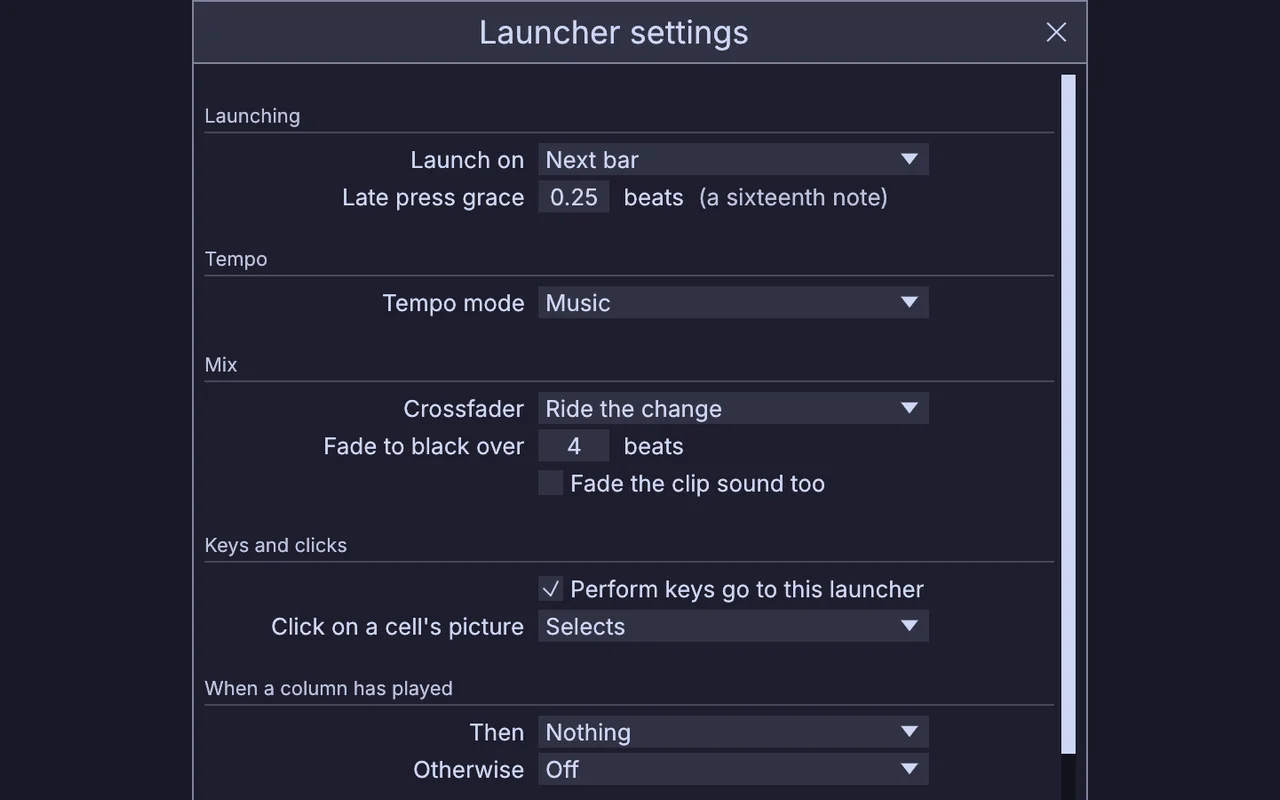
  • Set Tempo mode to Seconds, and have each column move to a random one after two minutes.
  • Turn on the phone page. Staff join it with a PIN.
  • Launch it in kiosk mode with a restart count, so a crash brings it back.
ClipLauncher→LauncherTrack→ImageDisplay
Launcher settings: Tempo mode, and what a column does when it has played
Take it further

It all connects.

Every part of Kinematic works with the others. Wire one into the next.

Keep going

Free and open. Yours, forever.

No account, no license key. macOS, Windows, Linux and Raspberry Pi.

Download Kinematic 0.5.3