Kinematic 0.5.3 is out. Crowds and traffic that find their own way, and a Clip Launcher that plays on the beat. What's new
Release 0.5.2

What's new in 0.5.2.

Draw light that follows a dancer, and light real footage as if it were a 3D set. Keys from the whole graph now line up in one Dope sheet, and a sculpt can be masked from its own surface.

01Edit

Draw with light.

ImageLightLines draws glowing lines that bead, dash, reveal and hide behind depth. Wire a body pose in and the lines follow a dancer.

ImageSpreadReveal lights a picture up from a point or a line, with a flare on the bright parts. ImageScope shows a histogram, waveform, parade, vectorscope and false color, with levels as numbers.

ImageLightLinesImageSpreadRevealImageScope
threads of light grow out of the dark and follow a dancer, passing behind the body where depth says it is nearer
02Timeline

Edit keys across the whole graph.

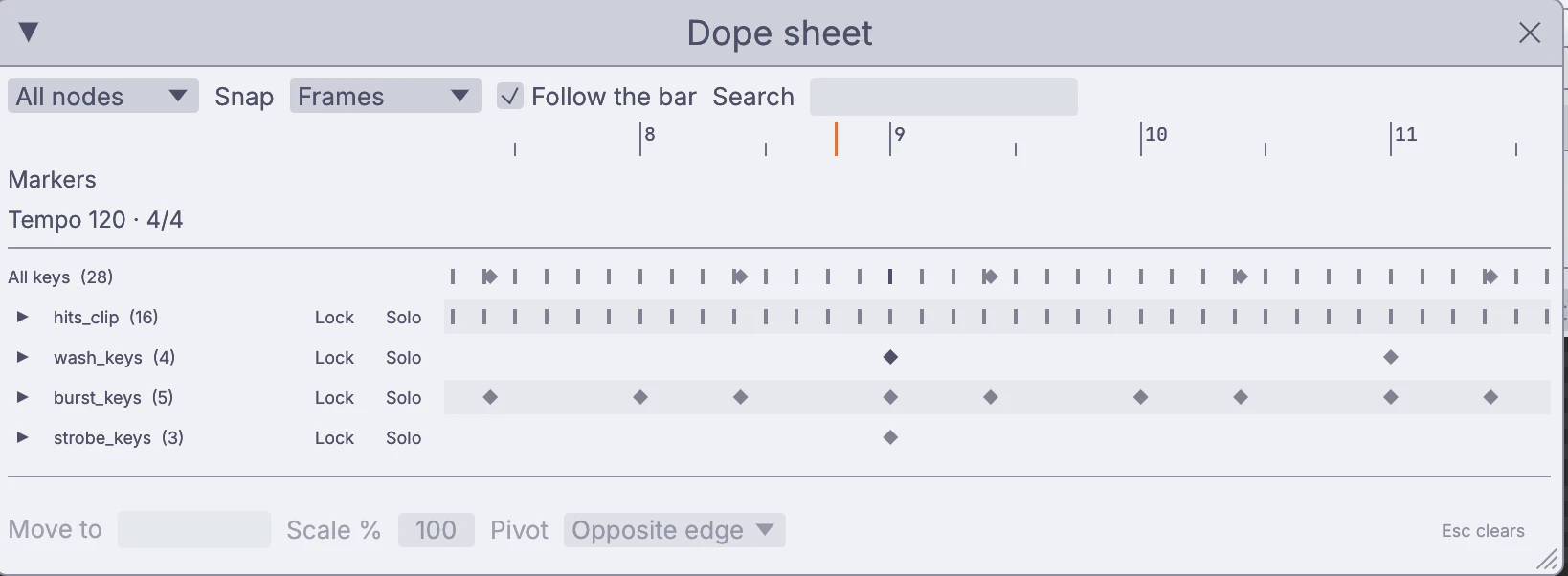
The time bar now shows the selected node’s keys. The new Dope sheet lines up keys from many nodes, so you can move or scale a whole show at once.

Keys on the barDope sheetTempo rampsMeter changesMarkers with a length, color and noteStop, pause, loop and jump markersInsert and delete timeSpeed curves on clips

Tempo ramps and meter changes get their own lane. Select a span on the ruler to cut, copy, paste or clear it across the graph.

the Dope sheet: 28 keys across four nodes, with lock and solo on each row
a node’s keys on the ruler, and the curves they drive
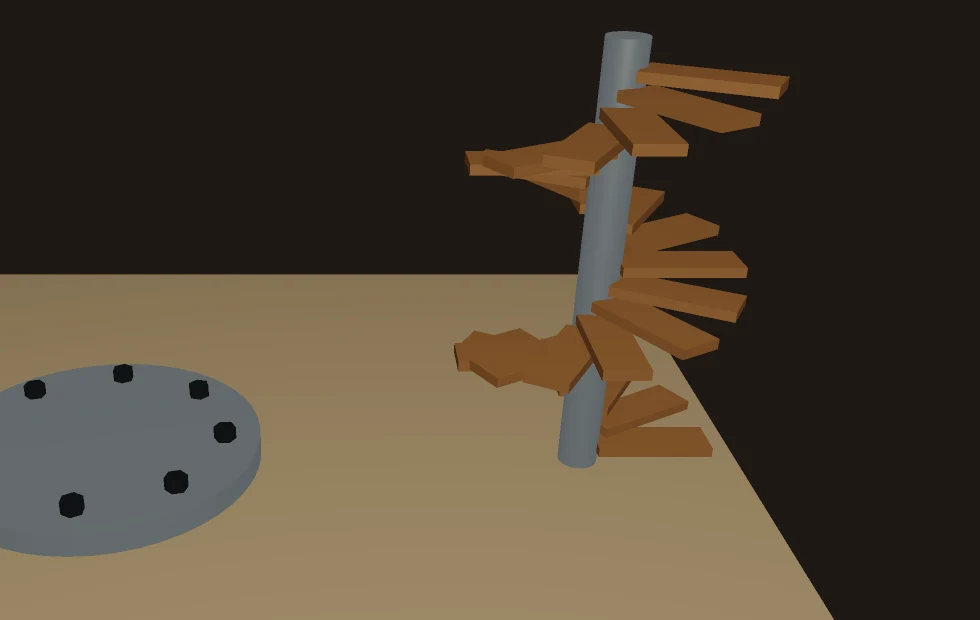
eight bolts around a flange and a stair that winds up its pole, both made with Radial array
03Create

More ways to cut and build.

Draw on a work plane, cut with a box, circle, polygon or freehand shape, and keep shaping from there.

Work planesBox, circle, polygon and freehand cuttersConnectOffset loopGrid fillThickenRadial arraySpin edges
04Create

Masks from the surface.

Mask a sculpt from its own shape: its hollows and ridges, how hidden each spot is, its color, a picture or any point value. Paint through that mask and the dirt settles into the creases.

Masks from occlusion and curvatureMake symmetricLive add and cut shapesDecimateQuad remeshMask expand

Add or cut with a shape and keep both parts editable until you merge them. Decimate and quad remesh run from the Mesh menu and keep the mask, color, face sets and UVs.

the Stanford dragon with dirt painted through an occlusion mask, on a turntable
05Create

Turn footage into a 3D set.

3DGeoFootagePlate turns a picture and its depth into a 3D plate seen from the shot’s camera. Scene lights, shadows, depth of field and motion blur then work on real footage.

  • 3DGeoCameraFromSolve turns a camera solve into a scene camera that lines up with your footage, with viewport tools to set the ground, scale and origin.
  • The camera is kept with the graph and played back by frame.
  • One still photo works too: give it depth and move a camera through it.
3DGeoFootagePlate3DGeoCameraFromSolve
one photo of the northern lights as a 3D plate: the camera slides and the rocks move against the sky
a solved camera on a park video: the glowing light stays put in the scene while the real camera moves
06Engines

Give heavy work its own core.

Any component can now run on its own thread or in its own process, beside the show. From the outside nothing changes: it keeps its node, its knobs and its wires.

Own thread.
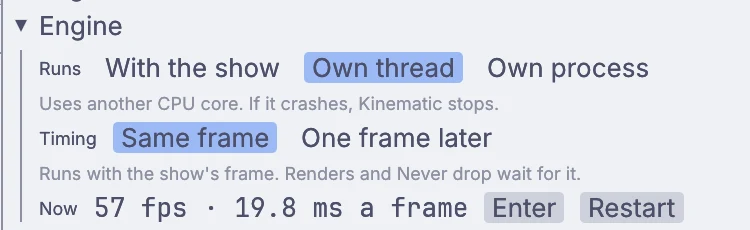
Uses another CPU core. Three 9 ms components on parallel branches cost about 9 ms a frame, not 27.
Own process.
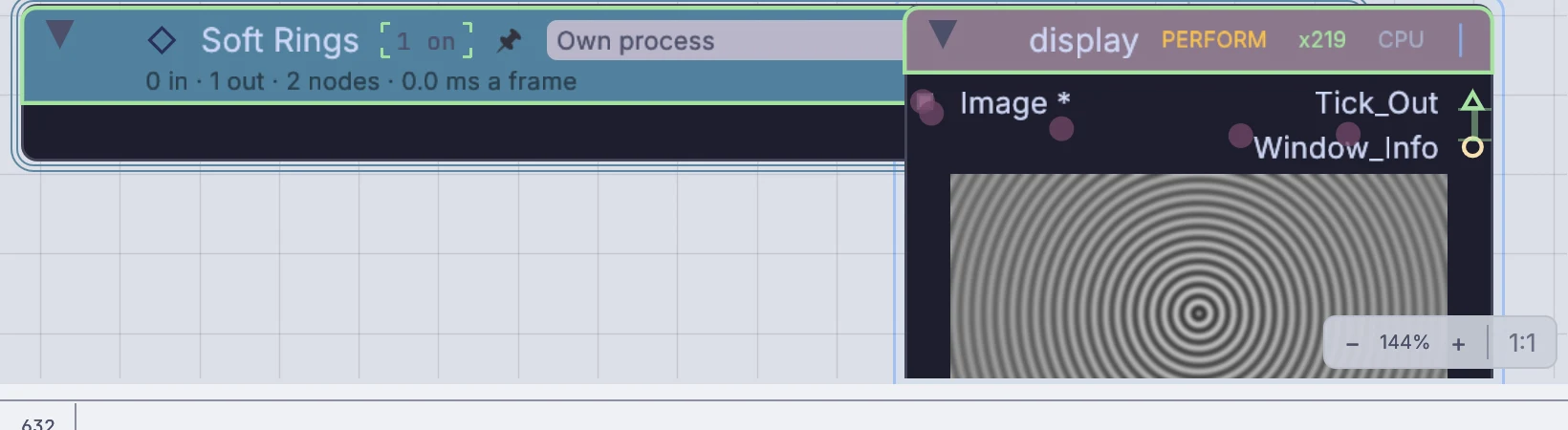
If it crashes, Kinematic keeps running. Python gets real gains there, since a process has its own Python.
One frame later.
Overlaps with the rest of the frame and hides a slow wait. Its picture is one frame behind.
Simulations too.
Run on its own thread... on a fluid, FLIP or PBDSim solver wraps the sim and the nodes that read it in one step.

The Profiler has a new Engines tab, and a component's inspector shows where it runs and its live frame rate. GPU chains, 3D renders and AI models already run on their own workers, so read the Profiler first.
the Engine section on a component: where it runs, its timing, and its live frame rate
a 4K float component running in its own process
Across the app

The rest of the release, in short.

The song lane on the timeline: a Build section running into the Drop, with bar numbers and the tempo read off the song
07Play

Song map.

LocalAIAudioToSongMap maps a whole song: its beats, bars, tempo changes and sections like intro, build and drop. Drivers can read it.

The song shows as a lane on the timeline, and loop ends, markers, keys and clip edges snap to it.

LocalAIAudioToSongMap
08Edit

Erase and restore video.

LocalAIVideoErase paints a person or object out of a video, along with the shadows and reflections it casts. Give it the video and a mask.

LocalAIVideoRestore cleans up old or compressed video and rebuilds lost detail like hair, leaves and the edges of text. It can also make the picture up to 4 times larger.

LocalAIVideoEraseLocalAIVideoRestore
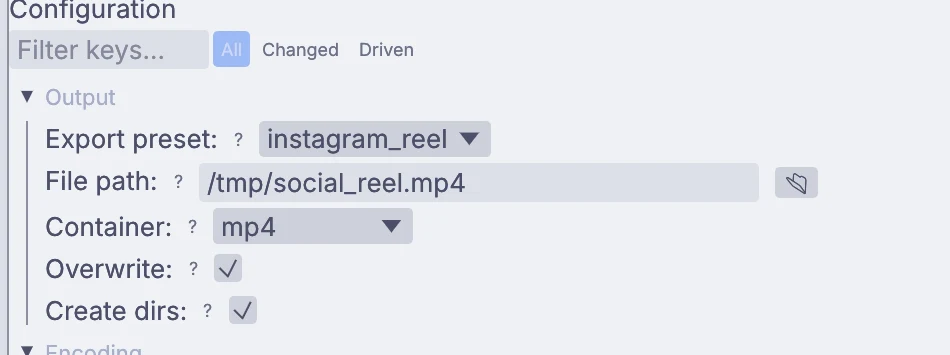
An OutputVideoFile set to the instagram_reel export preset
09Edit

Export presets.

OutputVideoFile and the timeline render have presets for YouTube, Instagram, TikTok, Vimeo and other platforms, with loudness leveling to a target LUFS.

Safe area and social app guides show in the viewport.

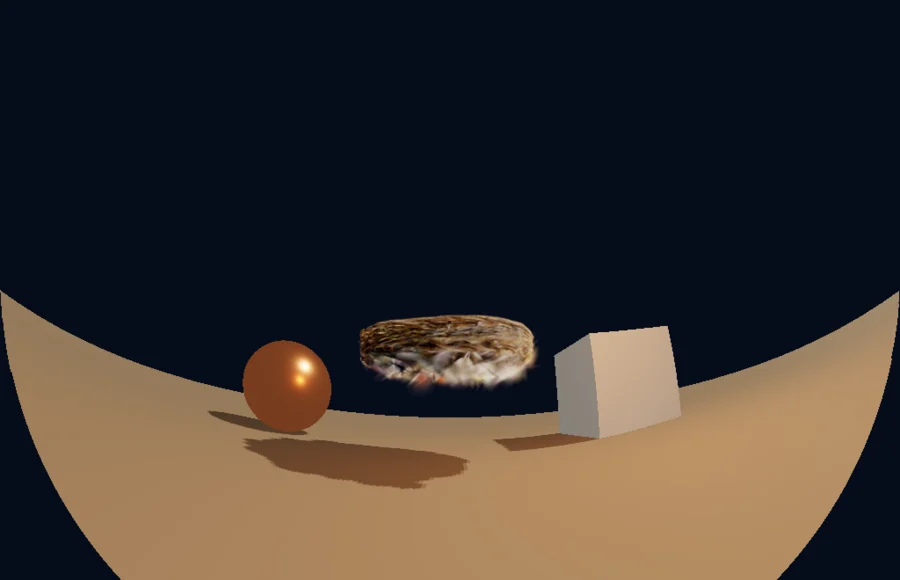
A 180 degree fisheye dome master of a small courtyard
10Create

Fisheye lenses.

Fisheye lenses work on all 3D cameras and render paths, CPU and GPU, including splats, TAA and motion vectors.

11Edit

Image updates.

ImageShader gets an output size, edge modes for each input and linear reading of 8-bit inputs. ImageEdgeDetect draws line art from id or normal layers.

ImageHeatDistort can take its shimmer from a picture, ImageTriplanar outputs its UVs, and ImageAutoCrop outputs its crop box.

ImageSequenceBlendImageUVGradientImageShaderImageEdgeDetect
12Create

Rigging and deformers.

Squash, flip guard and auto clavicle on two-bone IK. Balance over the feet and a center of mass goal on full-body IK. Ragdolls get back up and blend into animation.

Blend shapes and surface deform run on the GPU. Match FK to IK and IK to FK are in the viewport Rig menu.

3DGeoRigTwoBoneIK3DGeoRigFullBodyIK3DGeoSurfaceDeform3DGeoRigHumanoid
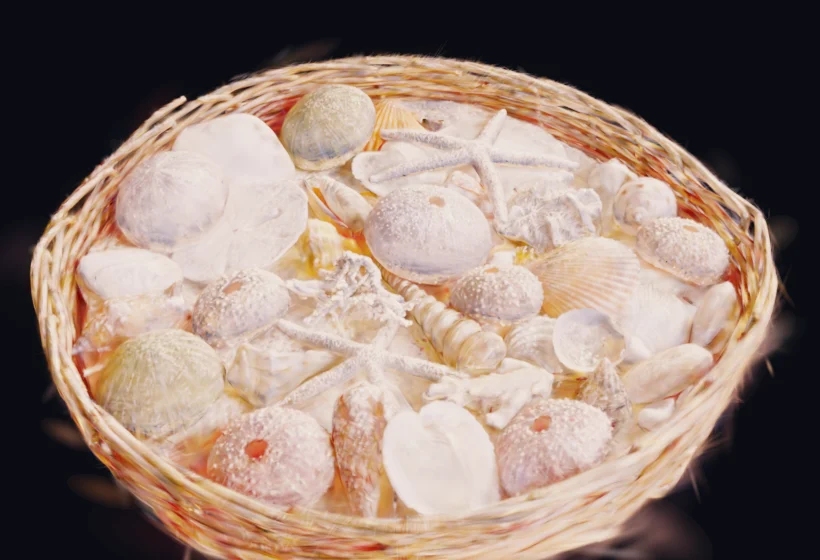
A scanned basket of seashells as splats, relit
13Create

27 more splat nodes on the GPU.

Relight, delight, shadows, deformers, cleanup, color and LUTs, dissolves, decimate and mesh conversion now run on the GPU.

Splats show correctly in screen space reflections and AO, and 3DGeoSplatNormals gets screen space and hybrid modes.

14Perform

Depth and tracking.

Depth pictures carry tags that say what their values mean, so depth nodes read them right with no setup. Depth cameras can pair each depth frame with its color frame.

ImageMarkerTrack gives a full 3D position and rotation for ArUco markers and QR codes.

DepthImageToGeometryImageMarkerTrack
15Perform

Mocap and media.

iFacialMocap and Facemotion3D over TCP, BVH export from character export, and hand and head mesh skeletons that plug straight into the rig nodes.

AVIF pictures read and write, and a folder of numbered frames works as one clip in an arrangement.

terminal
$ kinematic loudness sample_audio.wav
  loudness    -16.2 LUFS
  true peak   -2.9 dBTP
  sample peak -3.0 dBFS
  range       0.0 LU
  length      3.20 s, 44100 Hz, stereo
16Developers

Drivers and the command line.

Many more settings can be driven, and each node says which. Node search understands plain phrases like “slow motion” or “camera move”.

New kinematic drivers, kinematic scopes and kinematic loudness commands, and render --preset.

The What's new in 0.5.0 page
Missed 0.5.0?

0.5.0 was a big one.

A new name, a timeline on every graph, and modeling, sculpting, painting, photo and sound editing in the viewport.

Also in 0.5.2

And plenty more.

The smaller changes, in short. The changelog has all of them.

  • Live playback no longer shows the picture about 120 ms ahead of the sound, and MP3 seeks land exactly.
  • Timeline export now matches the player, with transitions, text, adjustment layers, generators, LUTs and video clip sound.
  • True peak limiting on AudioLimiter, a loudness range output on AudioLoudness, and fixes to over a dozen filters, delays and reverbs.
  • Over 30 geometry nodes that used to drop UVs, colors, groups and materials now keep them. Cloth sims keep their triangle meshes, UVs and materials.
  • Float and 16-bit depth is read at full precision, and ImageDepthOfField no longer smears a sharp foreground into the blurred background.
  • A wide variety of fixes and quality of life improvements across the app.

Free and open. Yours, forever.

No account, no license key. macOS, Windows, Linux and Raspberry Pi.

Download Kinematic 0.5.3